All about Microsoft Office for Apple Mac. Word, Excel, PowerPoint, Outlook on macOS, Microsoft 365 for Mac, Office 2021 for Mac and earlier versions.

Make a gauge, dial or speedometer chart in Excel
Officially a Gauge, dial or speedometer chart isn’t available in Excel. It’s a glaring omission from the in-built Excel charts but happily, it’s still possible with a little Excel trickery explained in this article. A “speedo” (Aussie slang), dial or gauge chart is made with a combination of Excel’s Doughnut chart and a Pie Chart […]

Grinning Face with Big eyes / Smiling Face with Open Mouth 😃 emoji in Office
Add the Grinning Face with Big eyes aka Smiling Face with Open Mouth 😃 into Microsoft Word, Excel, PowerPoint or Outlook. Both in Office for Windows and Office for Mac. “Smiling Face with Open Mouth” is the official Unicode name for the 😃 emoji. It’s commonly labelled Grinning Face with Big eyes and is used […]

Undo send now in Outlook for Mac
Undo Send, a feature in Outlook for Windows for as long as we can remember, has finally made it to Outlook 365 for Mac in a unnecessarily limited way. For as long as people have had email, they’ve wanted a way to take back a message they’ve sent. There are two types of going back […]

Stop Word’s grammar ‘help’ once or always
Despite appearances, Microsoft Word’s Grammar and Style checks are not compulsory. There are simple but somewhat hidden controls to turn off the blue underline or dots for selected tests. This article explains how to selectively turn of Microsoft Word’s “Grammar and Refinements” checks either once only or for all your documents. Over time you can […]

Get the latest Aussie census data in Excel
Australian data nerds rejoice! The first load of data from the 2021 Census has been released in a format ready for Excel. Here’s how to get it and look at the detailed statistics for yourself. The Australian Bureau of Statistics has just released the first block of data from the 2021 count with more to […]

Triangular Flag 🚩 in Word, Excel, PowerPoint and Outlook
Insert the Triangular Flag 🚩 emoji into Microsoft Word, Excel, PowerPoint or Outlook. There are two different looks and plenty of colors to choose from, not just the Red Flag default. Triangular Flag 🚩 emoji is usually used to warn people of bad ideas or problems or refer to unsafe/dangerous situations. As you’ll see, it […]

Why does a document look different on other devices
Reasons why a Word document or email can look different on one computer than another device and what you can do get ‘fidelity’ or the same look across many machines. In short – you can’t assume that what you see is the same as someone else. You get a document sent to you or maybe […]

Highlight tricks for Word, PowerPoint, Excel and Outlook
Here’s another example of a seemingly simple Office feature that has hidden depths – Highlighting. For a long time, there’s been a highlight option in Office: Word, Excel, Outlook and even PowerPoint (albeit in a different form). They vary a little in each program so this article will go through them all, mentioning alternatives and […]
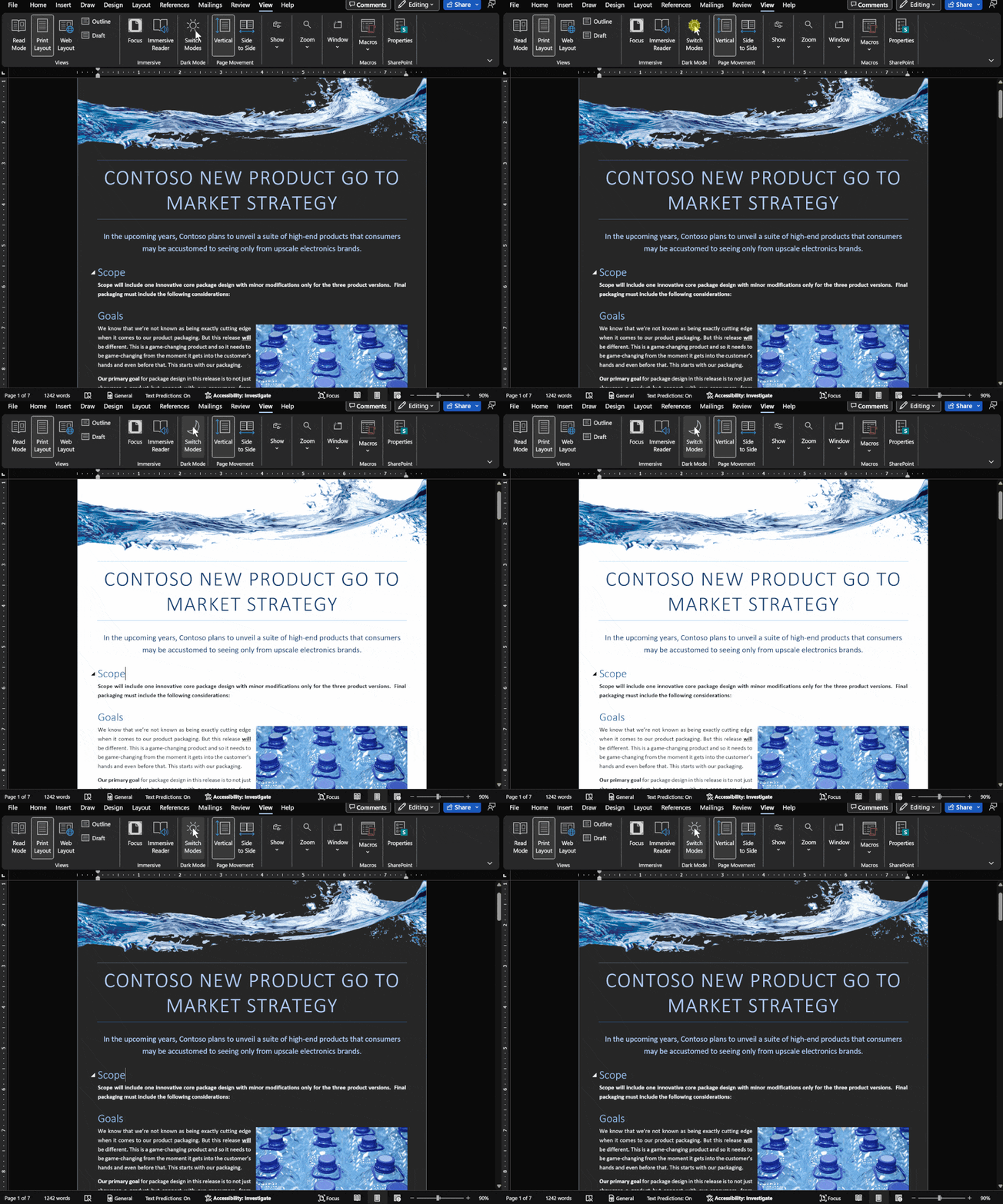
Dark Mode has gradual progress in Microsoft Office
Let’s take a moment to see where customers stand with Dark Mode options in Microsoft Office in Windows, Mac, iPhone, iPad, Android and web. It’s easy to get confused about Microsoft 365 and Office 2021 dark mode or theme options. Microsoft has announced ‘dark’ developments so many times it’s hard to keep up with what’s […]

Images in Office – Inserted or Linked?
More details on the image insert or linked options in Office, Word documents and Outlook emails. We’ve already talked about the three options available for documents; Insert, ‘Link to File’ and ‘Insert and Link’. Insert adds a copy of the image into the document Link displays the current external picture within the document. Insert and […]

Make Contact Groups with CC and BCC in Outlook
Here’s how to make Outlook Contact Groups work with both CC and BCC’s as well. Outlook Contact Groups are a way to combine a list of contacts under a single name. They are often used in business but are also useful for individuals or families. For example groups like: ‘Regional Managers’, ‘Branch Staff’, ‘Neighbours’, ‘Club […]

8 ways to share calendars or events in Outlook
There are at least eight ways to share an entire calendar or individual appointment in Outlook software. Sharing can be ‘live’ and connected. Any changes or updates to the event or calendar are automatically sent to everyone sharing. Or it can be a ‘one-off’ item. A special attachment which is emailed or a little .ics […]
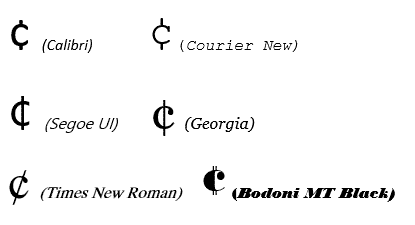
Cent ¢ symbol in Word, Excel, PowerPoint or Outlook
How to type the Cent symbol ¢ into Microsoft Word, Excel, PowerPoint or Outlook plus any Windows program. Cent ¢ shortcut Word and Outlook The Cent ¢ symbol has an inbuilt shortcut in Word and Outlook: Ctrl + /, C Hold down the Ctrl key while pressing / then type C (upper or lower case). […]

One person Comments in Word
Adding comments to Microsoft Word documents isn’t just for groups, use them yourself for your own reminders and side-comments while you’re working on a doc. Word has a feature to let you add ‘side’ comments to documents – comments that don’t show up in the final document, don’t effect the formatting yet stay with the […]
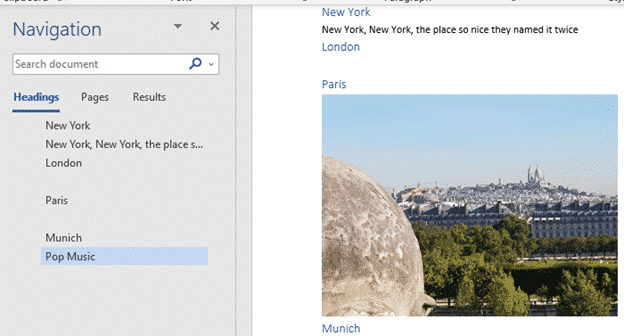
Blank spaces in Word navigation pane
What causes blank spaces in the Word navigation pane and how to fix them. The Navigation Pane in Word shows the Headings in a document but sometimes has the unexpected. Blank lines or text not in a heading. But sometimes blank spaces appear, like between London and Paris above. Why is that happening? The Navigation […]

The big weakness in Excel’s Data from Picture
Excel Mobile’s Data from Picture has one big problem, it can’t figure out what’s intended to be in one cell and puts text in many cells. Cell discernment is Data from Picture’s biggest weakness and the Review process makes it hard to fix those problems. For example, text using Excel’s own Accounting format which puts […]









