All about Microsoft Office for Apple Mac. Word, Excel, PowerPoint, Outlook on macOS, Microsoft 365 for Mac, Office 2021 for Mac and earlier versions.
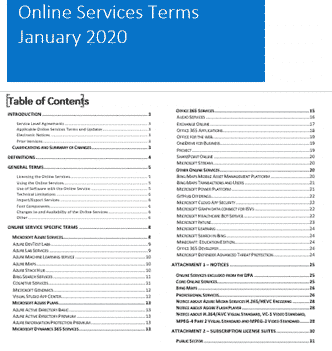
Microsoft clarifies cloud service privacy, is it enough?
Microsoft has updated their Online Services Terms to clarify some privacy issues but concerns remain. They’ve also added yet another document to the confusing mix of legalese customers are expected to understand. Back in August 2019 the Dutch Ministry of Justice released a report that recommended against using Office online or Office apps because Microsoft […]

Academic / Financial year planner for Excel
He’s done it again, David Peel has quickly made up a new version of his Excel Year Planner that starts the year from any month you choose. Great for academic years (start in August) or financial years (e.g. Aussie start in July). The year selector is top left of the main worksheet. Change the starting […]
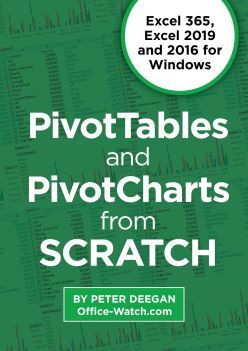
New Edition: PivotTables and PivotCharts from scratch
PivotTables and PivotCharts from scratch in a new edition strips away the techobabble so you can make your own PivotTables and make sense of any list of numbers or information. We do that with plenty of step-by-step instructions and, crucially, Excel worksheets you can open and try for yourself. Understand PivotTables by looking at expert examples, tinkering with the setup to […]

Make styles for individual table cells in Word
It’s possible to apply individual cell formatting in Word consistently using a little VBA code. In effect it makes styles for cells in a way that Word itself won’t do. Reuse this code to apply the same formatting to many cells. Cell Format Special We’ve made two VBA functions for two different cell formatting settings; […]

More Excel alternatives to nested IF statements
Nested IF statements can be hard to understand and manage but there are alternatives which can be easier to handle, fix and change. We’ll start with the relatively simple example we used for demonstrating IF and nested IF. =IF(C2>89,”HIGH DISTINCTION”,IF(C2>79,”DISTINCTION”,IF(C2>69,”CREDIT”,IF(C2>49,”PASS”,”FAIL”)))) This example has only five levels of nesting, we’ve seen nested IF’s with many, many […]
Solid State Drives and Microsoft Office
Are there any advantages to getting an Solid State Drive (SSD) when running Microsoft Office? We have some advice from actual use. Solid State Drives are faster and power saving drives that are now less expensive and more available, but are they worth the trouble for Office users? YES — absolutely and definitely YES. We’ve […]
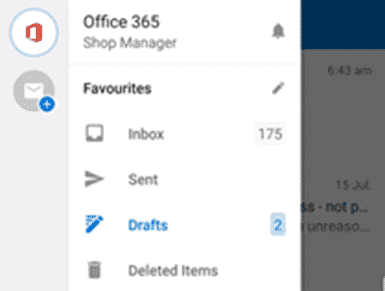
Share Outlook drafts folder on iPhone, iPad and Android
It would be great to share draft emails between Outlook on different devices including iPhone, iPad and Android. You can start a message or reply on a smartphone and finish it later on a computer. Sharing drafts between Outlook for Windows or Mac has been possible for many years, only a change from a default […]
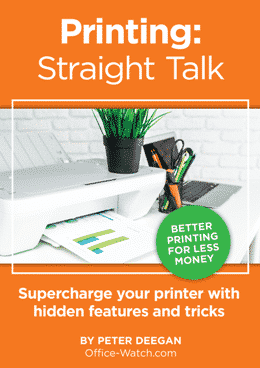
Printing: Straight Talk
The latest ebook from Office-Watch.com is a little different, it’s a heartfelt ‘Thank You’ to our Office Watch donors. Peter and Victor have again been quite astonished and humbled by the generosity of readers to our reader appeal. Both the money and kind remarks have been a considerable morale boost quite beyond the practical help […]

Dynamic Arrays now in Excel for iPhone and iPad
Microsoft has added Dynamic Array functions to Excel for iOS (iPhone and iPad) and done it in an uncharacteristically low-key way. Dynamic Arrays are now available across all Office 365 platforms; Excel 365 for Windows and Mac, Excel for Android, Excel Online (web) and now Excel for Apple devices. That’s an important milestone that Microsoft […]

Pantone 2020 color of the year in Word, Excel and PowerPoint
Pantone has announced its Color of the Year for 2020 here’s how to get it in Microsoft Office – Word, Excel, PowerPoint, Outlook etc. The color of 2020 is … Classic Blue Source: Pantone As usual what’s more amazing than the color is the description from the ‘Pantone Institute’. Classic Blue is: reassuring thought-provoking dependable […]
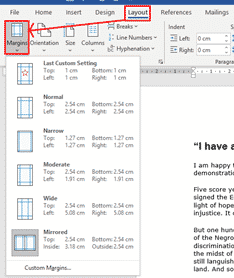
Change Margins in Word
Sometimes we want to change the margins around a Word document, either to change the way the page looks, or to get the text to fit onto the page. To do this, go to Layout > Margins or use the Ruler to drag the margins. There are several default options that you can choose from. […]
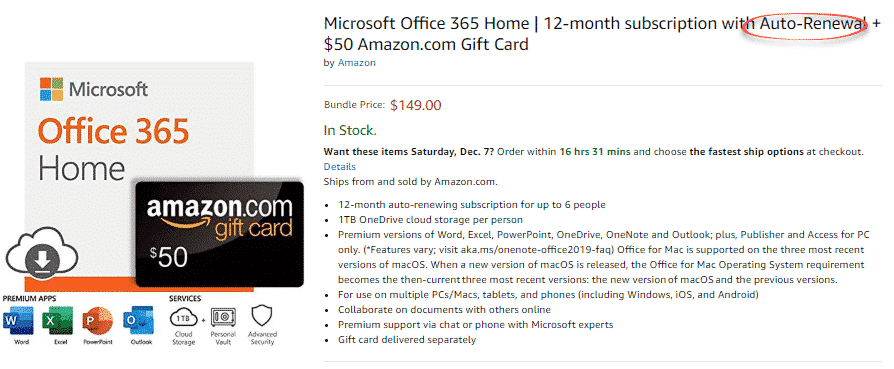
Office 365 plus $50 gift card ‘deal’, they are at it again
Yet again, a bad deal for Office 365 is being offered on Amazon and it’s even worse than last time. In March there was an offer on Amazon for Office 365 Home (retail $99.99) plus an Amazon gift card $50 for a total of $149 – a ‘massive’ saving of 99 cents. It’s on again […]

New look Outlook for Mac
Now rolling out to Insiders is a preview of a new look in Outlook for Mac. Here’s what’s on offer and how to get it. Limitation There’s an important limitation on the new interface that’s not given enough warning by Microsoft. It’s only available if one of the email accounts is Office 365, Outlook.com or […]
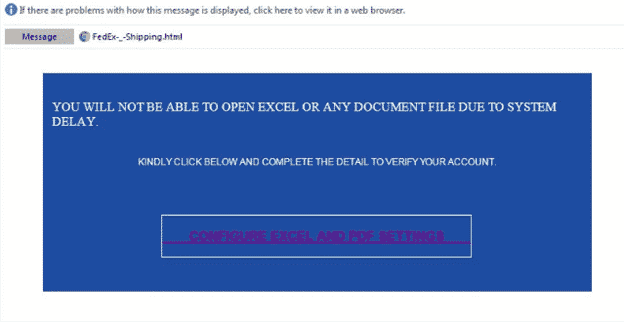
Excel ‘system delay’ phishing trick
Just one of the many tricks to get people to giveaway their password is a bogus ‘system delay’ email, supposedly from your network administrators. The fake login page is given extra credibility being hosted on a Microsoft server! It starts with a fake message from the ‘Excel Team’ saying you can’t ‘Open Excel or any […]

Faster PivotTables with the new Ideas or Insights feature in Excel
Excel is getting a clever new way to quickly analyse your worksheets and pull out useful ideas or insights to quickly make PivotTables, PivotCharts and Charts. It’s now available in Excel 365 for Windows and Mac, Insiders and will eventually make it to public releases. It’s now called ‘Ideas’, previously known as ‘Insights’ (a more […]

Office 365 Black Friday bargains
‘Tis the Black Friday season for savings on Office 365 so we’ll keep an eye on price discounts on Office 365 Home and Office 365 Personal in the USA, UK and Australia. It’s a great time to save on extending or renewing an Office 365 subscription. Below is a guide to whether a price for […]









