All about Microsoft Office Word, Excel, PowerPoint and Outlook, Microsoft 365, Office 2021 and earlier versions.
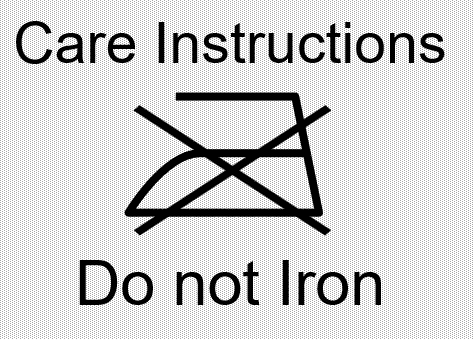
Best Laundry label text font for Microsoft Office
Which font to use if emulating a true laundry care or clothing text label in Word, PowerPoint or other Office program? We’ve already talked about how to put standard laundry care symbols in Word, Excel or PowerPoint but what about the text that usually goes with the icons? In our research we couldn’t find any […]

All about check in and check out in Microsoft Teams
Checking in and out of documents for Teams isn’t well understood. Using it can end in tears with lost changes or a seemingly stranded document that’s not available to others. What is Check in / Out? In a multi-user environment where lots of people might want to edit a file at the same time, check […]
Beware: don’t be pushed into the wrong Microsoft Office
Buying Microsoft Office in a physical store (remember them?) can be a trap for the unwary. People are being sold the wrong type of Office, instead they are pushed to the best option for the salesperson. We’ve had questions from readers after they’ve visited a local computer store. They’ve been misled talking to self-interested sales […]

Track Changes updates for Word on the web
Track Changes in Word on the web has changed so that accept or reject an edit appears right next to the text. The Track Changes feature allows users to gain feedback from others working on the same document. Microsoft has recently introduced a new feature, cards that pop-up to allow the user to preview any […]

Easy way to change page size and margins in OneNote
OneNote lets you change the size of the paper page, including adjusting the margin size of your notes from the default ‘Auto’ to a fixed size like ‘Letter’ or ‘A4’ among many. Although OneNote has a ‘default setting’ when it comes to paper size, you can adjust this using this feature, plus, it’s easy to do and won’t take you very long to change. This […]
OneDrive service being stopped for older Windows
OneDrive support and complete service is being stopped completely on older versions of Windows. But we’re not supposed to use words like ‘stop’, ‘drop’ or ‘end’, the preferred euphemism is ‘aligning’ even though there’s very little alignment happening. Microsoft isn’t just stopping feature and security updates. For older Windows, the OneDrive app will stop working […]

Video: understanding the changes to Office.com
Here’s a good video that explains the changes coming to Microsoft Office.com portal Big Tick ✔️ for a Microsoft video that’s more substance than style. Also ✔️ the lovely peg-board for office supplies. Some ❌ marks for too often used Microsoft Hype™ words the form of ‘Excited’ and ‘Experience’. Two words that badly need a […]

Good stuff now and coming changes to Office.com
There are some good and practical changes coming to the main web portal for Microsoft Office users, Office.com plus some features already available you might not realize. These changes are either happening now or in the coming months. As usual, there’s a gradual rollout to Microsoft server farms across the globe. Here’s both an overview […]

What are ClipChamp videos and how to try it today
ClipChamp is an online video editing service that’s been bought by Microsoft and is now available to their customers. Not just long videos but also very short ones for social media. It has a wide range of ClipChamp features for both personal and business use. Video Editor Templates Stock image library Camera recorder Screen recorder […]
Warning older Outlook’s are ending this month
A reminder that older versions of Outlook for Windows, including some Outlook 365 are ‘ending’ in November 2021, meaning they won’t connect with Microsoft hosted mailboxes, including Outlook.com Microsoft announced this many months ago however their latest list of affected software includes some older versions of Outlook 365 for Windows. See Warning! Older Outlook soon […]

Cartoon People and a lot more in Microsoft Office 365
Microsoft Office 365 has a very interesting addition to their stock graphics range called “Cartoon People” but is really a lot more than just people. Cartoon People has been added to stock Images, Icons, Cutout People, Stickers and Illustrations. Access it from Insert | Pictures | Stock Images or Insert | Icon then click on […]
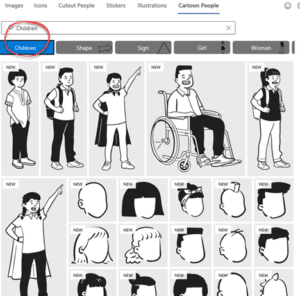
How to find more Cartoon People in Office 365
Here’s a better look at more Cartoon People graphics in Microsoft Office 365. Check out the main categories, how to search Cartoon People and some useful search terms. This article looks at the people graphics available under the ‘Cartoon People’ section with many examples to give you a better idea of what’s possible. We have […]
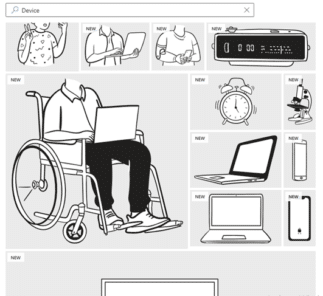
Cartoons without People you can add with Office 365
It’s called Cartoon People in Office 365 but there are plenty of non-human graphics available to use either on their own or as part of a combined graphic. See also How to find more Cartoon People in Office 365 to see the human side of this feature for Word 365, Excel 365, PowerPoint 365 and […]

Which Office for Mac are ready for macOS Monterey?
The latest macOS, v12 called ‘Monterey’ is out now. Which Microsoft Office for Mac will work with the new operating system for Mac computers? Should you update to Monterey now or wait a little while? In short, any Office for Mac which works with ‘Big Sur’ macOS v11 is OK with ‘Monterey’. Office for Mac […]
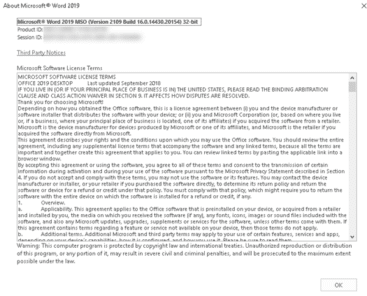
See the license rules for Office 2019 and Office 2021
The license rules for Office 2019 and Office 2021 are buried deep in the software. Here’s how to find the license wording plus explanation of the rules about installation and transfer to another computer. Microsoft Software License Terms are the same for Office 2019 and Office 2021, at least when it comes to software use […]
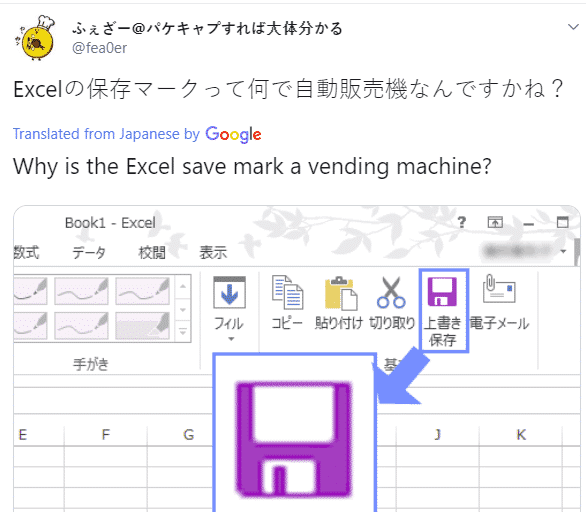
Why is there a vending machine on the Office ribbon?
There’s a new generation growing up who see the Office ribbon differently from their parents. To some young people a floppy disk icon looks more like a vending machine! Check out this icon on the older Office ribbon …. To you, me and most people it means ‘Save’ because that’s a floppy disk. Specifically, a […]