All about Microsoft Office Word, Excel, PowerPoint and Outlook, Microsoft 365, Office 2021 and earlier versions.
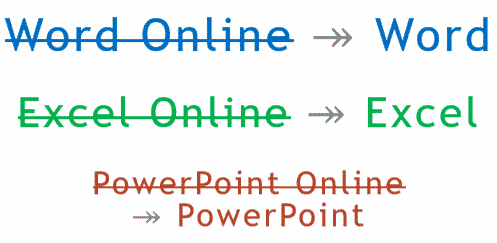
Office Online becomes ‘Office’, just to confuse everyone
Microsoft says we should stop calling the browser-based version of their apps ‘Office Online’. It’s now just ‘Office’. ‘Word Online’ is now just ‘Word’. ‘Excel Online’ is ‘Excel’, ‘PowerPoint Online’ is merely ‘PowerPoint’. Make sense? No, we don’t understand either. Microsoft’s explanation of the name change doesn’t help. According to Microsoft they are doing this: […]
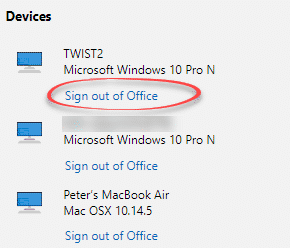
Office 365 activation improvements but not for everyone
In August there’ll be some good changes to Office 365 activation for commercial customers. The per device activation limit will be handled in a much better way. Each Office 365 user is limited to login/activations on five each of desktop programs, tablet apps and smartphone apps. That’s a total of 15 devices with a single […]

Cheap Office 2019, Visio and Project on the Home Use Program
Microsoft’s Home Use Program is a great way to get Office cheaply including Office 2019, Visio Professional 2019 and Project Professional 2019. The Home Use Program (HUP) has been a way to get Microsoft Office for less than retail for a long time. It’s available to many companies, organizations and government entities with Software Assurance […]
New Window 10 update fixes Office 2010 bug
A new Windows 10 (October 2018) patch fixes a bug with Office 2010 and updates Brazil time zone data used by Outlook. The patch KB4505658 fixes a long list of Windows 10 v1809 bug fixes. Sorry, they aren’t bug fixes, the euphemism is ‘quality improvements’. Two changes stuck out for us. Save and Save As […]

Word for Android reaches a real billion milestone
Microsoft Word for Android has reached a billion installs. That’s a real Billion not a Microsoft hype billion. It’s even more impressive than it seems. The billion number is counted by Google on Google Play. Microsoft loves quoting high numbers especially ‘Billion’ even when it makes little sense. But this is different. The statistic comes […]

Complete guide to adding placeholder or filler Text in Word
Microsoft Word has several ways to quickly insert placeholder text into documents. Sometimes you want to add some random text to a document as filler, but don’t want to think of something to write yourself. While there are websites that will generate placeholder text for you, it is also possible to do this directly within […]

What’s the earliest date possible in Outlook and workaround.
Our articles about saving past events with anniversary reminders begs the question; How far back can Outlook save an event. The answer in Outlook for Windows, Mac and online is 1 April 1601. Trying to enter a date before 1st April 1601 brings up an error: “You must specify a valid date and/or time”. That […]

Apollo 11 events to download and add to a calendar
Here’s a practical example of how to share an appointment or event with reminders using the iCalendar .ics standard. Some Apollo 11 events ready to download and add to your calendar (in Outlook or other software). Outlook supports .ics files and so does most other calendar programs. They are small text files which have all […]

Apollo 11 mission timeline in Excel
Here’s the enhanced Apollo 11 mission timeline as an Excel worksheet. Office Watch newsletter readers asked for it after last weeks articles using the NASA web page as a data source. Complete Apollo 11 timeline in Excel Things to do with the Apollo 11 timeline in Excel Apollo 11 suggested viewing and reading The full […]

Apollo 11 suggested viewing and reading
The 50th Anniversary of Apollo 11 has unleashed so many books and videos you could easily trip over them walking down the street. Our Editor-in-Chief, Peter Deegan, has been a NASA nut since well before July 1969. Friends have asked him for recommendations of what you see and read … here’s his suggestions. They are […]

Things to do with the Apollo 11 timeline in Excel
An Excel worksheet with Apollo 11 timeline can be used to analyze and breakdown the astronaut’s movements plus answer the big question: what time was it when Armstrong walked on the moon? See how we put the Apollo 11 timeline into Excel using Get & Transform or the older Copy/Paste method. Also Add Apollo 11 events […]

Complete Apollo 11 timeline in Excel
NASA has a detailed web page with the timeline of the Apollo 11 mission from before liftoff to well after splashdown It’s an example of the two ways to put a web table into an Excel worksheet. Newer Excel (365, 2019 and 2016) has PowerQuery with ‘Get and Transform’ which is much better. The older […]

Copy and Paste web pages & tables into Excel – Apollo 11 Timeline
One way to get a web table into Excel is simply to copy the page from your browser into an Excel workbook. This method works for all versions of Excel back more than a decade. It’s been superseded by Get and Transform with PowerQuery which does a much better job of conversion. See Complete Apollo 11 […]
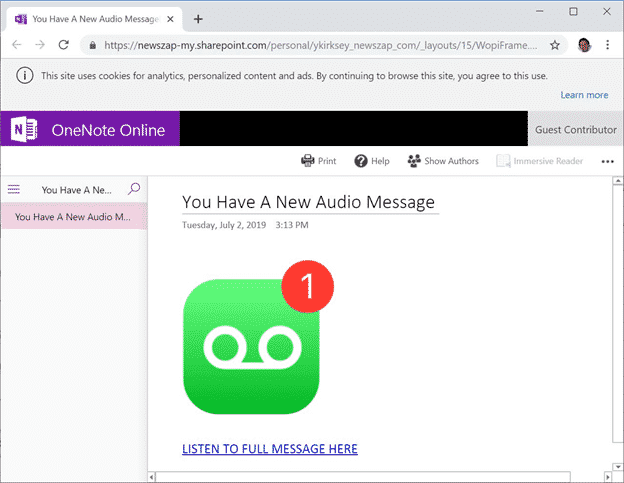
Fake OneNote/Sharepoint emails try to steal your password
Emails claiming to be OneNote Audio files are really a trick to steal your Microsoft login and password. They use Microsoft’s own SharePoint.com and Windows hosting to fool people. Bleeping Computer with help from ransomware hunter Michael Gillespie show examples of a phishing email which claims to be from a contact sending you a OneNote […]

Office 365 discount for Amazon Prime members
Amazon Prime members might have a chance to get Office 365 cheaply while the Prime Day deals are on. The Amazon ‘Prime Day’ runs for two days (go figure), Monday 15th and Tuesday 16th apparently according to local time zones. Office 365 Home is often discounted but rarely to the extent that the Prime Day […]
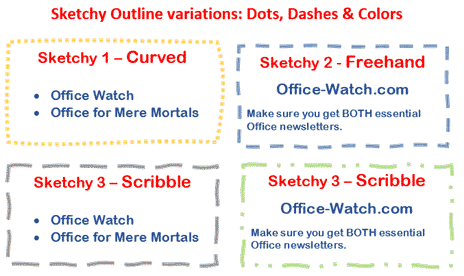
Now … Sketchy Shapes the video!
Sketchy Shapes, the new line option in Office 365 now has a little video to go with it. Sketchy line option in Office for Windows and Mac Sketchy or wriggly lines in Icons and SVG graphics Source: Microsoft









