All about Microsoft Office Word, Excel, PowerPoint and Outlook, Microsoft 365, Office 2021 and earlier versions.
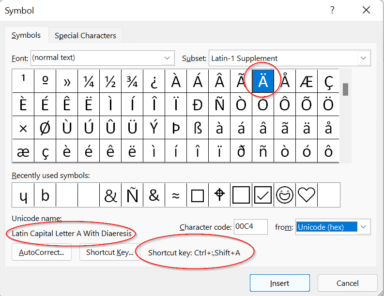
Five ways (and more) to type Accent characters in Word and Outlook
More than five ways to type characters with accent, grave, circumflex, tilde, umlaut, dieresis or cedilla in Microsoft Word and Outlook when they aren’t on the keyboard such as á ã à ä Ç ç ē é ê è ë â ê î ô û and many more. Typing accented letters can be a chore […]
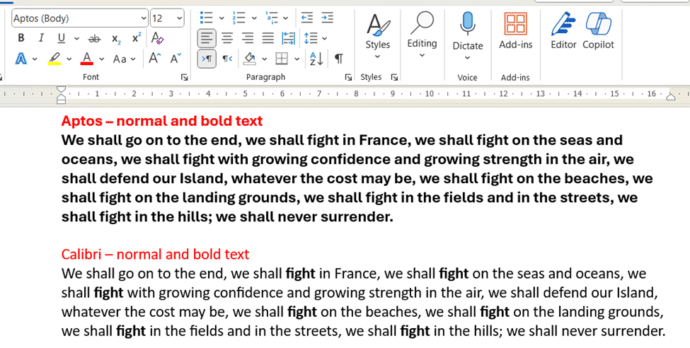
Microsoft Word – switch away from Aptos fonts
There are at least two ways to switch away from the new Aptos fonts in Microsoft Word and back to the old Calibri fonts or something else. Microsoft has forced a change to Aptos as the new default font in Word but that change doesn’t suit everyone. In particular, Aptos doesn’t make much (or any) […]

Outlook – change away from Aptos font
Switch from the new Aptos default font in Outlook to another font that you prefer and is has better readability in Outlook desktop (Windows or Mac) and Outlook (new). Personally I’ve tried to like Aptos fonts but after a few months they still offend my eyes, especially in emails. It’s too ‘blocky’ and hard to […]

What’s the deal with Microsoft’s Copilot Copyright Commitment
Microsoft loves to boast about their “Copilot Copyright Commitment” but what does it really mean and how much protection do customers really get? There’s a concern that AI generated content might be subject to intellectual property (IP) law suits. Perhaps because an AI image or text is too similar to copyrighted content. The New York […]
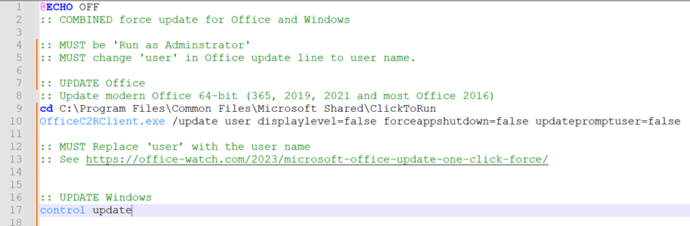
Combined ‘one-click’ update for both Windows and Office
Here’s a combined ‘one-click’ way to force an update to both Windows and Microsoft Office at the same time. Normally Windows and Office both update themselves automatically and in the background so you don’t have to worry about it. But there are times when you need to ensure both are fully updated. To do that […]

Wordpad is ending, what are your alternatives?
Microsoft is ending Wordpad on Windows 11 … not right away but sometime soon. Here are your options for a replacement. WordPad has been in Windows since 1995 as a basic word-processor with Word document compatibility. It was never much loved but still has an important place. It’s the only way to view or edit […]
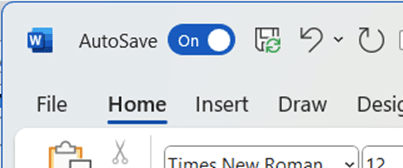
Is AutoSave really the ‘greatest feature of all time’?
According to Microsoft, AutoSave is the ‘greatest feature of all time’. That’s ‘over the top’ even for Microsoft and it only highlights the self-serving limitations of the current Autosave feature in Office. “Autosave is the greatest feature of all time and you can use it across your M365 apps. That’s all.” The ‘X’ (formerly Tweet) […]

What the hell is Copilot and how can it help me?
Let’s take a moment to explain, without the hype, what Copilot is and what it can do for you and all Microsoft Office users including Office 2021,2019 and earlier. We’ll explain some ways Copilot can save time and money doing simple tasks for anyone with Microsoft Office. Beleive me that AI systems like Copilot are […]

First impressions of paid Copilot
We’ve been using Copilot and Copilot Pro for a little while and here’s our first impressions of Microsoft’s paid AI services as they exist today. In other words, what you get for your money right now. It’s hard to justify paying upfront $360 per user for a year commitment to Copilot for Microsoft 365 business/enterprise […]

Copilot for Microsoft 365 – what you need to know
What you need to know about Copilot for Microsoft 365 which brings AI technology into Microsoft Office including Word, Excel, PowerPoint and Outlook. Here’s how to get Copilot for Microsoft 365 and the secrets to getting it working. What is Copilot for Microsoft 365? Copilot for Microsoft 365 applies to Microsoft 365 business and enterprise users: […]
Try Copilot AI two ways for less money or none
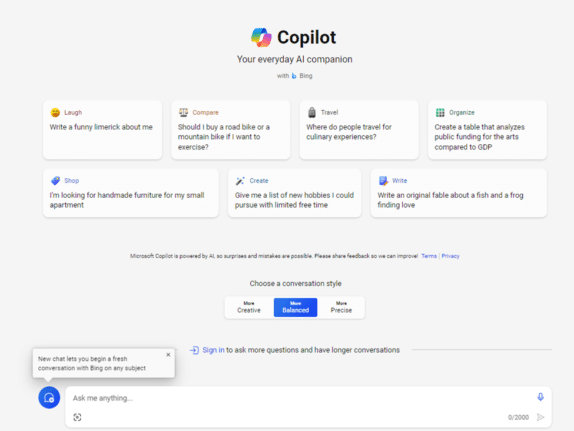
There are two ways to try out paid Copilot for less money. If you’re not sure but want to try the enhanced AI features in Office there are a smart ways to get Copilot without dropping a lot of money in advance for unknown benefits. Let’s face it, Microsoft is asking a lot with their […]
Office Readiness Toolkit gets cancelled
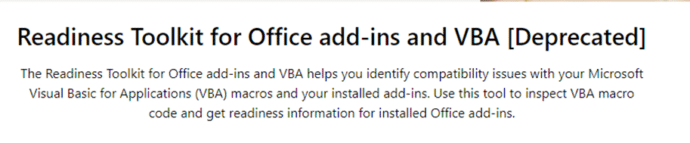
The Microsoft Readiness Toolkit for Office add-ins and VBA is being cancelled (‘retired’) from the end of March 2024. The toolkit has been around for some years to help “identify compatibility issues with your Microsoft Visual Basic for Applications (VBA) macros and add-ins that you use with Office”. The download page for the Readiness Toolkit […]

Excel for iPad gets PivotTable editing – at last!
Until now, Excel for iPad could use PivotTables already setup in desktop Excel. Now you’ll be able to make and edit PivotTables too. An Excel for iPad PivotTable looks the same as in other Excel’s Being able to make last minute changes to a PivotTable on the iPad is very welcome. It’s probably still easier […]

RobinAI get funding for AI-powered Word add-in for lawyers
RobinAI, a legal add-in for Microsoft Word has received $26 million in new funding from a Singapore investment firm. The Word add-on uses AI tech to help drafting, reviewing and negotiating contracts. There’s a contract repository with a search option to let you pull out relevant text from similar past contracts. “Customers can add their […]

Laundry care symbols typed in Word, Excel and PowerPoint
Many different ways to type or insert laundry care symbols, which appear on clothing labels, into Word, Excel or PowerPoint. Laundry care symbols can be for laundry area signs or for fun like this t-shirt. Or alternative symbols in a PowerPoint slide. All five symbols were black laundry care icons. As SVG graphics all five […]
Fix a sync bug in OneNote 2016 with this update
There’s a new Microsoft patch to fix a bug in OneNote 2016 which crashes when syncing with other versions of OneNote. The problem is in OneNote 2016 but only the ‘MSI’ installed version. Not the more common ‘Click to Run’ installs, which includes OneNote that comes with Microsoft 365, Office 2021/2019. See out Your OneNote […]









