All about Microsoft Office Word, Excel, PowerPoint and Outlook, Microsoft 365, Office 2021 and earlier versions.

Generative ‘Smart’ Erase returns to Designer
Smart or Generative Erase in Microsoft Designer has returned after an unexplained absence. Use it for graphics or just to fix a photo. Designers’ Generative Erase can remove people or objects from an image, replacing it with the surroundings. It does a good job doing something that, a few years ago, was only in high-end […]

Eye 👁 emoji in Word, Excel, PowerPoint and Outlook
How to insert the Eye 👁 emoji into Microsoft Word, Excel, PowerPoint or Outlook. Both in Office for Windows and Office for Mac. Eye 👁 symbol is used for decoration “Look Here” or “See this”. Even as a fancy bullet point in Word or PowerPoint. How Eye 👁 looks in different fonts. Two Windows fonts […]
Better Bullets in Word with SVG Icons
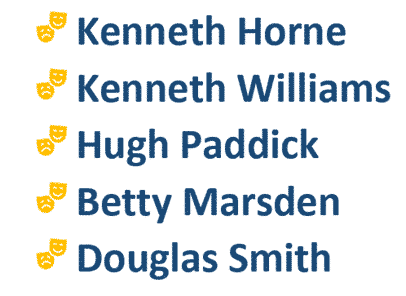
Get better and more creative bullet lists in Word using an Icon or SVG graphic in Word or PowerPoint, you just have to be a little sneaky. Icons (Microsoft’s name for SVG graphics) would seem to be ideal for creative bullets. SVG’s can be resized, colored and adjusted without loss of quality. They are available […]
Get rid of Teams buttons from your Office ribbon
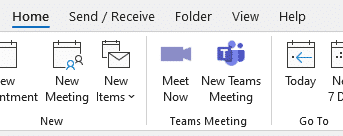
Teams button creep into Office and Outlook ribbons because Microsoft tries to promote itself. Here’s how to get rid of it or any other Office buttons you don’t want. Teams icons prominently appear on Office ribbons, like this one on the Outlook Calendar ribbon. or this with Meet Now video conferencing included as well. Or […]
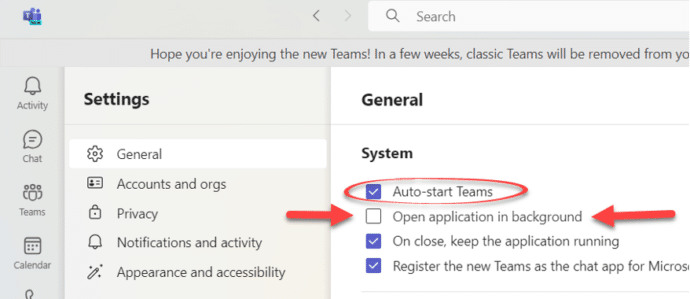
Stop Teams opening at startup Windows or Mac
How to stop Microsoft Teams opening automatically when the computer starts – Windows or Mac. Microsoft wants to push their Teams software to as many people as possible. Part of that is making Teams (free or paid) really obvious or intrusive, depending on your point of view. Teams doesn’t take up a lot of resources […]
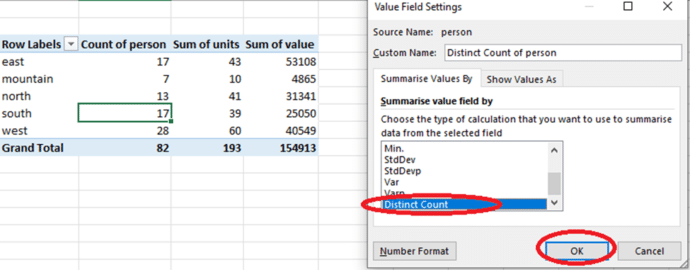
How to count unique items in an Excel PivotTable
Excel PivotTable can show a count of unique items if you know where to look. Handy to see the number of customers, products or students from a long data list. What is the count of unique customers who made purchases in each region? How many unique products were sold in each store? How many different […]
How to get the Office 2024 preview and why not to bother
Microsoft has released a preview version of Office 2024 LTSC. Here’s how to get it, what’s in the preview and why not to bother with the preview software. Office 2024 is the next fixed price or perpetual license version of Microsoft Office that will be released later this year. The newly released preview is for […]
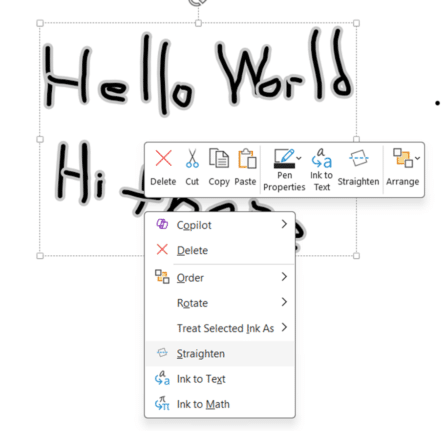
Straighten handwriting in OneNote
OneNote for Windows can straighten handwritten, digital ink, text so it’s nicely even across the screen. We tested Straighten to see how it really works … and it’s not bad. Microsoft doesn’t provide a working example of straighten just a mockup with grey lines and nothing like the real OneNote interface. So we made our […]
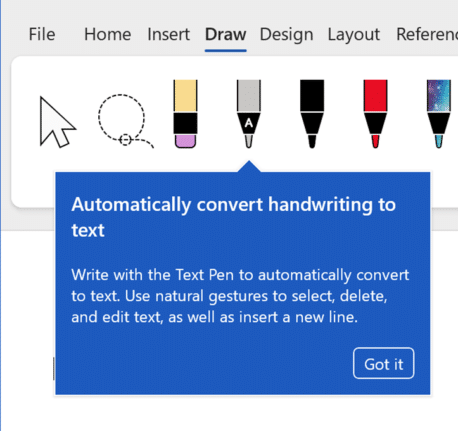
Ink to Text tool in Microsoft 365 for Windows
Word, PowerPoint and OneNote 365 for Windows have digital ‘ink to text‘ feature to not only handwrite into documents but also edit text and add bullet or numbered lists. Ink to Text requirements Before we explain the new feature, we’ll detail the specific requirements of the new ‘Ink to Text’ Word feature. Microsoft buries these […]

Microsoft Office font spacing mystery and how to fix
A strange case of letter spacing with a Microsoft font showing differences between Word and PowerPoint. Here’s the anomaly with three possible fixes for it and similar situations. Office Watcher Paul B noticed this peculiar spacing between a fullstop/period and digit 1 with the Tenorite font. In PowerPoint, the two characters are very close together […]
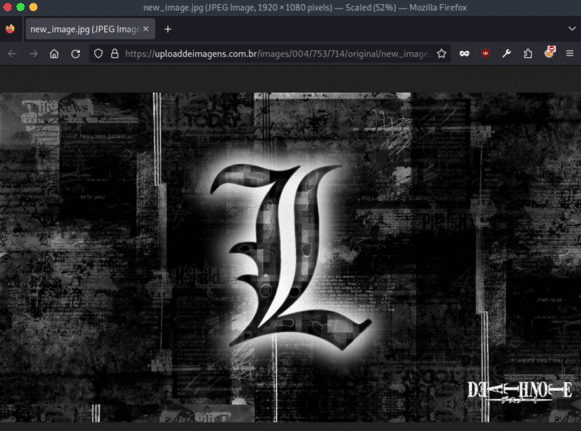
Steganography used to hide Word and Excel attack
Computers are being infected with at least eight different viruses in an attack that uses steganography to hide nasty code in images linked from Word and Excel documents. But there’s good news for most Office users. Steganography is a way to hide text or code in an image or object. It’s a trick that’s been […]
Recycling – good. Paper shredding – good. Together – not so good.
Paper shredding isn’t always welcome as recycled paper. Turns out there are hidden complexities even to just protecting your privacy and reducing waste. Wirecutter at The New York Times surprised us by explaining how putting shredded paper in a recycling bin can create all sorts of trouble. Shredded paper can cause problems at recycling facilities, […]

Faster Office File management on the fly
The File Open and Save dialog boxes in Office have many not-obvious features which let you do a lot of file management and housekeeping on the spot. You try to save a document and realize you need a new sub-folder. Or open a document and want to move it to a different folder. Or just […]
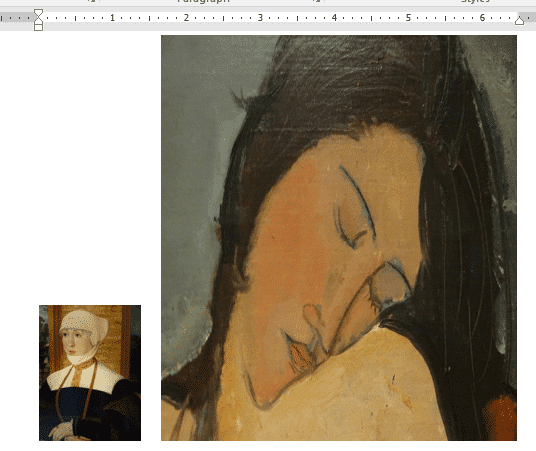
Smaller images make smaller documents in Word and Office
Pictures in Word, Excel, PowerPoint and Outlook can make the file sizes at lot larger than you expect. Here’s how to make images smaller (in file size) for Office documents without changing the look of the document, slide etc. The images in a document are what take up a lot of space in most documents. […]
Microsoft (again) announces 365 Basic plan extras
Microsoft has announced ‘extras’ for Microsoft 365 Basic but we can’t see anything new that wasn’t promised over a year ago and delivered six months ago. It’s a just a simple PR stunt that worked. The ‘Microsoft 365 Basic’ plan has just 100GB of OneDrive storage plus a 50GB Outlook.com mailbox for US$19.99 a year […]
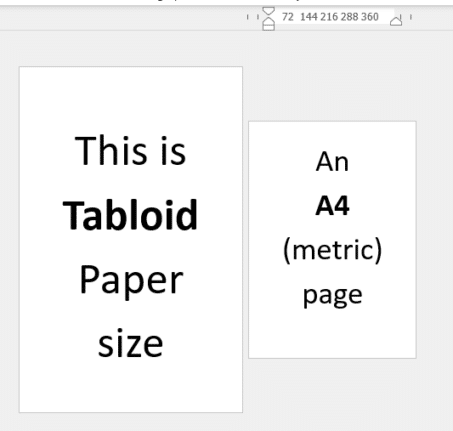
Paper Sizing tricks in Microsoft Word
The world can be divided in many ways — how about by paper sizes? Letter/Legal/US sizes vs A4/Metric. Microsoft Word makes it easy to cope with both even with different paper sizes in one document. There’s a very handy way to rescale between Letter <> A4 for printing. Amazing Maps on X/Twitter shows the two […]