
Outlook discovers Emoji after seven years – goodbye to J, hello color Smiley
Microsoft is a slow learner. After seven years they’ve finally fixed an annoying emoji bug in Outlook and they’ve done it in a typically sideways fashion. Current versions of Office display an incompatible smiley emoji that often appears as the letter J – instead of 😊 If you’ve ever seen a message with a J […]

Invoke – Outlook speaks and we get the heebie-jeebies
Microsoft is joining the voice device market alongside Amazon’s Echo and Google’s Home with the enticing possibility of making Outlook speak to you via Invoke. Harmon Kardon will be releasing Invoke, a speaker and Cortana powered device. Details are few at this stage however it opens up the possibility of a device that will speak […]

Outlook users may need to update their Apple email password
Apple has announced a change to how third-party products, like Microsoft Outlook, connect to iCloud services. From 15 June 2017, you’ll need an ‘app specific password’ for Outlook and other programs to connect with Apple services. This makes two-factor authentication for Apple ID’s compulsory if you use external products. Two-factor authentication is a good thing. […]
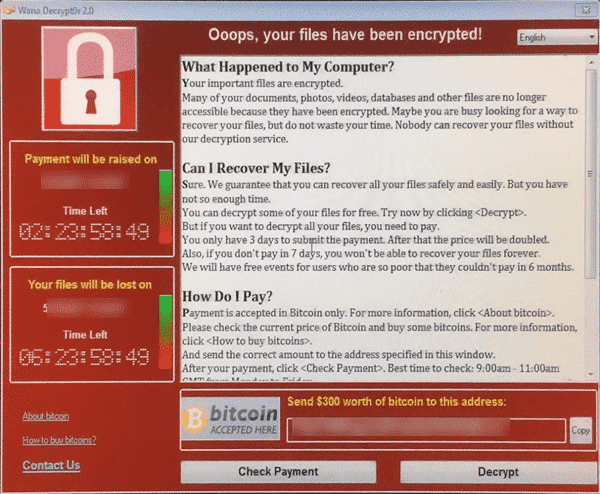
Ransomware and WannaCrypt special
Everyone is talking about ransomware now that the WannaCrypt has spread like crazy across the world. These nasty viruses target your documents and precious files including Microsoft Office files and Windows backups. This is a little embarrassing for us because Office-Watch.com has just released a new book that’s suddenly become very topical. Everyday BACKUPS – […]
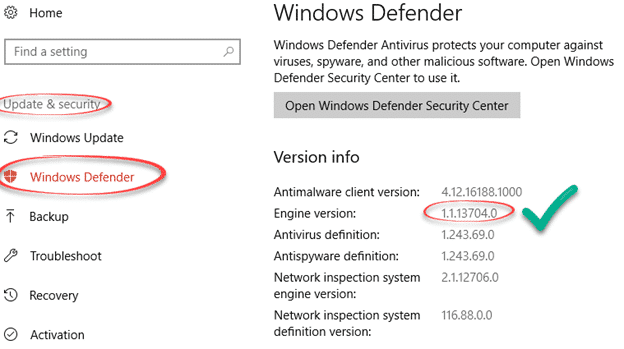
Amazing security bug in Windows Defender
Microsoft has moved quickly to block a security hole in their own anti-virus software, Windows Defender. We’re used to seeing email or instant messaging used to infect a computer when opening a document in Word or Excel, maybe an email in Outlook. But this is quite different and very worrying. The bug is in Microsoft’s […]

Windows 10S and your Microsoft Office choices
Coming soon is a new version of Windows, the Windows 10S. What does it mean for Microsoft Office users? The 10S is a stripped down and limited version of Windows 10. Some advanced features aren’t available while others are set to Microsoft’s preferences automatically. To buy 10S is cheaper than the Home or Pro editions, […]
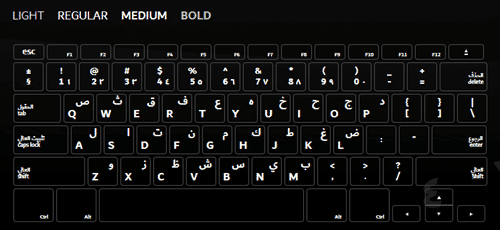
Dubai font, free for everyone
Last week, Microsoft released the Dubai font to their Office 365 customers only. Now the city-state of Dubai has released it to everyone. Dubai is a new font which has both western and Arabic characters in the one package. It was created by the Dubai government with assistance from Microsoft. You have to hand it […]

Signal ‘gets’ Office documents and PDF – at last!
At last the cries of eager Signal supporters have been heard – the latest releases allow secure transfer of Office documents, PDF and more. Signal is a well-respected, very secure and private messaging system. The makers of Signal licence their open-source encryption to other messengers like Google, Facebook and WhatsApp. Even better, Signal deliberately retains […]

A new Outlook attack method – Microsoft in denial
Sensepost has revealed an interesting way to hack your computer via Outlook. Microsoft’s public response has been to deny there’s a problem and put the responsibility on customers. The method hasn’t been used ‘in the wild’ and it’s not easy to infect Outlook. But we’ve heard that before (especially from Microsoft) and history tells us […]
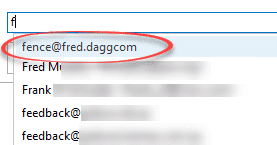
Fix AutoComplete in Outlook to delete bounced emails
If you send an email to an invalid email address, that address will ‘stick’ in Outlook via the AutoComplete list. Here’s how to fix that. Let’s say you send an email to fence@fred.daggcom (misplaced period/fullstop). The email will ‘bounce’ with an error message. Despite that, the wrong email address still appears in the AutoComplete list. […]

How Microsoft makes security problems worse for you
Microsoft puts corporate pride and weasel words ahead of their customers safety and security. Hackers take advantage of Microsoft’s patch release scheduled to release a virus as widely as they can in the days before fix was available. The Dridex security bug was known to Microsoft but they stubbornly stuck to their ‘Patch Tuesday’ schedule […]

To-Do from Microsoft – try their latest app
Microsoft has quietly released a new service To-Do with apps for Apple, Android and Windows devices plus a web interface. It’s in preview or beta. To-Do lets you make simple lists of ‘action items’. According to Microsoft what makes the service special is “With its intelligent Suggestions, To-Do removes all the clutter and empowers you to […]
The hidden traps in Outlook.com Premium
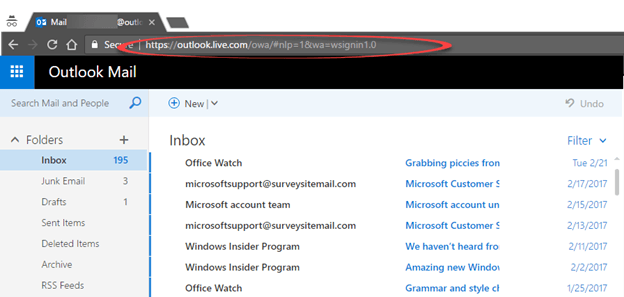
The cheap, introductory pricing for Outlook.com Premium is now available until 30 June at us$19.99 instead of $49.99 but there’s some hidden ‘gotchas’ in Microsoft’s offer. The discount offer was to expire at the end of March but has been extended. Officially it’s because Outlook.com has been ‘so popular’ but it’s more likely that Microsoft […]
Proton Mail – a good secure email option?
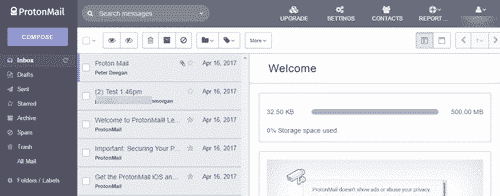
Proton Mail is a secure email service run from Switzerland. How does it compare with standard email using Microsoft Outlook for Windows? Proton Mail is an option to consider if you’re looking for secure email messaging but it’s not as easy to use as some instant messaging services available. Proton Mail is OK but nothing […]

Reducing email overload – more suggestions
It seems that every day there are more suggestions on how to reduce ’email overload’, here’s some that caught our eye. Bain & Company analyzed their staffs use of Microsoft Outlook and similar applications: Senior executives receive more than 200 emails each day A typical frontline supervisor spends about eight hours a week managing emails Of those […]

Keep the deleted Crayola color in your Office documents
One of the colors in the Crayola box is being dropped. Never fear, the color Dandelion can be part of your Office documents as can any other Crayola color. It’s not the same as the smell and feel of a Crayola crayon but it’s better than losing the color entirely. Dandelion is being removed from […]









