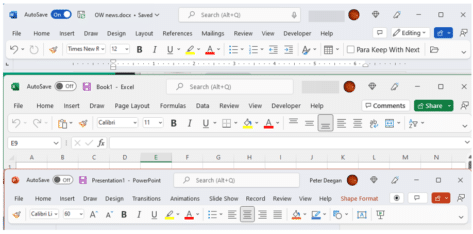
See the ‘simplified’ Office toolbar for Microsoft 365
The latest Microsoft Office 365 for Windows has a new and, to date, undocumented, toolbar or “personalized Office experience”. This ‘toolbar just for you’ is both more and less than it appears. The toolbar is an effort to declutter the top or title bar of the Office apps. Microsoft has crowded out the title bar […]
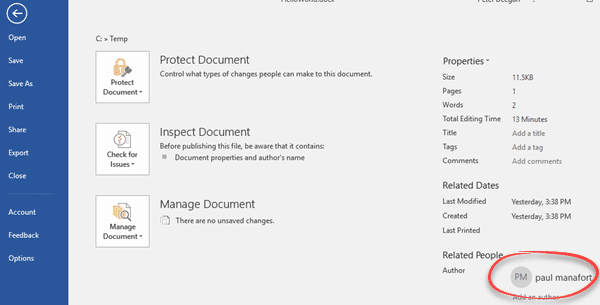
Changing the Author name in an Office document
How can you change the Author name in an Office document? How can you know that the name in a Microsoft Word document is the actual person not an imposter? It’s easy enough to go to File | Info to see and change the document Author name. We did that in a few seconds … […]

Ten Microsoft announcements in brief
Last week Microsoft made a series of announcements of new and changed features in Microsoft Office and Microsoft 365. Here’s a brief roundup of what the main ten promises and what they mean for you (if anything). The important word is ‘announcement’. Almost all the statements are about future arrivals, not available now. A lot […]

Microsoft Office and Oreos combine with Clippy – no joke
If you thought the modern world could not get any stranger, we’ve got bad news. Microsoft Office and Oreos (the chocolate cookie) have combined for a marketing stunt with online events (sorry “snack breaks”), special packs, tchotchke and emoji. Poor old Clippy has been dragged in as well. On the practical side, we’ll show how […]
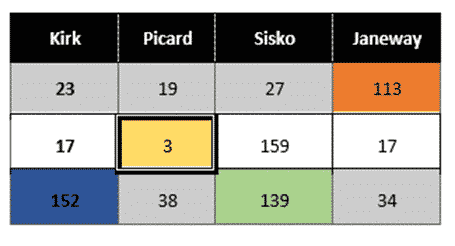
Merge or Split cells in Word and PowerPoint tables
Combine or divide adjacent Microsoft Word or PowerPoint table cells into a merged single cell or split a cell in two. Welcome to ‘Merge Cells’ where you can combine adjacent cells into a single cell. It’s very handy for table formatting tricks and other unusual situations like a longer than common text label. Or a […]
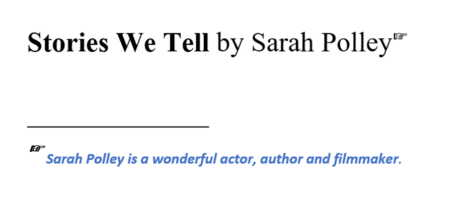
Choose your own Footnote or Endnote symbols in Microsoft Word
Footnote marks aren’t limited to numbers. Microsoft Word has many choices for listing footnotes or endnotes including the standard symbol order for notes or even your choice of custom symbols or emoji. Just one possibility for a footnote mark is a right-pointing hand like this: In-built Footnote/Endnote number choices Go to the Footnote and Endnote […]
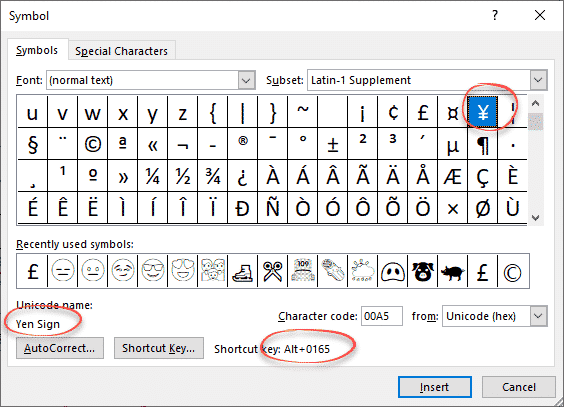
Yen ¥ symbol in Word, Excel, PowerPoint and Outlook
Type the Yen ¥ currency symbol into Microsoft Word, Excel, PowerPoint or Outlook. Both in Office for Windows and Office for Mac. Yen is used for Japanese currency and the Chinese Renminbi / Yuan. Microsoft Excel also offers the Yen symbol for Mongolia even though the tögrög currency uses another symbol. ¥ symbol is easy […]

Murphy Brown look in Word or PowerPoint
Recreate the Murphy Brown TV show’s look as a design inspiration for Word and PowerPoint – the fonts, colors and lines. You may not want to use the exact look of the Murphy Brown title card, but it’s a starting point for design variations of your own. We’ll show how to make a similar look […]
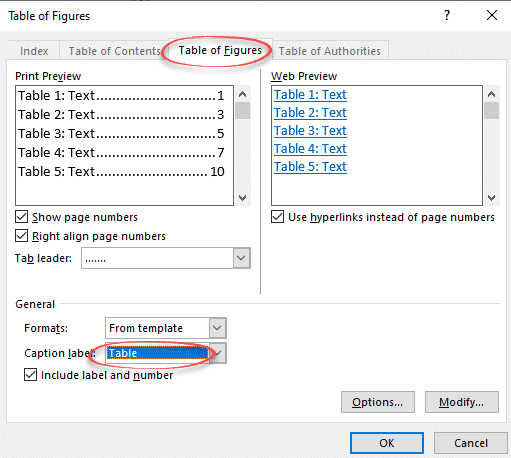
Make a List or Table of tables in a Word document
Word can generate a list of all the tables in a document. Like a Table of Contents, this list of tables or Table of tables can include page references or links to each table. A Table of tables can be useful for creating a proper appendix or reference within more formal documentation. It can be […]

Handwriting fonts for literacy skills
Suggested fonts including “handwriting fonts” to help teach writing recognition and improve literacy. Office Watch reader Wim V saw our article on Avoiding Comic Sans and wrote to us about a use for Comic Sans and other fonts used in teaching literacy. Some fonts can be used to teach people how to recognize and write different […]
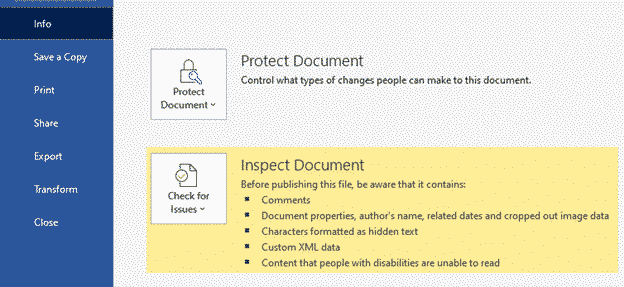
How a deleted Word document caught a serial killer
A Word document and a floppy disk caught a serial killer back in 2010. There are still lessons for anyone wanting to keep their personal or business data confidential. Known as the ‘BTK killer’, he murdered 10 people in Kansas between 1974 and 1991. The murderer was finally caught in 2004. He liked sending notes […]
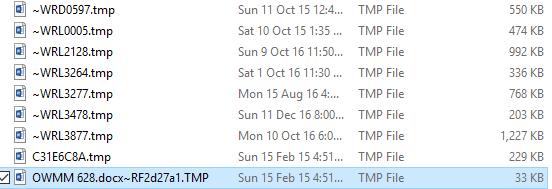
What are .tmp files in MS Office document folders?
If you look in folders that contain Office documents (Word, Excel, PowerPoint) you might see the occasional .tmp file. What are they? Could they be useful? How to look inside. Can they be safely deleted? The quick answers are: probably Word or Office document remnants, could be handy to recover a lost document but otherwise […]
8 ways to make better Word Table Styles
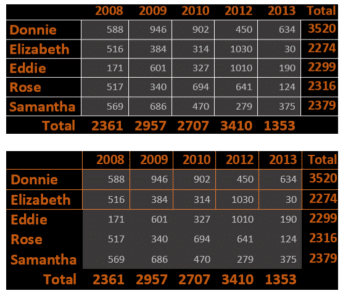
Here’s eight better but simple table formatting options not available from Microsoft Word’s Table Style gallery. Word’s Table Style gallery is a tempting selection of table formats but it doesn’t show you all the options to make your table look good. Some of these variations are right there on the ribbon, others are buried a […]
Do you know all five style types in Microsoft Word?
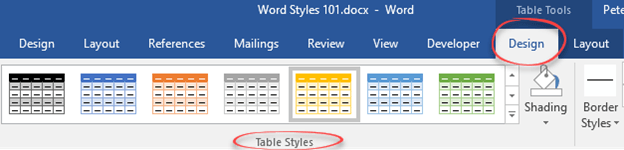
There are five different types of style (collection of formatting settings) in Microsoft Word. There’s three styles for text plus Tables and List styles. Paragraph styles Originally, Word only had paragraph styles. Styles could only be applied to an entire paragraph. Any changes to an individual word or phrase had to be done individually. Get […]
Two ways to make Body Text style appear in Microsoft Word
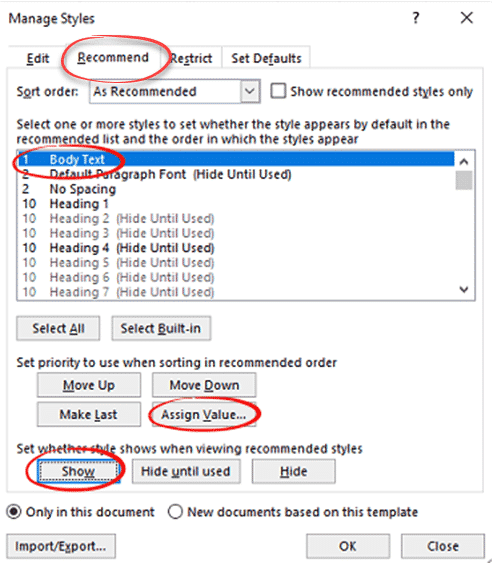
There are two ways to reveal or un-hide a hidden style, most commonly “Body Text” style. There’s the long-winded Microsoft approved method and the faster way. By default, Body Text style in Microsoft Word is ‘hidden until used’. That seems like a Catch-22, its not visible until it’s used but you can’t use the style […]
Modifying Body Text style in Microsoft Word
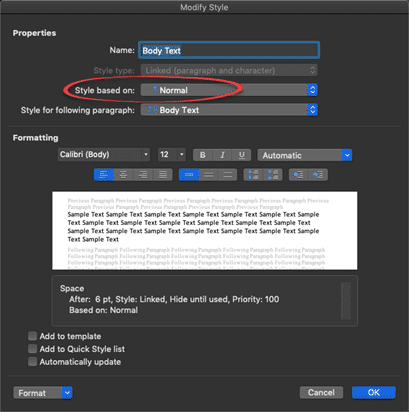
The default ‘Body Text’ style in Word needs some changes to suit your needs. Here’s some suggestions for things to alter or check to make sure they suit your, er, style. Can’t see a Body Text style? See Make Body Text style appear in Microsoft Word Body Text style can be different The default Body Text […]









