Office for Android latest preview highlights – Word and PowerPoint
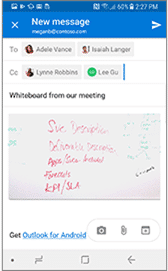
The latest Office for Android preview has a few additions that might be of interest. We’re talking about build 16.0.10325.20010, the July 2018 insiders preview that’ll later be available to all Office for Android users. Word Count The document word count should appear as you scroll through the document, alongside the page position and total pages […]

Degree symbol in Word, Excel and PowerPoint
How to type the degree symbol (Fahrenheit, Celsius, Kelvin, latitude, longitude) into Microsoft Word, Excel or PowerPoint. Degree Symbol codes Decimal: 176 Hex: 00B0 Web: ° ° ° Word The degree symbol ° has an inbuilt shortcut in Word. Ctrl + @ or Ctrl + Shift + 2 followed by a space will enter a […]

Single line ribbon in Microsoft Office for students only
A new Office ‘Garage’ option is ‘Student Tools’ an extra ribbon featuring the tools Microsoft thinks are most appropriate for students. It’s only available to students in USA, Australia or New Zealand for Office 365 for Windows or Office 2016 ProPlus. Word Student Tool Garage is where Microsoft tries out plug-ins and features. Dictation started […]

Word Online: Transform to ‘web page’ really means Sway
Transform to Web Page is a new Word Online feature which promises more than it delivers. The deliberate implication of ‘Transform to Web Page’ is that you can save the document to web page to be hosted anywhere. It’s actually a link to Microsoft Sway, another online service. You can’t save a standalone web page. […]
Office Online: The main ribbon and other tricks
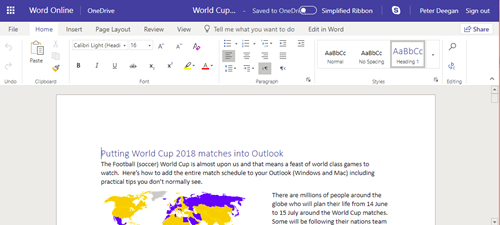
Office Online is a slimmed down version of Word for Windows or Mac. What’s possible in a browser interface is impressive from a technical point of view but it will never compete with Word for Windows or even Word for Mac. Anyone familiar with Office for Mac or Windows should be able to use the […]
Your free and standby Microsoft Office alternative: Office Online
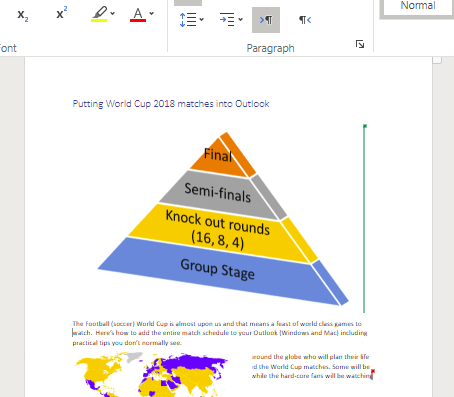
Word, Excel, PowerPoint and OneNote are always available for you, even if the main Office for Window/Mac are broken or missing. Office Online is the alternative that you have as a standby when regular Office fails or isn’t available. As long as you have a browser and decent Internet connection, you can use Word Online, […]
Access: Persistence of Reference Problems
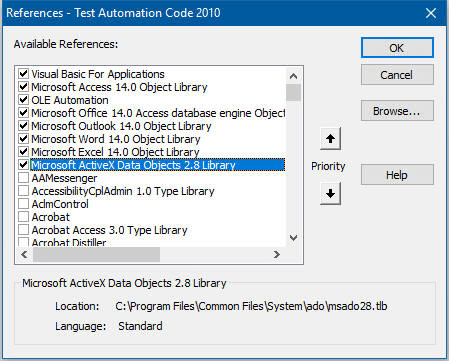
Back in 2002 I wrote an Access Archon article dealing with reference issues, among them the problem of certain references being upgraded when a database is opened in a higher version of Access, but not downgraded when it is again opened in a lower version. You might think that over the last 16 years Microsoft […]

North Korea attacks via Microsoft Office … again
While North Korea’s leader, Kim Jong Un, was busy in Singapore, his government hackers were busy with new malware called TypeFrame and delivered by, you guessed it, a Microsoft Word document. Typeframe has eleven different elements bundled with a Word document. As usual, the hackers send the document and try to trick people into running […]
Check out the new look ribbon coming to Office for Windows
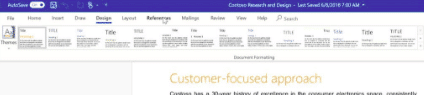
For the first time in a decade, Microsoft is making substantial changes to the Office ribbon interface. But not to worry, the changes don’t appear to be enough to put anyone off Word, Excel, PowerPoint or Outlook. The existing ribbon is retained, that’s an important point that’s not emphasized enough in the leaked Microsoft video. […]
June 2018 updates for Microsoft Office 2016 and Office 2013
As usual, Microsoft has released non-security updates and bug fixes for Office 2016 and Office 2013 on the first Tuesday of the month. A few caught our eye: Late last year, Microsoft was caught out leaving a horribly vulnerable Equation Editor in Office for 17 years. A new patch restores the MT Extra font so […]
See the amazing amount of information Microsoft is getting from Windows and Office
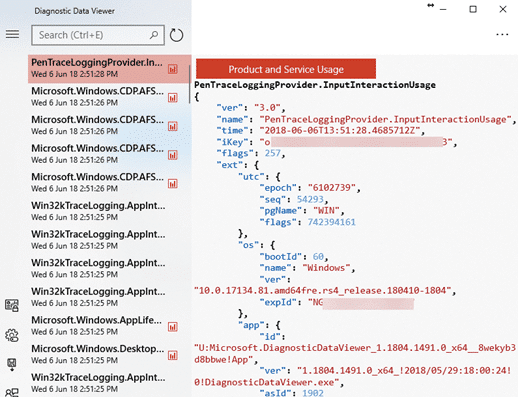
Both Windows and Office send an astonishing amount of data from your computer to Microsoft. Here’s how to see what’s being sent. The Diagnostic Data Viewer shows, as it happens, what your computer is sending to Microsoft. The tool does NOT give you the choice to not send your private information. It only tells you […]

Why Windows Variable fonts are important
Office Watch reader, John Hoffmann has some more detail on variable fonts, supported in Windows 10 and Windows 11 Variable fonts are a single package that includes many variations (Light, Heavy etc), instead of having separate font files for each variant. That takes up less disk space (important on tablet devices) and, as John explains, […]
Word vs Spelling Bee Champions – 2018 results
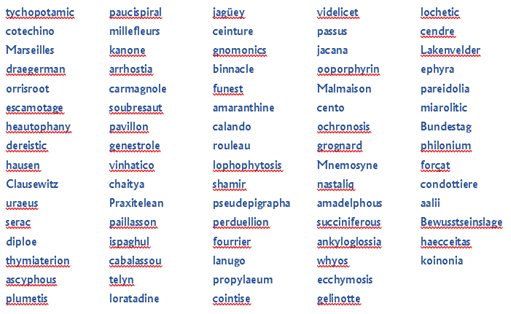
It’s time again to put the mighty brains and resources of Microsoft against the best and brightest of American youth. Yet again, the kids put Microsoft Word to shame. Each year, Office-Watch.com get the word lists from the finals of the US Scripps National Spelling Bee and runs them through the Microsoft Word dictionary. There’s […]
Password Protected file sharing links with OneDrive
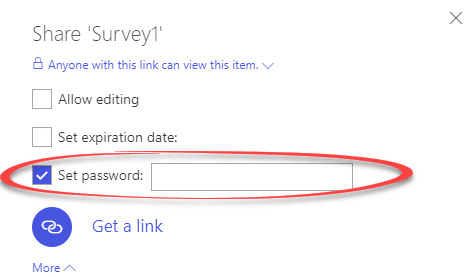
An overdue and very welcome addition to OneDrive for Office 365 customers is password protected sharing links. Until now, you could send a link to a OneDrive stored file or folder but there was no control over who used that link. If the link ‘escaped’ to other people, they could download or even edit the […]
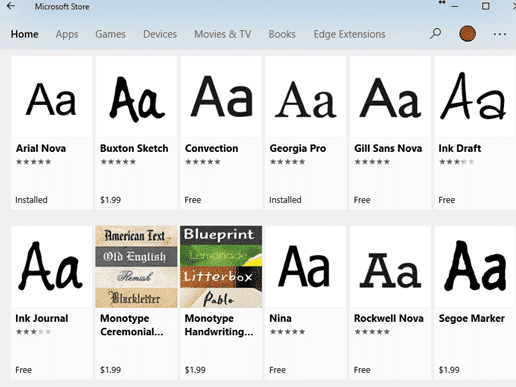
New ‘Pro’ fonts in Windows 10
New and improved ‘Pro’ fonts are a lesser known part of the April 2018 update to Windows 10. You can install, free, updated alternatives for Windows standard fonts like Arial, Georgia, Gill Sans and Verdana. Windows 10 now supports ‘Variable Type’ fonts where a single font file contains many variations like bold, italic, regular, condensed […]

Compulsory MS Office training for North Carolina lawyers
The North Carolina State Bar is proposing attorneys get an hour of computer training, including Microsoft Office, as part of their annual Continuing Legal Education (CLE). Only one US State, Florida, has a computer component of their current CLE. Amazing! In Florida, lawyers have to get three hours of technical training every three years. That’s […]









