How a recent Office patch was done in a very unusual way
A recent security patch for Microsoft Office was done an unusual way, suggesting that there’s something a bit strange happening in the development team. Last week we told you about a 17 year old bug in the Equation Editor part of Office. Microsoft fixed the security hole and a few others besides. The way they […]

Microsoft allies with the Klingon Empire to pad their stats
Microsoft boasts support for over 60 translation languages (as compared with language support for menus, spell check etc.) but look a little closer to see what’s in their list. Here’s the current list of supported languages. There are 65 in the current list including the latest arrival, Tamil. ‘Over 60 languages’ sounds great and it’s […]

Tamil language comes to Microsoft Office
Tamil language has been added to Microsoft’s suite of translation apps and services. There’s about 70 million Tamil speakers mostly across Sri Lanka, India, Singapore and Malaysia. We checked with Office 2016 for Windows, Office 365 and sure enough there was Tamil among the many language choices. Beyond Office The language is also on “Bing […]
Office security bug discovered after 17 years and what you must do
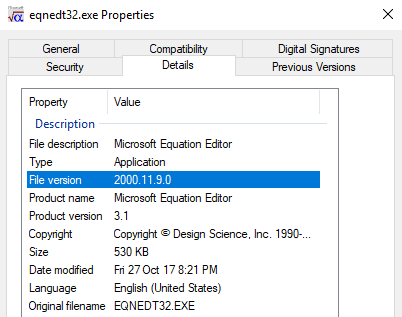
There’s been a whopping big security hole in Microsoft Office for the last 17 years, via the old Equation Editor and a less than vigilant Microsoft. We have details of the problem, how to fix it and why there’s more to come …. In the November 2017 patches there are some that are innocently labelled […]

LinkedIn Resume Assistant for Word 2016
Microsoft’s investment in LinkedIn now has a result for Office users with the release of a Resume Assistant for Word 2016. Before we go into details, keep in mind that Resume Assistant is only available for a few Office users at the moment. Not even all Office 2016 Fast Insiders can now access Resume Assistant. […]

Apple’s new image format HEIC and Microsoft Office
Apple has introduced a new image and video format for iPhone and iPad, here’s how to handle it in Microsoft Office documents. .HEIC image files are made by default in some Apple devices with iOS 11. Microsoft Office and Windows don’t support the new format yet but there’s workarounds available in the meantime. Automatic HEIC […]

A faster way to review Office document versions
OneDrive will automatically save past versions of an Office document, here how to access those revisions quickly. The advertised way to view a document history is through the Activity button, next to Share on the top right. In Office 2016 for Windows, Office 365. The Activity pane shows a list of versions available, who worked […]
Shared with Me, new feature in Office 2016 Windows / Mac and more
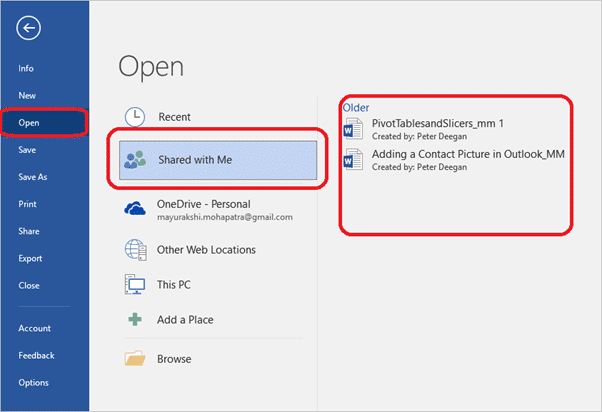
A recent Office addition is ‘Shared with Me’, a list of the documents you’ve been invited to collaborate on with others. It’s available in Office 2016 Windows/Mac and the iPad, iPhone and Android Mobile apps. According to Microsoft ‘Shared with Me’ ” lets you see the files others have shared with you” Our checks show […]

Sharing documents in Office 2016 for Mac
Office 2016 for Mac (Office 365) has the same document sharing options as Office for Windows but they look a little different. In fact, Office for Mac has an additional sharing option not available in Windows. Just like Office 2016 for Windows, Office 2016 for Mac has a Share button on the top right of […]
Sharing a document as an attachment from Office
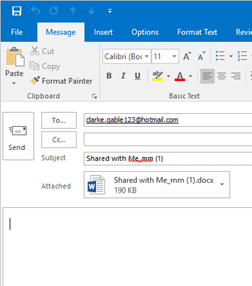
It’s always been possible to email a document for reviewing or editing. Modern versions of Office make that easier by letting you email from the document directly, instead of an email program like Outlook. Instead of opening your email to send an attachment, click on Send as an attachment from your working document, to send […]

Send a document sharing link from Microsoft Office
The Share pane in modern Office is fine within an organization or with people who are familiar with document collaboration. But what if you want to share a document link with more detail in the email or using a non-email method like Instant Messaging? Well, you want to get just a link to your document […]

Fixing Office, OneDrive document sign-in problems
Ever since Microsoft added shared, collaborative documents via OneDrive, they’ve had problems with saving and sign-in. Here’s how to deal with some of those persistent bugs. These bugs can happen in Word, Excel, PowerPoint or OneNote. Most commonly with documents saved to OneDrive but also Dropbox or other cloud storage. Can’t Sign-in A very common […]

Get the new Crayola color, Bluetiful, now in Microsoft Office
Bluetiful will be the new Crayola color. It’ll be generally available from January 2018 or you can use it right now in Microsoft Office with these tips. Office-Watch.com told you about the demise of Dandelion, the now defunct Crayola color. And we showed how to keep Dandelion in your Office color palette regardless of Crayola […]
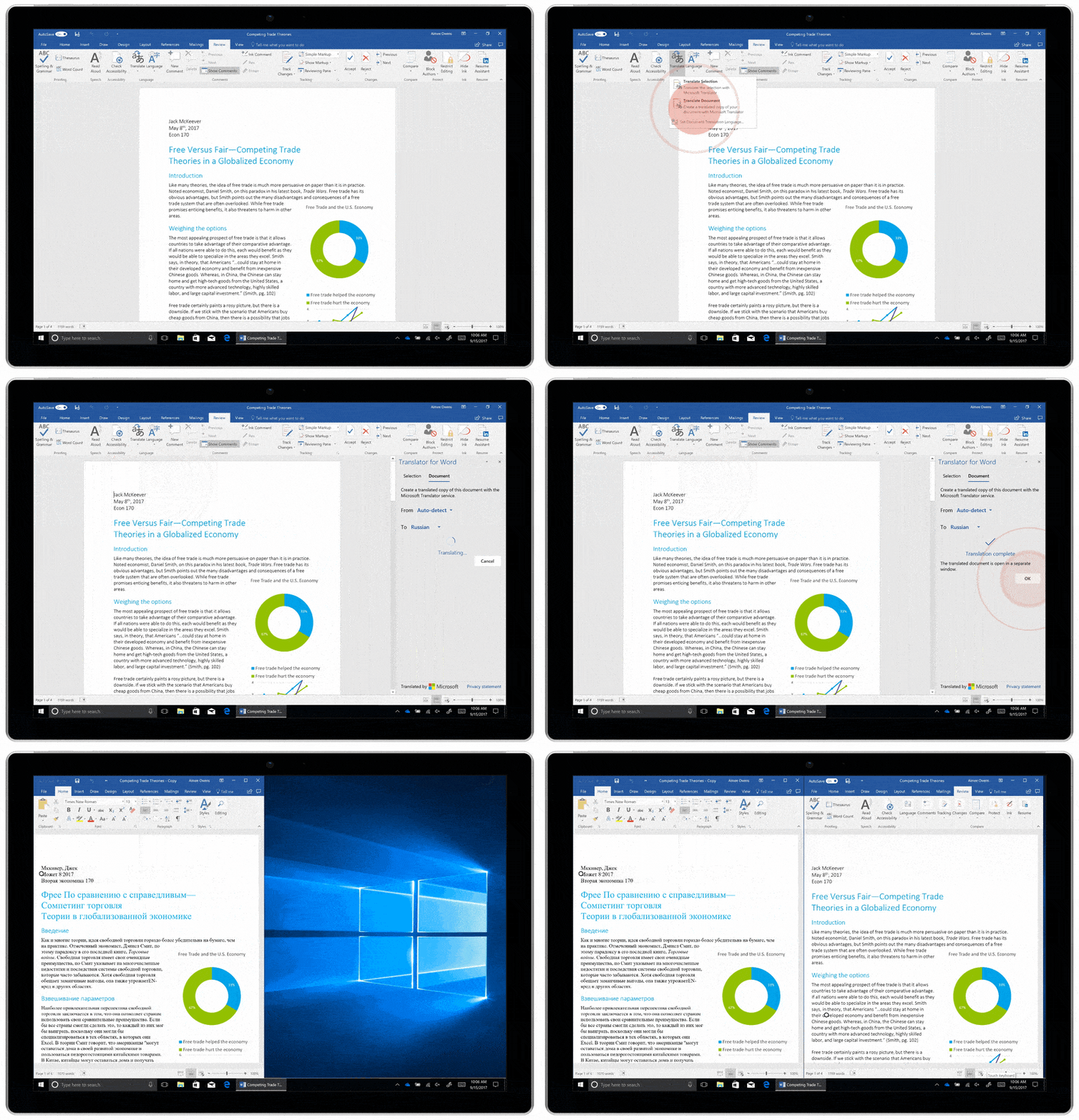
Better Translation in Word 2016 for Windows except for …
Microsoft has released to their ‘Fast Track’ some improved Translation features in Word 2016 for Windows. The new Translator is cloud powered and will eventually flow to all Office 2016 ‘subscribers’. Yes, even Office 2016 for Mac! The new features replace the existing Research Pane and Mini-Translators. It’s only for Microsoft Word, not other Office […]
Another Word hack with RTF files
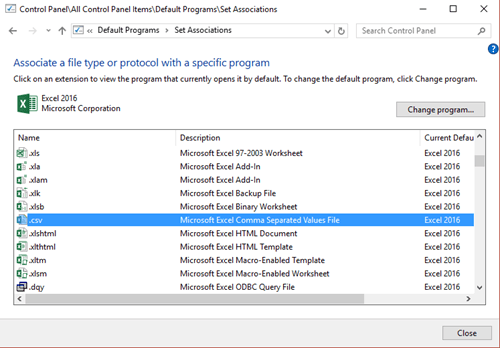
A new vulnerability in Word was discovered and patched by Microsoft earlier this month. Again, the source was an RTF (Rich Text Format) document. There’s still a widespread myth that RTF files are ‘safe’ supposedly because RTF’s can’t contain macros. That’s FALSE. .RTF documents aren’t designed to accept code, they are hacked in many, many […]

Microsoft Pix, camera magic comes to iPhones
The Microsoft Pix app has been updated to include more automatic ways to fix photos. Photos of documents magically look like they were scanned in. It’s a ‘Garage’ project, supposedly for trial software and technologies. These days ‘Garage’ projects are presented in a more professional manner and promoted a lot more, blurring the line between […]