Office 2021 is the personal and small business ‘perpetual licence’, non-subscription version of Microsoft Office. For Windows and Mac.
Office LTSC (Long Term Servicing Channel) is the volume licence ‘perpetual licence’, non-subscription version of Microsoft Office for organizations, companies and governments. Also for Windows and Mac.
The features in Office 2021 and Office LTSC are very similar, if not the same.
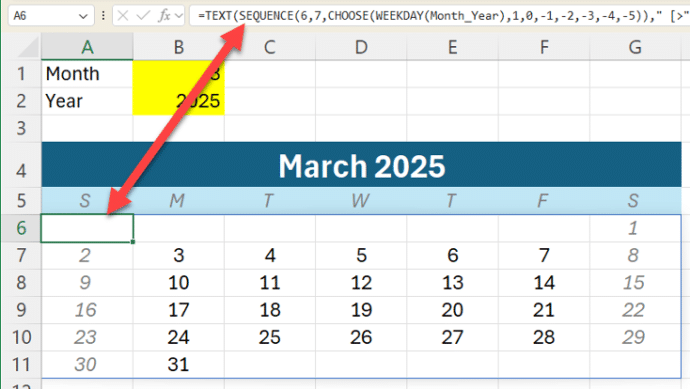
Great Excel monthly calendar from just one cell
Modern Excel lets you make a whole monthly calendar from just one cell formula. We’ll explain how it’s done with a sample workbook for our supporters. At its simplest, Excel can make a single month like this from a formula in cell A6 which fills all the cells with the correct dates for that month. […]

Outlook bug, another reason to avoid Windows 11 24H2
As if there weren’t enough problems with the latest Windows 11 24H2 update, now there’s a bug which can block Outlook with Google Workspace Sync. Microsoft tries ‘passing the buck’ to Google. The bug is in the Windows 11 24H2 update though Microsoft is quick to dismiss the problem as “external” (which it isn’t) and […]
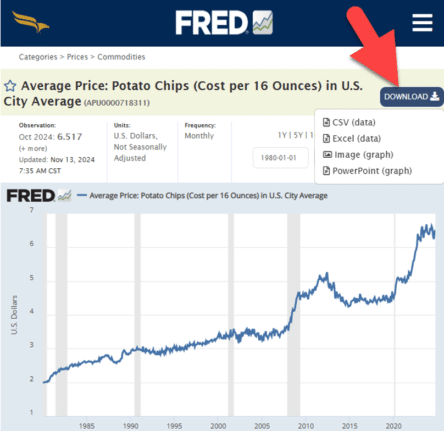
Everybody loves FRED, including Excel
Get Economic data or graphs from FRED (Federal Reserve Economic Data) to load into your Excel workbooks or PowerPoint slides. From unemployment rates to the price of potato chips. FRED has 825,000 data sets for the USA and around the world. Tip: search FRED for your country (Canada, United Kingdom, Australia etc) to see what […]

Word’s Calculator tricks and problems
Word can do simple calculations because Word for Windows has its very own built-in calculator. Calculate in Word has some nice tricks but also problems and traps. Type a calculation, hit the button (see below) and the result appears in the status bar AND it’s loaded into the clipboard ready for pasting. Calculate is a […]

Get better accuracy from Word’s Calculator
How to get greater accuracy out of Word’s in-built calculator. Recently, we unearthed Word’s hidden calculator. Word rounds its calculator results to two decimal places. This time, we’ll take a look at the two ways to improve the accuracy of Word calculator results. Use an old maths trick or change the Windows settings. Neither trick […]

Word’s Hidden Calculator
You haven’t heard about it? Don’t worry, even Microsoft has no information about this feature, unless you dig way back into its archives where you’ll find that the calculator – which formerly held a prominent position on the Tools Menu – was driven underground in Word 6.0 to make way for the far more cumbersome, […]
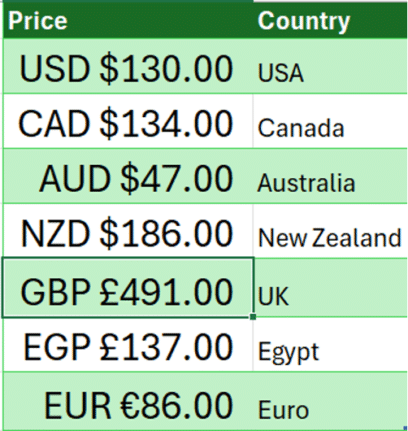
Show currency in Excel with country and symbol
How to show currency amounts in Excel with the country and correct currency symbol included. Excel doesn’t support the standard way that different currencies are displayed with their country codes like this: Dig into the Accounting/Currency Formats and you’ll find these among a VERY long list of currency symbol options. All those options let you […]

Pantone’s 2025 color ‘Mocha Mousse’ in Word, Excel and PowerPoint
Pantone’s color of the year for 2025 is “Mocha Mousse”. You can use that exact color in Word, Excel, PowerPoint, Outlook and Designer using the Hex/RGB color code. And we’ll look at the flowery prose that’s become a hallmark of this annual promotion. The color of 2025 is … Mocha Mousse We make fun of […]
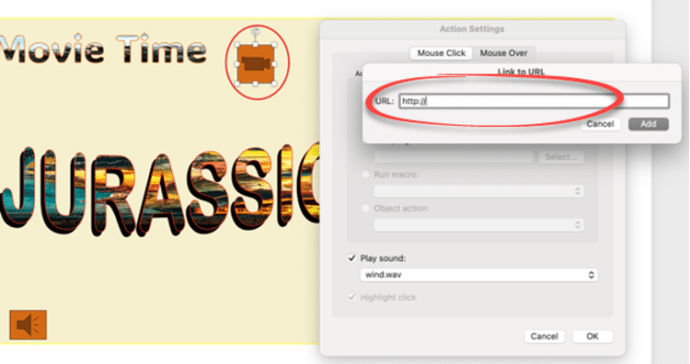
All you can do with PowerPoint Action Buttons
Action buttons in PowerPoint are versatile tools that bring interactivity and control to your presentations. By following a few simple steps, you can insert and customize these buttons to perform tasks such as navigating slides or opening external applications. Incorporating action buttons can greatly enhance audience engagement, making your presentation more dynamic and interactive. Whether […]

Make your own London Tube sign for Word or PowerPoint
The famous London Tube Roundel or station sign is easy to recreate for Word, PowerPoint or other Office apps. The best way to do this is SVG graphics in Microsoft 365, Office 2024/2021/2019/2016. SVG’s let you change the colors and set the text easily. They don’t have to be a railway sign. Use the roundel […]
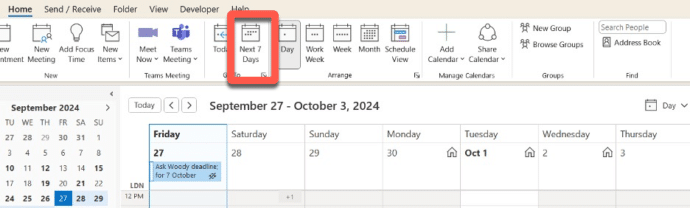
My favorite Outlook calendar view looks to the future
My favorite Outlook calendar view is very useful but most people don’t know it’s there. See today and the next week in one screen. I rarely care what’s happened in the past, I want to see what’s happening in the near future. That’s why my ‘Go To’ calendar view is Home | Go To | […]
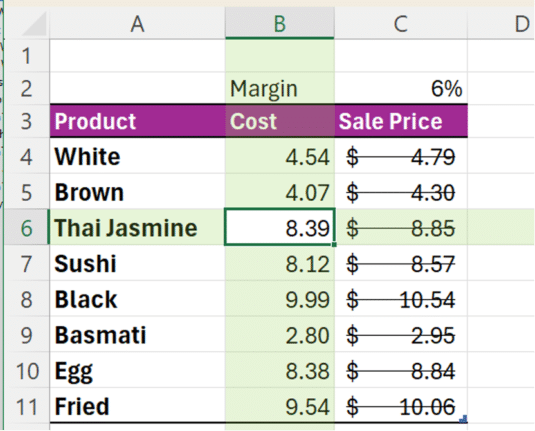
An Excel shortcut that can speed (or confuse) your day
Enter the Ctrl + – (minus) shortcut in Excel. This powerful shortcut instantly deletes entire rows or columns without any confirmation. But there’s hidden trickery going on and some misleading info online. Ctrl + – is commonly said to “delete the selected row or column” but, as usual, the reality is more complicated. Some online […]
Beware Black Friday Scams on Microsoft 365 and Office
Black Friday means many software deals, on Microsoft 365 and especially Microsoft Office. Here’s how to navigate the treacherous waters of Black Friday sales and ensure you get genuine products without falling prey to fraudulent offers and scams. Recognizing Too-Good-To-Be-True Deals It’s easy to be tempted by offers that seem too good to pass up. […]

Select a vertical column of text in Word
Yes, Microsoft Word lets you select vertical (up or down) text blocks. Most text selection in Word involves selecting horizontally – selecting a line or a paragraph of text. Sometimes, though, you need to select a vertical slab of text. To do that, hold down the Alt key while you click and drag your mouse […]

New London Overground line colours in Office
Here are the exact colour codes and new names for the ‘Overground’ lines in London, plus how to add a thick double line in Office documents just like on a Tube map. The changeover is happening in late November 2024. Some old rail lines in London were coloured Orange on maps and just called ‘Overground’. […]
Share your Office documents from Dropbox
OneDrive isn’t the only choice for sharing Office documents. Dropbox can also share Word, Excel or Powerpoint documents including real-time collaboration. The Dropbox and Microsoft Office integration allows users to open, edit, and save Office files directly from Dropbox. Use either Office apps on the web (Office Online) or modern Office/Microsoft 365 desktop apps. You […]









