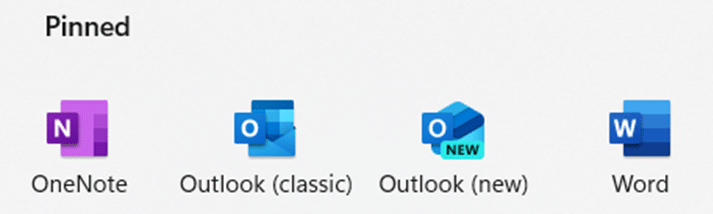
The Start Menu on a new Windows 10 has Microsoft Office icons which are badly labelled, misleading and setup to promote Microsoft’s corporate agenda. We’ll explain what Microsoft has done and how regular Office users can make the Start Menu better. Make a Start Menu that suits you, not Microsoft.
Last week we said it would not be long before Microsoft released their Office app for Apple devices and, sure enough, within a few days Office ‘all in one’ for iPhone and iPad is out. The app is a combination of Word, Excel and PowerPoint plus other tools into a
A new type of infected Word document is doing the rounds with the name ObliqueRAT with a few new tricks. ObliqueRAT is similar to an earlier nasty CrimsonRAT but has a range of infection capabilities and is encrypted. Password Protected The infected Word documents usually arrive via email and are
Microsoft has released a video to promote the Office Mobile ‘all in one’ app for Apple and Android. It’s big on fancy graphics but almost no useful information. There are lots of fancy colors, bouncing bubbles and even Office logos turning into balloons then exploding … all for no good
Here’s a limited solution to the problem of excluding multiple holidays or vacation lists to use in NetworkDays() or NetworkDays_Intl() and a request to Microsoft for an improvement in the function. NetworkDays() or NetworkDays_Intl() is OK if you only have to deal with one list of public holidays or one
We looked at the handy NetworkDays.Intl() function in Excel and mentioned that the Holidays parameter is a lot more complicated that it appears. Let’s look at how Holidays works and how it gets messy when faced with real world applications. Quick Recap of NetworkDays.Intl() Just to recap, NetworkDays.Intl() lets Excel
Here’s a step-by-step example of Networkdays.Intl() in an Excel worksheet. We suggest using that improved function over the older NetworkDays() with less options. As usual, you can select the formulas tab and Excel will guide you through the process. From Formulas | Date & Time choose NETWORKDAYS.INTL . It will
The NETWORKDAYS function in Microsoft Excel will calculate the number of working days between two dates. It will automatically exclude weekends (e.g. Saturday and Sunday) plus you can exclude public holidays and personal vacations. Most people read the function as ‘Network Days’ but it’s really ‘Net Work Days’. Figure out
Arrays have more powerful options than simple Excel ranges but, happily, it’s very easy to convert a range of cells into an array. Or sometimes you have a mix of arrays and ranges that need to be managed as a collection of arrays. That’s what we’ve needed to make the
PowerPoint 365 is now able to create animated GIF’s from presentations. It’s a little limited but the basics are there, and we’ll explain how to get even more from ‘Export to Animated GIF’. Animated GIF’s have long been wanted in PowerPoint. They make simple animations or mini-videos which are widely
The plan to force Office 365 ProPlus users to Bing Search has come to a halt with Microsoft announcing a backtrack on their original ham-fisted plan. As we told you last month, they wanted to add a Microsoft Search extension for Google Chrome which also changed the default search engine
The ‘all in one’ Office app combining Word, Excel, PowerPoint with Office Lens and PDF support is now available for all comers with Android phones. Office Watch did a comprehensive look at the Office app back in November when it was available to insiders. Now it’s available to all at
Our award for ‘Unhelpful Office error message of the week’ goes to this remarkable effort in Word 365’s Read Aloud feature which is just the start of Microsoft’s uselessness. We were trying to demonstrate Read Aloud in Word 365 when this singularly useless dialog appeared! “Read Aloud isn’t available because
A new Office app for Android a single ‘all in one’ app for Microsoft Office. We’ve done our own look at the new app, not relying on Microsoft’s hype to check out the Home panel, Actions, Word, Excel and PowerPoint features, PDF viewing and options, ‘image to text’ features and
Microsoft Word’s ‘Pickup where you left off’ or ‘Welcome back’ message is different from the Shift+F5 shortcut. All the recent talk about the ‘Pickup where you left off’ feature in Word had a few Office-Watch.com readers asking how it’s different from the long-standing GoBack shortcut in Word – Shift +
It’s too easy to start using the Archive folder in Outlook. Most likely all the setup is done, so you can start using it. If not, the setup is just a few clicks. Archive is a way to set aside selected messages away from the main Inbox or other folders.
For many mailboxes it’s not possible to rename the Outlook Archive folder. But non-Microsoft mailboxes can rename Archive to anything maybe ‘Miscellaneous’, ‘Store’ or just ‘Old Stuff’. In modern Outlook with Microsoft hosted mailboxes (Outlook.com, Office 365 hosted or recent Exchange Server) the Archive folder is an in-built folder like
Move a message to the Archive folder with any of the usual ways to move an item between Outlook folders plus three dedicated special options only for the Archive folder. See Starting with Archive in Microsoft Outlook Archive in Outlook 365 and Outlook 2016/2019 for Windows Archive button Most obvious is
Outlook has three features called ‘Archive’ with the newer versions (Archive and Online Archive) much better than older ‘AutoArchive’. We’ll explain the difference, how to use Archive and why to avoid AutoArchive. Each form of Archive sets aside older messages or emails you’ve finished with. It does that in two
One of the more obscure settings when putting a frame around a picture in Word or PowerPoint is the Cap Type or line ends. This setting only applies when you are using one of the dashed borders with the choices Square, Flat and Round. To put a dashed border on
Join Type is what Microsoft calls the corners of the picture frames – the place where the horizontal and vertical lines join. There are three options: Round. Bevel and Mitre. We’ll show you where those choices are and what they look like. We’ve previously looked at ways to put frames
Outlook for iPad gets split-screen support which goes a small way towards making the much-hyped app an effective tool for email, calendar and contact management. Sadly, no similar options for other Office Mobile apps. Source: Microsoft plus a little border cropping … According to Microsoft … “ Multi-task like a
Microsoft has released some limited time, introductory offers for Office 365 subscriber. They’ll mostly interest parents or people wanting some digital learning. These aren’t permanent Office 365 benefits like OneDrive storage or Skype minutes. Microsoft calls these ‘Partner Offers’, in other words promotional, trial lures to joining (yet) another service.
One of the quiet improvements in Office is the regular updates to the Office dictionary used mostly in Word and Outlook but also other Office programs. They even handle new terms like Coronavirus or names such as Buttigieg. In olden days the main dictionary was only updated with major revisions