Microsoft 365 – the subscription / annual fee plan for Microsoft Office on Windows, Mac, iPhone, iPad and Android.
Includes Word 365, Excel 365, PowerPoint 365, Outlook 365 and many other ‘365’ programs, apps and services.
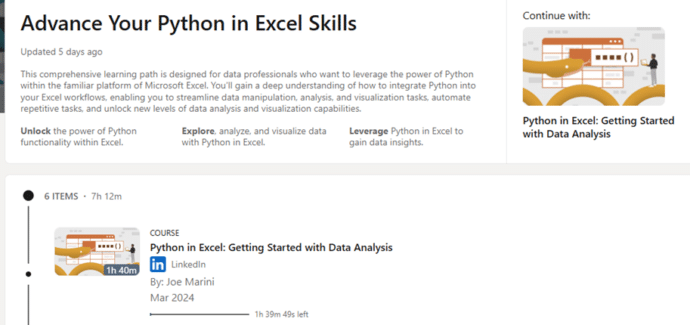
Limited-time offer: Free Python in Excel classes
While it lasts, check out some free classes about Python in Excel for better data analysis, DataFrames, charts & visualizations and machine learning. We’re a big fan of Python in Excel and these lessons should help those of us who haven’t yet caught the Python bug. Advance Your Python in Excel Skills, will be available […]
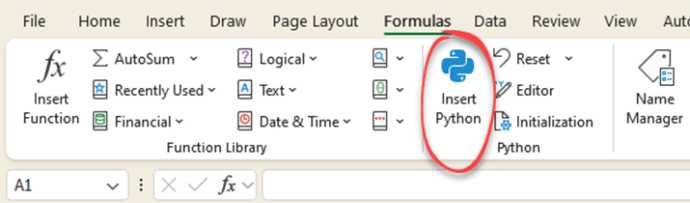
Python in Excel is now available to ‘all’
Excel 365 now has Python features included for all business and enterprise customers with a Microsoft 365 software licence Python is a powerful programming language with many great libraries of tools for analysis and charting. It’s a massive extension to Excel that we’ve already raved about. Python Editor for Excel is out and essential Excel […]
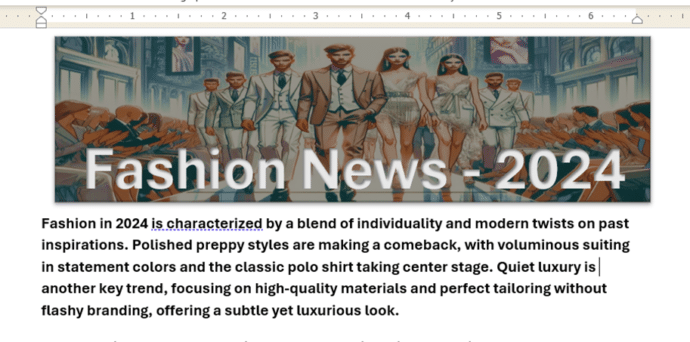
Make a great Word document banner – free
Add something special to the start of your Word document with a banner image with text. We’ll explain how to do that with free tools like Copilot or Designer. We were inspired by a Microsoft promotion which wrongly said that a Microsoft 365 subscription with Copilot Pro is required, when really neither of those things […]

Why AI is not as great as the hype
All you need is a ‘strawberry’ to see both ChatGPT and Microsoft’s Copilot gets simple things wrong. Or ask which is larger of two numbers. Modern AI systems aren’t as great as the hype and why you definitely need to check anything Copilot, ChatGPT, Google Gemini or Meta etc tells you. Ask an AI system […]

Strange spam that Microsoft isn’t stopping
No spam/junk email filter is perfect but it’s hard to understand how some recent messages have been missed by Microsoft’s inhouse security systems. Here’s two peculiar examples to watch out for. A prank email or a failed scam? An email is sent out to many people that seems to have hidden CC list with this […]

Copilot Wave 2 – watch out for the fine-print
A new collection of Copilot features have been released under the banner “Wave 2” with inclusions for Excel, PowerPoint, Outlook, Word and Teams. Don’t get too excited because there’s ‘fine print’ that limits who can catch this wave. Before we explain a little of what’s in the new set of Copilot features, let’s look at […]
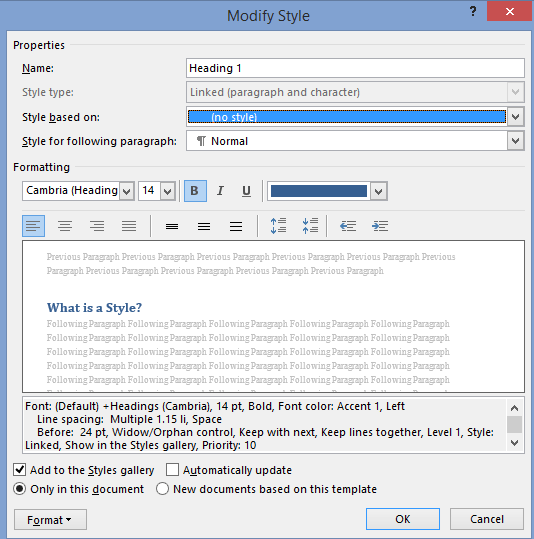
All about the basics of Styles in Word
Here’s the basics of Styles in Word for paragraph, character or both (Linked) plus Tables and Lists. I know talking about styles in Word makes eyes glaze over but they are a really useful part of Word (plus Excel, PowerPoint and Outlook). Today I watched an ‘experienced’ Word user reformatting a document. He laboriously worked […]
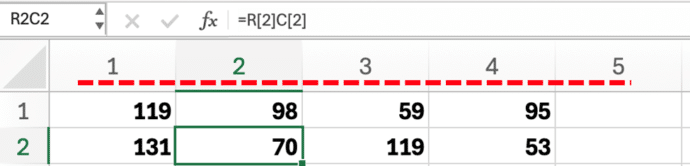
Excel – why do the columns have numbers not letters?
What to do if Excel’s columns have numbers across the top instead of letters. There’s a simple setting to switch between two different ways of labelling cells. You open an Excel workbook and the column headings look all wrong – instead of letters (A, B C …) there are numbers. There are numbers for both […]
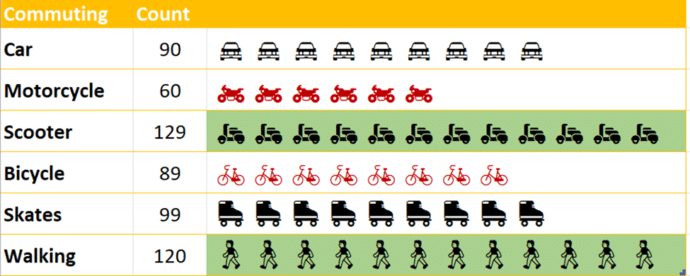
Building In-Cell Bar Charts in Excel
In-cell charts in Excel provide a powerful method to visualize data trends and patterns. They allow you to quickly derive insights within a worksheet, making information interpretation more straightforward without fussing about with full charts. We’ll explain how to make in-cell charts and then go further and show how to make them look better by […]
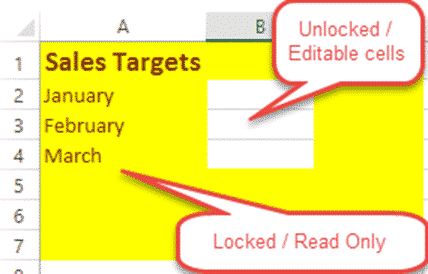
Lock up and stop editing of Excel worksheet or cells!
How to lock your Excel worksheet from editing – the whole thing or some cells. Allow some people to edit a few cells, leaving the rest of the cells and formulas untouchable by others using the worksheet. Here’s a very simple example: Anyone opening the worksheet can enter a US dollar amount to see the […]

ActiveX ending soon in Microsoft Office – and good riddance
An old and unsafe Microsoft technology, ActiveX is finally being dropped from Microsoft 365 and Microsoft Office. As usual, there are details and niceties behind the major announcement. For starters, ActiveX isn’t really being discontinued. Microsoft is disabling ActiveX as a default. If you need ActiveX, a menu, registry or Group Policy change will turn […]

Does Outlook (new) really have offline support?
Microsoft’s promise of offline support in Outlook (new) is a lot LESS than it appears as the company continues to over-promise and under-deliver their Outlook replacement. We’ve said it before … Maybe someday new Outlook will really be ready for the public but it’s not there yet. See Outlook (new) is NOT ready, ignore what […]

How to adjust Bullet or Numbered list spacing in Microsoft Word for Perfect Formatting
Discover how to adjust bullet point spacing in Microsoft Word with the two key settings to achieve precise bullet point alignment and formatting. Learning the techniques to perfect your bullet points can make a significant difference in readability and presentation. There are TWO places to change the position of the bullet in relation to the […]

Busting the myth of Word’s Language Defaults
An often-repeated myth says that Word’s spelling or proofing language default is locked into the Windows language setting. Officially that’s not true and never has been since the first Word for Windows in 1989. In practice there’s a bug in Word which is why this persistent myth keeps being repeated. Changing the Word language default […]
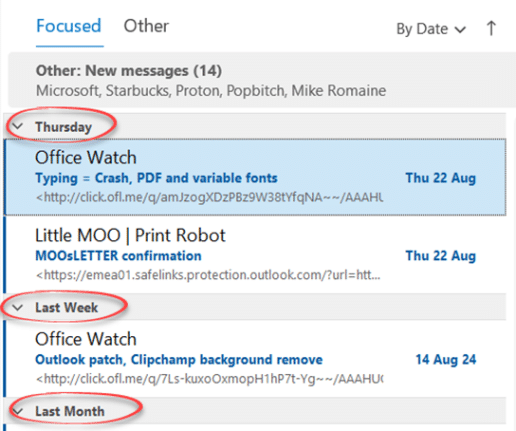
Easy fix for unwanted message grouping in Outlook
How to stop Outlook grouping Inbox messages, most commonly by date. “Today”, “Yesterday” etc. which might suit some people but is a right nuisance to others. This is an option in Outlook (classic) for Windows which can appear, seemingly for no good reason. It’s not in Outlook (new). Some people might like it, but most […]

TrimRange solves a long-standing performance Excel problem
Excel is getting a new function TrimRange() which should solve a long-standing calculation performance problem. As well as speeding up workbooks, TrimRange() comes with some new range options that add to the well-known colon. Ever since Microsoft added dynamic arrays to Excel there’s been a problem … how to reference a range of cells that […]









