
Avoid the traps when adding Excel info into a Word document
A table or chart in Excel can be put into a Word document in two different ways but there are traps that Microsoft doesn’t mention in their help. We’ll explain what’s happening and how to fix it. This looks like a standard Word table and it can be formatted like a table … but it’s […]
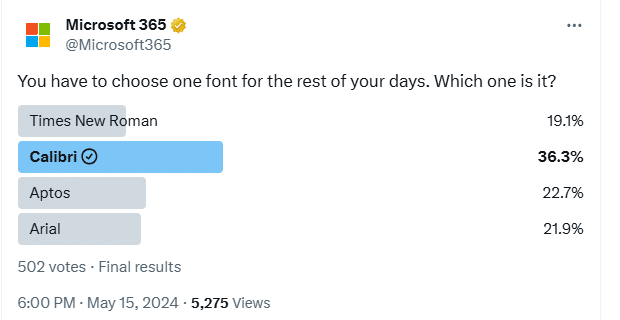
It’s official – Calibri beats Aptos in font poll
A recent poll commissioned by Microsoft confirms the widely held suspicion that people prefer the Calibri font over the new Aptos fonts pushed into Microsoft Office. This comes from a Twitter/X poll run by the Microsoft run @Microsoft365 account. The previous Office default font, Calibri, handily won the poll with 36.3% of the votes. We’ve […]

A quiet month of security fixes for Microsoft Office
Patch Tuesday for May 2024 is a quiet month for Microsoft Office with only four security fixes but one of them is rated ‘Critical’. Also a list of the latest build/version released for each version of Office. Only Excel has a ‘Remote Code Execution’ bug which affects all supported Excel for Windows releases. Sharepoint has […]

How Mark of the Web stops bad document infections
All about Microsoft’s latest Office macro protection feature to stop virus infected documents loading nasties onto a computer. Mark of the Web MOTW is a relatively new way to protect your machine. Over 2022, a new layer of macro protection was added to Microsoft 365 for Windows. It’s something new in Windows that Office apps […]
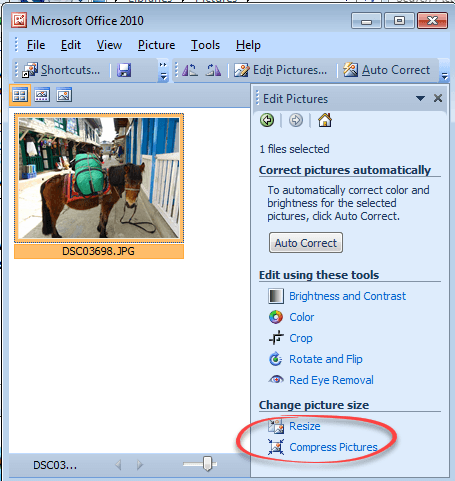
Making pictures smaller – some more options.
There are many ways to make pictures smaller, in both senses of the word. Here are three more options including great news for Windows 11 & Windows 10 users plus an important warning. Converting images into a smaller file size is sometimes essential. The large digital camera images (can be 4-6MB each) can be too […]

Happy Star Wars Day – with Microsoft Office
Office-Watch.com has Star Wars Day covered with a series of articles which add the spirit of the Rebel Alliance or the Empire to your Microsoft Office documents, workbooks and slides. Star Wars Day is 4th May each year … “May the fourth be with you” geddit? Star Wars fonts Star Wars look in Word and […]
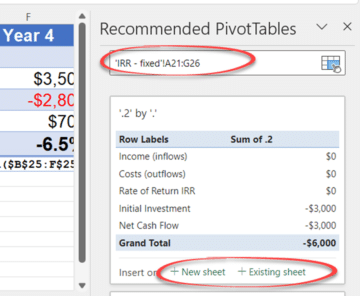
Get smarter PivotTable recommendations in Excel
The existing Recommended PivotTables feature is now smarter in Excel 365 for Windows with more options and flexibility. For some time Excel has been able to suggest PivotTables based on the current Table. Recommended PivotTables is in Excel 365, Excel 2021, 2019, 2016 and earlier. Now in Excel 365 for Windows, Recommended PivotTables has more […]

Eye 👁 emoji in Word, Excel, PowerPoint and Outlook
How to insert the Eye 👁 emoji into Microsoft Word, Excel, PowerPoint or Outlook. Both in Office for Windows and Office for Mac. Eye 👁 symbol is used for decoration “Look Here” or “See this”. Even as a fancy bullet point in Word or PowerPoint. How Eye 👁 looks in different fonts. Two Windows fonts […]
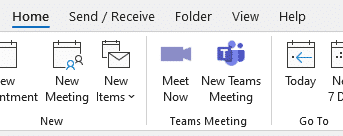
Get rid of Teams buttons from your Office ribbon
Teams button creep into Office and Outlook ribbons because Microsoft tries to promote itself. Here’s how to get rid of it or any other Office buttons you don’t want. Teams icons prominently appear on Office ribbons, like this one on the Outlook Calendar ribbon. or this with Meet Now video conferencing included as well. Or […]
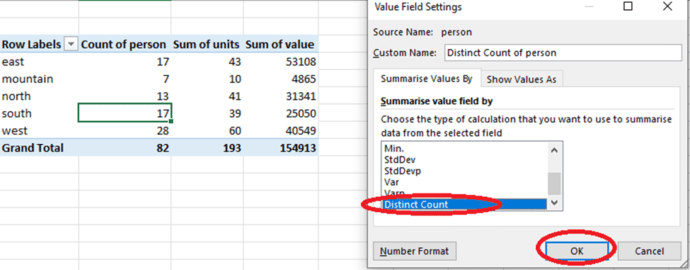
How to count unique items in an Excel PivotTable
Excel PivotTable can show a count of unique items if you know where to look. Handy to see the number of customers, products or students from a long data list. What is the count of unique customers who made purchases in each region? How many unique products were sold in each store? How many different […]
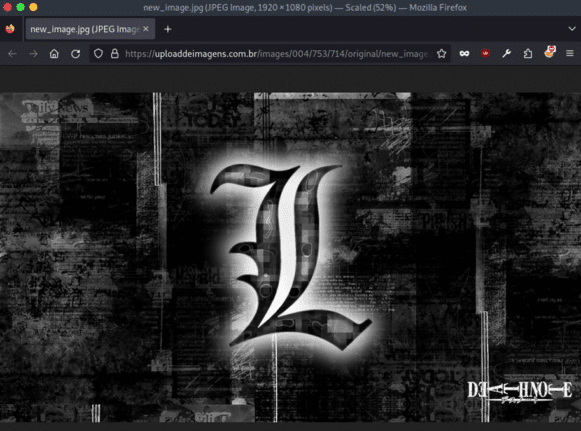
Steganography used to hide Word and Excel attack
Computers are being infected with at least eight different viruses in an attack that uses steganography to hide nasty code in images linked from Word and Excel documents. But there’s good news for most Office users. Steganography is a way to hide text or code in an image or object. It’s a trick that’s been […]
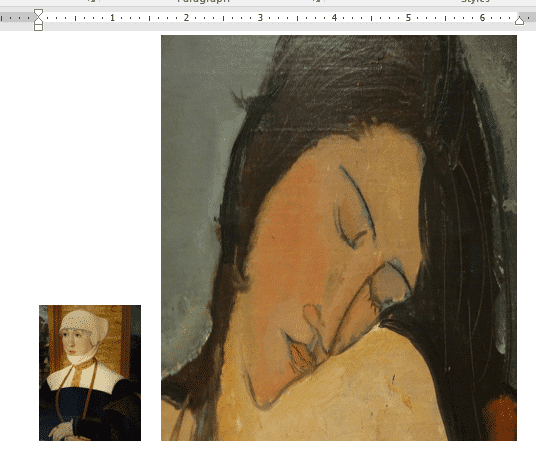
Smaller images make smaller documents in Word and Office
Pictures in Word, Excel, PowerPoint and Outlook can make the file sizes at lot larger than you expect. Here’s how to make images smaller (in file size) for Office documents without changing the look of the document, slide etc. The images in a document are what take up a lot of space in most documents. […]

Coin 🪙 emoji in Word, Excel, PowerPoint and Outlook
How to insert the Coin 🪙 symbol or emoji into Microsoft Word, Excel, PowerPoint or Outlook. Both in Office for Windows and Office for Mac. How Coin 🪙 looks in different fonts Only Segoe UI Emoji font has the coin symbol in standard Windows. Coin 🪙 codes These are the important code numbers or values […]

Pivotby – Excel’s new faster PivotTables
Pivotby() is a new and easy way to make PivotTables in Excel. It’s one of two new ‘aggregation functions’ but we prefer to call them fast summary powers. We’ll dig into the detail of what PivotBy() can do. Excel has been able to group or combine data for many years but now all you need […]
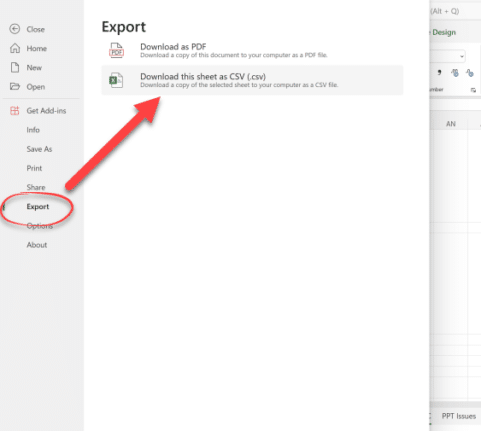
More Excel on the web improvements
More common Excel desktop features are being added to the browser based version too. Drag and Drop pasting, Autofill, right-click for more Paste options and also export to text file (CSV) format. All these features will be familiar to Excel desktop (Windows/Mac) users and work in much the same way. Drag and Drop Columns and […]

Excel’s warning about dates and centuries
There’s a useful but niche Excel warning about date with two digits for the century. That’s a useful precaution but sometimes the warning is wrong! Those of us around at the turn of the century will remember the Y2K problems and possible mistakes with a date that has only two digits. For example, “15 April […]









