
Watch Window finally in Excel for Mac
An essential Excel testing and debugging tool is finally in Excel 365 for Mac. The Watch Window makes fixing workbooks a lot easier. Watch Window is a separate pane which shows the current status of selected cells from across many workbooks or sheets. When you can’t figure out why Excel is misbehaving, the Watch Window […]

Good stuff now and coming changes to Office.com
There are some good and practical changes coming to the main web portal for Microsoft Office users, Office.com plus some features already available you might not realize. These changes are either happening now or in the coming months. As usual, there’s a gradual rollout to Microsoft server farms across the globe. Here’s both an overview […]

Cartoon People and a lot more in Microsoft Office 365
Microsoft Office 365 has a very interesting addition to their stock graphics range called “Cartoon People” but is really a lot more than just people. Cartoon People has been added to stock Images, Icons, Cutout People, Stickers and Illustrations. Access it from Insert | Pictures | Stock Images or Insert | Icon then click on […]
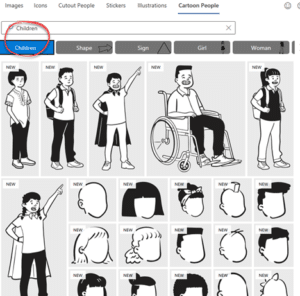
How to find more Cartoon People in Office 365
Here’s a better look at more Cartoon People graphics in Microsoft Office 365. Check out the main categories, how to search Cartoon People and some useful search terms. This article looks at the people graphics available under the ‘Cartoon People’ section with many examples to give you a better idea of what’s possible. We have […]
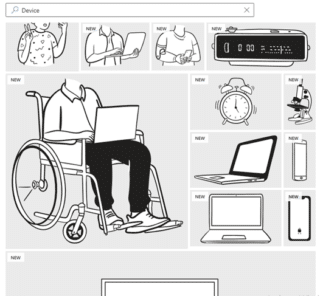
Cartoons without People you can add with Office 365
It’s called Cartoon People in Office 365 but there are plenty of non-human graphics available to use either on their own or as part of a combined graphic. See also How to find more Cartoon People in Office 365 to see the human side of this feature for Word 365, Excel 365, PowerPoint 365 and […]
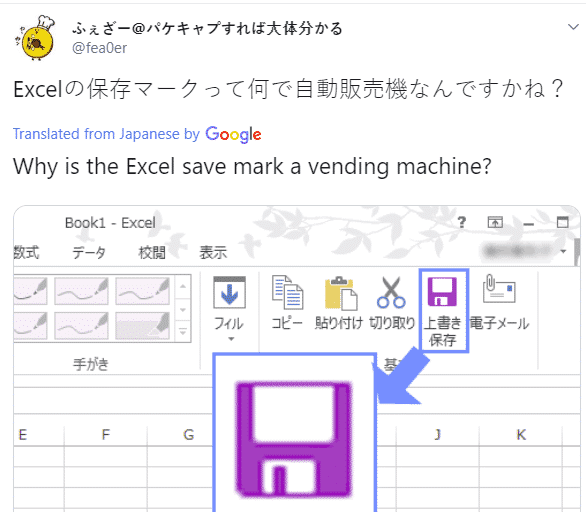
Why is there a vending machine on the Office ribbon?
There’s a new generation growing up who see the Office ribbon differently from their parents. To some young people a floppy disk icon looks more like a vending machine! Check out this icon on the older Office ribbon …. To you, me and most people it means ‘Save’ because that’s a floppy disk. Specifically, a […]

Why does smooth scrolling matter in Excel?
Excel is (finally!) fixing an annoying display problem with a change to smooth scrolling for large cells. Display of worksheets has always been on a ‘snap to cell’ basis meaning you scroll down or across to see a full cell or row at a time. That mostly makes sense for sheets with cells with one or […]
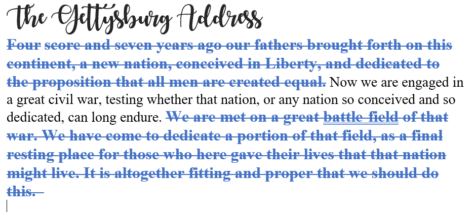
Redo tricks in Word, Excel, PowerPoint and Outlook
Redo is the often-forgotten partner to Undo. It’s mostly used to ‘undo an undo’ or reverse the last ‘Undo’ action but ‘Redo’ has other uses in Word, Excel, PowerPoint and Outlook. In most cases, you use the redo button to revert to a previous state. For example, if you used the undo button within your […]
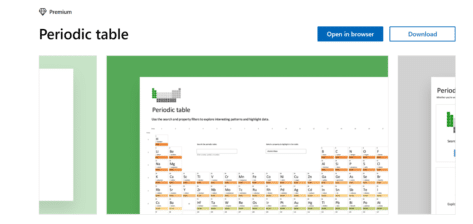
Check out the powerful Periodic Table template for Excel
Excel and Wolfram have teamed up to produce a handy interactive Periodic Table Template, useful for those searching for an introduction to chemistry, or a handy guide for study. The table lets you easily access information on elemental properties, chemical compounds, diagrams and more. You can download or open the template in your browser here. […]

Excel the full history of rows and columns
How many rows and columns does Excel have now and in the last 25 years of Excel for Windows and Mac? All the talk about 64-bit versions of Office has raised the issue of maximum rows and columns in Excel. A few readers seem to believe that 64-bit Excel will have more rows or columns […]

Six choices for removing formatting and more in Excel
Excel has six different choices for removing content, formatting, comments or everything from cells. Five are on the ribbon plus another hidden away. Plus three useful keyboard shortcuts, one obvious and two very obscure. Home | Clear On the right of the Home tab is a selection of five ‘Clear’ options under the little eraser […]

Make better Office SmartArt by adding pictures
There are several ways to add images into an Office SmartArt graphic; the official Microsoft way plus some others that aren’t usually mentioned for Word, PowerPoint and other Office apps. In the introductory piece, Much better lists with SmartArt , we looked at the SmartArt basics which are much the same in Word, Excel and […]
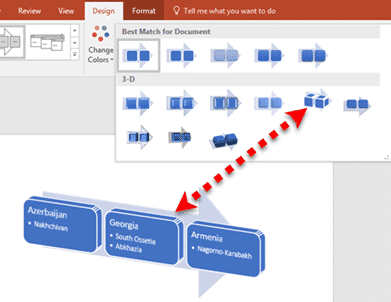
Much better lists with Office SmartArt
SmartArt is available in all Office desktop programs for Windows and Mac. They let you turn a plain boring text list into something more compelling and understandable. SmartArt works and options do vary between the programs, especially PowerPoint. Office for Mac menus look a little different but the primary features are there. This article is […]
How to open a mystery file with no extension
What can you do with a file attachment that has no file extension? Sometimes you get a file, probably an email attachment, that has no file extension. Without something after the dot/period (.doc .docx .xlsx .pptx etc.) Windows doesn’t know what program to use. This is most likely to happen with files sent from Mac […]

Changing text and icons on Office Quick Access Toolbar
Improve your Word, Excel, Outlook or PowerPoint Quick Access Toolbar (QAT) beyond the small changes allowed by Microsoft directly. This works in all modern Office for Windows including Microsoft 365, Office 2016/2019/2021/LTSC. You’ll be able to shorten the overly long text labels or change icons (because too many are the same) with a short list […]

New look for Microsoft 365 and Office 2021
From Tuesday 5 October 2021, a new look is be available to Microsoft 365 and Office 2021. Don’t worry, it’s not a major change. Everything on the tabs, ribbon and dialogs remains exactly where they are. Microsoft grandly calls it a ‘visual update’ we call the changes ‘a new coat of paint’. 5 October is […]









