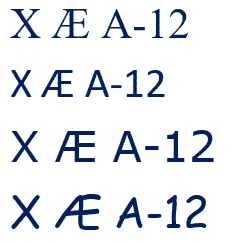
X Æ A-12 in Microsoft Word and Office
Elon Musk and partner have named their child X Æ A-12 (no kidding) how do you type Æ in Microsoft Word and Office generally. The child’s name doesn’t trigger any spelling or grammar errors in Word. No squiggly lines. What is Æ ? Æ or æ is a a-e ligature that was used in English […]

Workbook Statistics finally in Excel
A long last, Excel is getting a quick summary of the workbook statistics including the bounds of the sheet, tables, formulas and external connections. Look on Review | Proofing | Workbook Statistics in Excel 365 for Windows or Mac. There are details for the currently selected sheet and the whole workbook. It’s similar to the […]

Excel worksheet with global COVID-19 stats – update
We’ve updated our workbook that imports the latest COVID-19 statistics and combines with population data through Excel 365’s Stock Data Type. No technical changes in the workbook but we’ve added a few more ‘interesting’ or outlier countries. Plus some repeat help tips. Download COVID-19 Global Statistics workbook there’s also a limited Excel 365 for Mac […]
Moving Average in Excel Charts
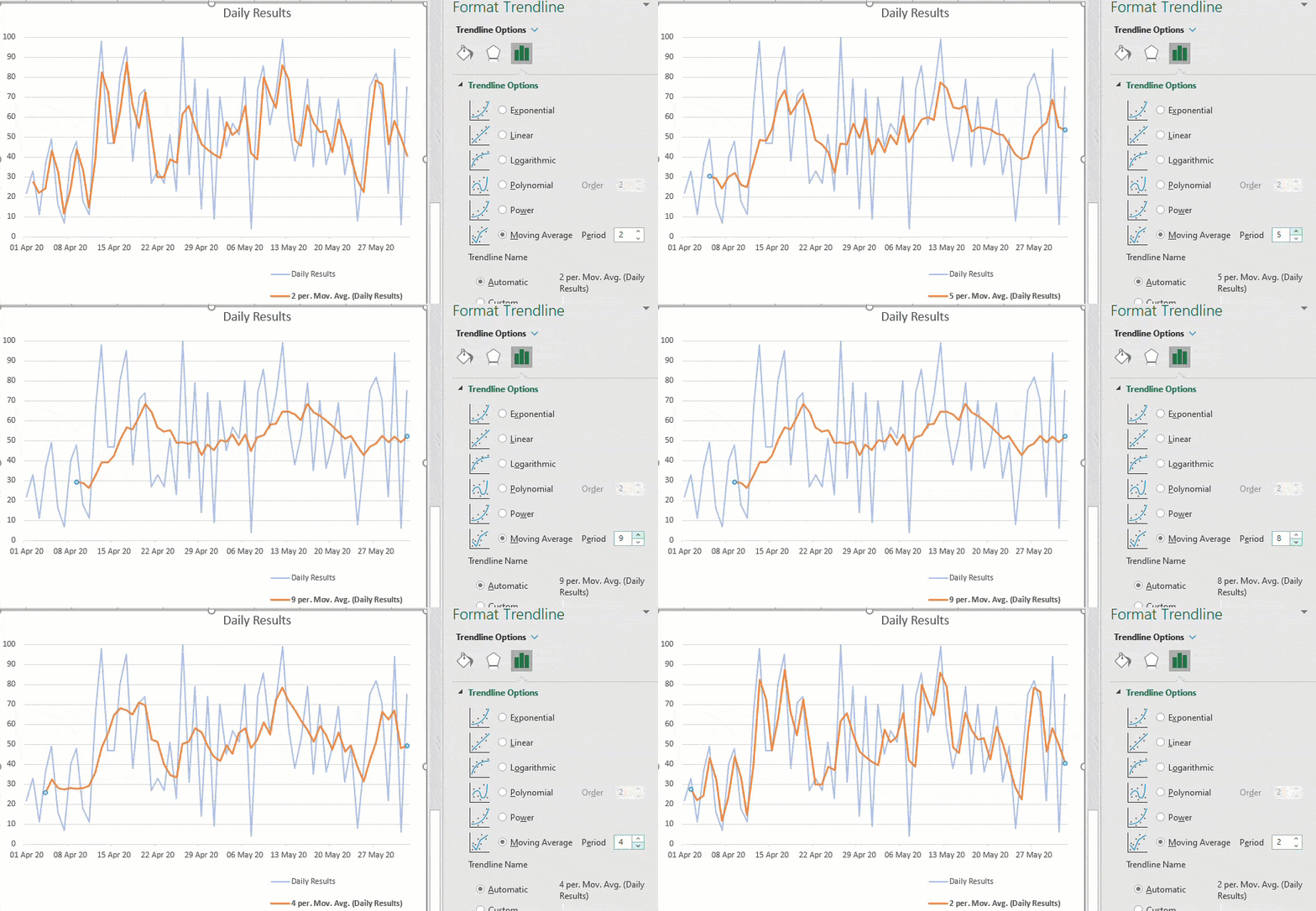
Adding a moving average line to an Excel Chart is very easy, just a few clicks, with many options. Any chart with a series of values over time will benefit from a trendline like a moving average. What is a moving average? An average / mean is a single value representing a list of numbers. […]

Search My Files is the better way to find files, PDF and Office documents
Nirsoft’s SearchMyFiles has received a major boost. It can now search inside Office documents and PDF’s. SearchMyFiles is the Windows search tool that should be included with Windows. It’s interface might be old-fashioned but all the options are visible, including some not available in Windows. Some of the highlights in Search My Files ‘Use Windows […]

Format Painter with Shapes and gradients
Format Painter in Office will work to copy formatting between shapes which is very useful for complex Gradients. But they don’t always format copy in the way you’d expect. We’re obliged to Office-Watch.com reader, Lorelei, for pointing out that Format Painter can copy gradient fills in most but not all situations. To copy the formatting […]
COVID-19 Excel workbook improvements
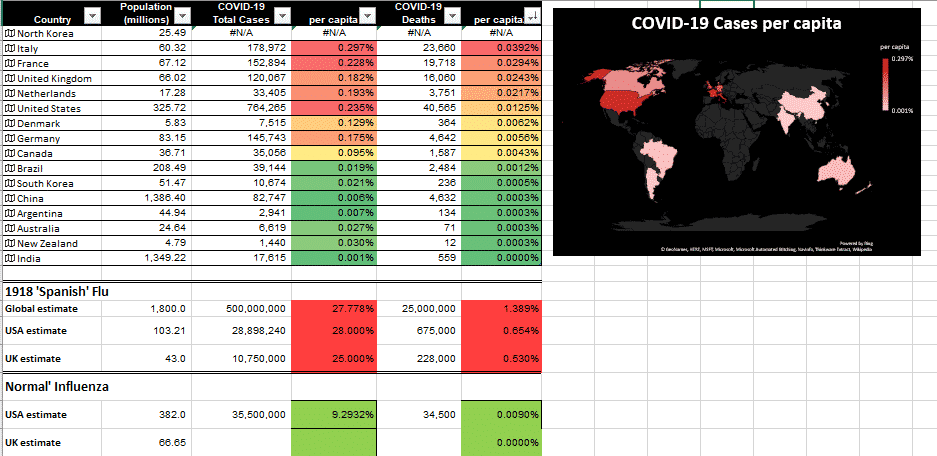
We’ve made a few changes to our COVID-19 tracking workbook for Excel 365. The kind comments from readers are much appreciated. For those of you who asked, it was made by our Editor-in-Chief, Peter Deegan, who is safely locked-down in London. Peter refreshed the COVID-19 statistics (which any Excel 365 will do from Data | […]
April 2020 updates for Office come with a warning
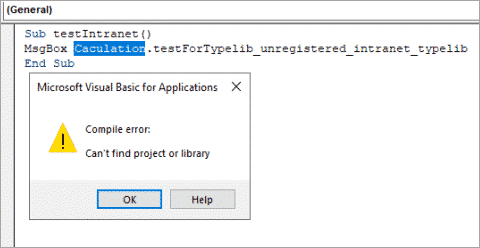
The April 2020 security fixes for Microsoft Office come with a warning that some VBA code will stop working. There are workarounds to let some references through. The KB4557055 security fix blocks VBA references that link to Internet or intranet sources or have been downloaded from the Internet. That will effect some Office/VBA code which […]
COVID-19 stats in Excel 365 for Mac
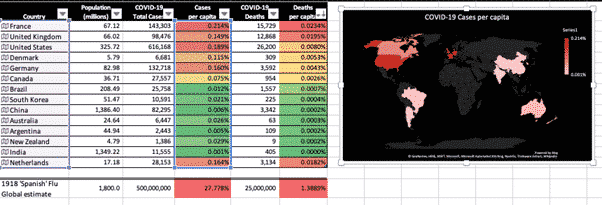
We’ve made a new version of our COVID-19 statistics workbook that’s compatible with Excel 365 for Mac. Keep track of COVID-19 statistics using this Excel spreadsheet that shows the latest cases and deaths for countries you choose and populations also added for you. Excel 365 for Windows has a separate download available here. Excel for […]
COVID-19 Excel workbook – under the hood
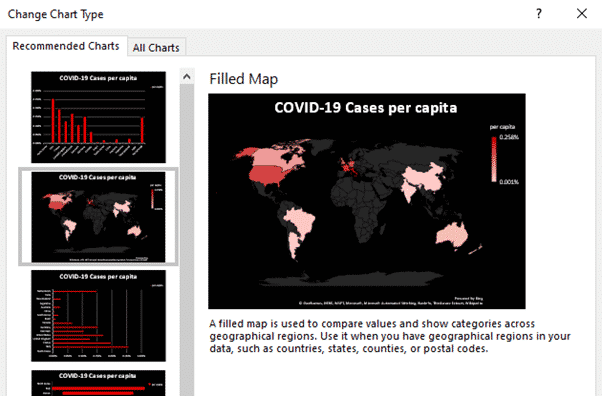
Some of the features and tricks in our COVID-19 worksheet for Excel 365. We’ve made this workbook as a practical and timely example of some important recent Excel features and how they can be used. Open up the workbook in Excel 365 for Windows and add some countries to see the whole table and chart […]
Track COVID-19 stats in your own Excel spreadsheet
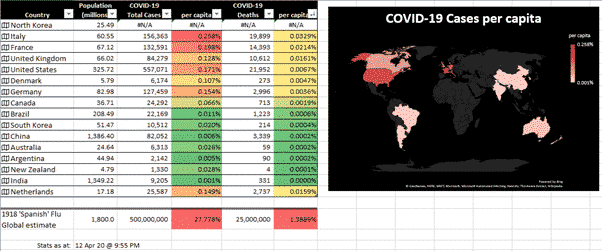
Keep track of COVID-19 statistics using this automatically updating Excel spreadsheet that shows the latest cases and deaths for selected countries with populations also added for you. We’ve been a little annoyed at media coverage that deals with raw numbers without adjusting for population. We opened up Excel 365 and made use of its Geography […]
Sending and Receiving faxes without a fax machine
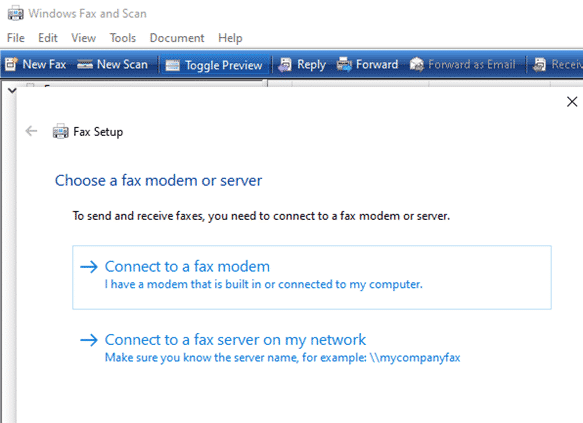
It is possible to send and receive faxes without a fax machine. At least you can send a fax from your computer without a fax machine because there are online services to do that for you. We’ve noticed some press reports were overwhelmed offices have reverted to faxes because their web systems have broken down. […]

Add the Indian Flag into Word, Excel or PowerPoint
Find and add the Indian flag into Office documents, Word, Excel or PowerPoint, then use some Office picture tools to enhance the image. The same help applies for any other national flag, just look for a different source. Get the Indian Flag Image There are many, many copies of the Indian flag available. We’ve opted for the Wikipedia site because it […]

Excel’s WORKDAY() counts by working days
Excel’s Workday() function counts working days before or after the starting date. The counted workdays automatically excludes weekends (Saturday and Sunday) and can account for holidays. We previously explored the NetworkDays.Intl() function in Microsoft Excel to calculate the number of working days between two dates. Workday() is similar but returns the date (past or future) after the number of workdays. It is useful for many purposes. You can […]
Converting Google Sheets to Excel
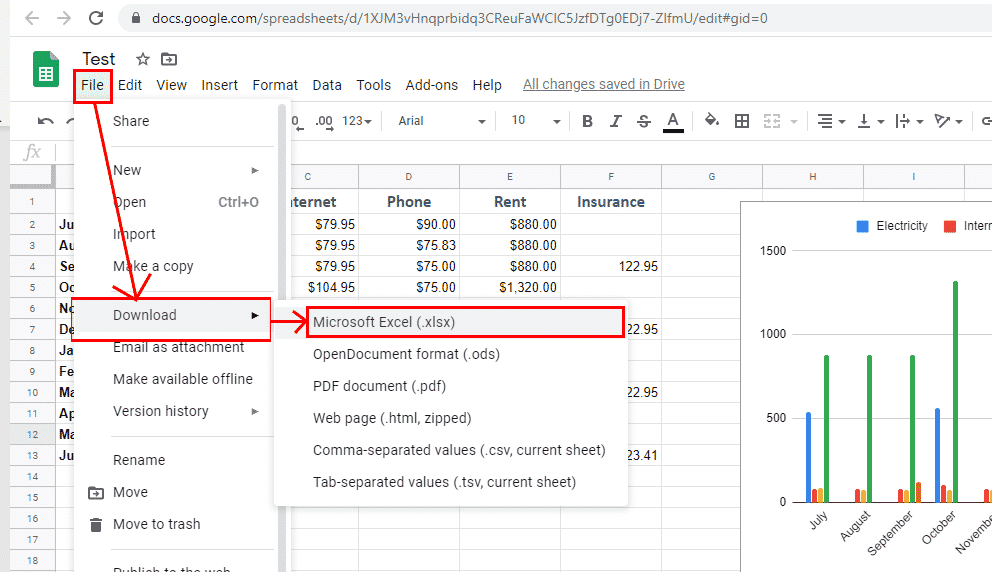
Google Sheets can be handy for sharing and working on spreadsheet files with other people, but sometimes you just really need that file in Excel. No problem – it’s actually really easy to convert them. All you have to do is download the file and save it as an Excel file. If the Google Sheets File is […]

Microsoft 365 summary that’s readable!
Here’s a readable and searchable version of the Microsoft 365 summary table that came with Microsoft’s announcement of the rebranding from Office 365 to Microsoft 365. It shows the differences between ‘free’ Office (with a Microsoft account), Microsoft 365 Personal (formerly Office 365 Personal) and Microsoft 365 Family (formerly Office 365 Home). Important limitations on […]









