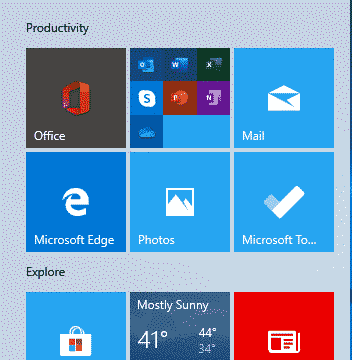
Fixing Office confusion and other hassles on Windows Start menu
The Start Menu on a new Windows 10 has Microsoft Office icons which are badly labelled, misleading and setup to promote Microsoft’s corporate agenda. We’ll explain what Microsoft has done and how regular Office users can make the Start Menu better. Make a Start Menu that suits you, not Microsoft. A new or reset Windows […]

Office all-in-one app for Apple iPhone and iPad
Last week we said it would not be long before Microsoft released their Office app for Apple devices and, sure enough, within a few days Office ‘all in one’ for iPhone and iPad is out. The app is a combination of Word, Excel and PowerPoint plus other tools into a single app. Individual Office apps […]

Office ‘All in One’ Mobile app – the video!
Microsoft has released a video to promote the Office Mobile ‘all in one’ app for Apple and Android. It’s big on fancy graphics but almost no useful information. There are lots of fancy colors, bouncing bubbles and even Office logos turning into balloons then exploding … all for no good reason. There’s more info in […]

Pete Buttigieg – a Microsoft Word guy
Apparently nothing can escape the touch of US politics*. Even Microsoft Word and PowerPoint got dragged into the latest Democratic Primary debate. It all started with Elizabeth Warren describing Pete Buttigieg’s health plan as ‘just a PowerPoint’. Buttigieg responded with the ad-lib that “I’m more of a Microsoft Word guy.” Which isn’t bad as an […]

Multiple Holiday lists in Networkdays()
Here’s a limited solution to the problem of excluding multiple holidays or vacation lists to use in NetworkDays() or NetworkDays_Intl() and a request to Microsoft for an improvement in the function. NetworkDays() or NetworkDays_Intl() is OK if you only have to deal with one list of public holidays or one vacation. But in the Real […]

Excel’s NetworkDays() and Holidays in the real world
We looked at the handy NetworkDays.Intl() function in Excel and mentioned that the Holidays parameter is a lot more complicated that it appears. Let’s look at how Holidays works and how it gets messy when faced with real world applications. Quick Recap of NetworkDays.Intl() Just to recap, NetworkDays.Intl() lets Excel count the number of working […]

Using NetworkDays.intl to count working days step-by-step
Here’s a step-by-step example of Networkdays.Intl() in an Excel worksheet. We suggest using that improved function over the older NetworkDays() with less options. As usual, you can select the formulas tab and Excel will guide you through the process. From Formulas | Date & Time choose NETWORKDAYS.INTL . It will open a dialog box to […]
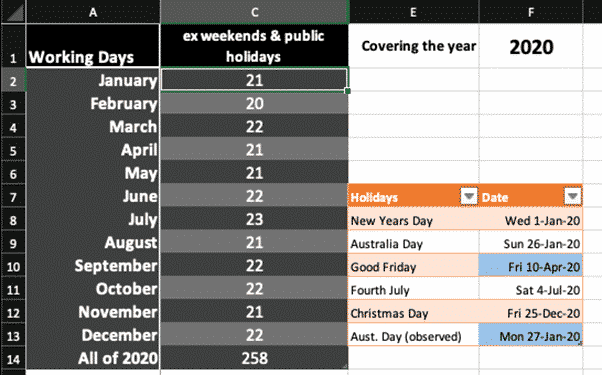
Count your working days in Excel with NETWORKDAYS()
The NETWORKDAYS function in Microsoft Excel will calculate the number of working days between two dates. It will automatically exclude weekends (e.g. Saturday and Sunday) plus you can exclude public holidays and personal vacations. Most people read the function as ‘Network Days’ but it’s really ‘Net Work Days’. Figure out employee benefits from total working […]
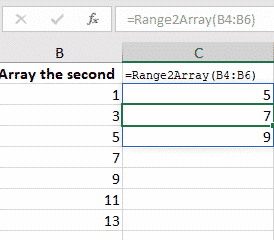
Excel convert Range to Array in VBA
Arrays have more powerful options than simple Excel ranges but, happily, it’s very easy to convert a range of cells into an array. Or sometimes you have a mix of arrays and ranges that need to be managed as a collection of arrays. That’s what we’ve needed to make the NetworkDays() and NetworkDays_Intl() functions work […]
Office ‘all in one’ app now on Android
The ‘all in one’ Office app combining Word, Excel, PowerPoint with Office Lens and PDF support is now available for all comers with Android phones. Office Watch did a comprehensive look at the Office app back in November when it was available to insiders. Now it’s available to all at the Google Play Store. No […]

Inside the Office ‘all in one’ app for Apple and Android
A new Office app for Android a single ‘all in one’ app for Microsoft Office. We’ve done our own look at the new app, not relying on Microsoft’s hype to check out the Home panel, Actions, Word, Excel and PowerPoint features, PDF viewing and options, ‘image to text’ features and how to bypass a major […]
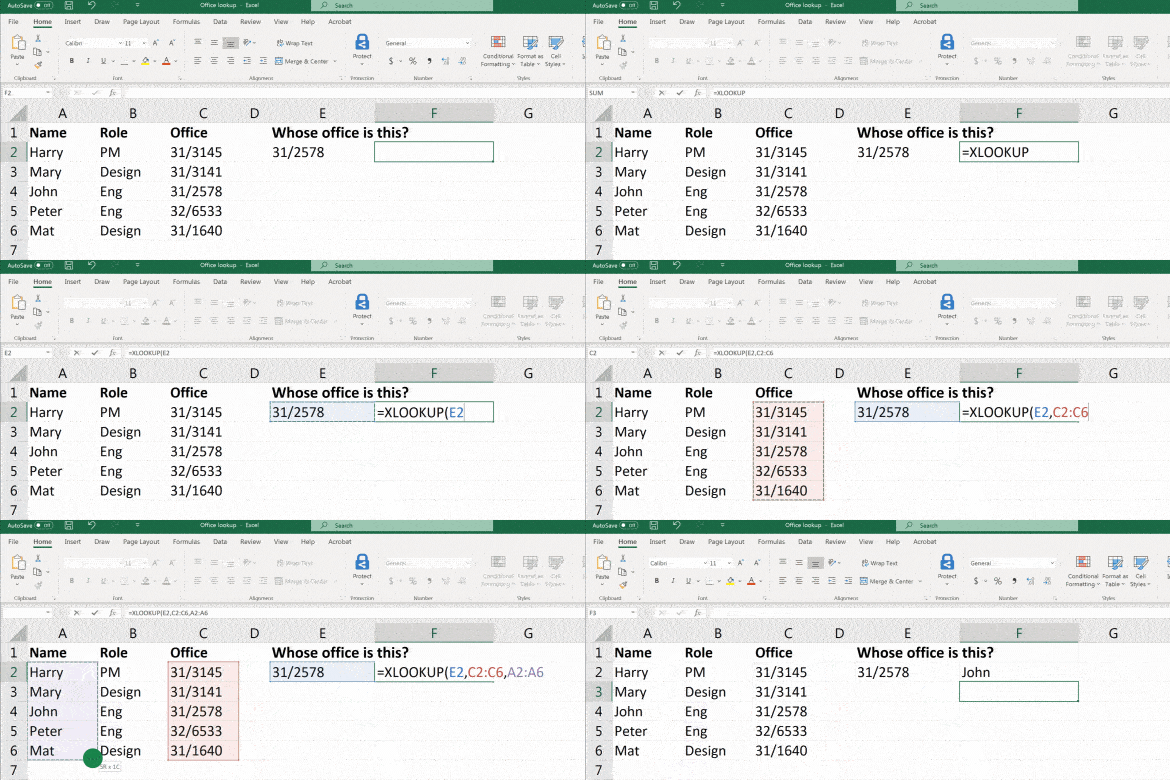
Xlookup now available for all Excel 365 platforms
Xlookup is now available across all the Excel programs and apps, making it a viable alternative to Vlookup/Hlookup for Office 365 users. The Xlookup function is the much-improved way to lookup values from a list or table. It works really well but it’s taken some time to appear across all incarnations of Excel 365 and […]

Which version of Office for iPhone, iPad do you have?
Here’s how to find the version number of your Word, Excel, PowerPoint or Outlook apps for iPhone or iPad. Sometimes it’s important to know which exact app version you’re running. Normally, the apps are updated automatically but occasionally it’s important info. Maybe you need to check the version to ensure that a new feature is […]

Office for iPhone get new look and less menu options
The iPhone apps for Word, Excel and PowerPoint have been redesigned with a new look that reduces the initial menu options from five to three. At least that’s what Microsoft is saying, though there’s no change in the apps so far. According to Microsoft the apps are “Redesigned From Scratch: We have redesigned the app […]

Office Picture formatting tricks – Fit, Fill and Positioning
Hiding in plain sight are some useful tricks for picture formatting within a shape. It’s possible to fit or fill the image within the shape and, importantly, move the picture around with shape outline. Office Watch has already talked about various ways to change the look of an image within a shape. There are more […]

PivotTables ebook extra now available
Our ebook PivotTables and PivotCharts from scratch now has a bonus extra for all readers, new and existing. Our Subscriptions Manager is an Excel workbook to organize online subscriptions like Netflix, HBO, Office 365 and (too) many more. We’ve just added an enhanced version of the Subscriptions Manager to our ebook PivotTables and PivotCharts from […]









