All about Microsoft Office for Apple Mac. Word, Excel, PowerPoint, Outlook on macOS, Microsoft 365 for Mac, Office 2021 for Mac and earlier versions.

Office 365 Personal gets a big boost
The upcoming changes to Office 365 mean a big boost for Office 365 Personal customers. They’ll get a lot more for their annual fee to Microsoft. At the moment, Office 365 Personal allows a single user to install Office on (quoting Microsoft). “1 PC or Mac, 1 tablet and 1 phone (including Windows, Apple®, and […]
Significant improvements in Office 365 Home, Personal and University
Microsoft has announced some truly important improvements in what you get with Office 365 Home, Personal and University plans. The Home plan will be available for six family members instead of five. How Microsoft calculates use of Office software is changing and for the better. All these changes apply from 1 October 2018 onwards for […]
Why is Microsoft Office product activation so difficult?
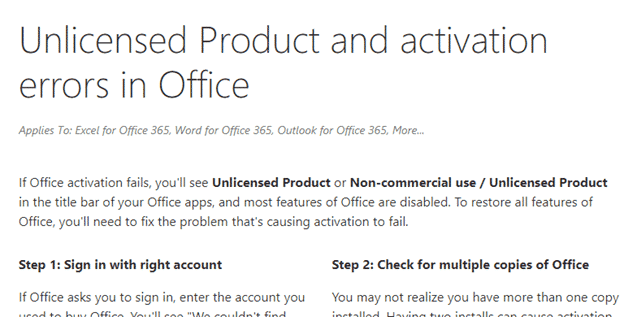
If you get an error message when trying to activate Microsoft Office, settle in for a difficult time. Microsoft doesn’t make activation easy to understand, let alone fix activation problems. Office activation is where newly installed Office software is authorized by Microsoft’s servers. Without activation the software only has very limited features. For Office 365 […]
What are you buying with Microsoft Office?
When you buy Microsoft Office there’s no CD or DVD with the software to install. The vital thing you’re getting is the Product Key. The Product Key is that the 25 character code which unlocks or activates the software. This applies to both Office 365 ‘subscriptions’ or single-purchase Microsoft Office packages. The Product Key provides: Access […]

What to do if you buy illegal software
After the report of buying illegal Microsoft Office via Amazon (and Amazon’s initially poor response) here’s what to do if you’ve bought an illegal, pirated or at least non-working Office Product Key. Credit Card as separate transaction Whenever possible, pay by credit card. The MS Office purchase should be a separate purchase not bundled with […]

UK residency or Statutory Residence Test (SRT) – an Excel worksheet
After our recent Excel worksheet for visitors to Europe we were asked for a similar one to help people stay onside with the UK Statutory Residence Test (SRT). This is a test to decide if someone is a UK resident for tax purposes. Depending on the situation, a person can be in the UK for […]
New name for ‘Office 2016’ for Windows and maybe Mac too
Microsoft seems to be moving towards a name change for ‘Office 2016’. They haven’t announced anything directly, but their documentation is changing for Windows and perhaps Office for Mac as well. If you’re confused, don’t feel bad because Redmond isn’t making it easy. They are moving gradually towards naming Microsoft Office as a service instead […]
Outlook migration from Windows to Mac will soon be easier
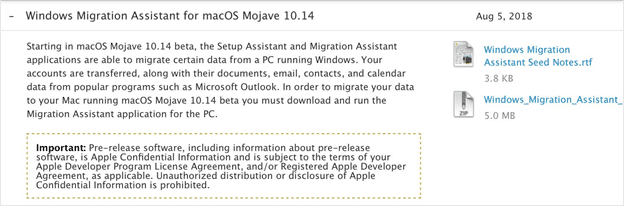
The next macOS release will include a tool to migrate Outlook for Windows data to Outlook for Mac. The upcoming macOS release codenamed Mojave will have an improved Windows Migration Assistant. Apple says it will include more third-party programs including Microsoft Outlook. The news came via a sharp-eyed Twitter user who looked into the release […]
Edinburgh International Festival calendars with Outlook
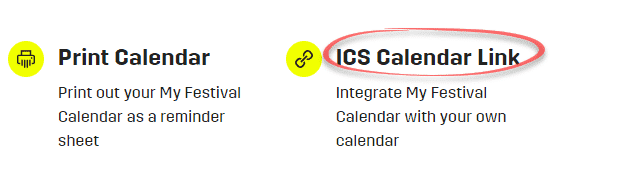
The Edinburgh International Festival is just one of the August festivals in the city. They have some methods of adding their show information into Outlook but with some traps along the way. On the My Festivals page for each account, use the ICS Calendar Link to get a list of your bookings to add into […]

Using Outlook to plan your Edinburgh festivals
If you love drama, comedy or music then you’d love Edinburgh, Scotland during August. It’s a busy, busy time with so much going on that you’ll need your online calendar and Outlook to keep track of everything. In this and other articles, we’ll give you a practical guide to managing a complex schedule using Outlook […]

Edinburgh Fringe Festival calendar management tips and traps
The Edinburgh Fringe Festival has some help adding your Fringe bookings into Outlook with some tricks and traps they don’t mention. Overall The Edinburgh Fringe Festival has an excellent site and apps with an online calendar for each customer and a feature to download booked events into Outlook. It would be fantastic except that there’s […]

Apple wallpapers for PowerPoint or Windows
There’s an amazing collection of Apple device (iOS) and computer (MacOS) you can use on PowerPoint slides or a Windows desktop. ‘nucleam’ put the collection up on Google Photos. They range from the most recent for iPhone back to the early days of iOS 3. Some are famous images, a Da Vinci here, a Seurat […]

Find out what you need to use Microsoft Teams
Microsoft Teams is primarily a cloud and web-based service with software or apps available for the main platforms. Teams features appear to be introduced first to the browser based Teams then added to apps later on. We’ve had considerable trouble with the Teams apps during testing. Perhaps that because of limitations in the free Teams […]

How Microsoft Teams fits together; organizations, teams, channels, apps and people
When you first go into Teams it’s a confusing jungle of terms and options. As usual, Microsoft assumes we’ve all been born knowing how their software is arranged. It’s not as difficult as it looks … once you get the structure or logic of Microsoft Teams. Wrap your head around Microsoft Teams with this article […]

What’s inside Microsoft Teams; teams, channels, chats, wiki, files, apps, tabs, sites
There’s a somewhat confusing range of parts inside Microsoft Teams, here’s a guide to things like Teams, Channels, Chats, Wiki and other goodies. In How Microsoft Teams fits together we explain the Microsoft Teams structure from an teams. The Best Way to learn Microsoft Teams Dive in and try it. Teams is a collaboration service so […]
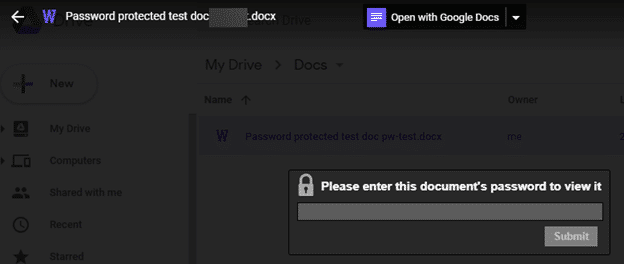
Google Drive supports Microsoft Office encrypted files – sort of
Google has updated their Drive app to support preview of Microsoft Office documents with password encryption. Here’s how it works online and in the Google Drive app. In early 2017 the browser-based part of Google Drive let you preview password protected Word, Excel and PowerPoint documents. Only preview of Office documents is available, not open […]









