All about Microsoft Office Word, Excel, PowerPoint and Outlook, Microsoft 365, Office 2021 and earlier versions.
Teams goes out and a lot more Microsoft online services
It started as just a little outage of Microsoft Teams but things soon got a lot worse for customers relying on Microsoft’s online services during a widespread outage on Thursday 21st July 2022. According to Microsoft, the trouble started with a “broken connection to an internal storage service”. It initially appeared that troubles were limited […]
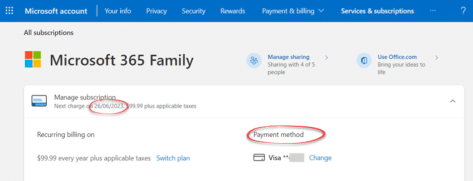
What happens if you miss your Microsoft 365 payment?
Ever wondered what happens if you miss your Microsoft 365 payment deadline? Office Watch deliberately skipped the due dates to find out. Microsoft 365 works off what Microsoft calls a ‘subscription’ model of (usually) annual payments. That applies to all Microsoft 365 products, Family or Personal software plans plus the Business plans which include mailbox […]
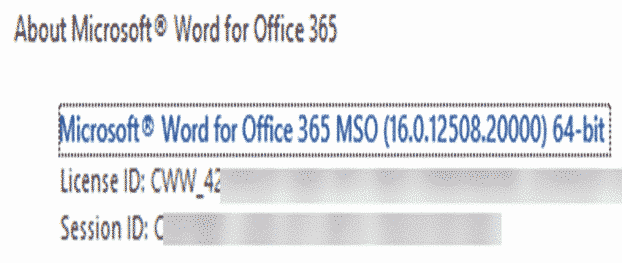
Is my Microsoft Office .MSI or Click to Run
Office for Windows comes in two flavors called Click to Run (CtR) or MSI here’s how to tell which one you have and why it, sometimes, matters. We’ll also explain the two terms. Which Office install you have (Click-to-Run or MSI) should not matter but occasionally a support page or person might ask you. Here’s […]

Set Picture as Background in OneNote
Set Picture as Background in OneNote feature is a handy feature for those looking to fill in forms or wish to draw and highlight on top of images pasted into their OneNote page. It’s now available in the Web version of OneNote as well as OneNote for Windows/Mac. How to set image as background First, […]
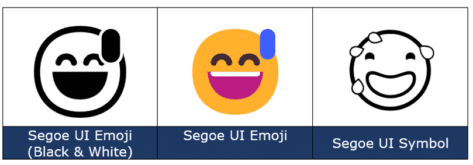
Smiling Face with Open Mouth and Cold Sweat 😅 emoji in Office
Add the Smiling (grinning) Face with Open Mouth and Cold Sweat 😅 into Microsoft Word, Excel, PowerPoint or Outlook. Both in Office for Windows and Office for Mac. Smiling (or grinning) Face with Open Mouth and Cold Sweat 😅 emoji is normally used to express a close call, or nerves / discomfort. It’s just one […]

Grinning Face with Smiling Eyes 😁 emoji in Word, Outlook and Office
Insert the Grinning Face with Smiling Eyes 😁 into Microsoft Word, Excel, PowerPoint or Outlook. Both in Office for Windows and Office for Mac. Grinning Face with Smiling Eyes 😁 emoji is used to express joyfulness, excitement, or happiness. It’s similar to Grinning Face 😀 but with different eyes that are meant to be ‘smiling’. It’s just […]
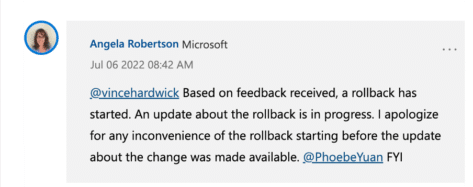
Microsoft reverses Office macro blocks without telling customers
Without any warning, Microsoft stopped their new macro blocking system (called MOTW or Mark of the Web). Now Office for Windows is less secure without customers getting any warning. UPDATE: the whole ‘on again, off again’ saga continues. On 20 July 2022, Microsoft resumed rollout of the MOTW and Office macro blocking. Back in February, […]

Show markup and comments in PDF made from Word
How to make document comments and markup appear in a PDF version of a Word document plus some options available to control what appears in the PDF copy. Modern Word documents can contain a history of the changes made, especially in a shared/collaborative document. There’s also comments made by people alongside the text. Here’s a […]

Two ways to add Gradient or Rainbow text or background effects in Word
Add a bit of zing to your document, Word has a fun little feature that allows you to add color gradients or rainbow effects to your text, the background of a text box or inside an Office shape. The rainbow effect is a bit gaudy but demonstrates the possibilities of more subtle gradients. The rainbow […]

If Microsoft calls you, hang up!
If you get an unexpected phone call from Microsoft, hang up on them. It’ll be a scam where you could lose thousands and precious personal data from your computer. We’ve mentioned this before but reminded by this Australian article warning that just in ‘Oz’ people have lost an estimated AUD$2 billion (US$1.3billion) to criminals in […]

Inside Listnum field tricks in Word
Use the ListNum field in Word to insert sequential numbers, letters or legal numbering anywhere in a document. ListNum is the way to number or order items in ways not possible with the standard numbered or multi-level listing features. Just for starters, use ListNum to number things within a paragraph, instead of separate lines. Or […]

Grinning Face with Big eyes / Smiling Face with Open Mouth 😃 emoji in Office
Add the Grinning Face with Big eyes aka Smiling Face with Open Mouth 😃 into Microsoft Word, Excel, PowerPoint or Outlook. Both in Office for Windows and Office for Mac. “Smiling Face with Open Mouth” is the official Unicode name for the 😃 emoji. It’s commonly labelled Grinning Face with Big eyes and is used […]
Follina patch now available but questions remain
Microsoft has released a fix for the ‘Follina’ security hole in Windows which was being exploited via hacked Office documents. We explained the Follina hack and long delay before Microsoft finally acknowledged the problem. The security hole is in Windows or specifically the Microsoft Support Diagnostic Tool (msdt) but it’s generally spread via a hacked […]
Price rises for Microsoft 365 Business customers
Microsoft 365 Business and Business Premium customers are getting hit with 10-20% price rises. There are a few things you can do to reduce your Microsoft bill, but not a lot. The price of Microsoft 365 Business and Business Premium rose in March 2022. As the renewal time gets close, Microsoft will send an email […]

Triangular Flag 🚩 in Word, Excel, PowerPoint and Outlook
Insert the Triangular Flag 🚩 emoji into Microsoft Word, Excel, PowerPoint or Outlook. There are two different looks and plenty of colors to choose from, not just the Red Flag default. Triangular Flag 🚩 emoji is usually used to warn people of bad ideas or problems or refer to unsafe/dangerous situations. As you’ll see, it […]

Office 365 offline install, get the full download
A welcome sight for Microsoft Office 365 users is the return of an offline installation method. Microsoft pushes their standard ‘Click to Run’ install. The first download is a very small installer. When you run that program, the rest of Office is downloaded for you. Microsoft pushed the virtues of this approach and turned a […]