All about Microsoft Office Word, Excel, PowerPoint and Outlook, Microsoft 365, Office 2021 and earlier versions.

Why does a document look different on other devices
Reasons why a Word document or email can look different on one computer than another device and what you can do get ‘fidelity’ or the same look across many machines. In short – you can’t assume that what you see is the same as someone else. You get a document sent to you or maybe […]

Highlight tricks for Word, PowerPoint, Excel and Outlook
Here’s another example of a seemingly simple Office feature that has hidden depths – Highlighting. For a long time, there’s been a highlight option in Office: Word, Excel, Outlook and even PowerPoint (albeit in a different form). They vary a little in each program so this article will go through them all, mentioning alternatives and […]

Dark mode in Office for Android
Office for Android apps have a Dark Mode but, as usual, Microsoft’s hype is ahead of the reality for customers and misled some commentators. Get Dark Mode in Office app To see if you have Dark Mode open the Office app (maybe use Google Play to update your apps first). Tap on the Home icon […]
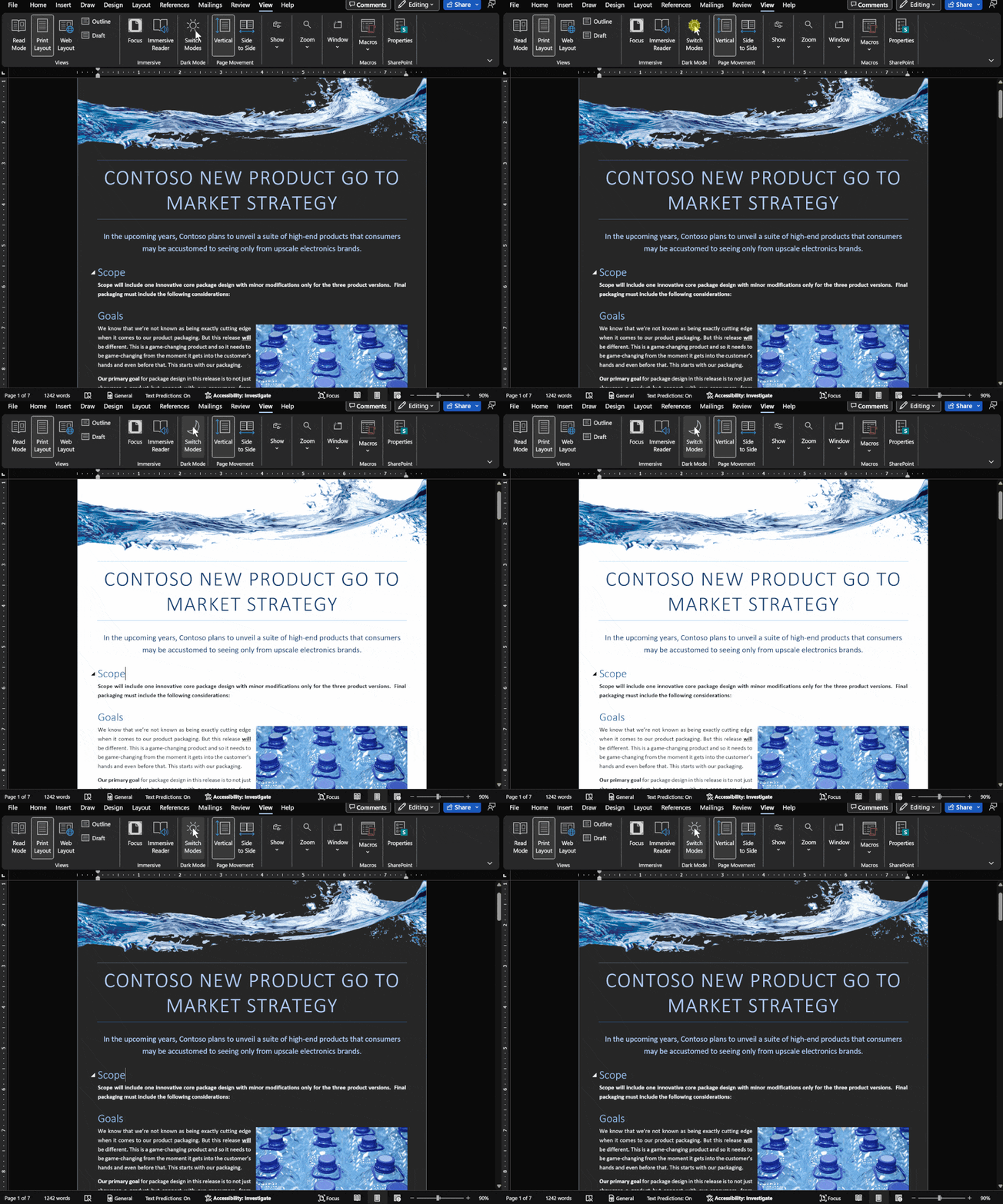
Dark Mode has gradual progress in Microsoft Office
Let’s take a moment to see where customers stand with Dark Mode options in Microsoft Office in Windows, Mac, iPhone, iPad, Android and web. It’s easy to get confused about Microsoft 365 and Office 2021 dark mode or theme options. Microsoft has announced ‘dark’ developments so many times it’s hard to keep up with what’s […]

Dictate your comments into a Word document
Dictate has yet another addition in Microsoft Word. You can now dictate comments when reviewing a document in Word as well as dictating into the document itself. Look for a little microphone icon in the comment entry box. Some people may find it particularly handy. Others might not use it at all (myself included). Either […]

Images in Office – Inserted or Linked?
More details on the image insert or linked options in Office, Word documents and Outlook emails. We’ve already talked about the three options available for documents; Insert, ‘Link to File’ and ‘Insert and Link’. Insert adds a copy of the image into the document Link displays the current external picture within the document. Insert and […]

Three choices to add images to Office and emails
There are three different ways to add an image into a Word document or Outlook email. Insert is the most common but there’s also Link or Insert and Link ” When I make a web page I can link to any image on the Internet. In Word, it’s different. You add an image to the […]

8 ways to share calendars or events in Outlook
There are at least eight ways to share an entire calendar or individual appointment in Outlook software. Sharing can be ‘live’ and connected. Any changes or updates to the event or calendar are automatically sent to everyone sharing. Or it can be a ‘one-off’ item. A special attachment which is emailed or a little .ics […]
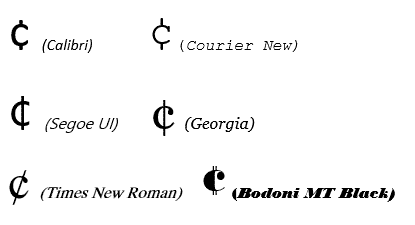
Cent ¢ symbol in Word, Excel, PowerPoint or Outlook
How to type the Cent symbol ¢ into Microsoft Word, Excel, PowerPoint or Outlook plus any Windows program. Cent ¢ shortcut Word and Outlook The Cent ¢ symbol has an inbuilt shortcut in Word and Outlook: Ctrl + /, C Hold down the Ctrl key while pressing / then type C (upper or lower case). […]

One person Comments in Word
Adding comments to Microsoft Word documents isn’t just for groups, use them yourself for your own reminders and side-comments while you’re working on a doc. Word has a feature to let you add ‘side’ comments to documents – comments that don’t show up in the final document, don’t effect the formatting yet stay with the […]

Get the most persuasive font in Microsoft Office
Baskerville has been decreed the most persuasive font after an experiment by Errol Morris and the New York Times. Happily, a very similar font is available to all Microsoft Office for Windows users. In an interview in Fast Company, Errol Morris talks about the experiment where people were asked to rate the same text, but […]

The big weakness in Excel’s Data from Picture
Excel Mobile’s Data from Picture has one big problem, it can’t figure out what’s intended to be in one cell and puts text in many cells. Cell discernment is Data from Picture’s biggest weakness and the Review process makes it hard to fix those problems. For example, text using Excel’s own Accounting format which puts […]

Dictate voice commands in Office – the full, searchable list
Here’s the full and searchable list of Word 365 Dictation special phrases, in English. Saying any of these phrases converts the words spoken into the symbol or does a Word command. For example, say “Full Stop” and . appears in the document. Say “Dollar sign” and get $ . Say ‘Align Center’ and the current […]

Money template – end of support
Microsoft will be removing Excel’s Money template from Microsoft 365 Personal and Family subscriptions on June 30, 2023. Here’s details on what’s happening to your data and an alternative with a free trial. Ending the Money template is just one of three features being dropped from Microsoft 365 in mid-2023. You’ll no longer receive updates […]

Checkered Flag 🏁 symbol in Word, Excel, PowerPoint and Outlook
Insert the Checkered Flag 🏁 into Microsoft Word, Excel, PowerPoint or Outlook. Plus other alternatives available in modern Microsoft Office like icons or stock images. As its name suggests, the Checkered Flag emoji 🏁 shows a flag with a black-and-white checkerboard pattern. It’s often used to represent vehicle racing, challenges, or accomplishments. How Checkered Flag […]
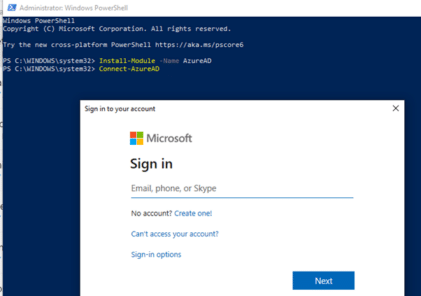
Simple start with Microsoft 365 and PowerShell
How to run administration commands via PowerShell for Microsoft 365 hosting and especially Microsoft 365 Exchange Server or mailbox hosting. Microsoft 365 customers will often see instructions like this to configure their Exchange Server mailboxes using PowerShell. Set-OrganizationConfig -AllowPlusAddressInRecipients $true Looks simple, but that command alone won’t work in PowerShell because there are add-ins to […]