Add Chess Piece symbols to Word, PowerPoint and Office
Insert any of the chess piece symbols available in Word, Excel, PowerPoint and other Office apps. King, Queen, Bishop, Knight. Rook and the lowly Pawn all with different looks, depending on the font plus three pieces available in Microsoft Office icons and the single chess piece emoji. Chess Pieces – the full list Here’s the […]

Changed link handling in Outlook for Windows
You may have noticed that opening a link in Outlook behaves differently and not in your chosen browser. That’s because Microsoft wants to push their Edge browser, though they have some excuses for the change. When you click on a link in Outlook for Windows, it might open in the Edge browser, even though you’ve […]

Easily install an Office VBA macro
Here’s how to easily install VBA code or macro in Microsoft Office. Adding some code you’ve seen on a web site or been given is simple once you know the little tricks. Often people are given some Office VBA code to use with Word, Excel, PowerPoint or Outlook but without instructions for how to install […]

Update your Outlook and Windows now
There’s another security bug in Windows, embarrassing for Microsoft because it was caused by their own March fix for another security bug in Outlook! That means anyone with Outlook for Windows or Windows should ensure they have the latest updates. This is another ‘zero-click’ Outlook bug that can infect your computer without any action by […]
Check, tick and cross symbols galore
There are different check mark, tick or cross symbols available in Word, PowerPoint or other Office apps. Here’s an easy searchable list of all Unicode symbols plus in modern Office ✅✔️☑️ is called a ‘check mark‘ or ‘check‘ in some places and ‘tick‘ in others. Same symbol, different English names. ❌X╳ has many more symbols […]

Thumbs Up👍emoji in Word, Excel, PowerPoint and Outlook
Insert Thumbs Up or Like👍symbol into Microsoft Word, Excel, PowerPoint or Outlook. Both in Office for Windows and Office for Mac. Thumbs Up / Like👍emoji is typically used when you ‘like’ something or have approval/agreement. It’s commonly used as a quick response to a comment on Facebook, Twitter and it’s coming to Office Comments too. […]
Find all Arrow or Hand pointing symbols and more
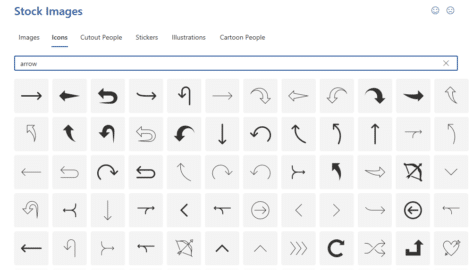
There are different arrow or hand pointing symbols available in Word, PowerPoint or other Office apps. Left, Right, Up, Down, North, South, East, West. Here’s an easy searchable list of all Unicode pointing symbols plus the arrow and point icons in modern Office See also Check ☑︎, tick ✔️ and cross ❌ symbols galore Point […]

AI images coming to PowerPoint plus more CoPilot news
CoPilot, Microsoft’s AI project, inches towards reality with news of a very limited preview plus hints that Dall-E like image creation will be possible from inside PowerPoint. OneNote, Outlook and Whiteboard will also get an AI makeover. Microsoft continues to make announcements about their AI product, CoPilot, as if it’s already available to the public. […]

Make sense of an Outlook email header
A nice little tool that will make sense of any email header you receive in Outlook. An email header tells you a lot about the sender and the route the message took to reach you. Emails don’t go directly from your computer to the receiver, they pass through at least two other servers and probably […]
Star Wars movie opening and end credits in PowerPoint
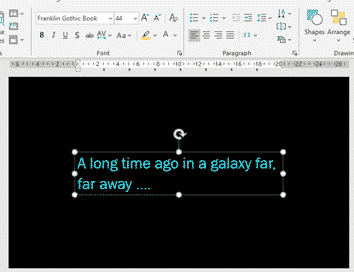
Open and close your presentation with a look from a galaxy far, far away or at least a Star Wars movie near you. Here’s the fonts, colors, background and other details to emulate the opening and closing credits. See Star Wars in Office Star Wars in the Office dictionary Opening Credits A long time ago in […]
All 20 Coronation emblems and how to use them in Microsoft Office
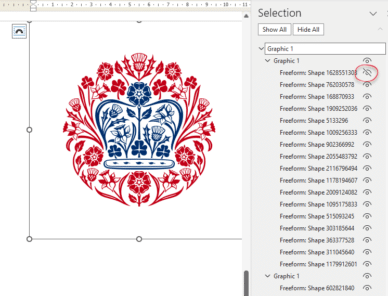
All 20 (yes, twenty!) emblems for the Coronation of King Charles III, the exact colours required and how to use them in Microsoft Office like Word documents and PowerPoint slides. Also how to get an SVG/icon version of the emblem, ideal for modern Office apps and show just the parts you want (e.g. no text, […]
Insert the British ‘Union Jack’ flag into Word, Excel or PowerPoint
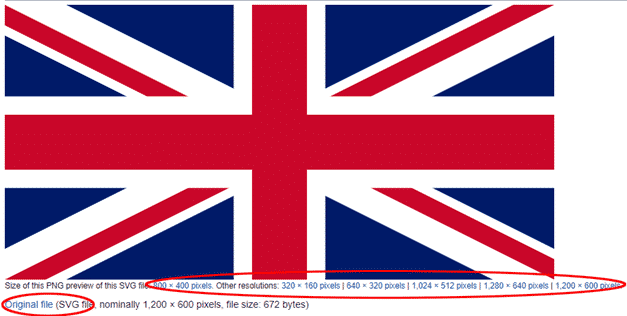
Add the British National flag “Union Jack” into Office documents, Word, Excel or PowerPoint, then use some Office picture tools to enhance the image. The same help applies for any other national flag, just look for a different source. Get the British Flag Image There are many, many copies of the British flag available. We’ve […]
Per Thousand / Per Mille sign ‰ in Word, Excel and PowerPoint
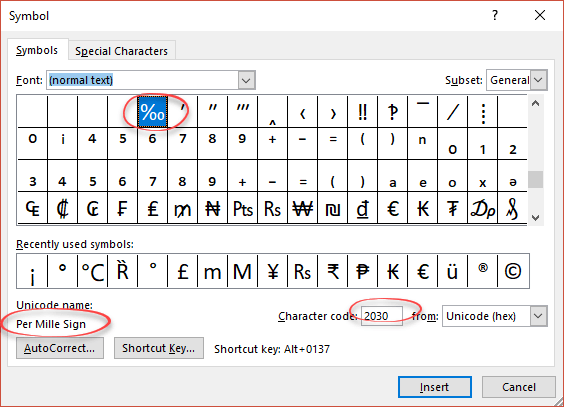
How to type the Per Thousand ‰ (or it’s official name ‘Per Mille‘) sign into Microsoft Word, Excel or PowerPoint. Per Thousand / Per Mille ‰ means ‘parts per thousand’ and can be used for values below 1%. It’s not regularly used in English. How Per Thousand ‰ looks in different fonts Per Thousand / […]

Six ways to Subscript or Superscript in Word and Office
There are SIX ways to add text that appears smaller and slightly below (subscript) or above (superscript) in Word, PowerPoint and other Office apps. This kind of text is commonly used in mathematics (e.g. X2) and other technical fields (e.g. H2O), but can also be used for something as simple as a date or other […]
Files blocked from Outlook and OneNote – a complete searchable list
Here’s a complete and searchable list of the 120 file types that are blocked by Outlook (sending or receiving) or OneNote (embedding in a notebook). These, mostly old and obsolete, types of file can be used by hackers to infect Windows computers. As a precaution, Outlook and Exchange Server block messages containing these files, unless […]
Starting out with 3D models in Microsoft Office
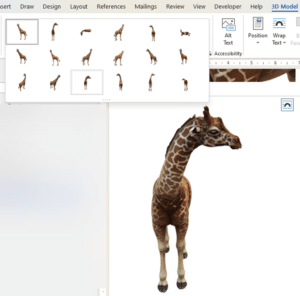
How to insert and use 3D models in Microsoft Office. 3D models let you rotate, pan and zoom all around an object to show it exactly the way you want. Microsoft Office’s 3D models feature has more uses than you might expect. From the Microsoft promotion, it looks like 3D models are only good for […]