
Easy to see Text Cursor choices in Windows 11 and 10
Windows lets you make the text cursor stand out on your screen. Additionally, you can edit the text cursor thickness to improve its visibility in Word, Outlook and anywhere you type. Changing the cursor is especially helpful in finding your place in Word. With the optional Text cursor indicator preview, the typing position is very […]

Inside the new look and defaults in Office 365
The look of Microsoft Office 365 for Windows is changing with new features beyond the simple design changes. Here’s what you can do with the new look, mostly changes to the Quick Access Toolbar and important changes to Office default settings. Note: what you see in Office 365 might not match our description. The Office […]
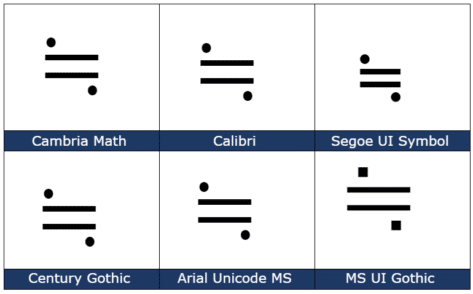
Approximately Equal or image of ≒ in Word and Office
How to insert the Approx Equal or the image of symbol ≒ into Microsoft Word, Excel, PowerPoint or Outlook. Both in Office for Windows and Office for Mac. Approximately Equal To or the Image Of ≒ symbol is commonly used Japan, Korea and Taiwan to indicate two values are approximately equal, but not exactly equal. How Approximately Equal ≒ looks in different fonts. Here are some examples […]
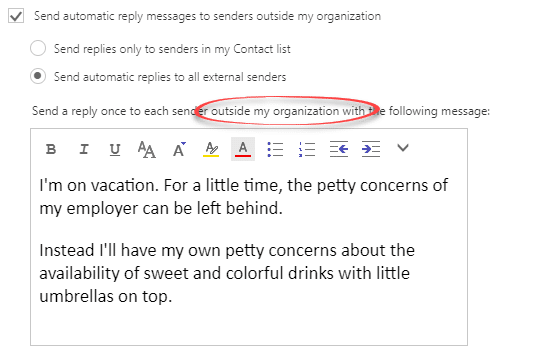
The best way to ‘Out of Office’ or vacation message
Outlook can setup an Out of Office response, depending on the type of email connection but there’s a better way that works for everyone. ‘Out of Office’ or ‘Vacation’ autoresponses will automatically reply to incoming messages. Clever systems have options like different messages for people inside or outside an organization or only those in your […]
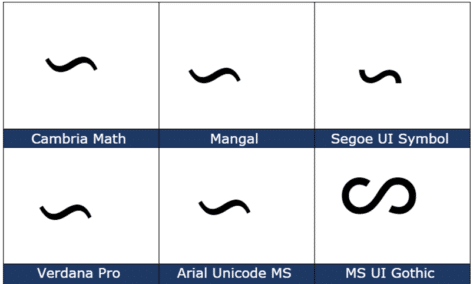
Reversed Tilde ∽ symbol in Word, Excel, PowerPoint and Outlook
Type the Reversed Tilde ∽ into Microsoft Word, Excel, PowerPoint, or Outlook. Both in Office for Windows and Office for Mac. Reversed Tilde ∽ symbol is the vertically flipped version of the usual tilde ~ symbol. A tilde starts with the downward curve while the reversed tilde has a rising curve at left. How Reversed […]
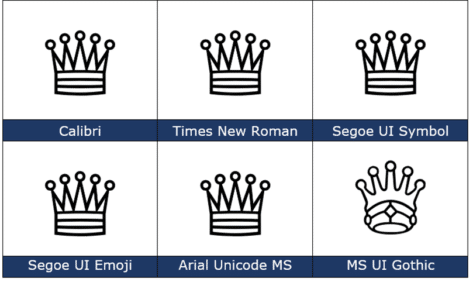
White Chess Queen ♕ symbol in Word, PowerPoint and Office
How to insert the White Chess Queen ♕ into Microsoft Word, Excel, PowerPoint or Outlook. Both in Office for Windows and Office for Mac. White Chess Queen ♕ symbol is useful for users that want to represent the chess piece as a symbol, rather than an image. Or just a generic ‘Crown’ graphic. How White Chess […]

Beyond simple Undo in Microsoft Office
There’s a lot more to Undo than just reversing the last thing you did in Microsoft Office The UNDO command is surely one of the greatest time-saving inventions of the digital age. According to Jensen Harris, the head honcho of the Microsoft Office User Experience Team back in 2008 , undo is the fourth-most used […]
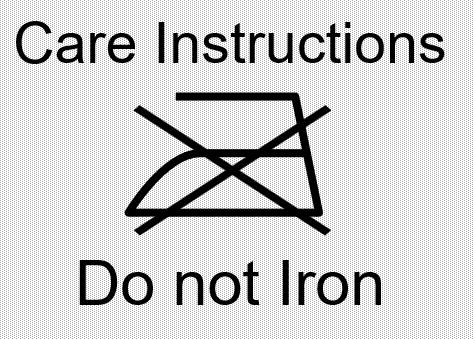
Best Laundry label text font for Microsoft Office
Which font to use if emulating a true laundry care or clothing text label in Word, PowerPoint or other Office program? We’ve already talked about how to put standard laundry care symbols in Word, Excel or PowerPoint but what about the text that usually goes with the icons? In our research we couldn’t find any […]

Warning older Outlook’s are ending this month
A reminder that older versions of Outlook for Windows, including some Outlook 365 are ‘ending’ in November 2021, meaning they won’t connect with Microsoft hosted mailboxes, including Outlook.com Microsoft announced this many months ago however their latest list of affected software includes some older versions of Outlook 365 for Windows. See Warning! Older Outlook soon […]

Cartoon People and a lot more in Microsoft Office 365
Microsoft Office 365 has a very interesting addition to their stock graphics range called “Cartoon People” but is really a lot more than just people. Cartoon People has been added to stock Images, Icons, Cutout People, Stickers and Illustrations. Access it from Insert | Pictures | Stock Images or Insert | Icon then click on […]
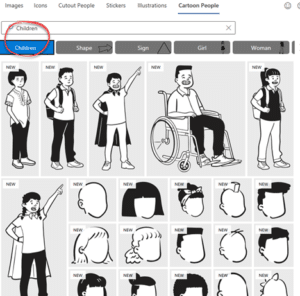
How to find more Cartoon People in Office 365
Here’s a better look at more Cartoon People graphics in Microsoft Office 365. Check out the main categories, how to search Cartoon People and some useful search terms. This article looks at the people graphics available under the ‘Cartoon People’ section with many examples to give you a better idea of what’s possible. We have […]
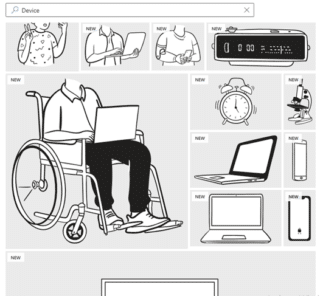
Cartoons without People you can add with Office 365
It’s called Cartoon People in Office 365 but there are plenty of non-human graphics available to use either on their own or as part of a combined graphic. See also How to find more Cartoon People in Office 365 to see the human side of this feature for Word 365, Excel 365, PowerPoint 365 and […]
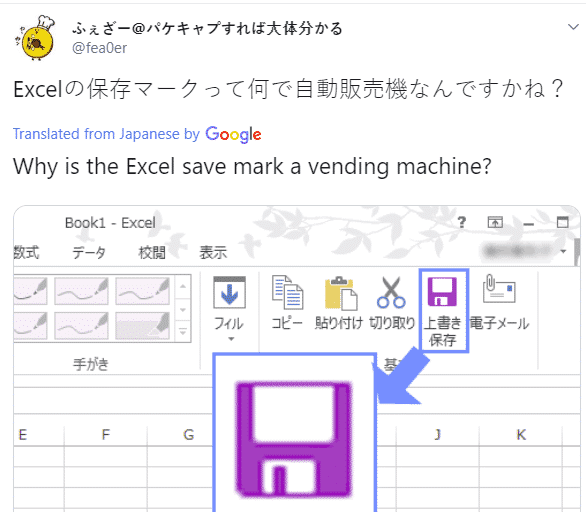
Why is there a vending machine on the Office ribbon?
There’s a new generation growing up who see the Office ribbon differently from their parents. To some young people a floppy disk icon looks more like a vending machine! Check out this icon on the older Office ribbon …. To you, me and most people it means ‘Save’ because that’s a floppy disk. Specifically, a […]
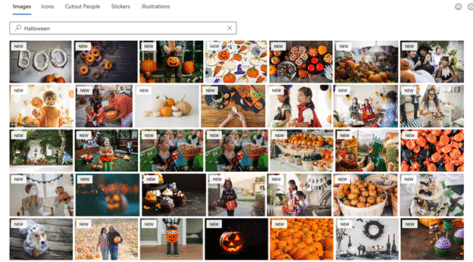
Get 77 more Halloween pictures for Microsoft 365
Microsoft has added 77 more images to their Office 365 Stock Images collection, just in time for Halloween. Just a few days ago, searching for ‘Halloween’ at Insert | Pictures | Stock Images showed just four pictures in Word, Excel, PowerPoint and Outlook. Stock images or premium content now in Microsoft 365 They’ve now added […]

PDF and SVG previews now possible in Outlook
Microsoft PowerToys have fixed a glaring omission from Outlook, Windows and the Edge browser. PowerToys now lets Outlook preview PDF, Markdown and SVG attachments in the Reading Pane. For too long, the main way to get an Outlook preview of a PDF email attachment was to install the whole Adobe Acrobat Reader software. The same […]
Redo tricks in Word, Excel, PowerPoint and Outlook
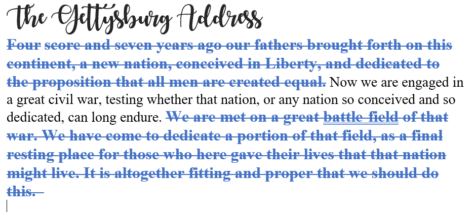
Redo is the often-forgotten partner to Undo. It’s mostly used to ‘undo an undo’ or reverse the last ‘Undo’ action but ‘Redo’ has other uses in Word, Excel, PowerPoint and Outlook. In most cases, you use the redo button to revert to a previous state. For example, if you used the undo button within your […]









