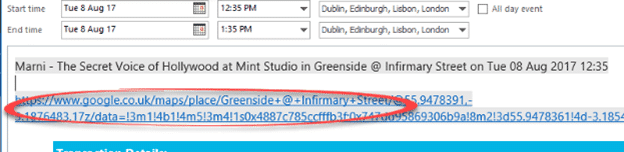
Make Google Maps work with Outlook appointments
Google Maps is invaluable for getting around, especially in an unknown city. Corporate rivalry means there’s no proper integration between Microsoft Outlook and Google Maps There’s not even a mapping button in the Outlook appointments view. Contacts have a ‘Map it’ button but not ‘Location’ in an appointment – for reasons passing understanding. Our workaround […]

Microsoft’s mistake sends Outlook messages to Junk Email
Microsoft’s Exchange Server system had another snafu late last week, for a few hours all Inbox messages were sent to Junk Email instead! The problem affected users of Microsoft 365 mail hosting. It was caused by a ‘change’ that was applied to Exchange Server hosted by Microsoft. As with other times, the update had unforeseen […]
It only costs $2k for a Microsoft Office hack
For just US$2,000 you can buy a way to hack into a computer via Microsoft Office. All you need to make your own malware is the money and a willing seller on the dark web. A recent survey by Trend Micro and reported by Dark Reading searching posts that advertised software exploits that hackers use […]

Outlook now shows most recent login
Outlook 365 for Windows is getting an important security reminder, a message showing the last time someone logged into that account. Most Recent Login messages are a little security feature. It shows when and where the last sign-in to that account happened. A glance at that might be your first hint that someone has hacked […]
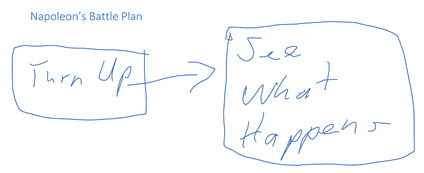
Drawing in all sorts of places Microsoft Office apps
Microsoft has been getting serious about drawing features in Office so we thought it was time to look at what’s available and possible across all the Office applications. Word, Excel, PowerPoint and some nice drawing stuff in OneNote Once upon a time, drawing onto a Word document or Excel worksheet was only possible with a […]
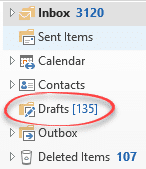
Share Draft Outlook emails on Apple, Android and desktop
Make a draft email on a phone or tablet (maybe some quick notes) to later revise and send from Outlook for Windows/Mac. Once that was a problem but not any more, as long as you’re using Outlook mobile apps. Syncronizing the Drafts folder is really useful. You can write a partial message or reply on […]
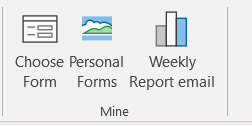
Faster ways to Outlook’s Choose Forms or Templates
Getting to Outlook Forms and Templates is a hassle, hidden deep down in the menus. It’s possible to bypass all those clicks and open the Choose Form dialog directly and even a specific library. See Email templates give you faster messages in Outlook The published way to access templates and forms is long-winded, Home | […]
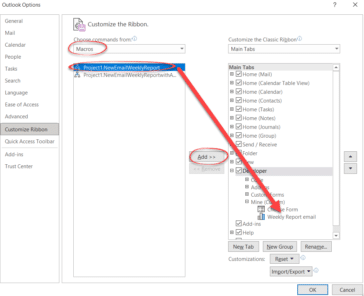
Faster ways to make a new email with Outlook template file
Here are four different ways to make a new email from an Outlook template file without the hassle of going deep into Outlook’s menus. You can choose to start a template based message from Windows or a button inside Outlook. See Email templates give you faster messages in Outlook for the basics on Outlook email […]

Email templates give you faster messages in Outlook
For emails that you send regularly, there’s a way to have a ‘boilerplate’ email template with most of the details already filled in. Messages can be sent faster and be more consistent. Welcome to the little-known world of Outlook email templates. Outlook email templates can have all the message details completed including To: CC: BCC:, […]
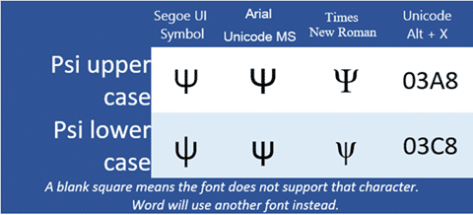
Psi upper Ψ or lower ψ symbols in Word and Office
How to insert the Psi upper case Ψ, and Psi lower case ψ symbols in Microsoft Word, Excel, PowerPoint, or Outlook. Both in Office for Windows and Office for Mac. Psi (uppercase Ψ / lowercase ψ) is the 23rd letter of the Greek alphabet. The symbols are commonly used within physics to represent wave functions in quantum […]
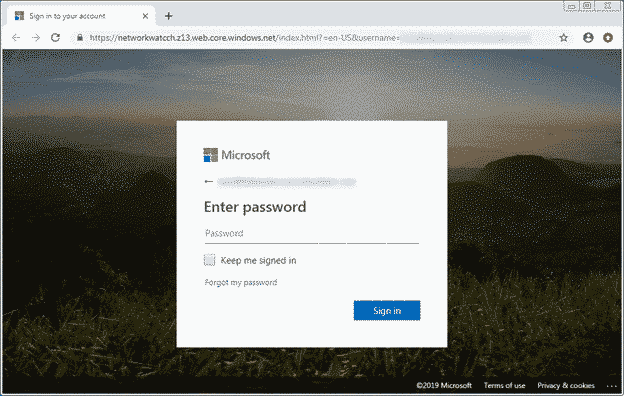
Beware fake OneDrive file deletion warning
A hacker trick is sending fake ‘file deletion’ email, taking advantage of a useful Microsoft service for all Microsoft 365 and OneDrive customers. If many files are deleted from a OneDrive account, Microsoft sends an email warning to the customer. It’s possible that the deletion was accidental, caused by ransomware or an intruder on your […]

Xi upper Ξ or lower case ξ symbol in Word and Office
Insert the Xi upper case Ξ, and Xi lower case ξ symbols in Microsoft Word, Excel, PowerPoint, or Outlook. Both in Office for Windows and Office for Mac. Xi (uppercase Ξ / lowercase ξ) is the 14th letter of the Greek alphabet. The symbols are used within various contexts. The uppercase letter is often used in pure […]
Bad bug week for Microsoft email and Outlook.com
Microsoft hasn’t had a good week with their hosted email with two breakdowns of Exchange Online and Outlook.com services. One stopped emails in and out, the other prevented messages from being read. Both Exchange Online (Microsoft 365 hosted email) and Outlook.com run on the same or very similar systems. Usually a reported problem with one […]

What’s so special about the Bahnschrift font?
Bahnschrift is a Windows font which is a little special and not fully compatible within Office. We’ll explain why it’s special, the extra care needed and the workaround. While it’s listed as an Office Cloud Font, Bahnschrift was originally included with the 2017 ‘Creators’ update of Windows 10. So, it might already be installed for […]

Have your say on Word’s new default font
Microsoft has decided that Calibri is getting a little tired, so it’s asking customers to vote on which font will replace it. Calibri has been the default font since Office 2007. It’s familiar to most people whether they realise it or not because it appears in many Word documents. The two fonts, Calibri (body text) […]

Beware using the new iPhone and iPad emoji
The new iOS 14.5 has hundreds of new emoji but beware using them in emails and documents because they can look very different on other computers. We have examples of how a simple emoji can look very different in Word or Outlook. The new version of iOS for iPhone and iPad includes even more emoji. […]









