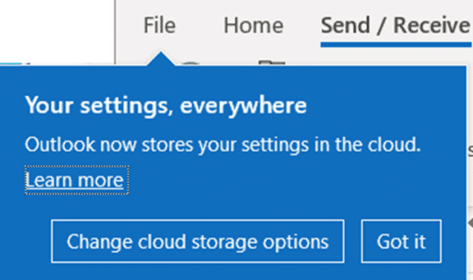
Outlook stores settings in the cloud – but which ones?
The latest Preview version of Outlook 365 for Windows includes a cloud storage option for settings. Which settings are being saved? Customers have long wanted the ability to share Outlook settings, especially Signatures, across different installations of Outlook. That’s now coming though the vital details aren’t easily available. In recent Outlook 365 for Windows previews […]
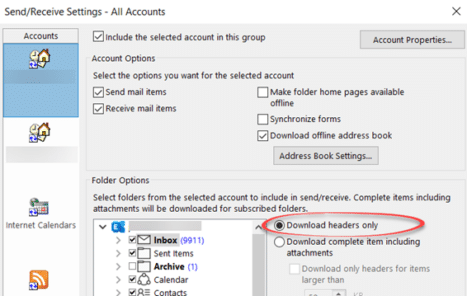
Outlook 365 bug deletes messages
An unfixed Outlook 365 bug can delete messages before you get a chance to see them. Microsoft has been ‘investigating’ for about two weeks with no fix. The only saving grace is that it’s a relatively uncommon use of Outlook and not a default setup. Even so, any bug which loses messages should be fixed […]

Office 2010 – not long before it ‘dies’
Microsoft Office 2010 ends support later this year but there’s no need to panic. Here’s what to do, when to change from Office 2010 and what to replace it. Office 2010 countdown [ycd_countdown id=”31774″][/ycd_countdown] Office 2010 ends support on Tuesday, 13 October 2020 All the Office 2010 programs will keep working. No change there. Tuesday, […]

Disable @ mentions in Outlook 365
@mentions can be very handy at ‘tagging’ people into an online conversation but they can also be a damned nuisance. Here’s how to disable @ mention in Outlook 365 for Windows. Microsoft has added @ mentions throughout the Microsoft 365 services including Teams and Office document collaboration. It’s great for tagging someone and bringing them […]

Outlook gets better restart and reopen options
Outlook is finally getting some better start-up and reopening windows options though not perhaps as much as regular users are hoping for. Outlook 365 for Windows is getting an option to reopen windows that were live when the program closed. That means open emails, meetings etc can reappear automatically when Outlook restarts. The option is […]
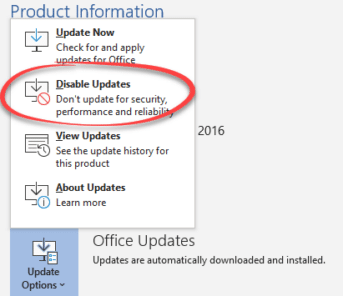
Outlook crashes thanks to Microsoft mistake
Microsoft has made a major blunder with the July patches for Office. An update can crash Outlook for Windows entirely and the reason for the problem makes the bug especially humiliating for Microsoft. We’ll explain Microsoft’s blunder, what you can do if affected and how to avoid the buggy patch. Outlook for Windows tries to […]

2020 – Year of the Icon?
2020 will be remembered for many things (big sigh) but from a design viewpoint, it could be the Year of the Icon. Many of those graphics are available either in Office directly or imported from elsewhere – we’ll show you both. Everywhere you go there are signs reminding us of the new life we have […]

Quick Fix for Office display problems
How to quickly fix display problems in Microsoft Office. When Word, Excel, PowerPoint or Outlook don’t show up on the screen correctly. It doesn’t happen often but occasionally Word, Excel, PowerPoint or Outlook open but as all grey. Clicking around the screen displays just a ribbon or menu but not the whole program. If other […]

Repeating or recurring Outlook Appointments
Outlook can record appointments in the Calendar but it can also record ‘recurring’ appointments for things that happen on a regular schedule. We’ll show you how to make a repeating appointment and suggest some ways it can be used that might not be immediately obvious. Repeating Appointments 101 To make a recurring appointment: Create a […]

Surface Earbuds with Office
Microsoft’s Surface Earbuds are out now and have some extras for Word, Outlook and PowerPoint users. When we look past the hype there’s more than a few special conditions to keep in mind. Surface Earbuds have been some time coming, we first mentioned them about nine months ago. Now they are here, reviews have been […]

Animated GIF’s coming to Word, Excel and PowerPoint
Animated GIF support is coming (finally!) to Microsoft Word, Excel and PowerPoint. We discovered the new feature in a new Insiders build, Microsoft hasn’t announced anything. Here’s an animated GIF playing in Word 365. Paste or Insert an animated GIF now has play/pause buttons included (bottom left corner). The animation starts playing automatically when inserted. […]
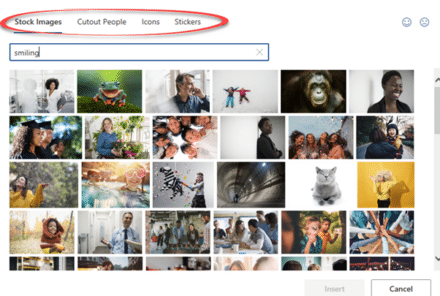
What’s new in Office for Windows – May 2020
Some useful new features have now been rolled out to the public versions of Microsoft 365 (Office 365) for May 2020. Word, Excel, PowerPoint and Outlook all have improvements. Two we’ve already told you about, the other is new. Stock Images, Cutout People and Stickers Or what Microsoft calls “New images to bring your documents […]

‘Tell me’ help now in Mac Office 365 with the same limitations
‘Tell me’ help box is now in Microsoft/Office 365 for Mac as a way to find features on the ribbon. However it continues to have the same limitations that are in the Windows version. Look for the lightbulb and ‘Tell me’ box beside the ribbon tabs. Type in a phrase and Office will show relevant […]

Stop embarrassing template or stock phrases in Outlook emails
A UK politician got caught sending an email with optional stock phrases and guides still in the message. Is there a simple way to stop that happening? Most organizations have standard wording and stock phrases which is understandable but there’s a risk those helpers are left in an email or document that goes out to […]
It’s getting closer … shared signatures in Outlook
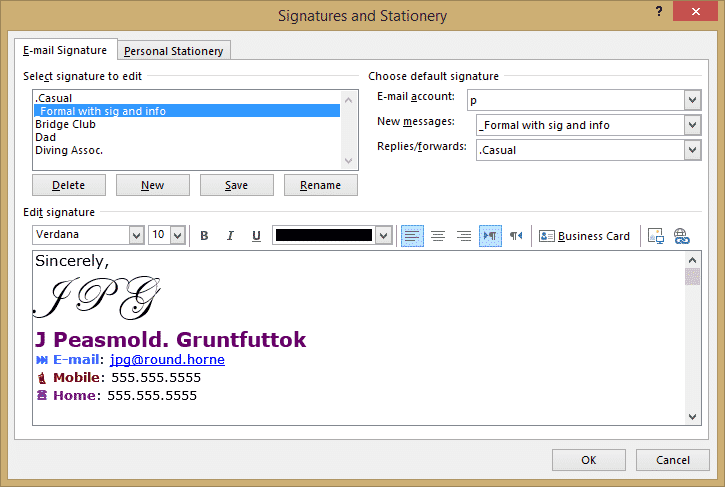
The promise of shared Outlook signatures is a little closer. Microsoft has announced that signatures in Outlook for Windows will be saved to the cloud from June 2020. At the moment, customers have to manually copy email signatures between Outlook’s or use a folder sync method to share the signature folders between computers. Customers have […]

Did Chris Pratt’s 51,000 emails really delete?
Chris Pratt released a video showing 51,000 emails being deleted from his computer. Are they really completely lost? We doubt it. On Instagram we see his shock as the Trash folder gradually counts down the messages being removed from his computer. That’s supposedly the 51,000 Inbox messages that he’d promised to respond to during lockdown. […]









