
Sensitivity settings add security for Office documents
Office now has sensitivity options to label Word, Excel, PowerPoint docs plus emails. Not ‘touch-feely’ sensitivity like ‘loving’ or ‘compassionate’ but instead corporate, privacy labels. It’s a new feature for Office 365 corporate hosted E3 or E5 accounts and the admins have enabled Sensitivity options. Sensitivity appears on the Home tab in Word, Excel, PowerPoint […]

Fast adding an appointment to Outlook and getting it right
Despite all the possibilities for importing or sharing appointments, most of the time we have to manually type in new appointments or events. Here’s some tips to do it faster and get it right. We’ve all been there, a web page or email (below right) with details that need copying into a blank Outlook appointment […]
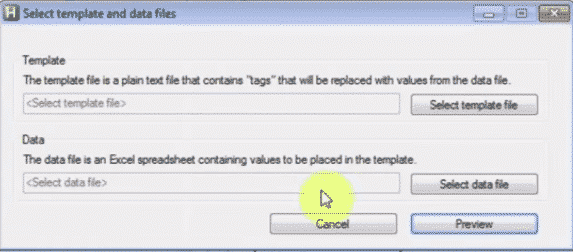
EmailMerge.cc Add on for MS Outlook
Office-Watch.com reader Jeffrey J. offers this look at Emailmerge.cc an add-on that fixes some limitations in the Word/Excel/Outlook mail merge system. “ Outlook email merge function does not allow multiple To line addressees, nor allows creating any cc or bcc addressees. And you cannot customize the Subject line. Manually adding/modifying each required email is labor […]
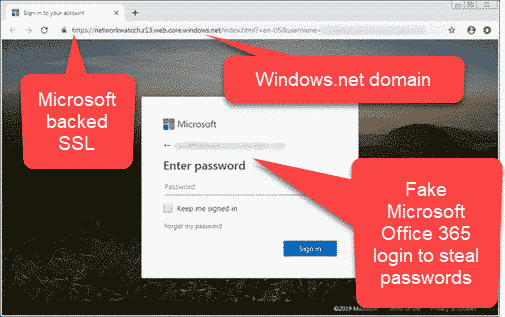
Office 365 hack copies your emails without you realizing
Hackers continue to trick people into giving away their Office 365 login details with a little help from Microsoft. The criminals are getting cleverer by not only stealing passwords but checking immediately and hiding the theft while they copy your mailbox. Avanan has the details on this latest type of Office 365 phishing. It starts […]
New Window 10 update fixes Office 2010 bug
A new Windows 10 (October 2018) patch fixes a bug with Office 2010 and updates Brazil time zone data used by Outlook. The patch KB4505658 fixes a long list of Windows 10 v1809 bug fixes. Sorry, they aren’t bug fixes, the euphemism is ‘quality improvements’. Two changes stuck out for us. Save and Save As […]

What’s the earliest date possible in Outlook and workaround.
Our articles about saving past events with anniversary reminders begs the question; How far back can Outlook save an event. The answer in Outlook for Windows, Mac and online is 1 April 1601. Trying to enter a date before 1st April 1601 brings up an error: “You must specify a valid date and/or time”. That […]

Apollo 11 events to download and add to a calendar
Here’s a practical example of how to share an appointment or event with reminders using the iCalendar .ics standard. Some Apollo 11 events ready to download and add to your calendar (in Outlook or other software). Outlook supports .ics files and so does most other calendar programs. They are small text files which have all […]
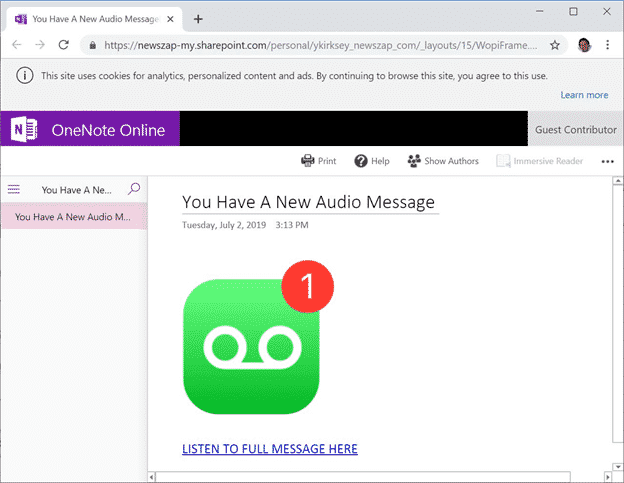
Fake OneNote/Sharepoint emails try to steal your password
Emails claiming to be OneNote Audio files are really a trick to steal your Microsoft login and password. They use Microsoft’s own SharePoint.com and Windows hosting to fool people. Bleeping Computer with help from ransomware hunter Michael Gillespie show examples of a phishing email which claims to be from a contact sending you a OneNote […]
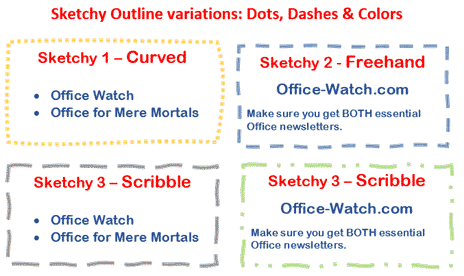
Now … Sketchy Shapes the video!
Sketchy Shapes, the new line option in Office 365 now has a little video to go with it. Sketchy line option in Office for Windows and Mac Sketchy or wriggly lines in Icons and SVG graphics Source: Microsoft

Add Apollo 11 events and anniversary into Outlook
The 50th anniversary of Apollo 11 is our excuse to show-off some features in Outlook for Windows/Mac. How to add past events, post events in other time zones, get reminders of upcoming anniversaries and set reminders for longer times than Outlook allows. Adding Past Events Outlook can save details of past events. That it’s in […]

Do you have the right SPF for your emails?
Anyone with their own domain name for email needs to make sure their SPF setting is correct. These days not just recommended, it’s critical to ensuring email reaches its destination. We’re not talking about sunscreen but Sender Policy Framework which is a method of verifying that emails for a domain name come from an authorized […]
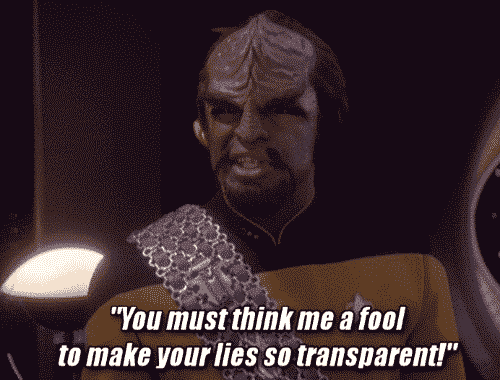
Font gives away fake document but it’s blamed on time travel
Here’s another case of someone trying to backdate fake documents and being caught by hidden details in the file. The font is the giveaway but not in the usual way. It’s the ongoing saga of Craig Wright, once a big name in the cyber-currency game. He’s now involved in a court case about the alleged […]

Iranian hackers attack using old Outlook security bug
The US government has issued a new warning about malware which takes advantage of a security lapse in Outlook for Windows, which was patched over 18 months ago. The warning generated a lot of scary headlines, especially since there’s suspect Iranian involvement. If you’ve been taking standard precautions and updated your Office for Windows there’s […]

Lame Icons in Office 365 isn’t helped by adding 300 more
Microsoft is hyping the addition of 300 more icons to Office 365 perhaps hoping to distract customers from the many problems finding and using the Insert | Icons feature in Office 365. We like the addition of SVG graphics (Icons) into Office because it opens up a much wider range of scalable graphics. Office lacked […]

300 more Icons in Office, but which ones and where?
Microsoft is boasting that the Office 365 ‘Icons’ collection now has 300 more graphics but no information on what they are and no help finding them. The release of more Icons just emphasizes the problems with this cloud feature. Icons is a cloud service that delivers SVG graphics to Word, Excel, PowerPoint and Outlook for […]
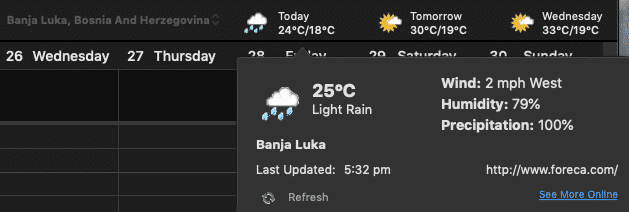
Weather Bar in Outlook for Mac is both better and worse
Outlook for Mac (2016, 2019 and 365) has a Weather Bar similar to Outlook for Windows with differences both good and bad. Turning the Weather Bar on or off plus the Fahrenheit / Celsius choice is at Outlook | Preferences | Calendar | Weather. Like the Windows version, it’s not clear how to turn the […]









