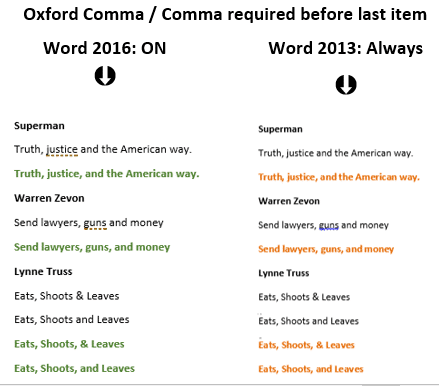
Oxford Comma differences between Word 2016 and earlier versions
A few years ago we had a close look at the Oxford Comma (‘Comma required before last item’, serial comma, Harvard Comma etc) in Word 2013. We’ll now repeat those tests with the new “Microsoft’s own” grammar system to see if there’s any improvement. Office-Watch.com has already noted that the options for the Oxford Comma […]

Grammar checking returns to Office 2016 for Windows
Microsoft has restored an important missing part of Word 2016 for Windows; the Grammar and Style checking! It’s available for all Word 2016 for Windows users including the ‘perpetual licence’ users who normally don’t get ‘new’ features. This important improvement hasn’t had the usual Redmond hype, presumably because it’s more embarrassing for Microsoft to admit […]
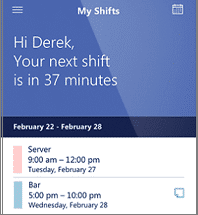
StaffHub – shift management come to Office 365
Microsoft continues to expand the uses for their cloud storage of calendar information with the introduction of StaffHub. It’s an extension of the existing calendar and resource scheduling to include shift workers and especially those who mostly use mobile devices. Staff can download a StaffHub Apple or Android app (no Windows app) and login to […]
Outlook shared calendars now in Apple and Android devices.
Shared calendars are now supported in the Outlook apps for Apple and Android devices. At this stage, you have to setup the calendar sharing from an Outlook web interface. Both the sharing and acceptance of the share have to be done on the web site. Only view and edit permissions are now available with delegated […]

Degrees, Money and other symbols in Office
a look at some commonly used characters used in Office but are missing from the standard keyboard. How to insert symbols on a ‘one-off’ basis or insert quickly for more commonly used characters. Degree mark for temperature. Has no special shortcut but you can make one (see below). Currency symbols. We have a quick way […]

Make a custom Inbox with MailSortr
MailSortr is an interesting Outlook addin for anyone who arranges their emails into folders and sub-folders. This utility creates a custom Inbox view which combines the contents of any folders you wish into a single view. Source: MailSortr It’s a clever use and extension of Outlook’s Search Folders feature. Other MailSortr features include: AutoResponse filing […]

SVG graphics coming to Office … at long last!
Office 2016 for Windows will soon support scalable vector graphics (SVGs). Preview/Insiders can try them now and it’ll be available to all Office 365 subscribers in 2017. That means you’ll be able to make your documents look even better with vector-based SVG files that won’t pixelate when increased in size. SVG support has been a […]
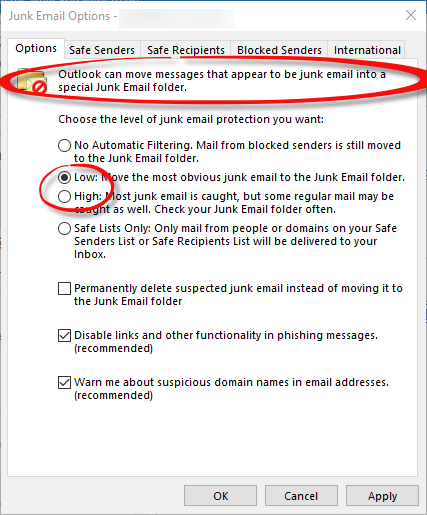
Outlook spam filter being allowed to die
Microsoft has announced that they’ll stop updating the Outlook spam filter (“Smartscreen”) at the end of this month – on 1st Nov 2016. This might be a worry, but not a disaster, for most Outlook users and we’ll explain why. What’s Happening From 1st Nov 2016 there will be no more updates to the system […]

One-way Translation options in Outlook
Sometimes we wonder what happens in Microsoft development meetings because the software we get from those discussions seems so out of touch with reality or even sense. Today’s example comes from Outlook for Windows and it’s curious ‘one way’ translation feature. Office for Windows has good language translation options, though Microsoft continues to ignore the […]
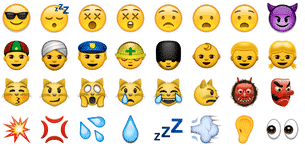
Using emoji in Microsoft Office
Emoji are those funny little icons that appear in text/SMS messages and some emails. Emoji have become quite the thing. More are being added to mobile phones, especially Apple devices. Originally intended to show emotions in text messages, they’ve expanded to other uses and overlap with many common symbols from Wingdings etc. They aren’t just […]
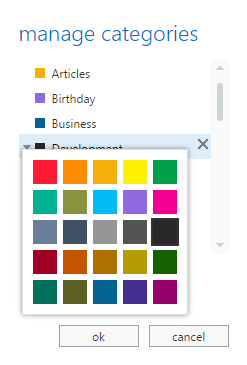
Outlook Categories in Outlook Web Access
Ellen F writes: ” Thanks for this: Outlook Categories – Why and How , which Microsoft of course doesn’t tell us about. However, I’m using Outlook Web Access and I can see how to apply categories to my emails but cannot figure out how to assign text labels to the colors. There’s no “Home | […]
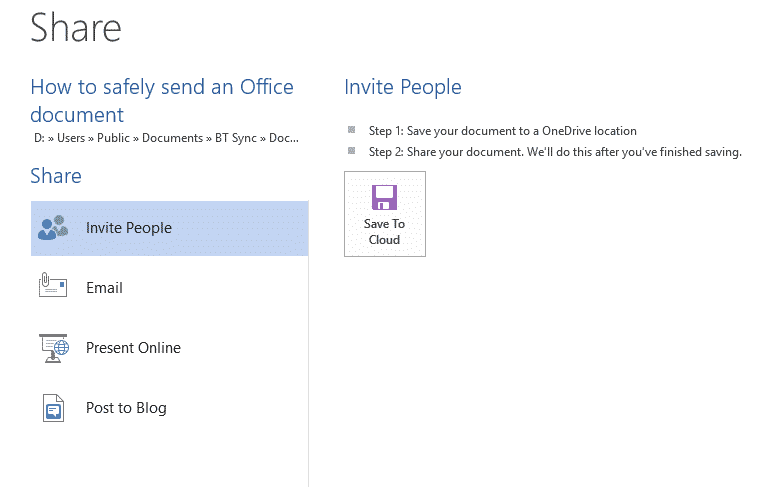
How to safely (securely) send an Office document
How can you send an Office document safely and securely to another person? A simple question with no simple answer. Who you are guarding against? A random snooper at the recipient’s end who accidentally finds the document, or someone targeting your or your data, such as a commercial rival, nosey journalist, law enforcement, the […]
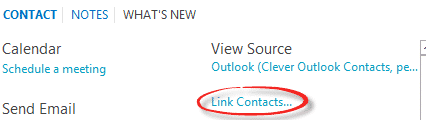
Outlook 2013 – why Link Contacts?
In Outlook 2013 you may have noticed the ‘Link Contacts …’ item on each contact card. We’ll explain why it’s there and what it can do for you. Link Contacts is different from ‘Contact Linking’ that’s been available in many versions of Outlook. Contact Linking lets you connect a contact with a specific appointment, task […]
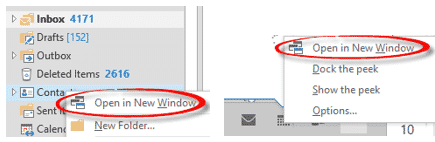
Outlook window positions explained
Getting Outlook windows into the positions you want, and keeping them there, is one of those mysteries that Microsoft offers to us mere customers. We’ll try to explain what’s going on but, alas, can’t guarantee any solid answers. Most Outlook users have more than one window open at any time. They use the right-click on […]
Access ‘permanently deleted’ Outlook items
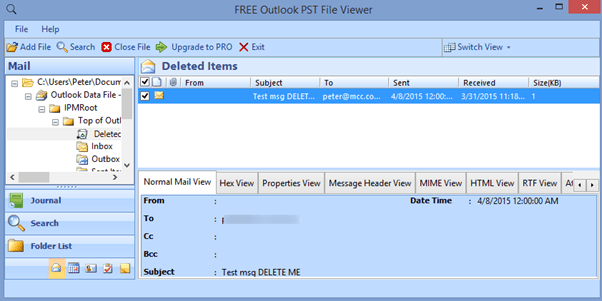
Finally, in this series about the ‘not so permanently’ deleted Outlook items, how do you recover a supposedly ‘permanently’ deleted item? Or maybe check to see if something you want wiped from your computer has truly been removed. All this is embarrassingly easy (embarrassing to Microsoft). There are various tools on the Internet that will open […]

Pros and Cons of Outlook’s non-deletion
The fact that Outlook doesn’t ‘permanently’ delete items (like it says it does) has advantages or disadvantages depending on your need. Both needs are, thankfully, rare but worth keeping in mind. Cons These days we’re all more concerned about data privacy and where information can be stored without us realizing it. Microsoft is misleading customers […]









