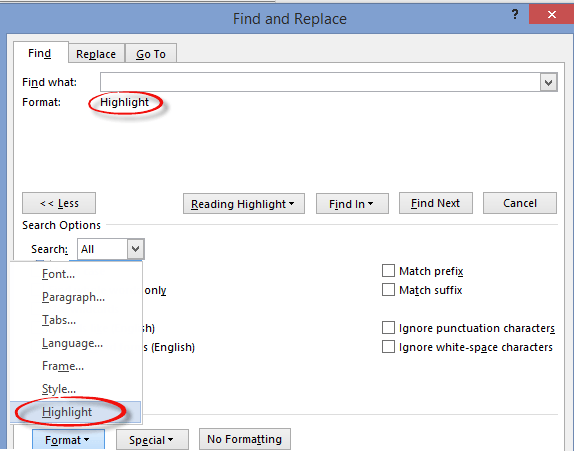
Word: Finding and Fix Highlighted text
One major use for Find and Do in Microsoft Word is to find highlighted text and let you change them. Highlighted text is often used to mark parts of a draft that need more work. There’s always the risk that the final document will go out with highlighted, unfinished, text still in place! This […]

Does an Office licence work for two users on a computer?
Microsoft Office rules might let two users or more use the same copy of Office on a computer. It depends on which type of Office you have on a Windows or Mac computer. Office can work for multiple separate users on the one computer. Most commonly, there are separate Windows or Mac logins for the […]
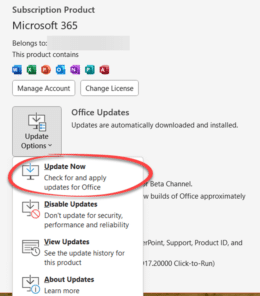
Having Microsoft Office problems? Try these tips first
If you’re having trouble with Office for Windows, try these tips first. They might fix the problem or help narrow down the cause. You’ll often get these suggestions from Microsoft Support or forums. They are things to try before asking for help with a Microsoft Office problem for two reasons: Support staff might make these […]

Make your Word document more readable
Word’s Readability check is a great extension to the familiar Microsoft Word Spelling & Grammar. Word can check the complexity of your writing and give you an idea of whether your text will be readable, meaning understood, by your target audience. We’ll show you how to see Word’s Readability Statistics, what they mean and how […]
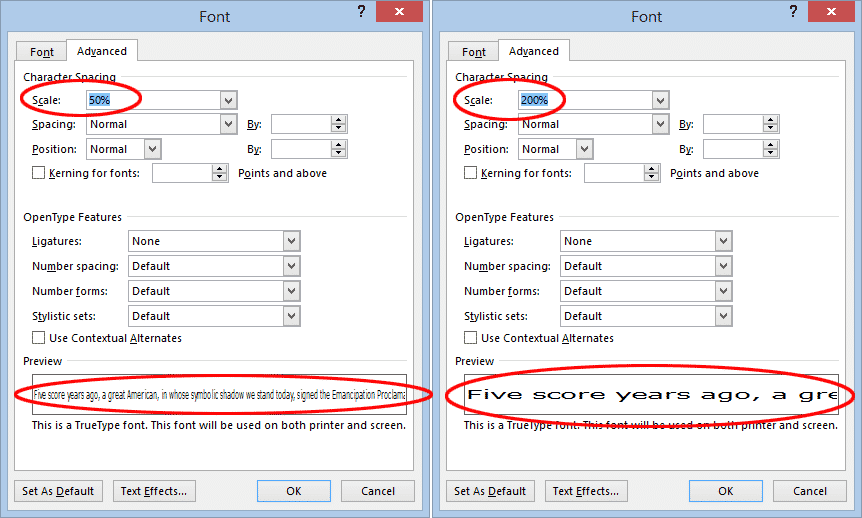
Scale text, larger or smaller, in Microsoft Word
Scaling Text in Word is another Microsoft Word text effect to make the text larger or smaller. Specifically, the Scale option stretches or contracts the horizontal width of the characters and spaces between. Here’s an example of normal, 150% and 66% scaling. To change the scaling of text in Word, select the text you want to change and either: On the […]

Chemistry in Microsoft Word with Chem4Word
Chemistry add-in for Word or Chem4Word is a way to “to insert and modify chemical information, such as labels, formulas and 2-D depictions, from within Microsoft Office Word” and works with Word for Windows including Word 365, Word 2021, 2019 and earlier. The Chemistry add-in started as a Microsoft Research project back in 2010 and […]

Complete Christmas emoji, fast find and copy
Need a Christmas emoji or symbol? Here’s a quick and searchable list of all the Xmas emoji for documents, sheets, slides, emails or messages that you can use or copy. This list has all the Christmas related emoji we can think of, the broadest sense both secular and religious. These emoji are supported (with different […]

Use the six Soccer icons in Microsoft Office
In the Microsoft Office Icons there are six Soccer (football) related graphics, a ball, running player and a goal net with two variations on each. Start with those plain icons to make more colorful designs with a few clicks. There are also some Soccer ⚽ emoji in Office Along the way, we also found a […]

Control Contractions in Microsoft Word for Windows / Mac
Deep inside Microsoft Word’s (Windows/Mac) grammar checks are some detailed settings like one to look for contractions such as: I’m, you’re, shouldn’t, couldn’t and haven’t. These contractions are normal and accepted by Word 2016 Windows/Mac in it’s standard settings but you can change that. Formal Language, Consider avoiding contractions You’ll see a warning ‘Formal Language’ […]
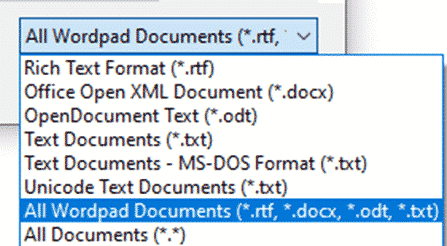
Don’t forget WordPad – the emergency Microsoft Word
One of the ‘emergency’ options to remember is WordPad, which can open Word documents, available in modern Windows 11, 10, 8.1 and 7. Often overlooked, WordPad can be very useful. It’s always available when Windows is running even in the Safe mode. No extra install or setup needed. It’s on the Start Menu as one […]
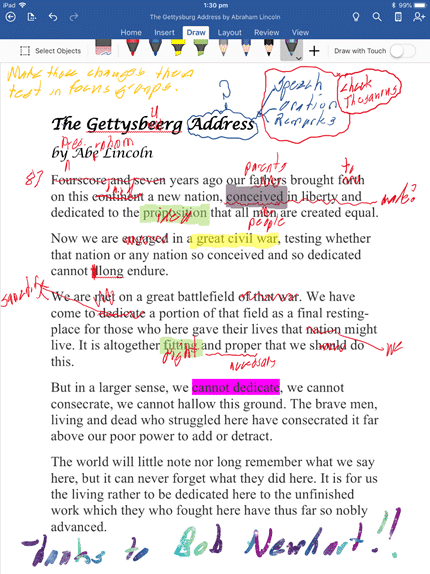
Handwritten document editing without pen or paper
It’s possible and practical to make ‘handwritten’ notes or edits direct on your Word, Excel or PowerPoint documents. Instead of printing them out and using a pen/pencil, do it on-screen with a digital pen. Here’s a real-world guide to how you can do it, leaving aside the hype and flashy demos. Even these days, it’s […]

Two ways to get one line of Word with left and right aligned text
Two ways to put left and right aligned text on the same line in Microsoft Word. There’s the commonly used option and the less well-known choice. BONUS: putting left, center and right aligned text on one line. We’ll show how to make Left and Right aligned text looking like this. You’ll often see it in […]

FAX ℻ symbol in Word, Excel, PowerPoint and Outlook
Type the Facsimile sign or Fax symbol ℻ into Microsoft Word, Excel, PowerPoint or Outlook. Both in Office for Windows and Office for Mac. FAX ℻ symbol is a single character with the letters FAX, normally used to prefix a telephone number in a letter heading or footer. For younger readers: a Fax machine was a […]
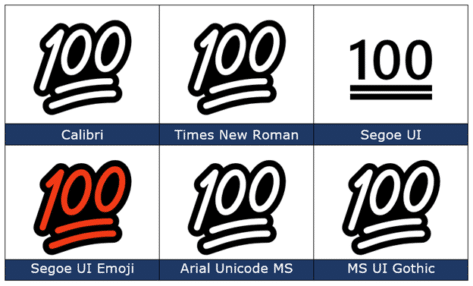
100 points 💯 emoji in Word, PowerPoint and Office
Type the Hundred points 💯 emoji into Microsoft Word, Excel, PowerPoint or Outlook. Both in Office for Windows and Office for Mac. 100 points 💯 symbol is also known as ’100’, ‘Keep it 100’ or ‘Keeping it real’. How 100 points 💯 looks in different fonts. Here’s some examples of how 100 points 💯 looks in […]

Face with Tears of joy 😂 emoji in Word, Office
Type the Face with Tears of joy 😂 emoji into Microsoft Word, Excel, PowerPoint or Outlook. Both in Office for Windows and Office for Mac. Face with Tears of joy 😂 emoji is one of the most popular, if not THE most commonly used emoji. Also known as Laughing Crying, Laughing Tears, LOL (Laugh Out Loud) or […]

Make your own blue checkmark Twitter ‘verified’ in Office
You can add a Twitter blue or gray checkmark to your Microsoft Office documents including Word docs, PowerPoint slides. We’ll show you how to add the ‘verified’ graphic at any size you need with the exact blue, gray or some other color. Oh, and save yourself $8 a month <kidding>. We’ve all seen the Twitter […]









