
Word does Brexit, Prorogue but not Remoaner
Microsoft Word’s dictionary is updated more regularly, especially for Office 365 customers. A good example of that is the addition of Brexit related words. We typed into Word various words that the people of the UK are too familiar with, just to see what’s in the Microsoft dictionary. The same results in Word 365 for […]
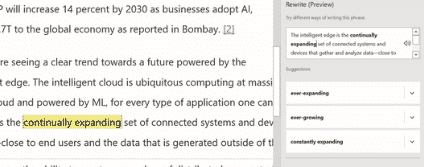
Now Word wants to Rewrite your sentences
The upcoming Rewrite feature in Word will offer alternative phrases or wording for your sentences. Rewrite is another cloud based feature so anything selected for Rewrite is sent to Microsoft. The feature is supposed to be in Office 365 for Windows Insiders build 1908 (11901.20018), English only but hasn’t appeared even in build 1909. No […]
Microsoft and others listen to Skype calls … and what else?
Microsoft and some contractors listen to Skype calls but that shouldn’t be a surprise to anyone. And Microsoft’s response was quite typical – they refuse to stop. Microsoft can and does let it’s ‘associates’ listen and read from Office documents and voice data. Word, PowerPoint and Outlook users are also likely spied upon. The choice […]
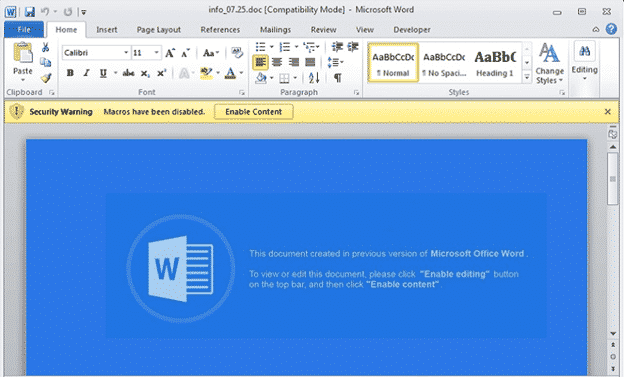
Ursnif is back in Word documents to steal your identity
The long-standing Ursnif trojan is back in a new form to infect computers and steal personal information, all via a Microsoft Word document. To begin, we’ll repeat a warning we’ve been making for years … No .doc files DO NOT open .doc files from any source (not .xls or .ppt either). Most infected and dangerous […]
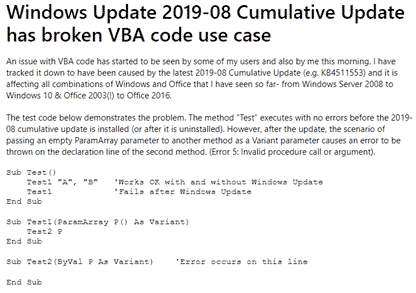
Windows update causes Office VBA to fail
A recent Windows update is causing VBA code to fail in Excel, Access and other VBA parts of Office. The culprit isn’t Office, but the version of Windows that it’s running on. After the 2019-08 Cumulative Update KB4511553 is applied, some VBA code will stop working. The patch bug is in Windows 10, 8.1 and […]
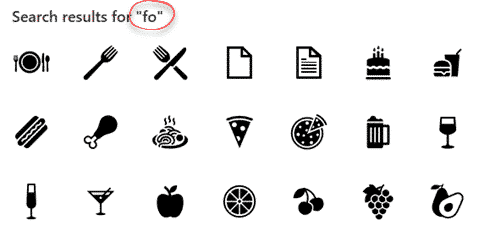
Search for Microsoft Office Icons
The desperately needed feature is coming to Microsoft Office … the ability to search for Icons. Microsoft added Icons to Office 365 and even more a few months ago … 300 more icons in Office, but which ones and where? The problem has always been finding the right icons from the long list. There are […]

Sensitivity settings add security for Office documents
Office now has sensitivity options to label Word, Excel, PowerPoint docs plus emails. Not ‘touch-feely’ sensitivity like ‘loving’ or ‘compassionate’ but instead corporate, privacy labels. It’s a new feature for Office 365 corporate hosted E3 or E5 accounts and the admins have enabled Sensitivity options. Sensitivity appears on the Home tab in Word, Excel, PowerPoint […]

What’s new with Microsoft, Office and Galaxy Note10? Not a lot.
Microsoft and Samsung have a long announcement about Windows, Office and the new Samsung Note10 but there’s little really new. Under the bland title “Microsoft and Samsung partner to empower you to achieve more” is a carefully worded press release which mostly goes over existing Microsoft products which are available in other Samsung products and […]
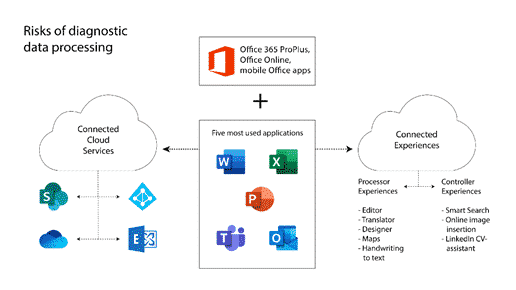
Dutch report warns about privacy leaks in Office Online and apps.
A report commissioned by the Dutch Ministry of Justice and Security warns government departments NOT to use Microsoft Office Online or the apps for Apple or Android. The Privacy Company report was made public with the Ministry’s permission via two blog posts short and long. Many governments and organizations have legitimate concerns about the amount […]
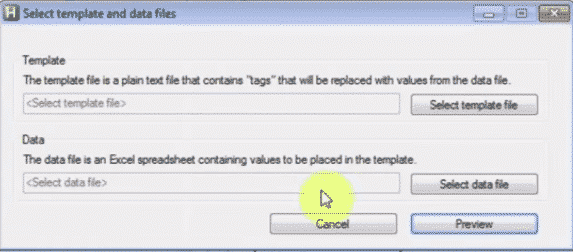
EmailMerge.cc Add on for MS Outlook
Office-Watch.com reader Jeffrey J. offers this look at Emailmerge.cc an add-on that fixes some limitations in the Word/Excel/Outlook mail merge system. “ Outlook email merge function does not allow multiple To line addressees, nor allows creating any cc or bcc addressees. And you cannot customize the Subject line. Manually adding/modifying each required email is labor […]

Inserting or linking other files into Word documents
Word allows you to insert other files with data and functionality from another document or program directly into your Word document. Microsoft calls these additions ‘Objects’ which makes it sound overly technical and difficult but it’s not. Don’t get fazed by all the nerd talk about ‘objects’, that’s programmer speak that’s leaked out into the […]
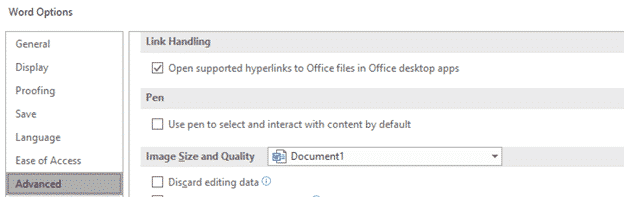
Opening Office file hyperlinks in Office desktop apps not browser
A new option in Office 365 for Windows is the ability to choose how hyperlinked Office files are opened. Inside Word, Excel or PowerPoint or in the default browser. The new option is at File | Options | Advanced | Link Handling Open supported hyperlinks to Office files in Office desktop apps. An Office document […]
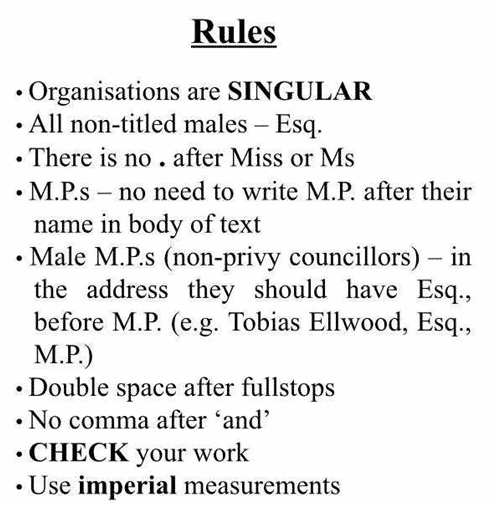
Making Word work for Jacob Rees-Mogg’s style rules
A newly promoted UK politician has his own special style guide for staff, here’s some Word features that can help ensure your documents are approved by the boss. The Right Honourable Jacob William Rees-Mogg (to give his new full title) proudly affects an old-fashioned demeanor and has been described as “on secondment from the 18th […]
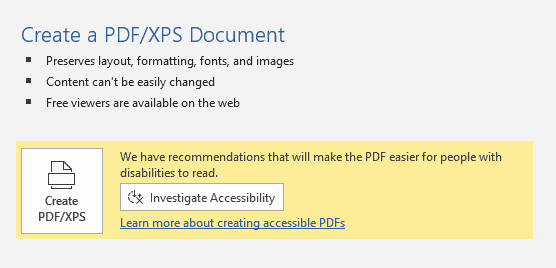
Accessible PDF advice in Microsoft Word
Word is getting reminders for accessibility before making a PDF. When Word makes a PDF version of a document, it includes accessibility tags. These tags help screen readers (spoken for blind and the visually impaired) and also adjusting the PDF for small and large displays. When saving a PDF (File | Export or File | […]

Clippy still lives, now as a dating meme
Yea, gods. Clippy is a persistent little beggar. Over 20 years since it infested our screens and it’s now being used as a dating meme by people not born when Office 97 annoyed us. The infamous Office paperclip, Clippy, continues to pop up just like it did in Office 97. Now it’s become a meme […]
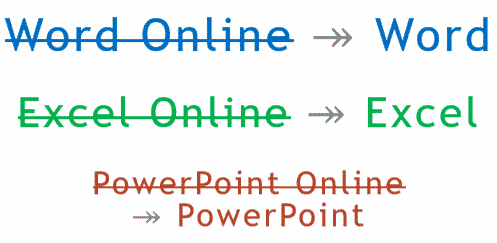
Office Online becomes ‘Office’, just to confuse everyone
Microsoft says we should stop calling the browser-based version of their apps ‘Office Online’. It’s now just ‘Office’. ‘Word Online’ is now just ‘Word’. ‘Excel Online’ is ‘Excel’, ‘PowerPoint Online’ is merely ‘PowerPoint’. Make sense? No, we don’t understand either. Microsoft’s explanation of the name change doesn’t help. According to Microsoft they are doing this: […]









