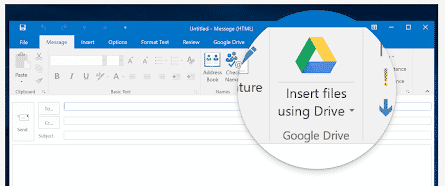
Google Drive plug for Office ending soon
The current Google Drive plug-in for Microsoft Office will stop working near the end of June. There’s an improved update already available for some customers and an alternative for the rest. If you’re using the Google Drive plug-in, you’ll start seeing a warning about the plugins death on 26 June 2019. Source: Google There are […]
New Japanese Imperial Era changes in Excel and Office
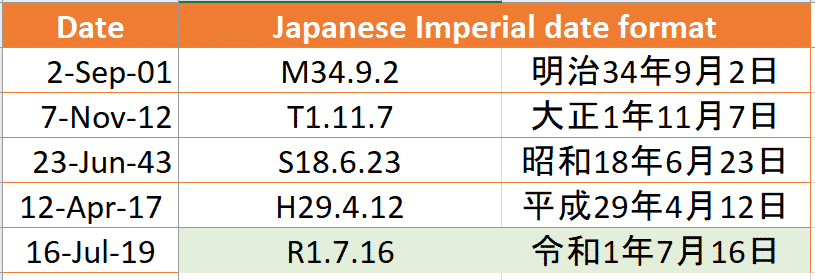
An update for Excel users on the upcoming new Imperial Era in Japan and how to type the Reiwa era name in Office documents The Japanese government has now announced the new Era name that will coincide with new Emperor. From 1 May 2019 we’ll be in the 令和or Reiwa era. This might not seem […]
Word’s Melissa virus is 20 years old – what’s changed?
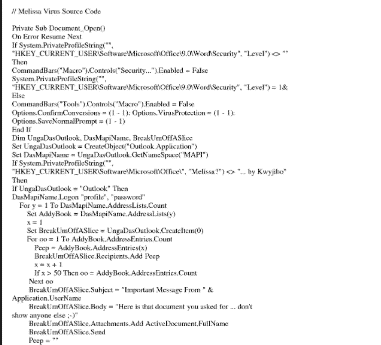
One of the first major Word viruses, the Melissa virus, is 20 years old. It’s amazing to see how much and how little has changed over two decades. Office viruses today follow much the same pattern as they did back in the 20th Century. Melissa was a Word macro virus which infected computers then spread […]

Don’t panic – Clippy isn’t coming back
Microsoft unleashed the dread Clippy, then quickly buried the paperclip back where it belongs. For a short time, a version of the infamous Clippit paperclip (better known as Clippy) reappeared. It was added as an option for Microsoft Teams service then quickly withdrawn. It all started with a leak by the reliable WalkingCat who posted […]

New Office icons start appearing … yawn
Updated Microsoft Office 365 icons have started appearing in the preview ‘fast track’ Office 365 for Windows and we could not be more excited. No … not really. When it comes to changed Office icons; if we were more apathetic, we’d be in a coma. Office 365 icons for Word, Outlook, Excel and PowerPoint on […]

Equation Editor security bugs ride again
A long-standing and unpatched problem in Office provides a stealthy doorway to other security problems in Office with Equation Editor already being targeted. Mimecast discovered an undocumented behavior in OLE (Object Linking and Embedding) which is a doorway into security bugs in Office. It isn’t a security problem on its own, instead it’s a sneaky […]
Color Font support in Microsoft Office – the story so far
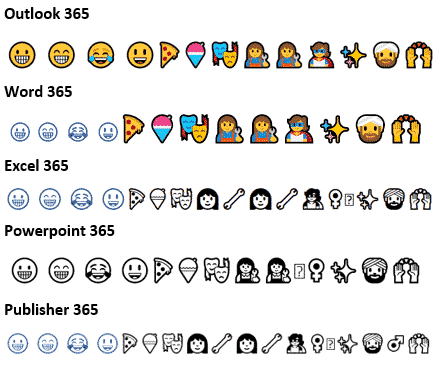
Color fonts are coming to Microsoft Office and Windows but progress is slow and patchy. Here’s a quick summary of color fonts and the occasional, erratic support in Outlook, Word and other Office programs. What are color fonts Since the beginning of Mac and Windows we’ve had single color fonts. Usually black but can be […]

Word Transform and other ways to convert documents to HTML
Transform in Word 365 for Windows converts a document into a versatile web page hosted by Microsoft on it’s Sway service. It’s also available from Word Online but only for school or work accounts. What Sway Transform is NOT Word’s Transform is promoted as converting a Word document to a Web Page but it does […]
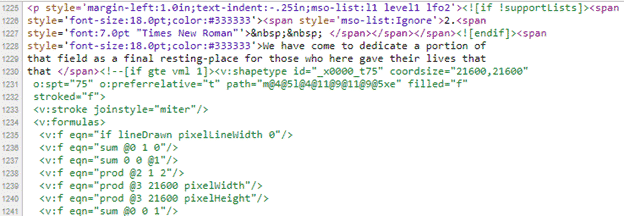
Word’s Save to Web Page options
Word for Windows has three options for saving a document to a web page, Web Page, Single Web Page or Web Page, Filtered. Here’s a look at all three and how to choose the best option for you. What you choose depends on how much similarity you need between the Word document and the web […]
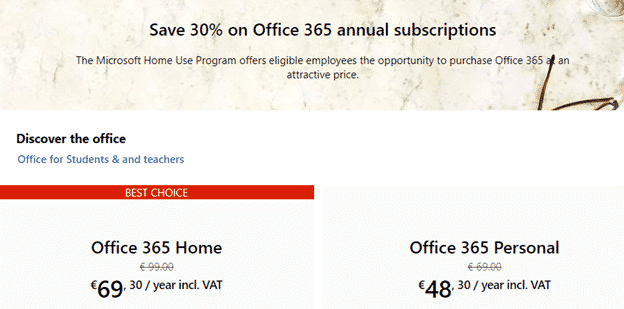
Big savings with the new Office Home Use Program – 2019 style
The Microsoft Office Home Use Program (HUP) is a great way to save on Office 365 or Office 2019 for employees of many companies, organizations, governments and even some military personnel. Here’s details on the savings possible with the recent changes to the HUP. What’s changed? The Home Use Program (HUP) is changing to the […]

Home Use Program for Microsoft Office 365 – who can get it and how?
Here’s who can qualify for cheaper Office 365 Home or Personal under the revised Home Use Program and how to get the lower prices. Employer qualification Your employer must have a Microsoft Office Volume Licence agreement with Software Assurance Maintenance (SAM). If Office is widespread in your organization it’s likely they have a volume licence, […]

You’d better hurry if you want discounted Office 2019 for $15
The current Home Use Program with Office 2019 sold for a mere $15 is about to end. If you want the perpetual licence Office 2019 for Windows or Mac, you’d better hurry. The full impact of the changed Office Home Use Program (HUP) is becoming clear. We’ve already noted that Office 365 subscriptions are becoming […]
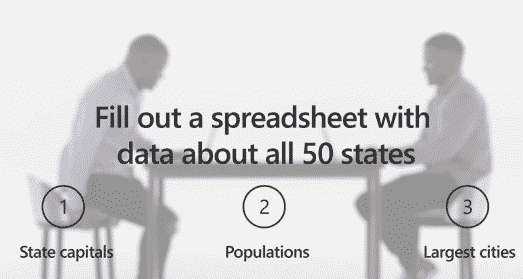
Microsoft highlights how they shortchanged Office customers
The latest Microsoft Office promotion is a rare example of an ad which shows how a product was deliberately crippled with less features. The ‘Twins Challenge’ is a series of very selective videos that are supposed to highlight differences between Office 2019 (single purchase, less profitable for Microsoft) and Office 365 (annual payment, highly profitable). […]

New 2019 Emoji in Word and Outlook
Many new emoji are now in the official Unicode list but we’ll have to wait for them to appear in Word or Outlook emails. After the Unicode Consortium ratifies additions to the vast character list, it takes some time for Microsoft, Apple and others to add the emoji to their fonts. The 2019 Emoji list […]

New Office 365 Save option ain’t so bad
Office 365 is getting yet another way to save a document and it’s not as bad as the advance publicity suggested. We’ve now had a chance to use the new Save dialog ourselves and it’s not another attempt to force customers to OneDrive. The change is now available for Office Fast Insiders and eventually all […]

Wiping drives or shredding files in Windows
Here’s a quick and easy way to totally erase file, folders or free disk space so there’s no trace of the original data. Also erasing an entire drive before handing over or selling. As you may know, deleting a file doesn’t really remove it from your computer. Even after deleting from the Recycle Bin, the […]









