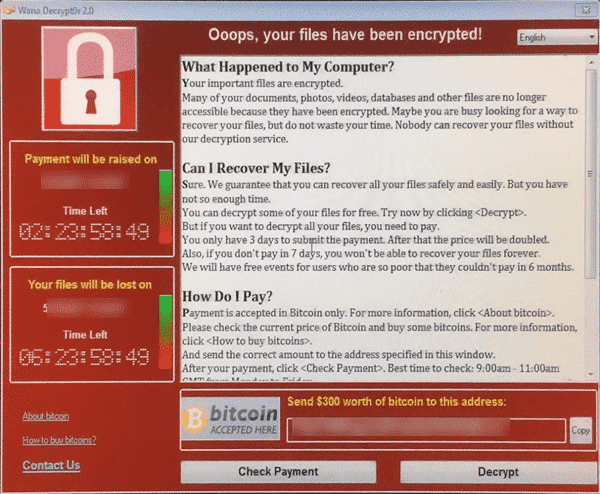
Ransomware and WannaCrypt special
Everyone is talking about ransomware now that the WannaCrypt has spread like crazy across the world. These nasty viruses target your documents and precious files including Microsoft Office files and Windows backups. This is a little embarrassing for us because Office-Watch.com has just released a new book that’s suddenly become very topical. Everyday BACKUPS – […]
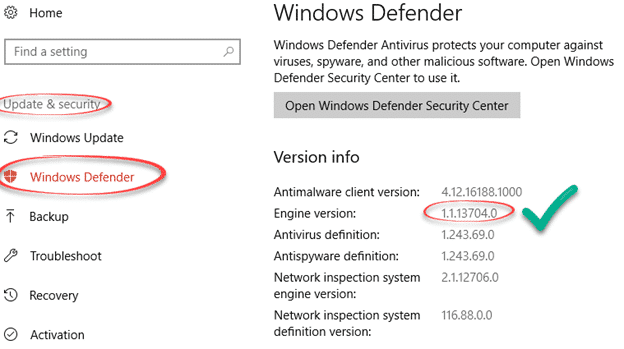
Amazing security bug in Windows Defender
Microsoft has moved quickly to block a security hole in their own anti-virus software, Windows Defender. We’re used to seeing email or instant messaging used to infect a computer when opening a document in Word or Excel, maybe an email in Outlook. But this is quite different and very worrying. The bug is in Microsoft’s […]

Windows 10S and your Microsoft Office choices
Coming soon is a new version of Windows, the Windows 10S. What does it mean for Microsoft Office users? The 10S is a stripped down and limited version of Windows 10. Some advanced features aren’t available while others are set to Microsoft’s preferences automatically. To buy 10S is cheaper than the Home or Pro editions, […]
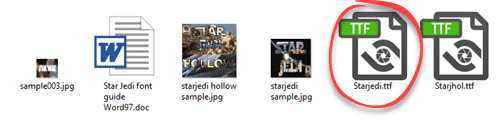
How to install fonts into Microsoft Office
Adding fonts into Microsoft Office is easy but the standard advice doesn’t always work. We’ll show you how to install a font and avoid the trap. Font installation has nothing to do with Word, Excel or PowerPoint. It’s all done in Windows. Firstly, download the new fonts. There are many fonts, free and paid around […]
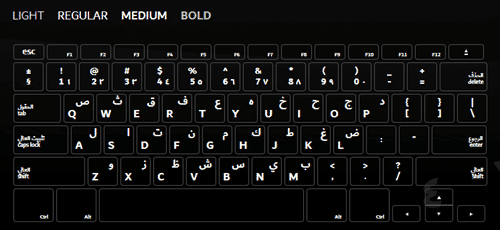
Dubai font, free for everyone
Last week, Microsoft released the Dubai font to their Office 365 customers only. Now the city-state of Dubai has released it to everyone. Dubai is a new font which has both western and Arabic characters in the one package. It was created by the Dubai government with assistance from Microsoft. You have to hand it […]

Signal ‘gets’ Office documents and PDF – at last!
At last the cries of eager Signal supporters have been heard – the latest releases allow secure transfer of Office documents, PDF and more. Signal is a well-respected, very secure and private messaging system. The makers of Signal licence their open-source encryption to other messengers like Google, Facebook and WhatsApp. Even better, Signal deliberately retains […]

Is Dubai really the first city font?
A few Office-Watch.com readers asked if the Dubai font is really the first ‘city’ font. ” Hello? Geneva? Belfast? Casablanca? Gloucester? ” – Steve R. Probably Microsoft/Dubai are making a distinction between a font made specifically for a city (city-state) and a font named after a city. Back in February, Microsoft described the Dubai font […]

Dirham / Emirates currency symbol – entering into Word & Office
The Dubai font inspired us to look at the currency symbol for the United Arab Emirates – the Dirham. A quick guide for those of us who don’t know any Arabic! There’s no direct symbol for the Dirham – unlike the dollar, Euro or Yen/Yuan. The usual prefix is DH or Dhs , just plain […]

About the new Dubai font for Office
Hyped as the first city to get its own font, Dubai and Microsoft have released the Dubai font. Office-Watch.com looks beyond the press releases for the details on the new font and Dubai font alternatives. Dubai is a sans-serif OpenType font available for Windows and Mac. It’s not a full-range Unicode font but enough for […]

Dubai Font alternatives
If you can’t get the new Dubai font, there are many alternative fonts. The closest match we could find was FF Fago by Ole Schäfer. Among the fonts supplied with Windows/Office, the most similar is Lucida Sans. It’s on the drop-down list of fonts in Windows and Mac. Here’s Lucida Sans on the Office for […]
The cheapest way to buy Microsoft Publisher
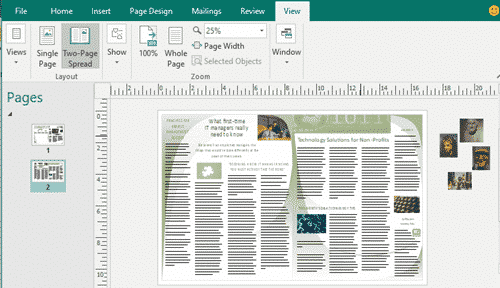
Microsoft Publisher is the ‘desktop publishing’ part of MS Office. It has many formatting options not available in Word and is useful for making marketing documents like brochures, catalogs etc. Publisher was somewhat forgotten because it was only in the high priced Microsoft Office bundles. That changed with arrival of Office 365 ‘subscriptions’. Office 365 […]

How Microsoft makes security problems worse for you
Microsoft puts corporate pride and weasel words ahead of their customers safety and security. Hackers take advantage of Microsoft’s patch release scheduled to release a virus as widely as they can in the days before fix was available. The Dridex security bug was known to Microsoft but they stubbornly stuck to their ‘Patch Tuesday’ schedule […]

Language support in Office for Iceland and other languages
The Washington Post tells of the troubles including less common languages like Icelandic in the next wave of technology. As Office nerds we immediately looked at how the Icelandic and other languages are supported in modern Office. There’s many language specific parts of Office, more than you might expect. Menus/Ribbon, Help, Spelling, Grammar, Thesaurus, Hyphenation, […]

Inside the Dridex banking Trojan
This latest hack into Microsoft Office is called the ‘Dridex Banking Trojan’ in most reports. It takes advantage of a newly discovered security bug in Microsoft Office. Here’s the hard details that are often overlooked in many reports. Microsoft has released patches to close the security breach but not before the hackers were able to […]

Maths Mystery solved with a little help from Microsoft Word
OK, we admit this story is a stretch but there’s a point behind the link between this interesting story, Microsoft Word and it’s PDF support. Thomas Royen is a retired statistician who has solved a long standing mathematical question. The Gaussian correlation conjecture (GCC) had beaten experts for years before Herr Royen comes along and […]
Docs.com vs OneDrive – what’s the difference?
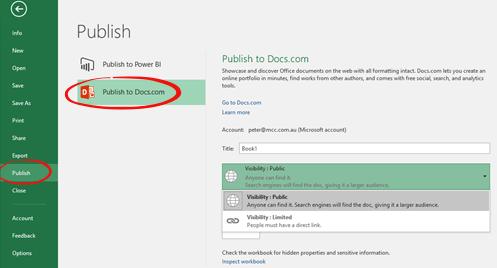
After the recent docs.com scare we’ve had a few readers asking the basic questions: What is docs.com? What’s the difference between docs.com and OneDrive? In short, use OneDrive for all your cloud storage needs. Consider Docs.com, if you have a document that you’d like to share with the public or a wide group of people. […]









