Office 2021 is the personal and small business ‘perpetual licence’, non-subscription version of Microsoft Office. For Windows and Mac.
Office LTSC (Long Term Servicing Channel) is the volume licence ‘perpetual licence’, non-subscription version of Microsoft Office for organizations, companies and governments. Also for Windows and Mac.
The features in Office 2021 and Office LTSC are very similar, if not the same.
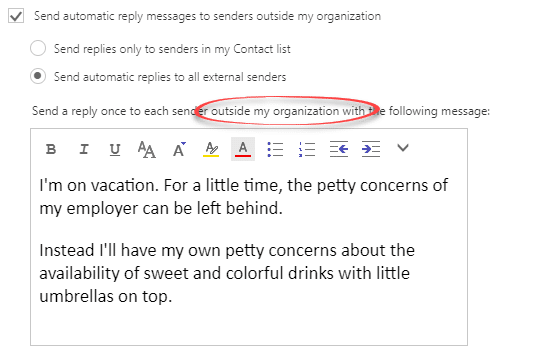
The best way to ‘Out of Office’ or vacation message
Outlook can setup an Out of Office response, depending on the type of email connection but there’s a better way that works for everyone. ‘Out of Office’ or ‘Vacation’ autoresponses will automatically reply to incoming messages. Clever systems have options like different messages for people inside or outside an organization or only those in your […]
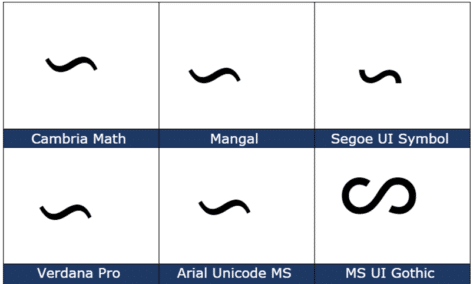
Reversed Tilde ∽ symbol in Word, Excel, PowerPoint and Outlook
Type the Reversed Tilde ∽ into Microsoft Word, Excel, PowerPoint, or Outlook. Both in Office for Windows and Office for Mac. Reversed Tilde ∽ symbol is the vertically flipped version of the usual tilde ~ symbol. A tilde starts with the downward curve while the reversed tilde has a rising curve at left. How Reversed […]
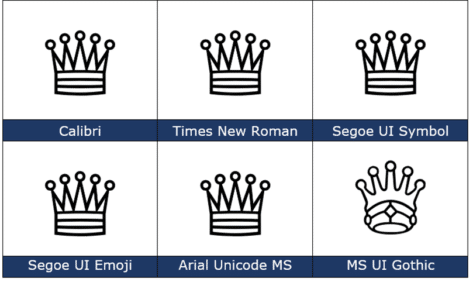
White Chess Queen ♕ symbol in Word, PowerPoint and Office
How to insert the White Chess Queen ♕ into Microsoft Word, Excel, PowerPoint or Outlook. Both in Office for Windows and Office for Mac. White Chess Queen ♕ symbol is useful for users that want to represent the chess piece as a symbol, rather than an image. Or just a generic ‘Crown’ graphic. How White Chess […]
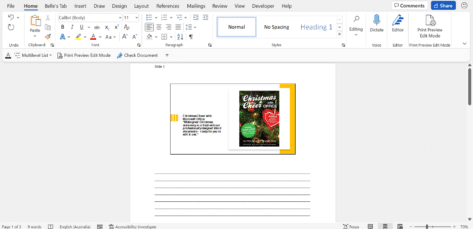
A simple way to convert PowerPoint slides to Word document
There’s an easy way to make a Word document version of a PowerPoint presentation and it’s another way to make a handout for your audience. It’s a simple step by step process of converting your PowerPoint (.pptx) presentation file into a Word Document (.docx). Firstly, you will need to open your PowerPoint Presentation (amazing but true) Next, select File | Export Select Create Handouts | then the Create Handouts button This section will allow you to put […]

Beyond simple Undo in Microsoft Office
There’s a lot more to Undo than just reversing the last thing you did in Microsoft Office The UNDO command is surely one of the greatest time-saving inventions of the digital age. According to Jensen Harris, the head honcho of the Microsoft Office User Experience Team back in 2008 , undo is the fourth-most used […]

Will Office 365 still work with OneDrive on Windows 8.1?
From 1 March 2022 OneDrive will stop working on Windows 8.1. What does that mean for Microsoft Office 365 and other Office software compatible with Windows 8.1? Can Word and other Office apps still work with documents saved on OneDrive. Windows 8.1 customers are left with unanswered questions after Microsoft’s announcement that their OneDrive app […]

What is ‘Microsoft 365’? What happened to ‘Office 365’?
The term “Office 365” has changed meaning over time, so confusion is understandable. “Microsoft 365” is relatively recent and now overlaps with “Office 365”. Here’s what each term means now and a short history of how we got here. What is “Microsoft 365”? “Microsoft 365” is the broad label for the many “subscription” plans that […]
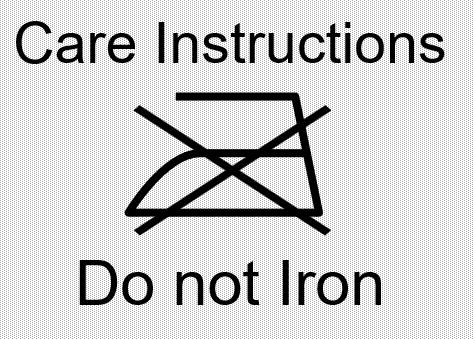
Best Laundry label text font for Microsoft Office
Which font to use if emulating a true laundry care or clothing text label in Word, PowerPoint or other Office program? We’ve already talked about how to put standard laundry care symbols in Word, Excel or PowerPoint but what about the text that usually goes with the icons? In our research we couldn’t find any […]

Beware: don’t be pushed into the wrong Microsoft Office
Buying Microsoft Office in a physical store (remember them?) can be a trap for the unwary. People are being sold the wrong type of Office, instead they are pushed to the best option for the salesperson. We’ve had questions from readers after they’ve visited a local computer store. They’ve been misled talking to self-interested sales […]

Track Changes updates for Word on the web
Track Changes in Word on the web has changed so that accept or reject an edit appears right next to the text. The Track Changes feature allows users to gain feedback from others working on the same document. Microsoft has recently introduced a new feature, cards that pop-up to allow the user to preview any […]

Easy way to change page size and margins in OneNote
OneNote lets you change the size of the paper page, including adjusting the margin size of your notes from the default ‘Auto’ to a fixed size like ‘Letter’ or ‘A4’ among many. Although OneNote has a ‘default setting’ when it comes to paper size, you can adjust this using this feature, plus, it’s easy to do and won’t take you very long to change. This […]

Video: understanding the changes to Office.com
Here’s a good video that explains the changes coming to Microsoft Office.com portal Big Tick ✔️ for a Microsoft video that’s more substance than style. Also ✔️ the lovely peg-board for office supplies. Some ❌ marks for too often used Microsoft Hype™ words the form of ‘Excited’ and ‘Experience’. Two words that badly need a […]

Which Office for Mac are ready for macOS Monterey?
The latest macOS, v12 called ‘Monterey’ is out now. Which Microsoft Office for Mac will work with the new operating system for Mac computers? Should you update to Monterey now or wait a little while? In short, any Office for Mac which works with ‘Big Sur’ macOS v11 is OK with ‘Monterey’. Office for Mac […]
Can Office 2021 or Office 2019 move to another computer?
Can you move Office 2021 or Office 2019 from one computer to another? The answer is ‘maybe’, it depends on how Microsoft Office 2019 or Office 2021 was purchased. ‘Perpetual license’ or non-subscription versions of Microsoft Office 2021 or Office 2019 are limited to just one computer at a time. Not the ‘one desktop and […]
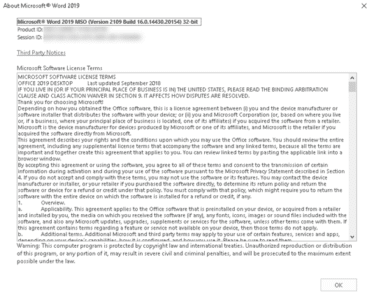
See the license rules for Office 2019 and Office 2021
The license rules for Office 2019 and Office 2021 are buried deep in the software. Here’s how to find the license wording plus explanation of the rules about installation and transfer to another computer. Microsoft Software License Terms are the same for Office 2019 and Office 2021, at least when it comes to software use […]
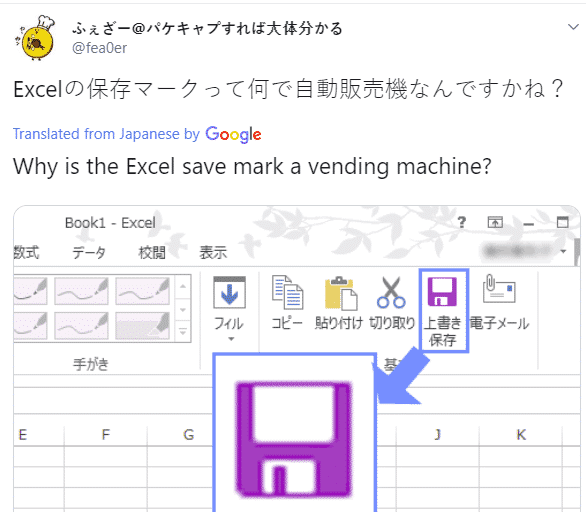
Why is there a vending machine on the Office ribbon?
There’s a new generation growing up who see the Office ribbon differently from their parents. To some young people a floppy disk icon looks more like a vending machine! Check out this icon on the older Office ribbon …. To you, me and most people it means ‘Save’ because that’s a floppy disk. Specifically, a […]









