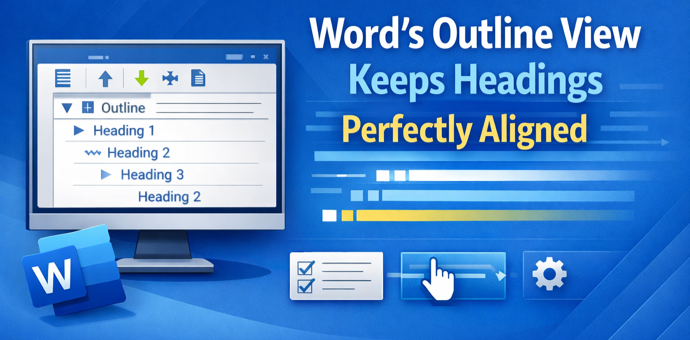
There’s a mystery English grammar rule that any native speaker knows but probably can’t explain. It’s the order of adjectives before a noun (e.g why “Brown Big Cat” is wrong). The Microsoft Word grammar checks for this rule but doesn’t always ‘see’ or fix it. Adjective order is a mystery
OneNote Clipper is a quick way to save a web page so you can read it later. It can replace Pocket, the lovely clipping service that’s about to leave us. Pocket, the ‘read it later’ service, is ending on July 8, 2025. Pocket is/was a ‘ready it later’ service to
Take control of Microsoft 365 by learning how to enable or disable Copilot in each app—Word, Excel, PowerPoint, Outlook, and OneNote. This guide provides step-by-step instructions to customize Copilot settings per application and explains why sometimes you can’t turn it off. Copilot integration into Microsoft 365 is a mess. Microsoft
Microsoft has given Copilot in Excel 365 some smarts to choose the table or cells to work on. Previously, Copilot relied on the user’s selected cell to determine context, often defaulting to the nearest structured table. We explain how it works in the real world and the important limitation. Enter
OneNote Quick Notes is the fast way to add a short ‘jotting’, image or whatever. How a Quick Note is made varies a lot for each OneNote app; Windows, iPhone, iPad, Mac or Web. Windows Windows has shortcuts and a taskbar icon for Quick Notes In the OneNote app, go
OneNote offers an electronic equivalent to the ‘sticky note’ or side-note. Most OneNote demos show off the full-size pages with a full range of feature but Quick Notes is the smaller and faster part of OneNote for Windows. Let’s explore how to make a Quick Note, what they can do
Aggregate() is the grown up version ‘all in one’ function that can replace common functions like Sum() and Subtotal() plus powerful options not available in those older functions. AGGREGATE() function is a more advanced alternative to the SUBTOTAL function, offering significantly expanded capabilities. Almost an ‘all in one’ solution instead
A new scam is making the rounds via email. It pretends to be a receipt for a Microsoft 365 subscription renewal—usually with a high price to scare you. Worse – noone is sure how the hackers are doing it. The email urges you to call a phone number if the
Microsoft has updated Copilot’s image making features in two important ways. Now it can spell properly and properly change your own photos. Available in both Copilot and it’s ‘parent’ ChatGPT we’ll show you what’s now possible and a lot better. You may have read that Copilot is now using OpenAI’s
Microsoft is replacing a feature in PowerPoint with something called either “Slide Starters” or “Design Suggestions” using Copilot AI. It offers pre-populated slide templates with structured content such as titles, placeholders, tables, and timelines, tailored to match the user’s chosen layout. “Design Suggestions” replaces “Designer” which has been in PowerPoint
Navigating the evolving landscape of Microsoft 365 and Copilot AI can be challenging amid frequent update, varying features and so much hype. Our independent guide breaks down what Copilot is, its capabilities within Word, Excel, PowerPoint, Onenote and Outlook, and the distinctions between different Microsoft 365 plans. Microsoft has changed
Microsoft has two mobile apps with the “Copilot” AI name. “Microsoft 365 Copilot” and “Copilot” apps for iPhone, iPad or Android. What’s the difference and which is best for you? Microsoft’s Copilot hype “Your AI companion for everyday life” (see below) always reminds me of “Your plastic pal who’s fun
Display scores or ratings visually in Excel using solid and hollow emojis or symbols, you can use a combination of simple formulas and conditional formatting. This approach is useful for representing ratings, progress, or performance in an intuitive and engaging way. With a little Excel trickery, you can show multi-colored
Get the most from Microsoft’s Emoji collection with a wonderful app, the Fluent Emoji Gallery with many options and puts Microsoft’s own emoji efforts to shame. Microsoft’s Fluent Emoji collection are a great collection of 3D looking icons but they are a bear to find and use. Michał Łeptuch’s Fluent
The Startup Boost feature coming to Word 365 is really a sly trick by Microsoft. It’s a trick that anyone can do with any Office app and any version of Office. Startup Boost starts the app but hides it away. Word lurks in the background until the user clicks on
Microsoft is restoring to lies and obfuscation to hide their decision to take unused Skype Credit money rather than give refunds or credits. Microsoft is trying to trick customers by saying that their Teams product replaces Skype – which is simply not true. Skype has two major features, only one
An envelope graphic—crafted entirely in PowerPoint! It’s a versatile design element that works for both personal and professional needs. Whether you’re communicating with customers, making special announcements, or enhancing presentations with a creative touch, an envelope icon is a powerful visual asset. It can also be used effectively to showcase
Emails you want to see might end up in Junk Email as Microsoft imposing new standards to ensure emails are legitimate. Microsoft isn’t allowing any way to bypass their new rules for emails you want. The new standards apply to senders but there are important and less well promoted effects
Two new Microsoft 365 “mini-apps” are being rolled out to some customers. People and File Search are coming for business and enterprise customers. Microsoft buries the important limitations of the two new apps, so we’ll put them first to save you wondering. Microsoft 365 Companions Both File Search and People
We mourn the passing of Woody Leonhard, Office Watch co-founder, on 8 March 2025 at age 73. Back in 1996, Woody Leonhard and Peter Deegan teamed up to create “Woody’s Office Watch” (the precursor of Office Watch) as a way to spread accurate and detailed news about Microsoft Office. Woody
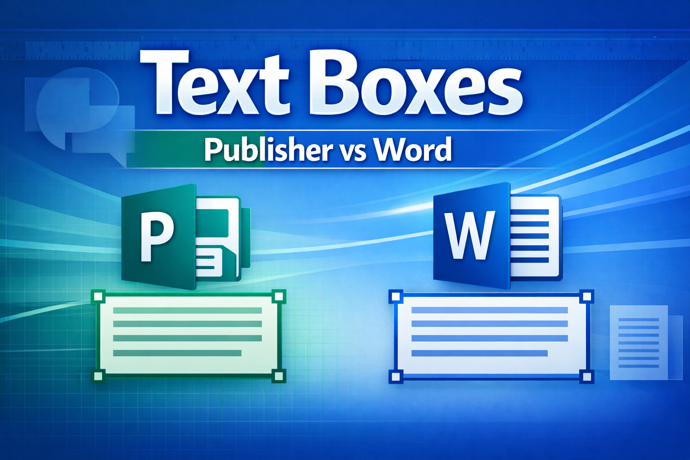
Trying to convert a Microsoft Publisher (.pub) file to Word (.docx)? We test Microsoft’s official recommendation, exporting the Publisher file to PDF and then importing that PDF into Word. It technically works but produces poor results in real-world tests. The conversion often ends up nearly unusable for typical editing tasks.
For the last three days (since 3rd March) the Apple Mail app for iPhone and iPad hasn’t always been able to connect to Microsoft hosted mailboxes. While Microsoft delays, here’s the fix they won’t mention. Since Monday, many Apple Mail users have been pestered with login requests for their Microsoft
With Skype ending what are the choices for making cheap phone calls, especially saving money on international calls? The ability to link computers and devices to regular phone numbers is something that Skype excelled at. You could call phone numbers from a device or setup a phone number that people
Microsoft is dumping most of their Skype service in May 2025, ending a very useful option for people around the world, especially who use a regular phone for communication. Here’s the ending timeline, an important extension for Microsoft 365 customers and alternatives (official and others). Skype has been around since