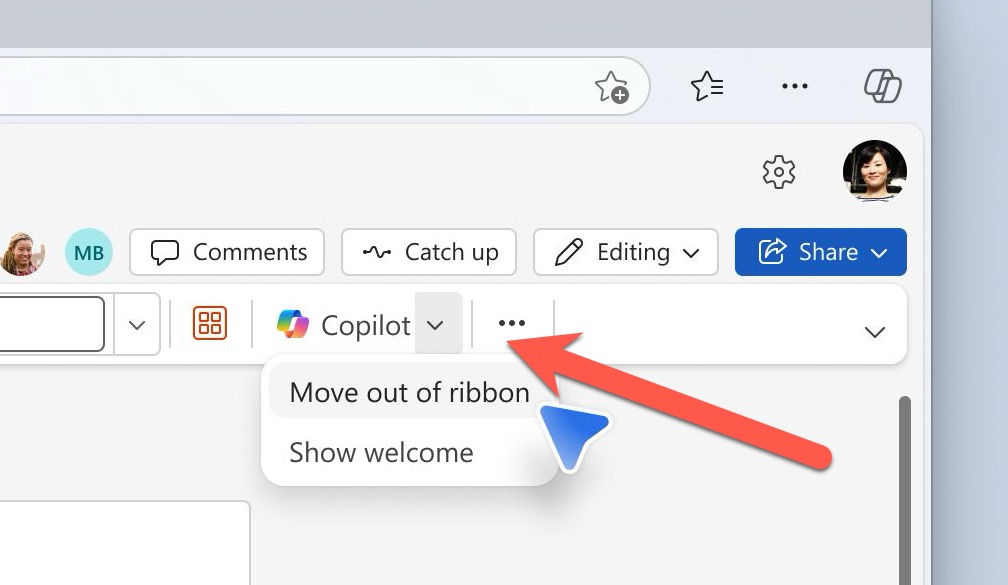
AI technology without limits is available in Microsoft Office with Copilot Pro. AI features are integrated into Word, Excel, PowerPoint and Outlook for personal customers. Here’s how to get Copilot Pro and the secrets to getting it working. Copilot is Microsoft’s name for their AI based cloud services. They have
Microsoft 365 customers around the world are waking up to a new look in their Word, Excel, PowerPoint and Outlook apps. It’s part of Microsoft’s huge changes to Microsoft 365 Family and Personal plans which include a very limited Copilot AI service and a big price rise. Microsoft 365 users
All your choices for deleting or hiding comments in Word documents. An essential step before sending a document out. Comments in a Word document are really great for making side-notes or even discussions between people working on a shared document. It’s also great for adding your own notes to a
Microsoft 365 Family and Personal plans are getting Copilot AI integration into their Office apps but it comes with a big price increase and many limits to what people get for the extra cost. Customers in Australia, New Zealand, Malaysia, Singapore, Taiwan, and Thailand have seen massive prices rises in
You can now add images to your Copilot prompts / questions in Word and PowerPoint. Why bother with images? Well, they can save you time, help Copilot understand your requests better, and improve the accuracy of its responses. Whether you’re asking about a specific object or scene, images can clarify
Word field codes let you add automation or automatic content into documents. A simple example is the { DATE } field, which inserts the current date into a letter but there’s a lot more possible. Chances are good that you’ve already used field codes and not realised it. Date, PrintDate,
Microsoft Word’s English dictionaries can be confusing because they don’t always mark incorrect spelling differences between US and UK English (like color/colour). We did some tests with surprising results. English spellings can get screwy as you move between countries and there’s a lot more overlap than many people realize or
How and why to remove words from the main Microsoft Word dictionary. The Office Exclusion List ensures a red squiggly underline appears to warn you about an unwanted word. Sometimes the supplied Office dictionary has words you don’t want or you’d like a warning about. Here’s how to put the
Outlook (new) for Windows doesn’t support Mail Merge from Word. Just one of the many limitations of that software which is still a work in progress. We’ve heard from a few people that Microsoft has ‘dropped’ mail merge from Word but that’s not true. Word’s Mail Merge has been there for decades
If Word doesn’t recognize personal words such as your name, the name of your hometown or the name of your favorite actor, it flags it as a mistake with the familiar red squiggly line. Here’s how to fix that. You can choose to add your words to the app’s custom
Word can do simple calculations because Word for Windows has its very own built-in calculator. Calculate in Word has some nice tricks but also problems and traps. Type a calculation, hit the button (see below) and the result appears in the status bar AND it’s loaded into the clipboard ready
How to get greater accuracy out of Word’s in-built calculator. Recently, we unearthed Word’s hidden calculator. Word rounds its calculator results to two decimal places. This time, we’ll take a look at the two ways to improve the accuracy of Word calculator results. Use an old maths trick or change
You haven’t heard about it? Don’t worry, even Microsoft has no information about this feature, unless you dig way back into its archives where you’ll find that the calculator – which formerly held a prominent position on the Tools Menu – was driven underground in Word 6.0 to make way
Pantone’s color of the year for 2025 is “Mocha Mousse”. You can use that exact color in Word, Excel, PowerPoint, Outlook and Designer using the Hex/RGB color code. And we’ll look at the flowery prose that’s become a hallmark of this annual promotion. The color of 2025 is … Mocha
The famous London Tube Roundel or station sign is easy to recreate for Word, PowerPoint or other Office apps. The best way to do this is SVG graphics in Microsoft 365, Office 2024/2021/2019/2016. SVG’s let you change the colors and set the text easily. They don’t have to be a
Bates Numbering is tricky in Word. We’ll explain how to add this special numbering system to Word documents and why it’s not recommended in most situations. What is Bates Numbering? Bates Numbering is a way to add a fixed number or serial number system to each page of a document.
There are many ways to get a list of file names and folders, here’s four simple ways including one that might be a surprise. Copy from Explorer In Windows Explorer, select the files you want then right-click and choose “Copy as path” or Ctrl + Shift + C. The list
Yes, Microsoft Word lets you select vertical (up or down) text blocks. Most text selection in Word involves selecting horizontally – selecting a line or a paragraph of text. Sometimes, though, you need to select a vertical slab of text. To do that, hold down the Alt key while you
Here are the exact colour codes and new names for the ‘Overground’ lines in London, plus how to add a thick double line in Office documents just like on a Tube map. The changeover is happening in late November 2024. Some old rail lines in London were coloured Orange on
The existing Office app “Recent documents” widgets for iPhone and iPad are now available on Mac computers. There are widgets for Excel, Outlook, PowerPoint and Word. Each app has four widget options from small (one file) to a six file with thumbnails ‘extra large’ choice. The fastest way to find
OneDrive isn’t the only choice for sharing Office documents. Dropbox can also share Word, Excel or Powerpoint documents including real-time collaboration. The Dropbox and Microsoft Office integration allows users to open, edit, and save Office files directly from Dropbox. Use either Office apps on the web (Office Online) or modern
The Copilot shortcut key in Word is unusual, so much that even Microsoft gets confused. We’ll look at the peculiarities in what seems like a simple keyboard shortcut. Office Watch reader, Fred J. from Wilmington let us know about this Microsoft social media post “Click ALT + I and ask
Social media is spreading a false ‘tip’ that’s supposed to stop Microsoft spying on your work in Word and Excel. The suggestion might not work at all and worse, it’ll stop important Office features from working at all. And Microsoft is NOT spying on Word, Excel or PowerPoint for their
How to get the official Porsche color “Turbonite” in Microsoft Office for Word documents, PowerPoint slides and more. The color has been announced by Pantone with the code PMS-2336-C. Porsche Turbonite is described in the usual flowery terms by Pantone: Turbonite color codes It’s easy to apply the Turbonite color