Office 2021 is the personal and small business ‘perpetual licence’, non-subscription version of Microsoft Office. For Windows and Mac.
Office LTSC (Long Term Servicing Channel) is the volume licence ‘perpetual licence’, non-subscription version of Microsoft Office for organizations, companies and governments. Also for Windows and Mac.
The features in Office 2021 and Office LTSC are very similar, if not the same.
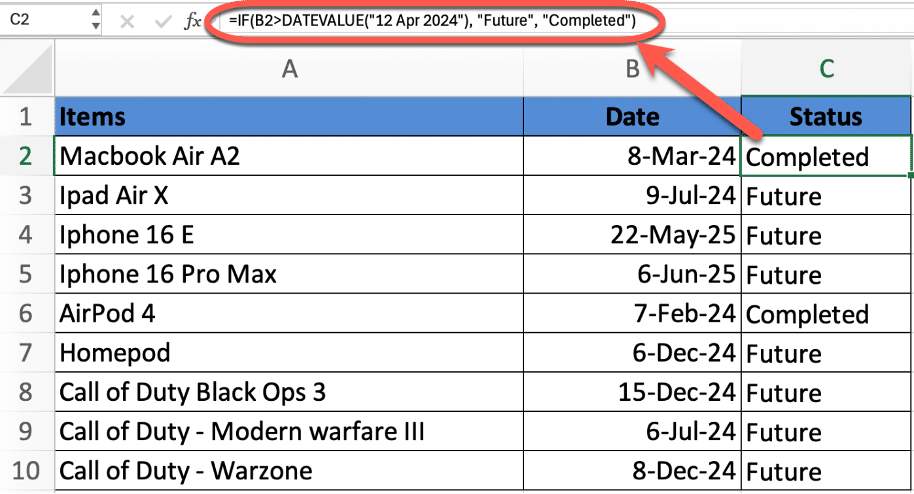
Whether you’re managing schedules, tracking deadlines, or analyzing time-based data, comparing dates in Excel is a critical skill. This guide walks you through how to use the powerful IF function to compare dates—such as determining if one date is before, after, or equal to another. Learn essential Excel formulas that
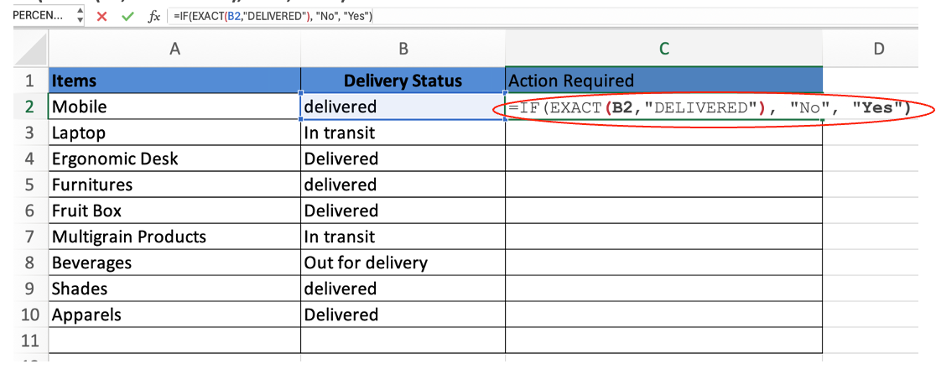
Be careful comparing text in Excel because it looks easy but there are traps when comparing exact text (including upper/lower case) or not. Whether you’re cleaning data or ensuring accuracy in sensitive fields like usernames or product codes, we’ll help you get the results you need every time. Case-insensitive IF
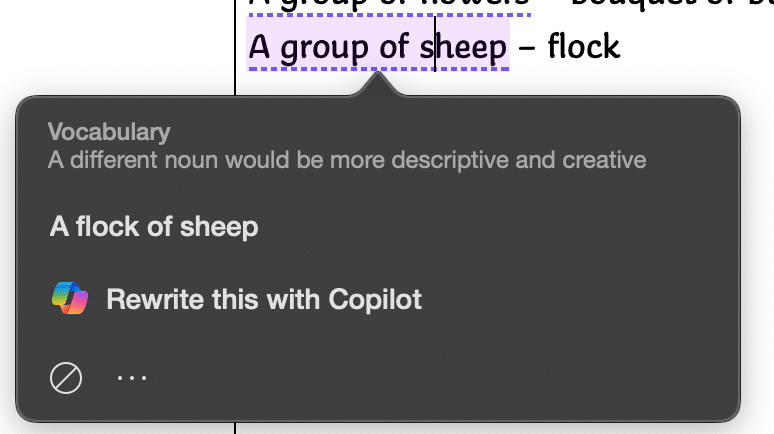
Microsoft Word makes too many mistakes with collective nouns because only a few are detected by the grammar and style checks. Only US English notices “Subject-verb agreement with collective nouns” with other dialects ignored for no obvious reason. Many English words have a collective noun to describe a group pf
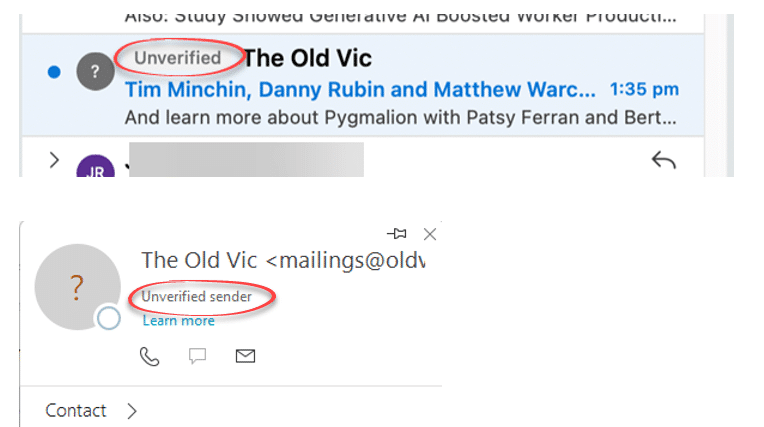
Outlook might label some emails as ‘Unverified’ and the photo/initials is just a question ? mark. What does ‘unverified’ mean? Is the email safe to open and how to stop some messages showing as ‘Unverified’? Unverified can appear in mailboxes hosted by Microsoft directly (Microsoft 365, Outlook.com). It’s a feature
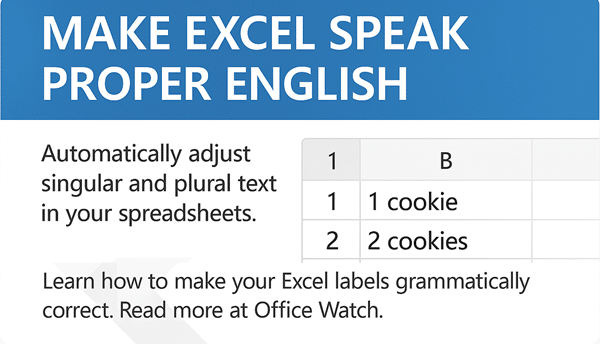
In Excel there are various options for making sure a text label singular (e.g. person) or plural (people) matches the quantity. There’s the standard answer (IF() functions) or clever cell formatting tricks. For example if the cell has 1 item you want the singular label: 1 cookie But if the
Windows 10 ends support on 14 October 2025 and so does Microsoft 365/Office on Win10 (mostly). Here’s a guide to ALL your choices, not just the ones Microsoft is pushing. Including the Microsoft 365 support policy change. There’s a lot of advice around for the many people with Windows 10.
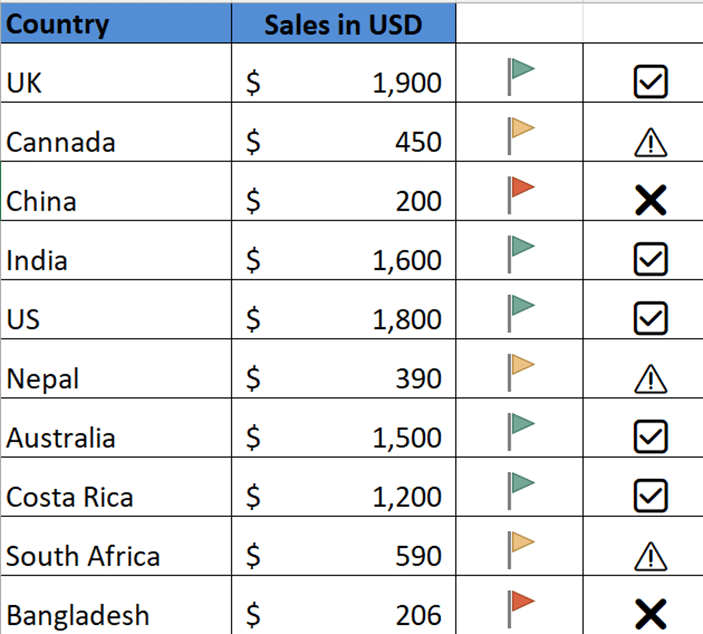
Use Excel with visual indicators to make lists easier to understand. Use IF function together with Conditional Formatting to display icons, text based on specific conditions There are so many possibilities available using Conditional Formatting or simple IF statements like these. Use IF Formula to show icons First, decide the
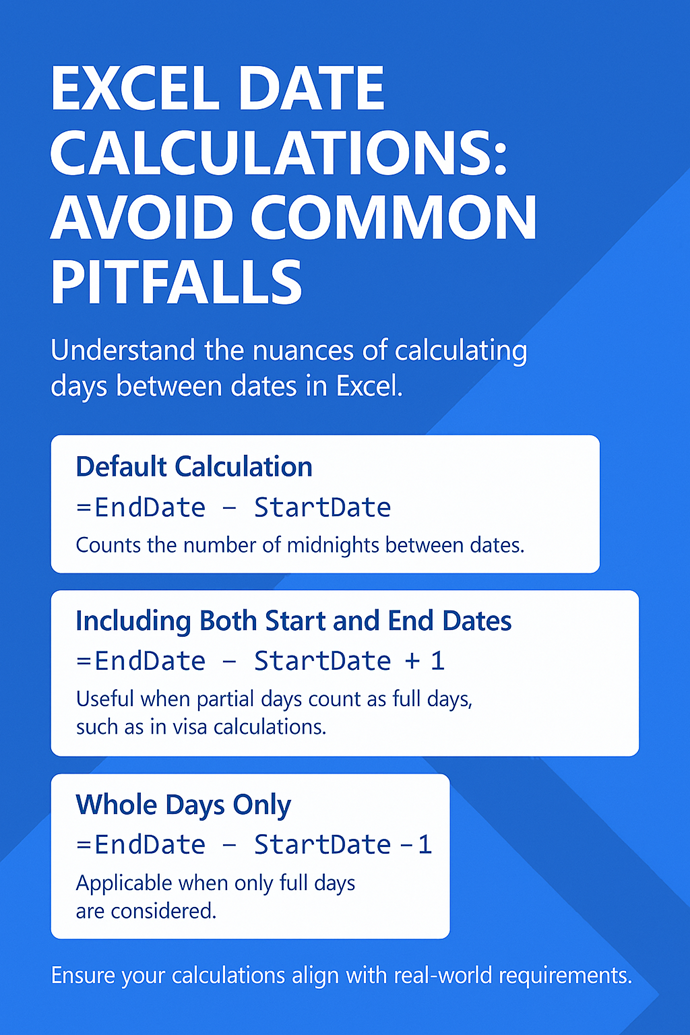
There’s a little trap in Excel when figuring out the number of days between two dates. Excel has one way, but the real world has two others. It’s easy to forget the differences and it can matter when the date calculation is close to some limit, for example in a
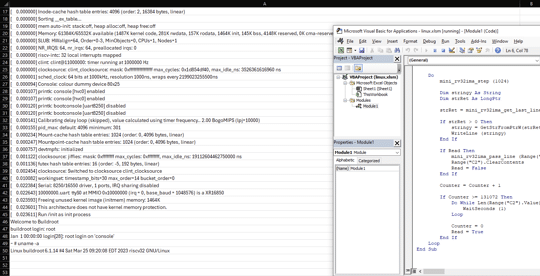
A tech enthusiast named has achieved the improbable: running the Linux operating system within Microsoft Excel. It’s a clever trick that no-one has been asking for. The 18-year-old named NSG650 created a project, aptly titled “Linux In Excel,” transforms the spreadsheet application into a minimalist Linux terminal. Opening the provided
Data nerds can have a lot of fun with the Australian election which has a lot of Excel compatible data for the 2025 and past elections. Daily updated stats as 2025 vote counting continues. Australian federal elections are run by an independent body, the Australian Electoral Commission. The AEC manages
Importing text files into Excel can sometimes lead to unexpected data conversions—like turning product codes into dates or trimming leading zeros from IDs. To avoid these issues, Excel’s Get & Transform feature (also known as Power Query) offers a more reliable method for importing text data. You can ensure your
AI systems have got a lot better at making and fixing Microsoft Office VBA code. We compare Copilot and ChatGPT to see which is best choice for coping with the complexities of Office VBA. Early in 2024 we tried asking ChatGPT for Office VBA code in some simple examples, the
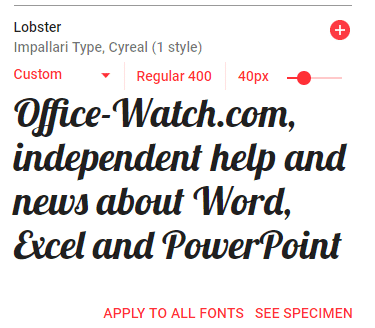
Google offers a great variety of free open-source fonts that can be used in Microsoft Office, Windows or Mac. You just need to know the right trick to access them for Word, Excel or PowerPoint. Over 1,800 Google Font families There are 877 1,816 Google Font families currently available at
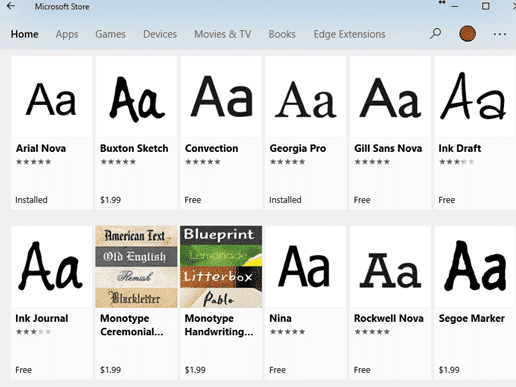
Tired of Comic Sans but still want a casual, friendly font? Microsoft Office has better built-in alternatives or there’s many other fonts that keeps the charm without the cringe. Here’s a quick guide to upgrading your documents. The Wall Street Journal has a history of Comic Sans, the font that
Display scores or ratings visually in Excel using solid and hollow emojis or symbols, you can use a combination of simple formulas and conditional formatting. This approach is useful for representing ratings, progress, or performance in an intuitive and engaging way. With a little Excel trickery, you can show multi-colored
There’s a special new color called ‘Olo’ developed by scientists in Berkely, California. The nearest match to Olo is possible in Microsoft Office, including Word and PowerPoint. Olo can only be seen with help from a special laser that fires the color into the eye. It’s claimed to extend human
The Startup Boost feature coming to Word 365 is really a sly trick by Microsoft. It’s a trick that anyone can do with any Office app and any version of Office. Startup Boost starts the app but hides it away. Word lurks in the background until the user clicks on
Office Watch reader Steve G is having a problem in Word. The F9 key isn’t updating fields in a Word document. He suspects a buggy patch of Windows or Office. Here’s how to find the source of the Function key or any keypress problem and fix it. Hint – it’s
Here’s how to make a message (letter or card) to make it ‘appear’ from a PowerPoint envelope graphic. This message can be personal or professional, depending on your preference. In Make your own Envelope graphic for PowerPoint we showed how to make an ‘open envelope’ graphic in PowerPoint with some
An envelope graphic—crafted entirely in PowerPoint! It’s a versatile design element that works for both personal and professional needs. Whether you’re communicating with customers, making special announcements, or enhancing presentations with a creative touch, an envelope icon is a powerful visual asset. It can also be used effectively to showcase
Stricter requirements are coming on mass mailings to Microsoft hosted mailboxes including Outlook.com. The new rules also affect anyone with a Microsoft managed Inbox. Any organization (domain name) sending “over 5,000 emails daily” will have to comply with new rules from 5 May 2025. At the same time, Microsoft is
Emails you want to see might end up in Junk Email as Microsoft imposing new standards to ensure emails are legitimate. Microsoft isn’t allowing any way to bypass their new rules for emails you want. The new standards apply to senders but there are important and less well promoted effects
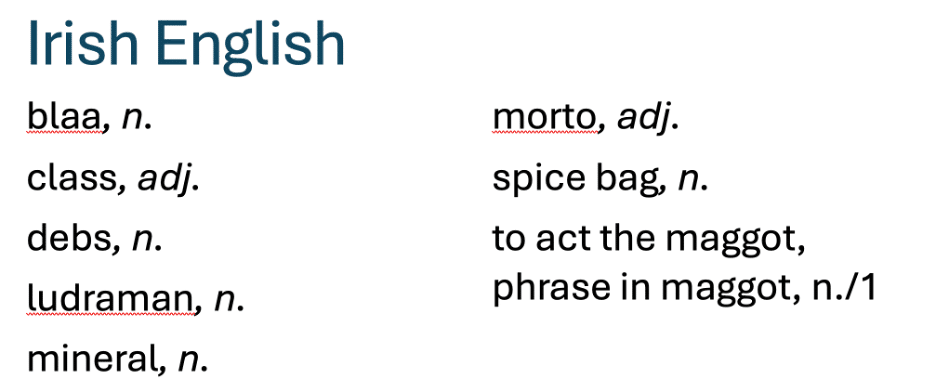
The Oxford English Dictionary has a list of new English words for 2025. We’ve checked to see if the Microsoft Word dictionary understands all these new terms. Some of the ‘new’ words are very familiar (‘load’, ‘class’ or ‘terror’) but with new meanings. Others are quite new (‘gigil’, ‘ludraman’ or
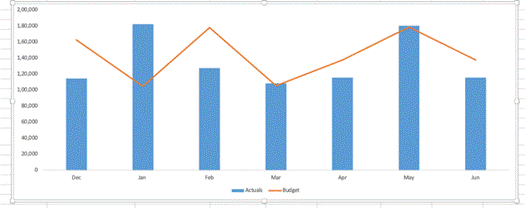
There are better ways to chart differences between matching values like budget vs actual than the simplistic one offered by Excel. A variance chart in Excel shows differences and trends at a glance and is easy to make. In Excel, a variance chart visually compares data sets, such as actual