
PivotTable Manual Sorting in Excel
You’re not locked into the PivotTable sorting options provided by Microsoft. Excel lets you arrange a PivotTable into any order you like. Right-click on a PivotTable column and choose Sort | More Sort Options | Manual. How to Drag and Sort It’s not obvious how to select an item (row or column) to move it. […]

PivotTable Custom Sort Orders in Excel
Sometimes you want to sort a list or PivotTable in a special way that doesn’t fit the usual ‘A to Z’ or number order. The most common need for this are days of the week or months in a year. Neither of those orders make sense to a literal computer. Excel has a Custom sort […]
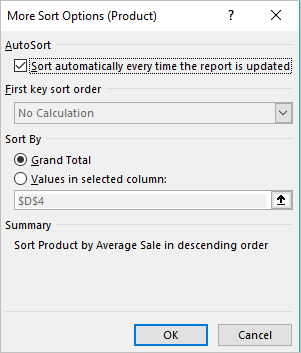
Automatic sorting of PivotTables in Excel
You still want to explore more Excel PivotTable sorting, there are some additional options like Click More options button on the Sort dialog box. The More Sort Options dialog box appears for your Sorting list of the Pivot Table. Let’s see what these additional features can do for you: As the name suggests ‘AutoSort’ automatically […]
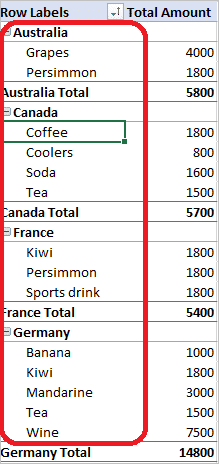
Sorting PivotTable Fields
Excel allows you to sort a PivotTable in alphabetical order or from largest to smallest values. They are similar to the standard Excel sorting options but worth looking at separately because there are automatic sorts, custom sortings and a manual sorting option. Quick PivotTable Sort Sort the PivotTable by right-click on any cell in a […]
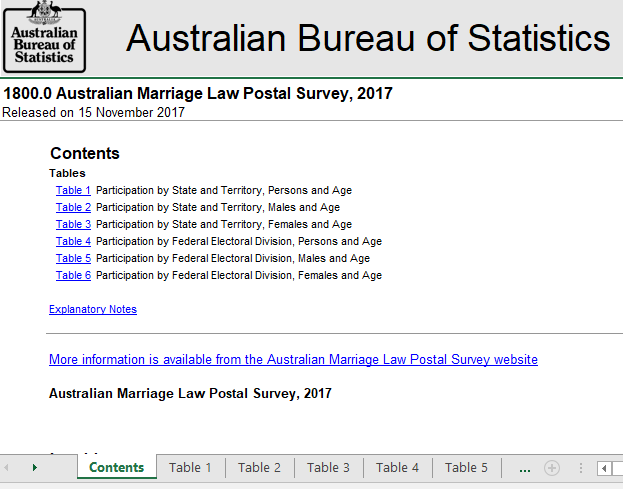
Same Sex Marriage Results in Excel
Next Wednesday, Australia gets the results of their Same Sex Marriage survey with the details available to everyone with Excel. Here’s how to get the survey results, prepare for the announcement and when it’ll happen. We know most people won’t be interested in this singular Aussie exercise in democracy (don’t get us started …) It’s […]
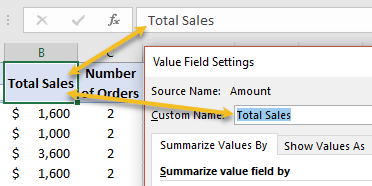
Rename Excel PivotTable headings
By default, PivotTable provides custom name such as “Sum of Amounts” or Count of Numbers” etc when you add a field to the table. You may not be always happy to use these default custom names for your PivotTable, so feel free to modify the headings to something you like. Click on the column heading […]

Rearranging PivotTable Rows and columns
Moving or swapping fields around in a PivotTable is both amusing and addictive at the same time. You cannot stop yourself from rearranging your data in different ways. Each time you move a field, the Pivot Table will restructure to the new field configuration and you see the same data in a different alignment. May […]
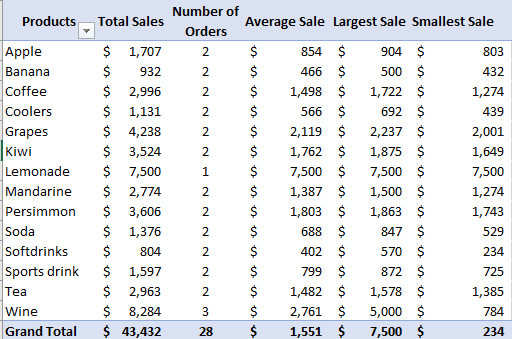
Changing PivotTable Calculations using the Value Field Settings
You will always find Excel either summarizing your data by adding the values together (SUM) or Counting the number of items. Nobody is stopping you from changing the type of calculation that your work demands to include averages, maximum, minimum, standard deviation and others. Change the calculation from the Value Field settings. Add a column […]

Apple’s new image format HEIC and Microsoft Office
Apple has introduced a new image and video format for iPhone and iPad, here’s how to handle it in Microsoft Office documents. .HEIC image files are made by default in some Apple devices with iOS 11. Microsoft Office and Windows don’t support the new format yet but there’s workarounds available in the meantime. Automatic HEIC […]

A faster way to review Office document versions
OneDrive will automatically save past versions of an Office document, here how to access those revisions quickly. The advertised way to view a document history is through the Activity button, next to Share on the top right. In Office 2016 for Windows, Office 365. The Activity pane shows a list of versions available, who worked […]
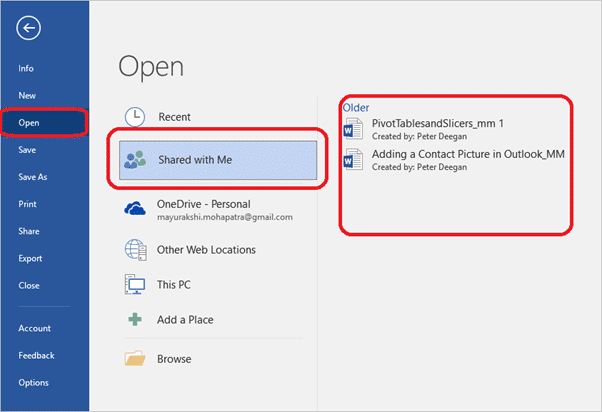
Shared with Me, new feature in Office 2016 Windows / Mac and more
A recent Office addition is ‘Shared with Me’, a list of the documents you’ve been invited to collaborate on with others. It’s available in Office 2016 Windows/Mac and the iPad, iPhone and Android Mobile apps. According to Microsoft ‘Shared with Me’ ” lets you see the files others have shared with you” Our checks show […]

Sharing documents in Office 2016 for Mac
Office 2016 for Mac (Office 365) has the same document sharing options as Office for Windows but they look a little different. In fact, Office for Mac has an additional sharing option not available in Windows. Just like Office 2016 for Windows, Office 2016 for Mac has a Share button on the top right of […]
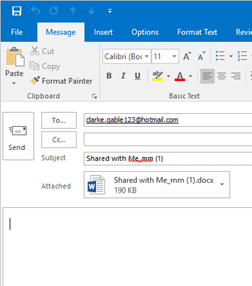
Sharing a document as an attachment from Office
It’s always been possible to email a document for reviewing or editing. Modern versions of Office make that easier by letting you email from the document directly, instead of an email program like Outlook. Instead of opening your email to send an attachment, click on Send as an attachment from your working document, to send […]

Send a document sharing link from Microsoft Office
The Share pane in modern Office is fine within an organization or with people who are familiar with document collaboration. But what if you want to share a document link with more detail in the email or using a non-email method like Instant Messaging? Well, you want to get just a link to your document […]

Fixing Office, OneDrive document sign-in problems
Ever since Microsoft added shared, collaborative documents via OneDrive, they’ve had problems with saving and sign-in. Here’s how to deal with some of those persistent bugs. These bugs can happen in Word, Excel, PowerPoint or OneNote. Most commonly with documents saved to OneDrive but also Dropbox or other cloud storage. Can’t Sign-in A very common […]

Where is Excel’s missing ‘New’ Feature?
It was a small but long awaited addition to Excel for Windows but now it’s disappeared? Why did the Chart option “Show #N/A as an empty cell” go missing? There was a small cheer in the Excel charting community when Microsoft put this extra option in the Chart | Hidden and Empty Cell Settings: ‘Show […]









