All about Microsoft Office Word, Excel, PowerPoint and Outlook, Microsoft 365, Office 2021 and earlier versions.
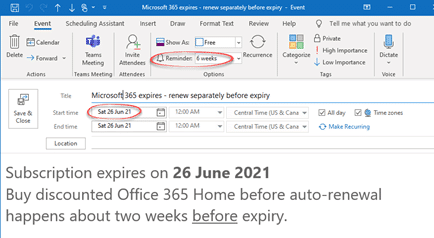
Simple way to save money on Microsoft 365 renewal – use Outlook!
One of our readers just saved over 20% on her Microsoft 365 renewal using one of Microsoft’s own products – Outlook! Julia A. a long-time Office-Watch.com reader took our advice about early renewal of Microsoft 365 (formerly Office 365). She just bought another year of Microsoft 365 from a retailer for less than what Microsoft […]

What’s my Microsoft 365 expiry date?
Not sure when your Microsoft 365/Office 365 plan expires? Go to https://www.office.com/ login with the Microsoft account linked to your Office 365/Microsoft 365 plan. Look for the icon at top right, it looks different for each person and might be your initials. Choose ‘My Account’. Then ‘Services & Subscriptions’ on the top row. Look for […]
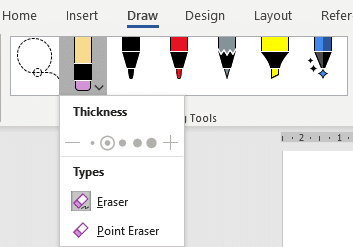
Combined Drawing Tools in Word 365 and other Office programs
The Drawing Tools in Word 365 is now larger with separate tools like Lasso and Eraser now in a single combined gallery. There are other changes and new limitations on the Drawing Tools gallery, some of them undocumented. Compare that to the old Draw tab where the Lasso, Eraser and Add Pen were separate from […]
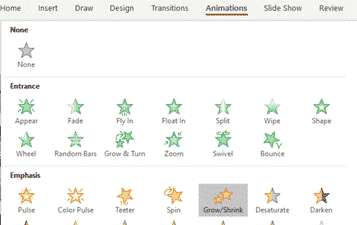
Ken Burns Effect in PowerPoint
The ‘moving picture’ or Ken Burns effect can be done in PowerPoint for Windows or Mac. It converts a still image into a slowly moving ‘pan and zoom’ over the photo.. There are several ways to apply a ‘Ken Burns effect’ which we’ll explain starting with a very simple option which only takes a few […]
Open multiple docs in Word or PowerPoint for iPad
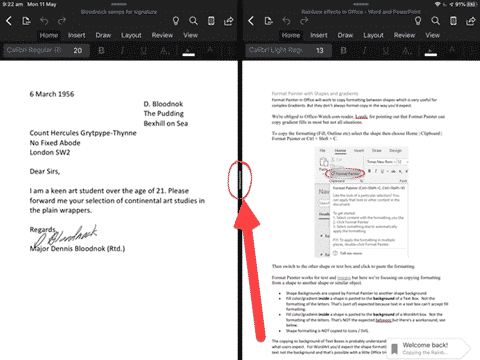
It’s now possible to open two Word docs or PowerPoint decks side-by-side on an iPad. iOS has multiple window or side-by-side support already, but Word and PowerPoint didn’t allow more than one document open at a time. That meant you could have a Word document open alongside another app but not another Word doc. Now […]
X Æ A-12 in Microsoft Word and Office
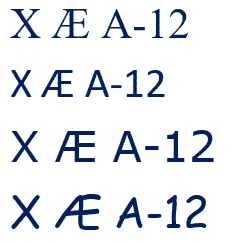
Elon Musk and partner have named their child X Æ A-12 (no kidding) how do you type Æ in Microsoft Word and Office generally. The child’s name doesn’t trigger any spelling or grammar errors in Word. No squiggly lines. What is Æ ? Æ or æ is a a-e ligature that was used in English […]

Looking back on Love – the Love Bug in Windows
Just like the Melissa virus, looking back to the Love Bug virus of May 2000 shows how much has changed and how much has remained the same. Much the same story as the Melissa virus that came out a few months before. Love Bug or I Love You was a VBScript virus sent mostly by […]
Microsoft Word – the song and video
It was only a matter of time before someone became so bored in the lockdown that they made a song about Microsoft Word. Ghetts, a British ‘rapper‘ (translation: singer/songwriter in the modern styling) has ‘dropped‘ (released) a song and video entitled ‘Microsoft Word’. As a boring white man in his sixties, the song is beyond […]
Section Breaks in Microsoft Word
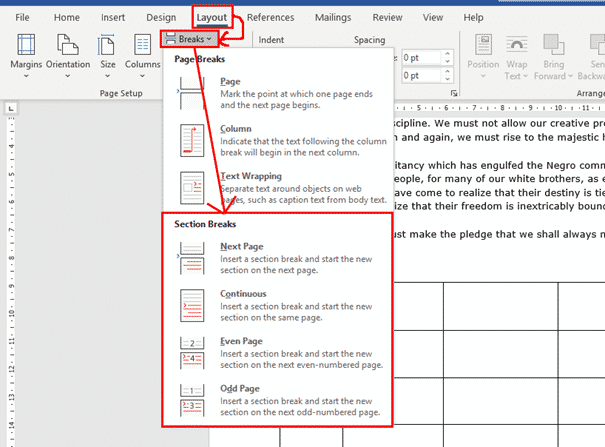
Section breaks are probably one of the most useful features in Word when you are formatting complicated documents. They allow you to change formatting aspects that would otherwise be the same throughout a document, such as page orientation, margins, columns, headers and footers. Column changes (2, 3 or more columns) need Section Breaks before and […]
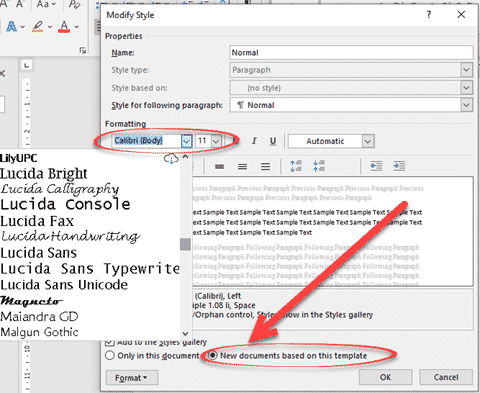
Two ways to make Word remember your preferred font
There are two ways to make Microsoft Word open with your preferred font ready to go. Just like with Two Ways to Change Word’s Opening Paper Size there are two ways to change the default or preferred font. Change the base Normal style or open the main Word template and make the change directly. Either […]

Search My Files is the better way to find files, PDF and Office documents
Nirsoft’s SearchMyFiles has received a major boost. It can now search inside Office documents and PDF’s. SearchMyFiles is the Windows search tool that should be included with Windows. It’s interface might be old-fashioned but all the options are visible, including some not available in Windows. Some of the highlights in Search My Files ‘Use Windows […]

Windows and Office are handling COVID-19 very differently
There’s big gap between the response of the Windows and Office parts of Microsoft to the coronavirus troubles. One team has understood the changed needs of customers and adapted; the other part of the same company is carrying on as normal and even taking advantage. Most people think that Windows and Office come from the […]

Format Painter with Shapes and gradients
Format Painter in Office will work to copy formatting between shapes which is very useful for complex Gradients. But they don’t always format copy in the way you’d expect. We’re obliged to Office-Watch.com reader, Lorelei, for pointing out that Format Painter can copy gradient fills in most but not all situations. To copy the formatting […]

Six shortcuts for horizontal lines in Word and stopping them!
Word has six shortcuts to make horizontal lines, here’s how they work, change them, color the lines and how to stop lines when they get out of control. All six line shortcuts There are six horizontal line shortcuts. For each one type the same character three times at the start of a new line then […]
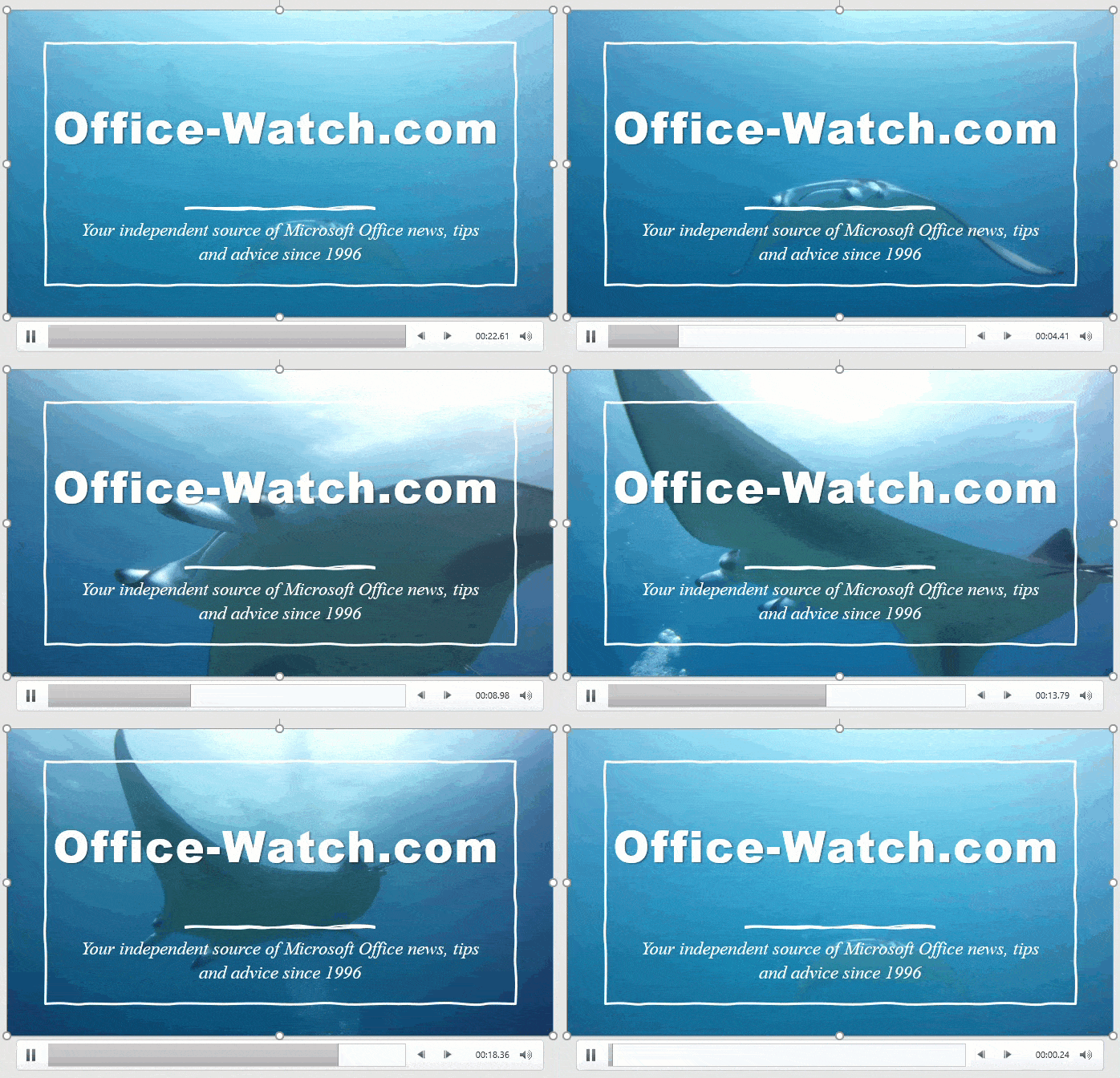
Why PowerPoint Video Backgrounds Should Be Banned
Microsoft is pushing video backgrounds to PowerPoint slides, but they really are a bad idea and should be banned from slide decks. Designer’s Design Ideas will start with a background video. Microsoft loves showing off these moving backgrounds because they impress people at demonstrations. Moving backgrounds are not a good idea because they distract the audience from the presenter and […]

It’s Microsoft 365 day – what changes today?
Today (21 April 2020) is that day Office 365 becomes Microsoft 365. What does that mean to you and using Word 365, Excel 365, PowerPoint 365, Outlook 365 etc. A few weeks ago, Microsoft announced that ‘Office 365’ was becoming ‘Microsoft 365’ from today. There’s NO change in the software people use and buy. Office […]