All about Microsoft Office Word, Excel, PowerPoint and Outlook, Microsoft 365, Office 2021 and earlier versions.

PowerPoint gets a Portrait mode for iPhone and iPad
PowerPoint is getting a Portrait or vertical orientation option for PowerPoint mobile on Apple iPhone and iPad. Portrait mode is already in PowerPoint desktop (Windows/Mac) though it’s hidden. Portrait mode for slides and videos is quite common these days (TikTok and similar are all portrait) even though it offends purists like your humble correspondent. Design […]
Outlook’s upside-down or flipping image rotation problem
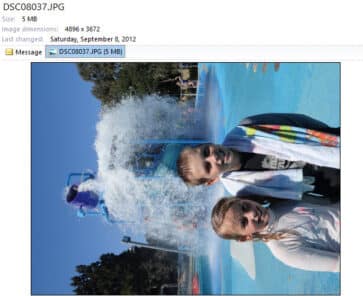
Why does the same picture appear rotated sideways or flipped in Outlook for Windows/Mac but right side up elsewhere? It’s an image annoyance in older versions of Microsoft Outlook which we’ll explain. Outlook for Windows or Mac lets you preview a picture by clicking on the attachment icon but sometimes the preview is the sideways […]
Scale text, larger or smaller, in Microsoft Word
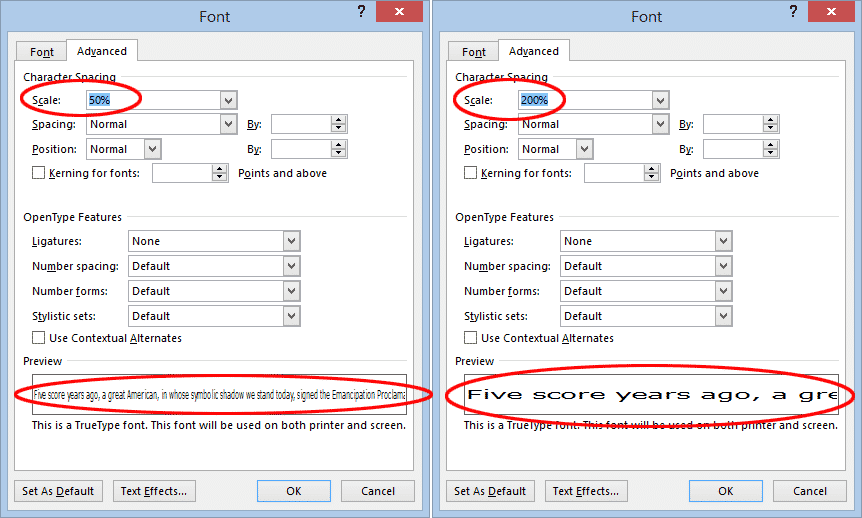
Scaling Text in Word is another Microsoft Word text effect to make the text larger or smaller. Specifically, the Scale option stretches or contracts the horizontal width of the characters and spaces between. Here’s an example of normal, 150% and 66% scaling. To change the scaling of text in Word, select the text you want to change and either: On the […]

Complete Christmas emoji, fast find and copy
Need a Christmas emoji or symbol? Here’s a quick and searchable list of all the Xmas emoji for documents, sheets, slides, emails or messages that you can use or copy. This list has all the Christmas related emoji we can think of, the broadest sense both secular and religious. These emoji are supported (with different […]

6 Outlook tricks for Soccer World Cup fans and ‘normal’ people
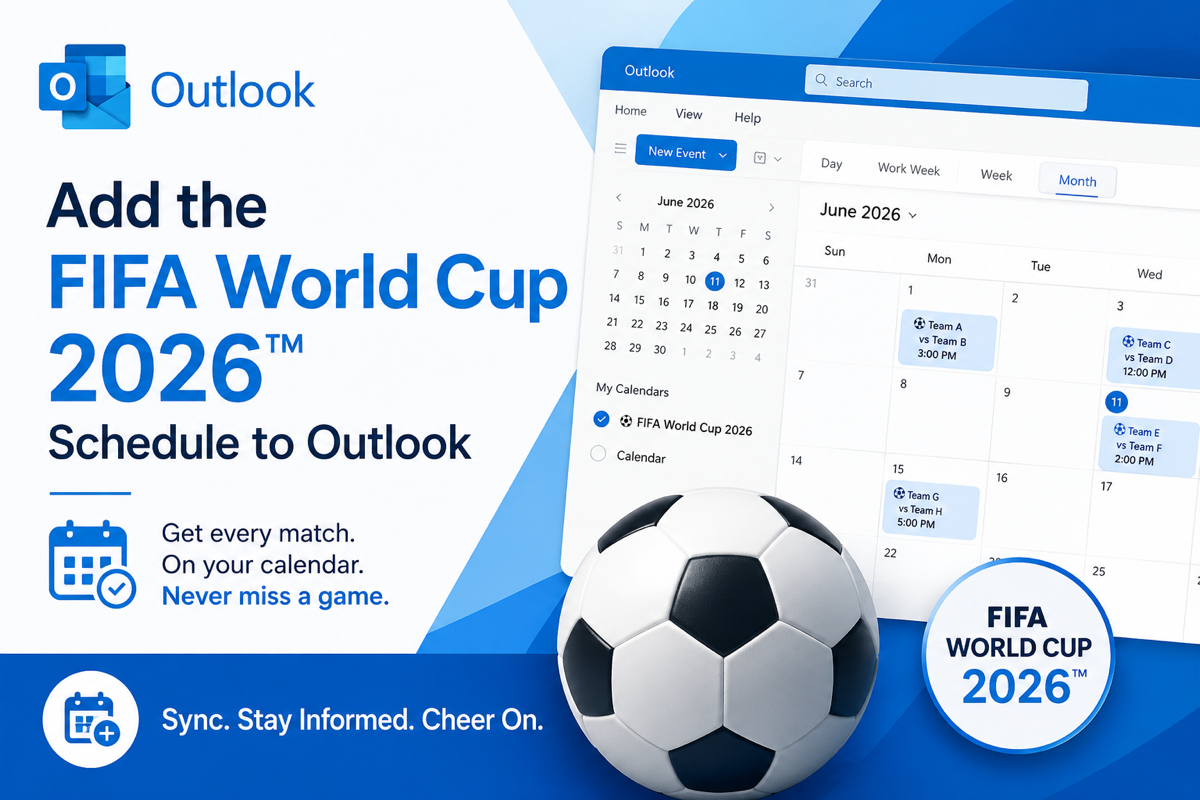
Here’s some Outlook tricks to help planning for the Soccer World Cup or any other event. (Obviously, we’re joking about ‘normal’ people😄. Our football ⚽ loving friends are sure they are normal and pity humans with no interest in the round-ball game.) We’ve already looked at how to import a list of all World Cup […]

Use the six Soccer icons in Microsoft Office
In the Microsoft Office Icons there are six Soccer (football) related graphics, a ball, running player and a goal net with two variations on each. Start with those plain icons to make more colorful designs with a few clicks. There are also some Soccer ⚽ emoji in Office Along the way, we also found a […]

Soccer ball ⚽ emoji in Word, Excel, PowerPoint and Outlook
Kick a Soccer ball ⚽ emoji into Microsoft Word, Excel, PowerPoint or Outlook. Both in Office for Windows and Office for Mac. To save confusion we’ll talk about ‘Soccer’ not ‘football’ which can come in many types; American/Gridiron, League, Union, Australian and Gaelic. How Soccer ball ⚽ emoji looks in different Windows fonts. On Apple […]

Outlook.com attachments to OneDrive: unanswered questions
There are unanswered questions about Microsoft’s ‘move’ of Outlook.com attachments to OneDrive storage. Microsoft is being quite ‘opaque’ about the details of the change. On 1 Feb 2023 the space used by attachments in an Outlook.com mailbox will be counted against the OneDrive space quota not the mailbox limit. That’s a significant change which leads […]

What are Outlook .nst files? Can they be deleted?
If you look in the Outlook desktop for Windows data folder, you might see a .NST file as well as the usual .OST and .PST data files. Office Watch explains what a .NST file is, should you do a backup and whether it’s safe to delete. An .NST file is in the same folder as […]
What are Outlook Groups and Microsoft 365 Groups?
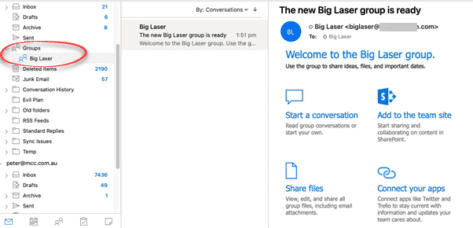
You might see mentions of “Outlook Groups” or even Groups appearing in your Outlook navigation pane. What are Outlook Groups, Microsoft 365 Groups and what can you do with them? For many people, the first thing they know about Groups is when the name appears in their Outlook, either Outlook desktop Windows/Mac (left) or Outlook […]
Don’t forget WordPad – the emergency Microsoft Word
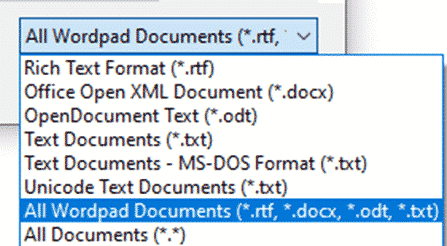
One of the ‘emergency’ options to remember is WordPad, which can open Word documents, available in modern Windows 11, 10, 8.1 and 7. Often overlooked, WordPad can be very useful. It’s always available when Windows is running even in the Safe mode. No extra install or setup needed. It’s on the Start Menu as one […]
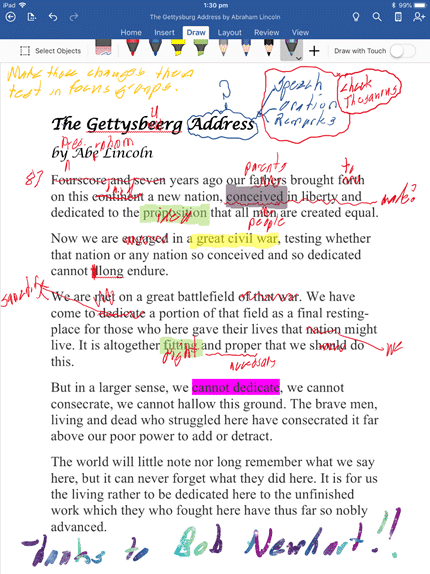
Handwritten document editing without pen or paper
It’s possible and practical to make ‘handwritten’ notes or edits direct on your Word, Excel or PowerPoint documents. Instead of printing them out and using a pen/pencil, do it on-screen with a digital pen. Here’s a real-world guide to how you can do it, leaving aside the hype and flashy demos. Even these days, it’s […]

Two ways to get one line of Word with left and right aligned text
Two ways to put left and right aligned text on the same line in Microsoft Word. There’s the commonly used option and the less well-known choice. BONUS: putting left, center and right aligned text on one line. We’ll show how to make Left and Right aligned text looking like this. You’ll often see it in […]

FAX ℻ symbol in Word, Excel, PowerPoint and Outlook
Type the Facsimile sign or Fax symbol ℻ into Microsoft Word, Excel, PowerPoint or Outlook. Both in Office for Windows and Office for Mac. FAX ℻ symbol is a single character with the letters FAX, normally used to prefix a telephone number in a letter heading or footer. For younger readers: a Fax machine was a […]

Eight places to find missing OneNote pages or notebooks
Occasionally OneNote pages or whole notebooks go missing … here’s eight places to try finding them again. Don’t Panic OneNote saves everything … it was designed that way from Day One. It’s unlikely that something has truly been erased. More likely that the page, section or notebook is hiding somewhere in the depths of OneNote, […]
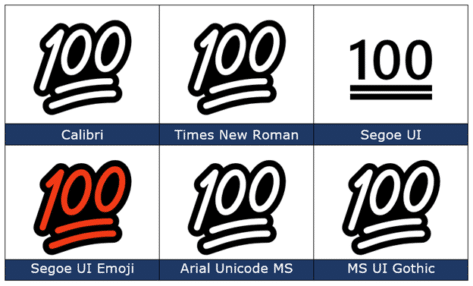
100 points 💯 emoji in Word, PowerPoint and Office
Type the Hundred points 💯 emoji into Microsoft Word, Excel, PowerPoint or Outlook. Both in Office for Windows and Office for Mac. 100 points 💯 symbol is also known as ’100’, ‘Keep it 100’ or ‘Keeping it real’. How 100 points 💯 looks in different fonts. Here’s some examples of how 100 points 💯 looks in […]