
Oversold mystery typography changes in Word and Outlook
Microsoft is changing the way Word’s Read Mode and Outlook’s Reading Pane looks but it’s hard to know what they’re doing because there’s a lot of oversold hype but little detail. These changes were announced more than two weeks ago and still haven’t appeared on any of our test machines. That’s important because Microsoft’s blog […]

Pantone’s 2024 color ‘Peach Fuzz’ in Word, Excel and PowerPoint
Pantone’s color of the year for 2024 is “Peach Fuzz”. You can use that exact color in Word, Excel, PowerPoint, Outlook and Designer using the Hex/RGB color code. And we’ll look at the flowery prose that’s become a hallmark of this annual promotion. The color of 2024 is … Peach Fuzz As usual what’s more […]

Get over 3,000 more great Office icons from Google
Google has more than 3,000 Icons available to add into Microsoft Office documents from either SVG files or a font. Material Symbols are a collection of small icons, much like the Icons available in modern Office. As SVG files they can be recolored and changed from their standard black line look. Use them in Word […]

Croissant 🥐 emoji in Word, Excel, PowerPoint and Outlook
Add the Croissant 🥐 emoji into Microsoft Word, Excel, PowerPoint or Outlook. Both in Office for Windows and Office for Mac. I have to declare a personal interest in this article because the Croissant 🥐 is an essential part of my breakfast. No morning is complete without the “Three C’s” – Coffee, Computer and Croissant […]
Sketchy line option in Office for Windows and Mac
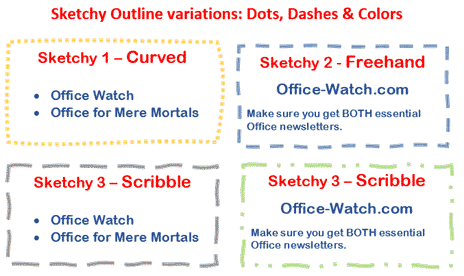
Office for Windows and Mac has three special outline styles for the borders of shapes and text boxes. Called ‘Sketched’ or ‘Sketchy‘ because they have a hand-drawn line look. It’s a nice little addition to Word, Excel, Powerpoint and Outlook. Let’s see how it works plus some details and limitations that Microsoft hasn’t mentioned. All […]
Sketchy or wriggly lines in Icons and SVG graphics
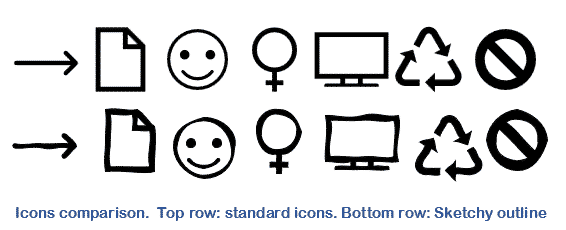
Microsoft Office Icons and other SVG graphics can be improved a lot simply with Sketchy or Sketched lines. They turn an icon or graphic from something formal into a hand-drawn and casual look. Sketchy lines is the ‘hand-drawn’ line option available in Microsoft 365 for Windows or Mac plus Office 2021. It lets you change […]
Outlook desktop crashes on Outlook.com
Outlook 365 for Windows can crash when sending email from a Outlook.com is more than usually embarrassing for Microsoft. The bug is only in the Current Channel (Preview) version 17029.20028 which is the version to everyone on that pre-release option. Other releases like Beta channel and the public release are NOT affected. According to Microsoft, […]

Why Outlook Lite is better Outlook app
There’s (yet another) Outlook app available. Outlook Lite is a better ‘scaled down’ version of the Outlook Mobile app. Officially it’s only available in certain countries but we had no trouble installing Outlook Lite, so maybe you can try it too. Microsoft has deployed its full range of marketing buzzwords to sell Outlook Lite. It […]
How to recover lost roaming signatures in Outlook
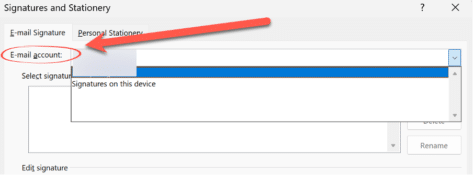
If your Outlook roaming signatures have disappeared, there’s a few things to check first then recover them. Modern Outlook for Windows has roaming signatures but sometimes they don’t behave. See Roaming email signatures in Outlook 365, 2021, 2019 for how they are supposed to work and Outlook signatures and roaming troubles Failing that, all you […]

Outlook signatures and roaming troubles
Signatures in Outlook have changed for Outlook 365, Outlook 2021 and Outlook 2019 but they have troubles, at least for Microsoft managed mailboxes (Microsoft 365 and Outlook.com). In January 2020, Microsoft promised to make email Signatures ‘roam’ meaning they would synchronise and appear on each version of Outlook using the same mailbox. That was originally […]
Export / Import your Outlook Signatures
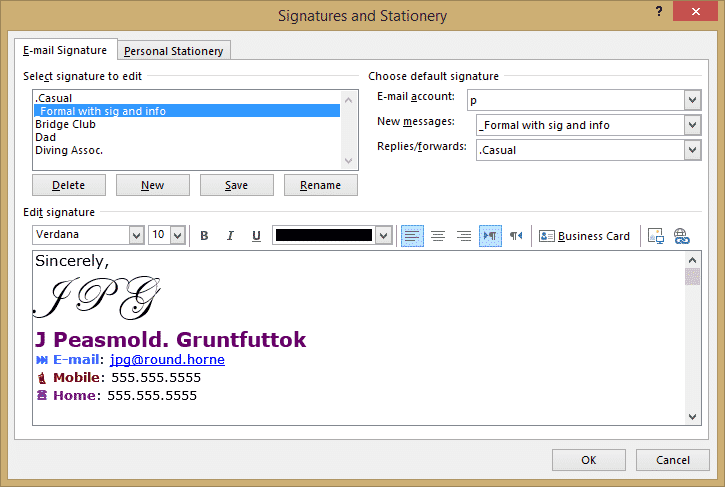
Where are Outlook email signatures stored and how to copy them to another computer. There’s no import/export option for Outlook email signatures so how can you move them to another computer? This page applies only to signatures saved to the local computer, not signatures for Microsoft hosted mailboxes see Roaming email signatures in Outlook 365, […]
Signatures for all occasions in Outlook
How to have email signatures in Outlook for all the different roles in your life. Most of us wear different ‘hats’ – a family member, friend, person, employee or volunteer. Each of those ‘hats’ can have a different Outlook email signature. Which Outlook signature you use depends on the situation and, perhaps, the email account […]

Essential keyboard shortcuts for the Office Selection Pane
Use these essential keyboard shortcuts to make best use of the Selection pane in Microsoft Office. Alt + F10 Open Selection Pane F6 Move the keyboard focus through the major regions until reaches the Selection Pane Tab Navigate by keyboard through the buttons in the pane and then into the list Up arrow, down arrow […]

Roaming email signatures in Outlook 365, 2021, 2019
Here’s how roaming email signatures work (supposedly) in Outlook 365, Outlook 2021 and 2019 for Windows including the traps and pitfalls for the unwary. What is a roaming Signature? For most of Outlook’s history, Email Signatures were saved on each computer/device only. If you have multiple computers with Outlook, you setup signatures on each device. […]
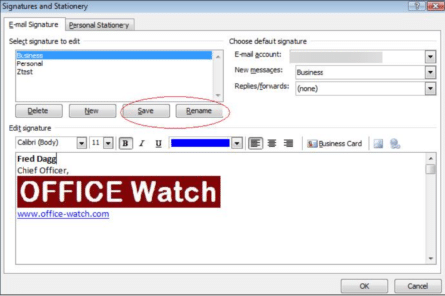
Outlook Signatures for Outlook 2016 and earlier
Personalize emails in style with signatures on your emails in Outlook 2016 back to Outlook 2007 for Windows. Make one or more signatures for each mail account. Outlook signatures are a wonderful way to personalize emails. Outlook Signatures are blocks of text or graphics that appear at the end of outgoing messages. As it literally […]
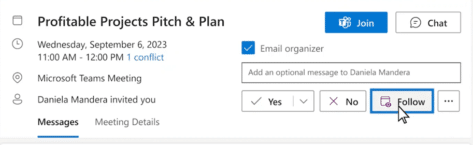
New ‘Follow’ option is really a bad sign for Outlook customers
In 2024 there’ll be a good addition to some versions of Outlook called ‘Follow’ but it’s also bad news for everyone using the current Outlook for Windows. The addition is ‘Follow’ that will appear for invitations to Teams online meeting. Follow is slated for release in five months, March 2024 according to Microsoft’s Roadmap. Normally […]









