
Ballot Box with Ballot 🗳 emoji in Word, Excel, PowerPoint and Outlook
Insert the Ballot Box with Ballot 🗳 symbol into Microsoft Word, Excel, PowerPoint or Outlook. Both in Office for Windows and Office for Mac. Ballot Box with Ballot 🗳 symbol can be used for any situation around voting or choice. For example to decorate this PowerPoint slide. How Ballot Box with Ballot 🗳 looks in […]
Aptos & Microsoft fonts, what can you legally do with them?
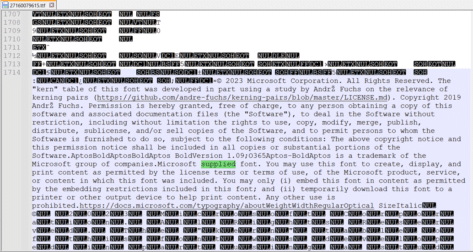
What are the legal limits on fonts supplied by Microsoft in Windows or Microsoft Office? Is there anything special for the Microsoft 365 only Aptos fonts? A few readers have asked us about the font license rules that apply to fonts provided by Microsoft. Can the fonts be embedded in documents or PDF’s for portability? […]

Finding more SVG or Icons for your Office documents
There are a lot more Office Icon or SVG graphics available than the ones in Microsoft 365, Office 2021 or 2019. Jazz up your documents, emails or presentations with a wider range of graphics than the (overused) ones that come with modern Word, Outlook or PowerPoint. Microsoft 365, Office 2021 and 2019 have Icons which […]
Degree symbol ° in Word, Excel and PowerPoint
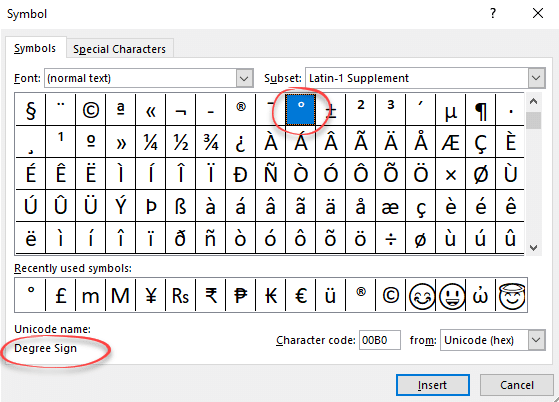
Type or enter the ° Degree symbol into Microsoft Word, Excel, PowerPoint or Windows / Mac programs generally. Degree ° is a common symbol and should be available in most fonts. If not, try another font or one of the fonts with a very wide range of characters like Arial Unicode MS or Lucida Sans […]

Great Office Autocorrect tips by degrees
Here’s some Office Watch readers suggestions for using Microsoft Office’s Autocorrect with to quickly type common phrases and symbols like the degree sign and temperature. Yehuda Z says: “I use (0) to auto-correct to the symbol for degrees ?. It makes things much easier. I also use ty and tyvm for Thank you! and Thank […]

World Map 🗺 symbol in Word, Excel, PowerPoint and Outlook
Insert a World Map 🗺 symbol into Microsoft Word, Excel, PowerPoint or Outlook. Both in Office for Windows and Office for Mac. Of course, there are many Earth map images or drawings available on the Internet. There’s also some Microsoft Office Icons that we’ll explain below. We’re mostly talking about the World Map 🗺 symbol […]
What happens when Aptos fonts aren’t available?
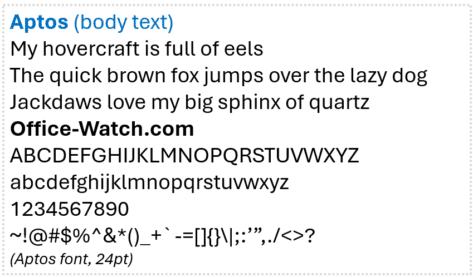
The new Aptos range of fonts is only available on Microsoft 365 apps. We investigate what happens when a document, sheet, slide or email with an Aptos font is opened on a computer without Microsoft 365 and the Aptos font range. In short: if Aptos fonts are not available, it’s not possible to say, for […]

All the Office theme changes in Microsoft 365
Microsoft is changing more than just the font in Microsoft 365, there are also default color scheme and even line changes coming too. Here’s all the proposed changes and how to reverse them. New Default Fonts We’ve already talked about the new default fonts, Aptos and Aptos Display. New default font, Aptos, in Microsoft 365 […]

Mt Fuji 🗻 symbols in Word, Excel, PowerPoint and Outlook
How to insert the Mount Fuji 🗻 or snow-capped mountain into Microsoft Word, Excel, PowerPoint or Outlook. Both in Office for Windows and Office for Mac. Mount Fuji (富士山 or Fujisan) is a Japanese Holy Site and World Heritage Listed. The symbol or emoji 🗻can be used for the famous mountain or any time you want […]

Which Microsoft Office feature badly needs a fix?
For all the changes Microsoft has made to Search (aka Tell Me), they continue to ignore one basic that would make Word, Excel, PowerPoint and Outlook a lot easier to work with. Here’s some examples of how Microsoft Office search badly needs fixing. Search (formerly called “Tell Me”) usually appears in the title bar as […]

Three ways to insert a Recycle symbol ♻ in Word, Excel, PowerPoint and Outlook
Three ways to insert the Recycle symbol ♻ into Microsoft Word, Excel, PowerPoint or Outlook. Both in Office for Windows and Office for Mac. There are many different and specialist Recycle symbols. We’ll focus on the standard, generic symbol, officially called “Black Universal Recycling Symbol” in three forms: Emoji or Unicode symbol, Office Icon and the […]

Teardrop-Spoked Asterisk ✻ in Word, Excel, PowerPoint and Outlook
Insert the Teardrop-Spoked Asterisk ✻ into Microsoft Word, Excel, PowerPoint or Outlook. Both in Office for Windows and Office for Mac. Heavy Teardrop-Spoked Asterisk ✻ symbol has a circle in the middle with six ‘teardrop’ spokes around it. It has no specific purpose but is a more decorative alternative to the standard asterix * or other bullet […]

Scanning from within Microsoft Word or Office
Can you scan a picture or document directly into Word, Excel, PowerPoint or Outlook? Certainly, but these days we’re spoiled for choice and have fantastic features like using a smartphone as a simple scanner. Back in the day, you could click a button in Word 2003 to scan a document or image and drop it […]
The faster way to insert pictures into Office documents
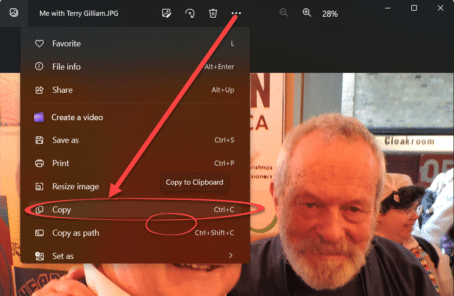
An easy and fast way to add pictures into Word, Excel, PowerPoint or Outlook. We mentioned a faster way to get a scanned image into Word via the ‘scan to clipboard’ option available in some scanning software. There are similar options available for copying existing image files into Word, Excel or PowerPoint documents as well […]
Workaround for Outlook slowly saving attachments
There’s a bug in the latest release of Outlook 365 for Windows (Microsoft 365) which makes saving attachments slow to a crawl. Microsoft has a workaround to consider, if you’re desperate. The problem occurs when saving attachments to a network folder directly. There’s a long wait looking at this dialog box. Finally the ‘Save As […]
Why another Outlook for Windows is coming
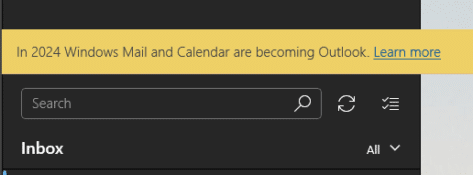
Windows Mail and Calendar apps will be replaced with the ‘new’ Outlook. That means a second ‘Outlook for Windows’ and plenty of confusion for customers and support people. Microsoft made this mistake before and seem determined to do it again. This ‘new’ Outlook is a Progressive Web App (PWA) formerly known as ‘Project Monarch’. It’s […]









