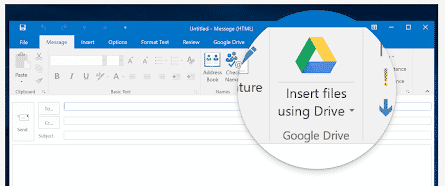
Google Drive plug for Office ending soon
The current Google Drive plug-in for Microsoft Office will stop working near the end of June. There’s an improved update already available for some customers and an alternative for the rest. If you’re using the Google Drive plug-in, you’ll start seeing a warning about the plugins death on 26 June 2019. Source: Google There are […]
New Japanese Imperial Era changes in Excel and Office
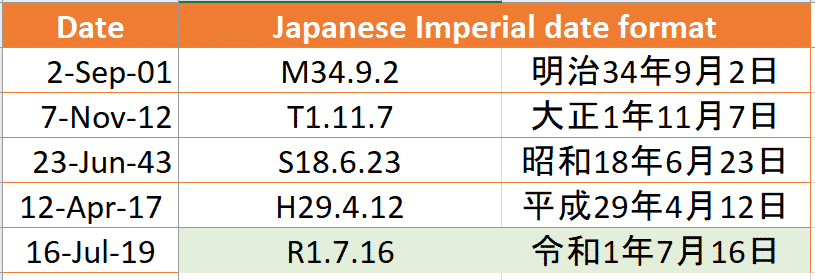
An update for Excel users on the upcoming new Imperial Era in Japan and how to type the Reiwa era name in Office documents The Japanese government has now announced the new Era name that will coincide with new Emperor. From 1 May 2019 we’ll be in the 令和or Reiwa era. This might not seem […]
Word’s Melissa virus is 20 years old – what’s changed?
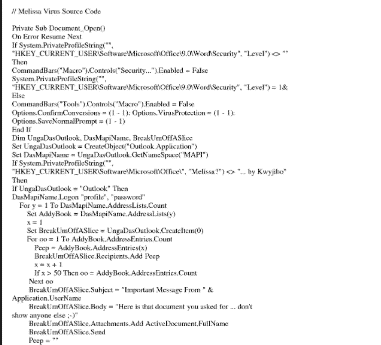
One of the first major Word viruses, the Melissa virus, is 20 years old. It’s amazing to see how much and how little has changed over two decades. Office viruses today follow much the same pattern as they did back in the 20th Century. Melissa was a Word macro virus which infected computers then spread […]
When Outlook goes completely off the rails
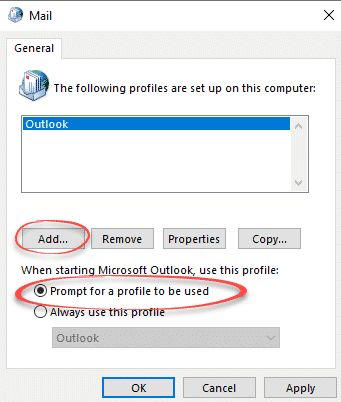
What can you do when Outlook won’t connect to a new mailbox no matter what you try? Long time Office Watch reader, Phil, found himself with an especially stubborn Outlook which would not connect to his new mailbox. He’s changed Office 365 mail servers so had to reconnect Outlook to the new mailboxes for him […]

Important Outlook 2016 and Access 2016 update / bug fix
Among the usual grab bag of non-security updates this month is an important Access 2016 update and bug fix for Outlook 2016 This patch only applies to Office 2016 with a stand-alone .msi installed – NOT Click to Run installs. It’s a single patch KB4462214 that applies to both Outlook 2016 and Access 2016. Access […]

New Office icons start appearing … yawn
Updated Microsoft Office 365 icons have started appearing in the preview ‘fast track’ Office 365 for Windows and we could not be more excited. No … not really. When it comes to changed Office icons; if we were more apathetic, we’d be in a coma. Office 365 icons for Word, Outlook, Excel and PowerPoint on […]
Do you hate Skype software? Here’s the alternative!
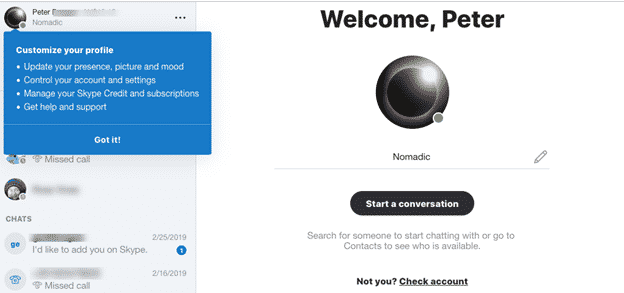
Microsoft has released a browser based version of Skype. It’s great news but maybe not for the reasons Redmond expects. Skype on the Web is an alternative to the bloated and annoying Skype for Windows or Mac. What is Skype for Web? It’s Skype with most of its standard features running on a web page. […]
Color Font support in Microsoft Office – the story so far
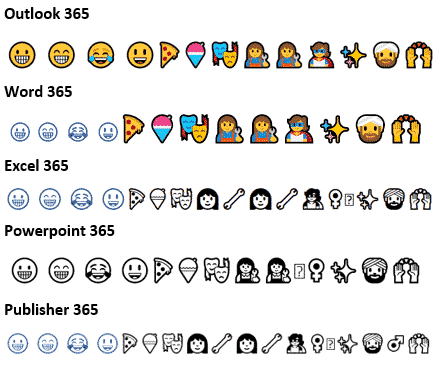
Color fonts are coming to Microsoft Office and Windows but progress is slow and patchy. Here’s a quick summary of color fonts and the occasional, erratic support in Outlook, Word and other Office programs. What are color fonts Since the beginning of Mac and Windows we’ve had single color fonts. Usually black but can be […]
Big savings with the new Office Home Use Program – 2019 style
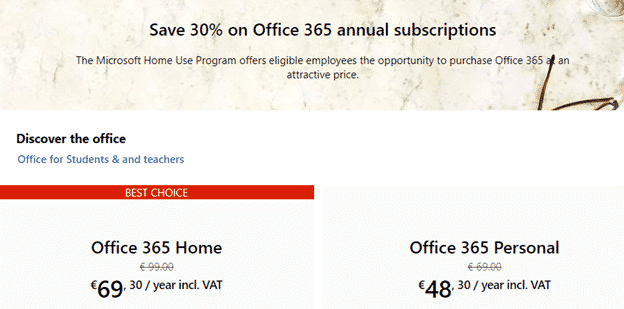
The Microsoft Office Home Use Program (HUP) is a great way to save on Office 365 or Office 2019 for employees of many companies, organizations, governments and even some military personnel. Here’s details on the savings possible with the recent changes to the HUP. What’s changed? The Home Use Program (HUP) is changing to the […]

Home Use Program for Microsoft Office 365 – who can get it and how?
Here’s who can qualify for cheaper Office 365 Home or Personal under the revised Home Use Program and how to get the lower prices. Employer qualification Your employer must have a Microsoft Office Volume Licence agreement with Software Assurance Maintenance (SAM). If Office is widespread in your organization it’s likely they have a volume licence, […]

Rugby World Cup 2019 in your Outlook calendar
The full match schedule for the 2019 Rugby World Cup can appear in Outlook calendar. Internet calendars can be added to your regular appointments or placed in a separate Outlook calendar that can be viewed side-by-side or overlaid on your regular calendar. 2019 Rugby World Cup calendar First, find an online calendar in the webcal […]

You’d better hurry if you want discounted Office 2019 for $15
The current Home Use Program with Office 2019 sold for a mere $15 is about to end. If you want the perpetual licence Office 2019 for Windows or Mac, you’d better hurry. The full impact of the changed Office Home Use Program (HUP) is becoming clear. We’ve already noted that Office 365 subscriptions are becoming […]

Wiping drives or shredding files in Windows
Here’s a quick and easy way to totally erase file, folders or free disk space so there’s no trace of the original data. Also erasing an entire drive before handing over or selling. As you may know, deleting a file doesn’t really remove it from your computer. Even after deleting from the Recycle Bin, the […]
Have a happy Year of the Pig emoji in Word and Office
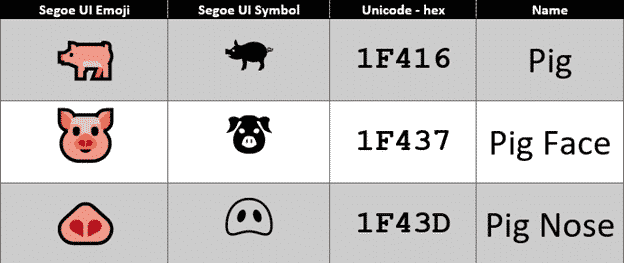
It’s the Chinese Year of the Pig and there are some symbols in Word, Excel and PowerPoint to mark the occasion in Office for Windows or Mac. The Unicode standard has three Pig related emoji, Pig, Pig Face and Pig Nose. Once you know the names or hex value, they can be found with the […]

Webmail is bad, use Outlook software instead
Web based email is very common these days but it’s not the best way to handle your email. At worse, webmail can leave you stranded and out-of-touch. A lot of people now use webmail as the only way to access email on their computer, not realising, until it’s too late, that there’s a better way. […]
Email with webmail or software – what’s the difference?
How can you tell if you’re reading email in a web browser or using email software like Outlook for Windows or Mac? This might seem obvious to some but many people use ’email’ without understanding the important difference between webmail and email programs. There are two ways to read and send emails: use software/apps like […]









