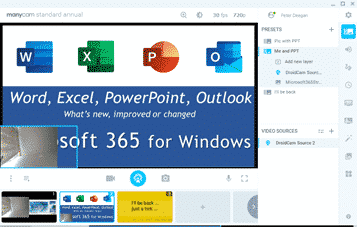
Blur and Virtual Background choices for any online meeting
You can have a blurred or virtual background for any online video call, not just ones that have those in-built features. Zoom has blur and virtual background options. Teams is getting them with some limitations. Other online calling software either don’t have them or they are configured in different ways. What would be ideal is […]
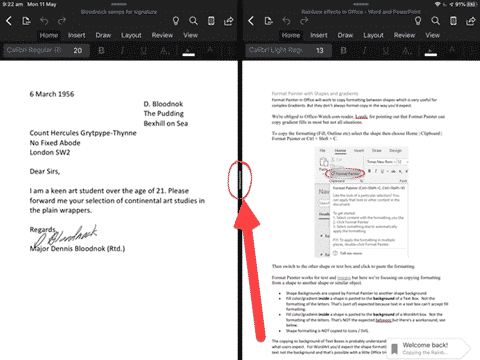
Open multiple docs in Word or PowerPoint for iPad
It’s now possible to open two Word docs or PowerPoint decks side-by-side on an iPad. iOS has multiple window or side-by-side support already, but Word and PowerPoint didn’t allow more than one document open at a time. That meant you could have a Word document open alongside another app but not another Word doc. Now […]
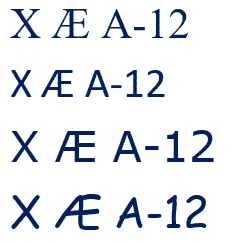
X Æ A-12 in Microsoft Word and Office
Elon Musk and partner have named their child X Æ A-12 (no kidding) how do you type Æ in Microsoft Word and Office generally. The child’s name doesn’t trigger any spelling or grammar errors in Word. No squiggly lines. What is Æ ? Æ or æ is a a-e ligature that was used in English […]

Muting and other online call etiquette
Make online group calls better for you and others on the call. Muting, watching your look and the background. We’ll use Zoom as our example but the same etiquette applies to Teams, Meet, Facetime or any other group calls. Mute if you’re not speaking Group online calls are great but a horrible mess if everyone […]

Adding Virtual Background or blurred video to Teams
It’s possible to add a virtual background of your choice to a Microsoft Teams video call or just blur the background for a little privacy. Microsoft hastily added some virtual background options to Teams but the whole calling part of Teams is still woefully inadequate. For example, many of the video settings aren’t selectable until […]

London virtual backgrounds for all
Transport for London knows some of us are missing our bus and tube journeys so they’ve made some virtual backgrounds you can use on Zoom, Teams or anywhere else that supports it. Or use as a background on a PowerPoint slide. Go to https://londonblog.tfl.gov.uk/2020/05/01/video-conference-backgrounds/ There’s ‘Sit in collection’, pretend you’re on a bus, train or […]

Search My Files is the better way to find files, PDF and Office documents
Nirsoft’s SearchMyFiles has received a major boost. It can now search inside Office documents and PDF’s. SearchMyFiles is the Windows search tool that should be included with Windows. It’s interface might be old-fashioned but all the options are visible, including some not available in Windows. Some of the highlights in Search My Files ‘Use Windows […]

Format Painter with Shapes and gradients
Format Painter in Office will work to copy formatting between shapes which is very useful for complex Gradients. But they don’t always format copy in the way you’d expect. We’re obliged to Office-Watch.com reader, Lorelei, for pointing out that Format Painter can copy gradient fills in most but not all situations. To copy the formatting […]
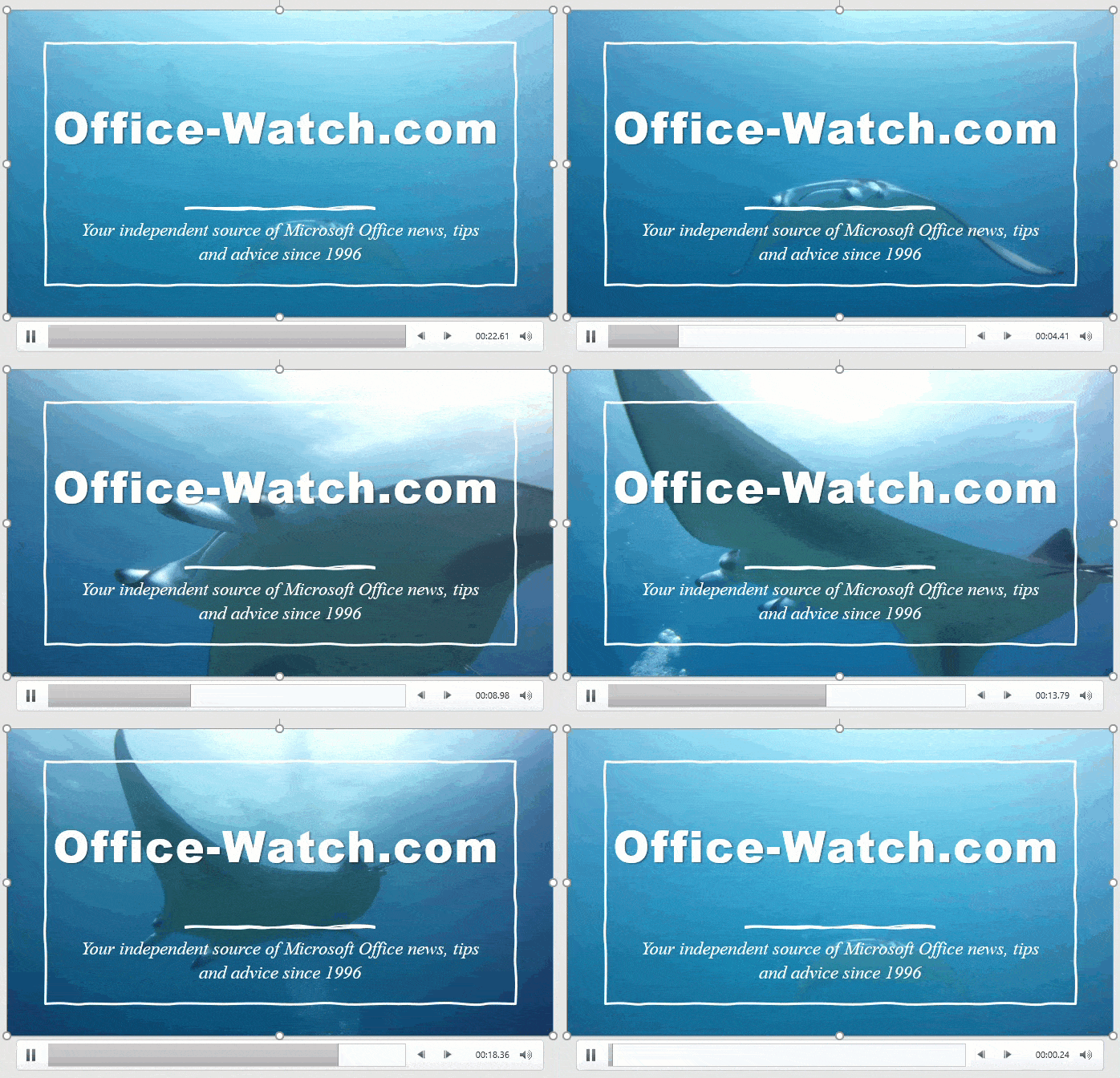
Why PowerPoint Video Backgrounds Should Be Banned
Microsoft is pushing video backgrounds to PowerPoint slides, but they really are a bad idea and should be banned from slide decks. Designer’s Design Ideas will start with a background video. Microsoft loves showing off these moving backgrounds because they impress people at demonstrations. Moving backgrounds are not a good idea because they distract the audience from the presenter and […]

Live video in a PowerPoint presentation
Inserting live video into a PowerPoint presentation is possible in different ways. With online meetings and presentations all the rage, it’s natural that people would like to show themselves and their presentation at the same time. Either half and half screen (left) or some variation of video in box (right). Other presenters want a live […]

Converting Google Slides to PowerPoint
Google Slides can be handy for sharing and working on presentations with other people, but sometimes you just really need that file in PowerPoint. No problem – it’s actually really easy to convert them. All you have to do is download the file and save it as a PowerPoint file. If the Google Slides File is Open If you have your Google Slides file open, just go to […]
April 2020 updates for Office come with a warning
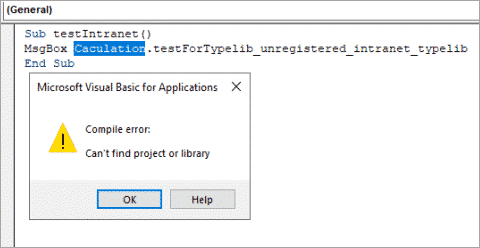
The April 2020 security fixes for Microsoft Office come with a warning that some VBA code will stop working. There are workarounds to let some references through. The KB4557055 security fix blocks VBA references that link to Internet or intranet sources or have been downloaded from the Internet. That will effect some Office/VBA code which […]

Text Spacing tricks for better PowerPoint slide titles
PowerPoint includes quick access to character spacing features that make slide titles stand out. In PowerPoint there are two useful features to make a slide title jump out at the viewer. Character Spacing is quickly changed on the Home tab. More subtle is Kerning. When it comes to Design, and clarity in Design, Space is almost as important as Content. This is also true when […]
Sending and Receiving faxes without a fax machine
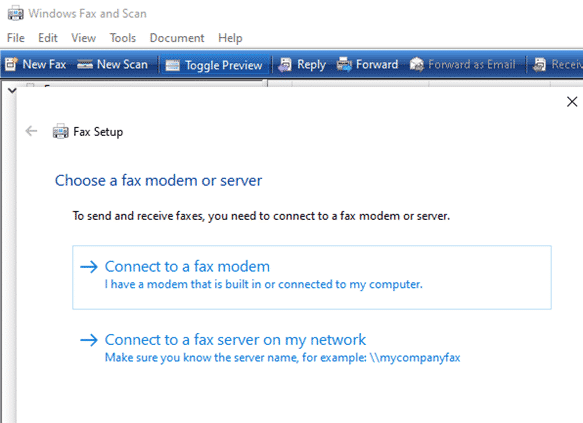
It is possible to send and receive faxes without a fax machine. At least you can send a fax from your computer without a fax machine because there are online services to do that for you. We’ve noticed some press reports were overwhelmed offices have reverted to faxes because their web systems have broken down. […]

Add the Indian Flag into Word, Excel or PowerPoint
Find and add the Indian flag into Office documents, Word, Excel or PowerPoint, then use some Office picture tools to enhance the image. The same help applies for any other national flag, just look for a different source. Get the Indian Flag Image There are many, many copies of the Indian flag available. We’ve opted for the Wikipedia site because it […]

Gradient and Rainbow Picture Borders in Word and PowerPoint
Word and PowerPoint allow you to not only put a colored border around a picture, instead try a pretty gradient effect for single color or multi-colored rainbow effects. Like most of the fancier border effects, you can access gradient border settings in the Format Picture pane, by going to Picture Format | Picture Border | […]









