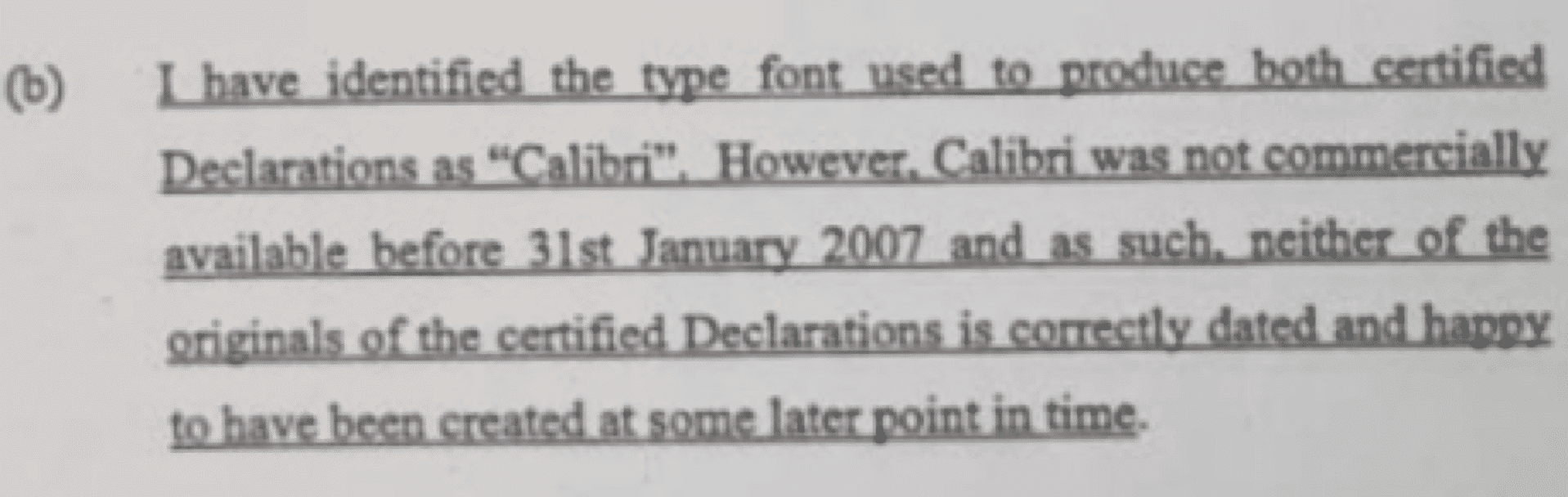
Word, Calibri font and the possible downfall of a government
A political corruption row is brewing in Pakistan with questions about Word and the Calibri font. We dug into the Office Watch archives for more info than simply checking Wikipedia. A report into possible corruption by the Prime Ministers daughter, suggests that some documents were faked. The documents are dated in 2006 but use the […]

Office ‘Alt Text’ accessibility problems
Microsoft proudly added accessibility features to Office 2016 for Windows, in particular ‘Alt Text’. Pity it’s not been refined and fixed once the hype died down. Earlier this year, Microsoft added an ‘Alt Text’ feature to Office which tries to automatically suggest alternative text for visually impaired readers. Right click on an image and choose […]
New Privacy leakage in Office 2016 for Windows
Images inserted into your Word documents are being automatically uploaded to Microsoft for the accessibility ‘Alt Text’ feature. Even if the image and document are saved on your computer, not cloud storage. It’s a hidden ‘feature’ in Office 2016 for Windows desktop (Office 365 subscribers). Earlier this year, Microsoft added an ‘Alt Text’ feature to […]

Make your own ‘Time’ magazine cover
Yes, you can make your own ‘Time” magazine cover, to put up in your house, office, den, golf clubs or whatever. Our Eye-Catching Signs with Word includes over 50 Word documents ready to use as signage. Two of them are magazine covers complete with title, border, sub-titles even a ‘date’. You can change the photo, […]
What you must do about Petya ransomware (if anything)
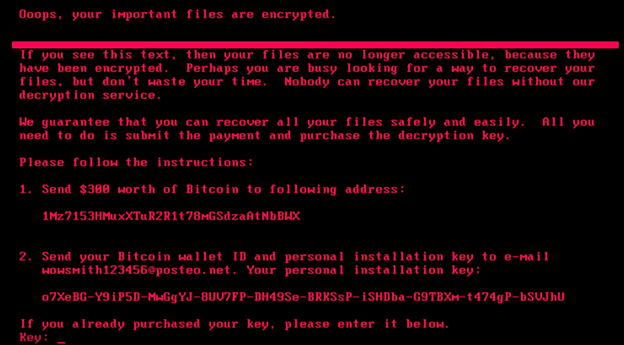
We won’t bore you with yet another article about today’s Petya ransomware attack We do have some notes and reassurance that arise. Security Patches Microsoft have this one covered. Back in April 2017 they released relevant patches for Windows Vista and Windows 7, 8.1 and Windows 10 plus server editions Also important patches for Office […]
How does Office handle the last word?
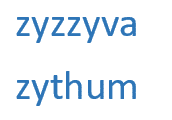
The Oxford English Dictionary has new last entry on the final page of the ‘Z’ chapter. As Office nerds, we immediately went to see how Microsoft Office handles this obscure word and its predecessor. Turns out Office handles the ‘last word’ very well. The new last entry is Zyzzyva (“zih-zih-vah”) which replaced the previous finalist. […]

Unique image source for your PowerPoint or Word documents
The Royal Shakespeare Company has made its image archive available online, adding another resource for PowerPoint and Word users. The pictures go back 80 years of the company’s history and features images from (now) famous names like Sir Patrick Stewart, Dame Judy Dench and many more. Beyond the stage You could certainly use the images […]

Spelling Bee winners 2017 vs Word
Each year Office-Watch.com has a little fun seeing how Microsoft Word’s dictionary compares to the winners of the Scripps (US) National Spelling Bee. Word did better in 2017 than past years. Still, no chance of Word reaching the finals in 2013, 2014, 2015 , 2016 and now 2017 despite being much older than any of […]
Why ‘Office in the Windows Store’ isn’t really Microsoft Office
It’s expected that today (15 June 2017), Microsoft will release ‘Office in the Windows Store’ as a new way to buy Office. Understand the differences between it and ‘Office 2016 for Windows’ or the Windows 10 / Modern apps for Word, Excel, PowerPoint and OneNote. The new release is not just a different way to […]

Secret printer tracking dots
Most color printers have a secret tracking or forensic code added to every page that lets governments and others know when and where the page was printed. It’s just one result of last week’s NSA leak and later arrest. One piece of evidence against Reality Winner was the secret code on the pages she allegedly […]

Docs.com to close
Just a few months after a privacy warning about Docs.com, the Microsoft document sharing site is to close. 15 December 2017 The closure is happening on 15 December 2017, so there’s plenty of time to make the move. All files and documents in your docs.com account will be deleted on that date. Microsoft has created […]

Office won’t start ‘This app can’t run on your PC’ – Fix
This is a really screwy error message. You try to start an Office desktop program and are stopped with the message ‘This app can’t run on your PC’. Here’s the fix. To make it even stranger, some Office programs will work while others say they can’t run? We’ve seen the very latest version of Outlook […]

Word documents help Russian election hack
According to a classified NSA report, a Russian hack used Word documents as part of their attempts to interfere in the 2016 US Presidential election. The report also shows that some often-repeated security advice is worthless in the 21st Century. The report details how Russian based hackers targeted employees of firms who maintained electoral rolls […]

How to STOP a specific document from being searched / indexed?
Windows will automatically index and let you search Office documents on your computer or network – how can you stop that happening? Maybe the document is personal or so private you don’t want anyone to find it with a Windows Search. Or discover that the document even exists! Password Protection The most direct way to […]

The Supremes help save money with printing
The US Supreme Court (aka The Supreme’s) has sided with consumers in a case about refilling printing toner or ink cartridges. Alas, printer makers still have other ways to grab extra money from you. Lexmark sued Impression Products who have been refilling ink/toner cartridges. The case alleged that Lexmark’s patents on cartridge technology were being […]

Outlook discovers Emoji after seven years – goodbye to J, hello color Smiley
Microsoft is a slow learner. After seven years they’ve finally fixed an annoying emoji bug in Outlook and they’ve done it in a typically sideways fashion. Current versions of Office display an incompatible smiley emoji that often appears as the letter J – instead of 😊 If you’ve ever seen a message with a J […]









