Office 2021 is the personal and small business ‘perpetual licence’, non-subscription version of Microsoft Office. For Windows and Mac.
Office LTSC (Long Term Servicing Channel) is the volume licence ‘perpetual licence’, non-subscription version of Microsoft Office for organizations, companies and governments. Also for Windows and Mac.
The features in Office 2021 and Office LTSC are very similar, if not the same.
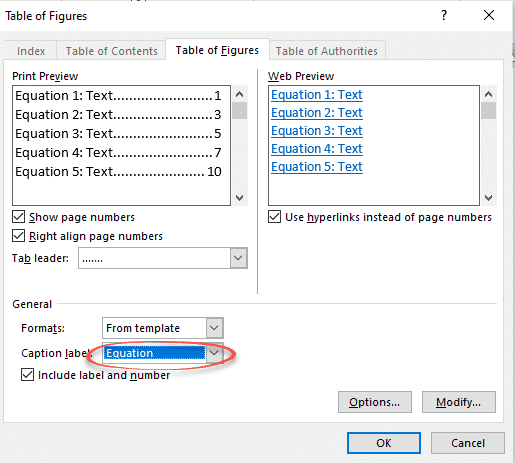
Table of Equations in Word made simple
If you have included equations in a document, Word can generate a list of them all for you. Like a table of contents, this list or Table of Equations can include page references or links to each equation. A Table of Equations can be useful for creating a proper appendix or reference within more formal […]
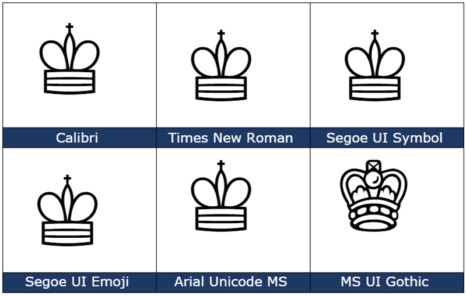
White Chess King ♔ symbol in Word, Excel, PowerPoint and Outlook
Type the White or outline Chess King ♔ into Microsoft Word, Excel, PowerPoint or Outlook. Both in Office for Windows and Office for Mac. White Chess King ♔ symbol is useful for users that want to represent the chess piece as a symbol, rather than an image. There’s also a Black Chess King ♚ symbol […]

All the ☟ Down pointing hand symbols in Word and Office
Word and Office have several down “pointing hand” symbols available in some fonts. Here’s the Unicode options explained and shown with the codes and shortcuts to type them in Excel, PowerPoint and Outlook too. There are various pointing hand options in Unicode: Index – a pointing index finger with palm facing. Backhand Index – pointing […]

Four ways to split date into day month year in Excel
If you’ve ever needed to split dates in Excel into separate day, month, and year, there are several options to choose from. Excel has different functions, Text to Columns or Flash Fill which can do the job. Here’s a quick guide on several methods: Using the DAY, MONTH and YEAR functions Using Text to Columns […]
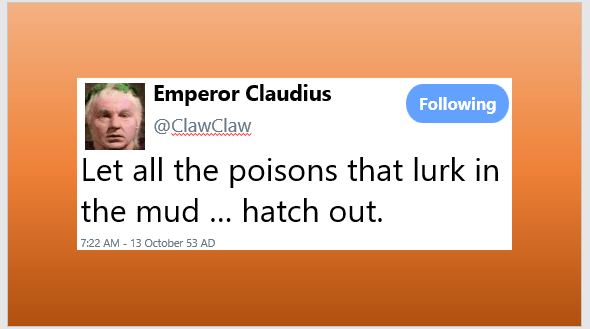
Make your Twitter ‘message’ in Word or Powerpoint
With a little Office formatting trickery, you can make a Twitter ‘message’ that looks like what you see on the Twitter web site or app to put in a Word document or PowerPoint slide. Use this trick to recreate a real Tweet that’s part of a document. Or as a fake or joke tweet as […]
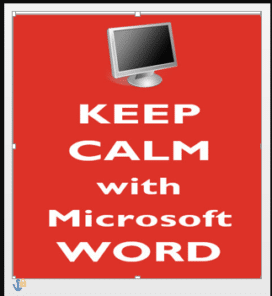
Add a background image to a page in Word
Add a background image to any page in a Word document instead of a solid color or pattern. Using a picture as the background for Word page isn’t as straight forward because the official or approved method doesn’t work very well. We’ll show you other Word features that work better (or at all). Most of […]

Eye of Horus 𓂀 symbol in Word, Excel, PowerPoint, and Outlook
Insert the Eye of Horus 𓂀 into Microsoft Word, Excel, PowerPoint or Outlook. Both in Office for Windows and Office for Mac. Eye of Horus 𓂀 is an Egyptian Hieroglyph symbolizing protection. According to Egyptian myth, Horus lost his left eye during his struggle with Seth, and it was restored by Hathor, symbolizing the process […]

Jazz up and animate photos in PowerPoint
Using simple animations in PowerPoint presentations is relatively easy, but you can also take them to the next level, to jazz up your photos in PowerPoint. Using this method might take a few more steps than just creating a straightforward animation, but the result is well worth it … In short We’ll explain how to […]

Find and cite with Researcher in Word
The Researcher button on Word’s References tab lets you lookup information online and copy into a document with formatted but optional citation. It’s likely to dismay many teachers and lecturers. Researcher is a cloud service, only available in Word 365 for Windows and Mac. The Researcher pane is really a specialized Bing web search that […]
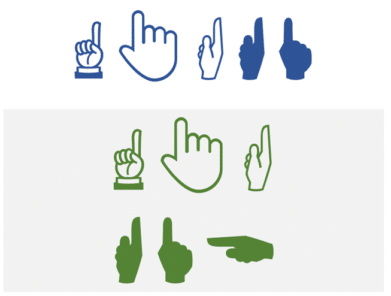
All the ☝Up pointing hands in Word and Office
Word and Office have several up “pointing hand” symbols available in some fonts. Here’s the Unicode options explained and shown with the codes and shortcuts to type them in Excel, PowerPoint and Outlook too. There are various Up pointing hand options in Unicode: Index – a pointing index finger with palm facing. Backhand Index – […]

Avoid embarrassing typing mistakes in Word
A slip of the typing fingers can be funny, insulting or embarrassing, turning an innocent word into a naughty one. There are features in Word to help avoid these mistakes which have improved over the years but they aren’t 100% reliable It only takes a single letter to turn an innocent remark into something quite […]
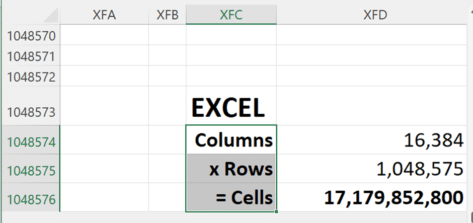
Google Sheets gets 10 million cells, not enough to beat Excel
Google has just doubled the cells available in their Sheets spreadsheet, taking it to 10 million cells. Still well short of Excel’s 17 million cells. Sheets can now stretch to 18,278 columns (column ZZZ) for all Google Workspace customers, as well as legacy G Suite Basic and Business customers. Excel has 17 million cells Since Excel […]
Word Bug: Headings Inside Tables Go Missing
A long-standing bug in Microsoft Word quietly breaks your document navigation when you place Heading styles inside a table. The Table of Contents shows all your headings correctly, but the Navigation Pane silently drops any heading that lives inside a table cell. The same broken behavior ripples into PDF Bookmarks and the Insert Link dialog. […]

2001 A Space Odyssey – in Word and PowerPoint
As long time space and SF nerds, Office Watch can’t resist putting the look of 2001: A Space Odyssey into Word documents and PowerPoint slides. We’ll show you how to make a ‘close match’ using just the fonts and features in Microsoft Office. We’ll also explain the details behind that choice and some alternatives, both […]

Why Windows Character Map is better than Office
Character Map is a Windows feature that’s very useful for Microsoft Office users. It lets you insert symbols and, importantly, find them which is not possible within apps like Word. Windows Character Map has been around for as long as we’d like to remember and it’s mostly done right. If only the equivalent in Office […]

Free color selector in your browser
Google has a color selector among the many features in their home page. It’s free, works in any browser and it’s easy to copy color codes into Office. Search for ‘Color picker’ or https://www.google.com/?q=color+picker then move the two circles to choose the exact color and shade you want. The HEX and RGB color codes are […]









