Office 2021 is the personal and small business ‘perpetual licence’, non-subscription version of Microsoft Office. For Windows and Mac.
Office LTSC (Long Term Servicing Channel) is the volume licence ‘perpetual licence’, non-subscription version of Microsoft Office for organizations, companies and governments. Also for Windows and Mac.
The features in Office 2021 and Office LTSC are very similar, if not the same.

Fancy gridlines to make Excel look great or at least different.
Gridlines are on every spreadsheet in Microsoft Excel workbooks. Did you know those grey lines can be colored to make them fancy, more obvious or more discreet? Let’s look at two ways you can make colored gridlines in Excel. Here’s what it looks like with the pink, black and red in comparison to the default […]
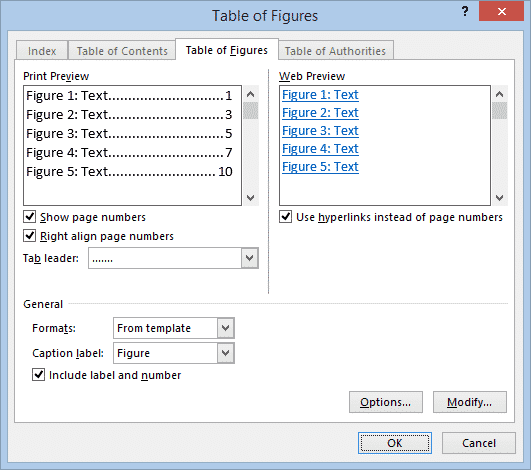
Easy Table of Figures in Word
Microsoft Word can generate a list of all the images, graphs, tables or equations in a document – called a Table of Figures. Just like a table of contents, this list can include page references or links to each figure or picture. A Table of Figures can be useful for creating a proper appendix of […]
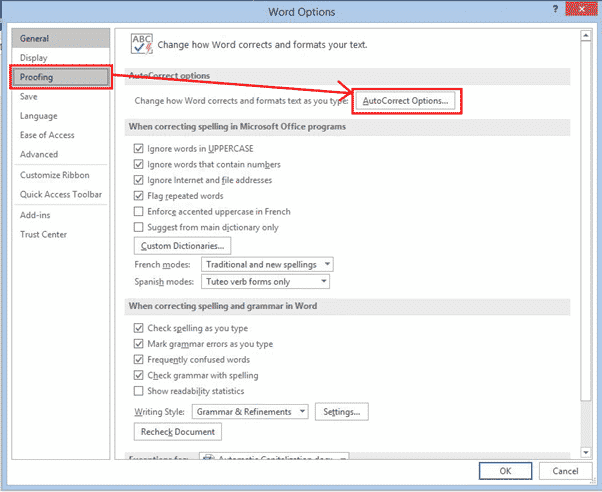
Automatic Capitalization fixes in Word
Word has settings to automatically change the case of words that you type, fix common capitalization typing problems add items of your own to have capitalized the way you want them as you type. Word also has options to manually Change Case in Microsoft Word. The settings are in the AutoCorrect dialog at File | […]

Where are Word styles saved – document or template
Styles can be saved in a Word document but are most effective when saved in a template. Changing the style in a template will affect any document that uses the same template. At the bottom of the Modify Style dialog are two choices for where to save the style. Microsoft has reworded the choices to […]

Law & Order title card in PowerPoint and Word
Here’s how to make a lookalike for the Law & Order TV show title card in either PowerPoint or Word. Last week we showed how to make the Law & Order opening screen image and how to use that look in slides or documents. Many readers asked why Office-Watch.com didn’t do the main title card. […]

Law & Order titles and sound in PowerPoint and Office
One way to open a PowerPoint presentation could be to copy the opening of the Law & Order TV shows. Here’s how to get the same look in your PPT slides or Word documents plus the distinctive sound. The same formatting can be used in Word, maybe as a callout to highlight some text. But […]
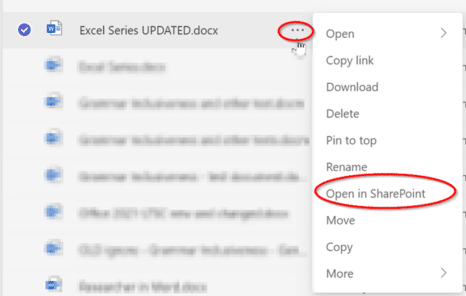
Can’t edit a document in Teams? Try these workarounds
Sometimes a document can’t be edited in Teams for no good reason. Here’s some things to try and workaround the problem. Teams uses SharePoint to manage documents and sometimes the technology doesn’t behave the way it should. A document that you should have full access to, can only be viewed. Before becoming overly frustrated with […]
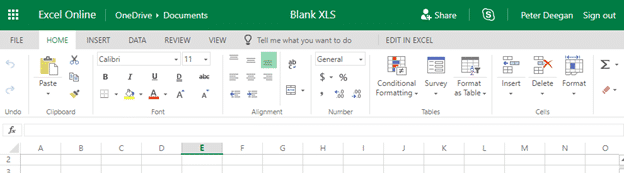
Free and secure conversion of .doc .xls or .ppt to the newer Office formats
Here’s how to convert an older .doc .xls or .ppt into a safer and smaller .docx .xlsx .pptx even if you don’t have Microsoft Office. Any smart computer user is wary of documents received in the old .doc .xls .ppt formats because they are regularly used to transmit viruses. The new document formats are much […]

Adding Footnotes to Pictures in Word
How to add footnotes just below a photo in Microsoft Word The trick is similar to adding Footnotes to a Word table. Use Endnotes, instead of Footnotes (assuming you don’t use Endnotes elsewhere in the document). Add a Continuous Section Break and change the Endnotes settings to put them at the end of the section. […]

Faster Numbered and Multi-Level Level changes
Moving the selected lines/s to a different numbering level in Microsoft Word is officially done from the Numbering Gallery | Change list level but there’s are quicker keyboard shortcuts. The faster way to do this is shortcuts: Alt + Shift + RIGHT arrow Down / right one level Alt + Shift + LEFT arrow Up […]
More powerful Excel Autofill using Series
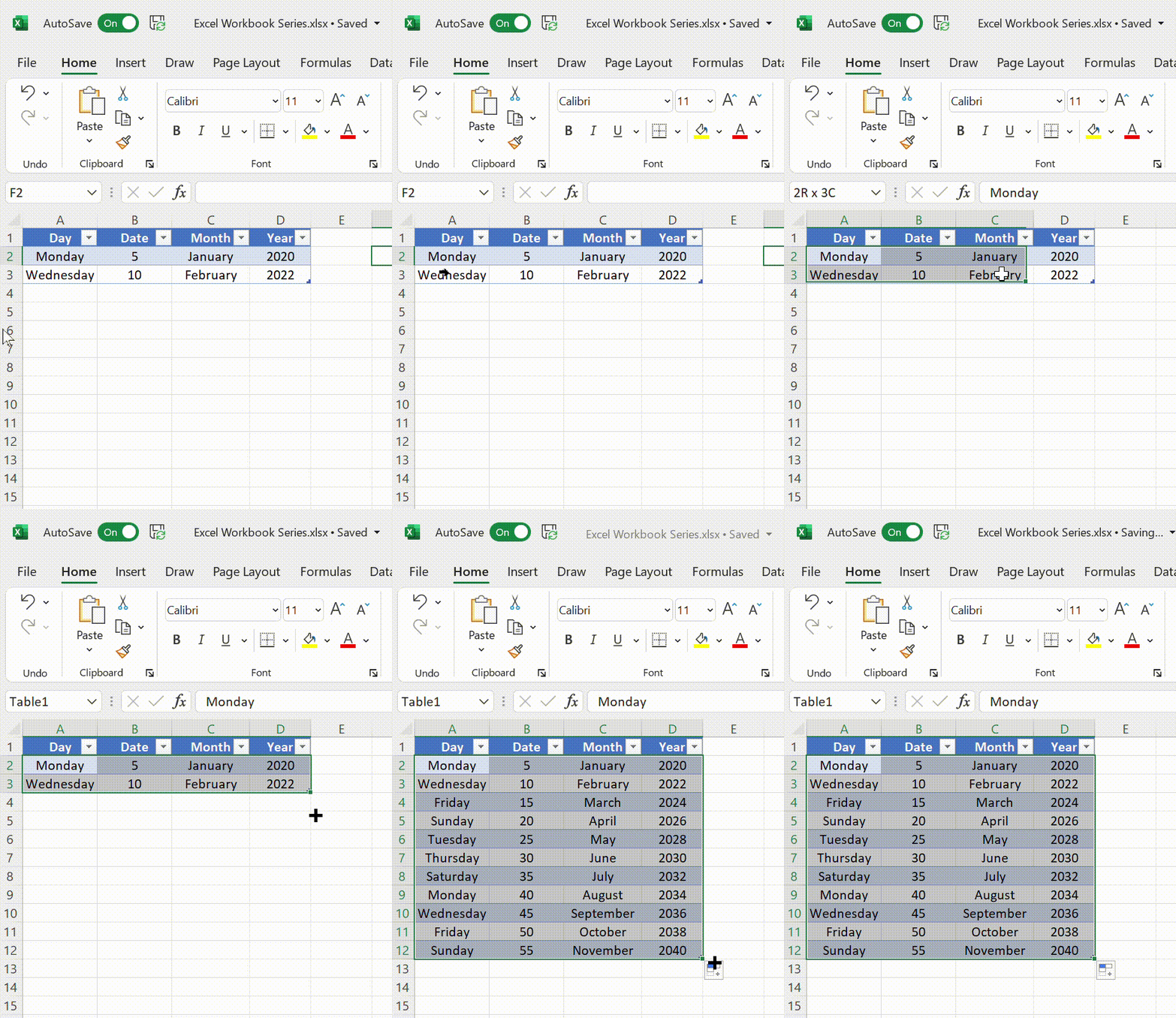
Microsoft Excel Series allows users to automatically insert a list or series of values. You probably know the easy ‘drag and drop’ method but there’s a lot more possible with linear, growth, dates and autofill. All possible with the fill handle or with more control via the Series dialog. Whatever the reason, some people may […]
Add an iCalendar .ics to an Outlook calendar but be careful
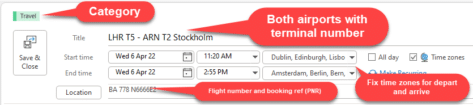
Inserting an .ics iCalendar item into Outlook is typical Microsoft Office. Seemingly easy if you believe the simplistic ‘help’ from Redmond but a little more involved in practice. iCalendar .ics files are small text files which contain an appointment or event. It’s a common standard so they can be used by Outlook or any other […]
Pound £ symbol in Word, Excel, PowerPoint and Outlook
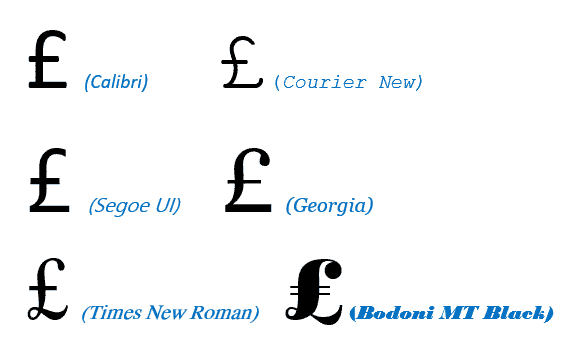
Type the Pound Sterling £ currency symbol into Microsoft Word, Excel, PowerPoint or Outlook. Both in Office for Windows and Office for Mac. £ symbol is easy on a UK keyboard but for other keyboards there’s no specific key for Pound. Pound is used for British Pounds Sterling and also other ‘pound’ currencies like the […]

Immersive Reader returns to OneNote
Immersive Reader, as seen in Word and older versions of OneNote, is returning to the latest releases of OneNote It’s a worthwhile tool to use, designed for those with dysgraphia or dyslexia, but perfect as well for those wanting to improve their reading experience. Here we’ll be using OneNote for the Web as an example, […]
How to use Excel’s Accessibility Ribbon
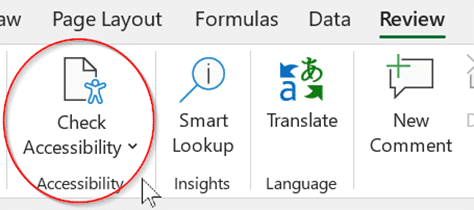
Excel has an Accessibility Ribbon to help you make changes to ensure that worksheets are easier for people with disabilities to read and edit. For some time, there’s been a Check Accessibility feature on the Excel Review tab. That opens a side-pane with suggestions for improving the worksheet. Go to Review | Accessibility | Check […]

Spell and say Kiev or Kyiv according to Microsoft Word
“You say Kiev, I say Kyiv” for the capital of the Ukraine. How does Microsoft Word handle the different spellings and how to pronounce the name with Read Aloud. See also Ukraine flag & colors in Word, Excel or PowerPoint Is it Kiev or Kyiv? Kyiv is the Ukrainian spelling of their capitals name, it’s […]









