Office 2021 is the personal and small business ‘perpetual licence’, non-subscription version of Microsoft Office. For Windows and Mac.
Office LTSC (Long Term Servicing Channel) is the volume licence ‘perpetual licence’, non-subscription version of Microsoft Office for organizations, companies and governments. Also for Windows and Mac.
The features in Office 2021 and Office LTSC are very similar, if not the same.
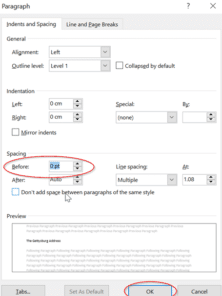
How to Force a Page Break through Styles Setting in Word
There’s another way you can force a page break before a paragraph in Microsoft Word. By setting this up, the page breaks can automatically appear without you having to worry. This is particularly useful if you have long documents with several different headings. Just simply modify the style to include the page break before. Learn […]

Office LTSC is out now with Office 2021 coming in a few weeks
Microsoft has publicly released Office LTSC or Long Term Servicing Channel. It’s the ‘fixed feature’ Office suite for volume licence customers. It’s a replacement for Office 2019 but only available to business and government customers. Office 2021 is the personal and small business equivalent which will be out on 5 October, the same day as […]

Easy adding check boxes to a Word document
Interactive checkboxes can easily be added to your Word document for a variety of uses. Perhaps you need to create a to-do checklist to help monitor the completion of tasks on top of a collaboration document, or make it simpler for users to read and complete surveys or forms. Either way, we will provide you with a simple and easy […]
Get the patch now for the latest Office security hole
Microsoft has released a patch for the MSHTML security bug that’s being used with Office documents to infect computers. The bug is in MSHTML, the browser rendering engine used by Microsoft Office. If someone is tricked into opening a hacked Office document with ActiveX control, they could infect their computer with some virus, ransomware or […]

How to use Excel to get API data from any source
There are many API’s available on the Internet that can provide great and timely data in ways that Excel can understand, here’s how you can do it. We’ve recently received emails asking how to use Excel to import data from specific API’s. Always we have the same answers because most API’s work in similar ways […]
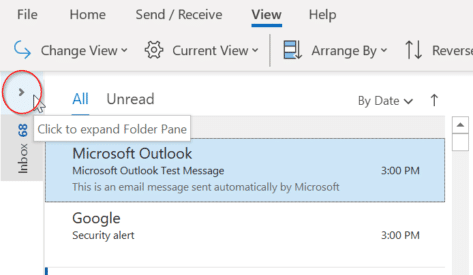
How to keep the Folder Pane expanded in Outlook
Outlook’s Folder Pane displays all folders which lets you quickly move between folders and views. Minimise the Folder pane, you will no longer be able to see your folders. As a result, some users get puzzled as to how they can bring back the expanded Folder Pane view. There are a few ways that you can do this: Change […]

Tips for better and easier printing emails
Printing email messages is something that we all do at various times, and in theory it should be as simple as clicking the Print icon in your email program – but what if the message won’t print out properly? Sometimes the printed version of an email message (or web page) comes out with strange formatting. […]

There are two official document standards – why?
Here’s what you need to know about the two official international document formats, Microsoft’s OpenXML (.docx .xlsx etc) and Open Document Format (.odt .ods etc) both supported in Microsoft Office and most other office suite software. Each format has been recognized by international bodies so there are two ‘official’ document standards for Planet Earth. Both […]

Make a new Office file within Microsoft Teams
Not only can Teams share Word, Excel or PowerPoint files, but you can also make new documents right in Teams or upload existing documents. Create a New File You can easily create a new file within Teams for Word, Excel, PowerPoint or OneNote from the New pull-down list at left. Or make a new folder. […]

How to Filter Data in a PivotTable
Excel’s PivotTable allows you to evaluate trends, comparisons, and patterns within datasets. Once a PivotTable is setup, you can filter “Drill down” into it to focus on key information. These days there are several ways to filter a PivotTable, Slicers (which Microsoft loves to boast about), AutoFilter and by Field List. All these options mean […]
Warning! Older Outlook soon stop links to Microsoft mailboxes
Soon older versions of Outlook won’t be able to connect to Microsoft hosted mailboxes, even though both the software and service come from the same company. Here’s what’s happening, why, who is affected and what to do. Microsoft is finally ending older, insecure, ‘Basic’ authentication connections to their Microsoft 365 mailboxes including Outlook.com. The change […]

How to open Office files with Microsoft Teams
Teams makes it simple to share files and collaborate. If you are working with Word, Excel, PowerPoint, or Visio files, your coworkers may read, edit, and collaborate on them directly from Teams. The different ways to open a document in Teams. Files Access Within Microsoft Teams, each Channel has a Files folder where you can […]

Share and collaborate on Office files with Teams
Teams makes it simple to share files and collaborate. If you are working with Word, Excel, PowerPoint, or Visio files, your coworkers may read, edit, and collaborate on them directly from Teams. Co-edit files Each team member has access to files that have been uploaded and shared on Teams. You and your team members can […]

Free ways to convert WAV and other formats to MP3 audio for PowerPoint
Simple, easy and free ways to convert audio files like WAV, FLAC and many others into a format that PowerPoint or your smartphone prefers such as MP3, MP4 or AAC. The BBC Sound effect downloads are in WAV format. That’s a good, high-fidelity and uncompressed format that works in PowerPoint for Windows but it also […]
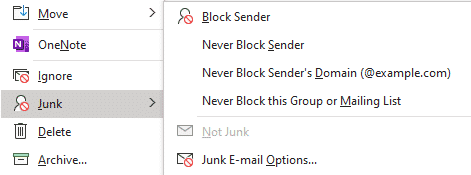
Make Outlook’s spam filter allow Office Watch newsletters
How to stop your Office Watch newsletters going to the Junk E-mail folder. To make sure your Office Watch newsletters don’t end up in your Junk Email folder you need to set us up as a ‘Safe Sender’. Here’s how to do that in Outlook. Keep in mind that Outlook software is NOT the primary […]

Can your computer run Windows 11 properly or at all?
The hardware requirements for Windows 11 are surprisingly high especially the increased security requirements. Some brand-new computers, even Microsoft’s own high-priced Surface computers bought today might not be compatible with Windows 11. See all the Office-Watch.com coverage of Windows 11 Unlike previous major Windows releases, you can’t assume that a recently bought computer will be […]