Office 2021 is the personal and small business ‘perpetual licence’, non-subscription version of Microsoft Office. For Windows and Mac.
Office LTSC (Long Term Servicing Channel) is the volume licence ‘perpetual licence’, non-subscription version of Microsoft Office for organizations, companies and governments. Also for Windows and Mac.
The features in Office 2021 and Office LTSC are very similar, if not the same.

More about the five types of email addresses
There are five main types of email address and if you want to organize your email sensibly you should know the difference. In this article we’ll talk about the Catch-All, Black Hole and Auto-Responders. Continuing our series on the different types of email addresses. We’ve already talked about mailboxes and aliases – the most important […]

An easy way to get an anonymous face, cat, horse or artwork
Here’s a way to get a face or other image for a PowerPoint slide or Word document but not intrude on anyone’s privacy. Check out ThisPersonDoesNotExist.com The website employs artificial intelligence (AI) in the form of Generative Adversarial Networks (GANs) to produce photos of people who do not exist. An astonishingly realistic, but entirely fake image […]
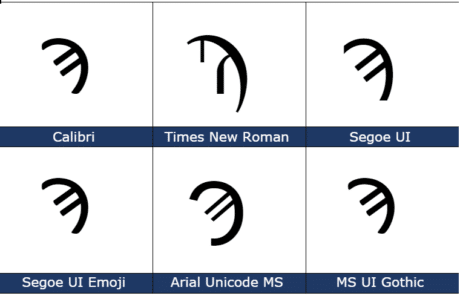
Sampi Ϡ symbol in Word and Office
Type the Sampi Ϡ letter into Microsoft Word, Excel, PowerPoint or Outlook. Both in Office for Windows and Office for Mac. Sampi Ϡ symbol is occasionally used in Greek today. Its modern form, which resembles a slanting right cross-stroke with a longish curve, evolved during its use as a numeric symbol in Byzantine minuscule handwriting. Informally, its often replaced by lowercase or uppercase π. How Sampi Ϡ looks in different […]
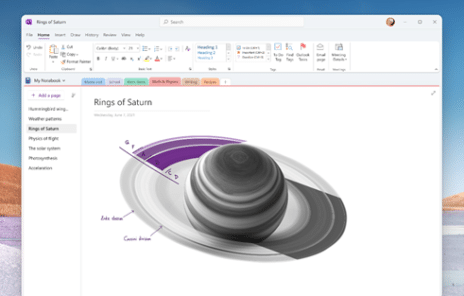
OneNote for Windows changes now clarified, sort of
Microsoft has announced more changes to OneNote for Windows. Despite what you might have heard, it’s really a clarification of past promises rather than anything new. OneNote for Windows has been messed about for years with two separate programs operating side-by-side and Microsoft unable to decide which one to prefer. Customers are left confused by […]
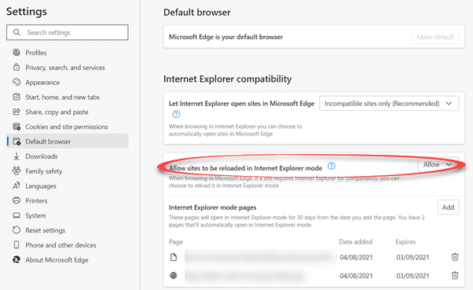
The hidden reason why Internet Explorer is still necessary
Microsoft is pushing the Internet Explorer browser over a cliff but there’s a good but hidden reason why IE is worth keeping or get Edge’s IE Mode working. Both Edge and Google Chrome have an annoying feature that adds HTML formatting to the web page downloaded. That’s a problem if you’re copying a web page […]
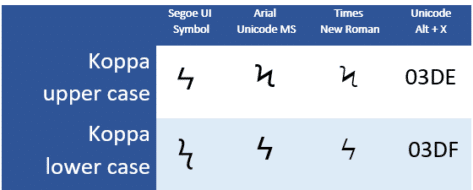
How to type Koppa upper case Ϟ, or lower case ϟ symbols in Word or Office
Type the Koppa upper case Ϟ and Koppa lower case ϟ symbols in Microsoft Word, Excel, PowerPoint, or Outlook. Both in Office for Windows and Office for Mac. Koppa (uppercase Ϟ / lowercase ϟ) is a letter used in the earlier forms of the Greek alphabet, it was originally used to denote the ‘k’ sound but […]
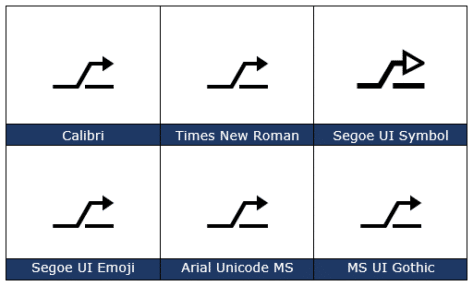
How to type the Alt Key ⎇ symbol in Word, Excel, PowerPoint & Outlook
How to insert the Alt key ⎇ symbol into Microsoft Word, Excel, PowerPoint or Outlook. Both in Office for Windows and Office for Mac. Alt key ⎇ symbol is a modifier key, used in a similar fashion to the Shift key. On a Mac, the same key is called Option. Most keyboards will have one […]

Thinking Face 🤔 emoji in Word and Office
Insert the Thinking Face 🤔 emoji into Microsoft Word, Excel, PowerPoint or Outlook. Both in Office for Windows and Office for Mac. Thinking Face 🤔 emoji has several other names; Thinker, Throwing Shade, Chin Thumb, puzzled and skeptic. How Thinking Face 🤔 looks in different fonts. Here’s some examples of how Thinking Face 🤔 looks in common Office fonts. Thinking Face 🤔 codes These are the important code numbers […]
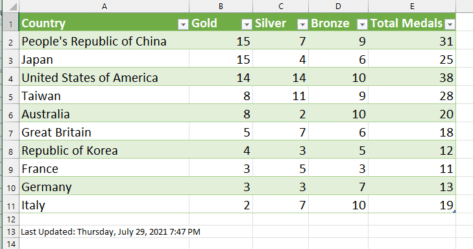
Make your own live Olympics medal tally in Excel
Our readers and supporters can now download a free Excel workbook which imports the latest Tokyo Olympics medal tally into Excel. All you need is a recent Excel for Windows with Get & Transform – Excel 365, Excel 2019 or Excel 2016 for Windows. (Alas, not Excel for Mac). There’s a simple table of the […]
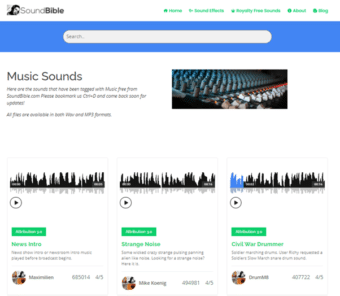
Check out Sound Bible for your PowerPoint decks
Sound Bible has some useful, free music and sound effects that can jazz up a PowerPoint presentation. There’s a collection of free audio clips (various rights limitations) from here. In WAV or MP3 format, both compatible with PowerPoint. Many of the text labels are deliberatly bland to avoid copyright disputes. For example Cowboy Theme is […]
Wildcard Find tricks in Microsoft Word
The wildcard is an advanced finding feature that has some powerful options beyond the standard * and ? options for Word. What Word calls ‘wildcard’ is really Regular Expressions, or at least a version of RegEx. Beginning or end of a word The beginning of a word can be represented by the “less than” symbol […]

Excel’s better Average(), try TrimMean() instead
TrimMean() function is a slightly different and useful measure than the regular Excel Average(). It’s still an average/mean but without the high and low, extreme or outlier values in the list. Average() (and its partners AverageA() and AverageIFS() use all the values in the array or list provided. TrimMean() excludes the highest and lowest extreme […]

Microsoft Word vs the 2021 Words of the Champions
How does Microsoft Word’s spell check go with the 2021 Words of the Champions list from the US annual spelling bee? Each year the Scripps National Spelling Bee releases a Words of the Champions study list to educators, featuring up to 800 new words. We grabbed a selection of the most difficult words (called “Three […]

Weary / Distraught face 😩 emoji in Word and Office
Type the Weary / Distraught face 😩 into Microsoft Word, Excel, PowerPoint or Outlook. Both in Office for Windows and Office for Mac. Weary / Distraught face 😩 emoji is also called Wailing, Frustrated or Sadness. How Weary / Distraught face 😩 looks in different fonts. Here’s some examples of how Weary / Distraught face […]

Fast Word shortcuts for increase/decrease font size
Microsoft Word seems to have two pairs of shortcuts that do the same thing – increase or decrease the font size. This is how they are different. The shortcuts are: Ctrl + Shift + < or Ctrl + Shift + > – which are also buttons on the Home tab. Ctrl + [ and Ctrl […]
Office shortcut of the Week – 2005 compendium
The Office Watch “Shortcut of the Week” tips for Outlook, Excel and PowerPoint from 2005 in the one convenient place. Tip 1 – Outlook navigation The Outlook navigation shortcuts could be more intuitive but here they are: Switch to Mail CTRL+1 Switch to Calendar CTRL+2 Switch to Contacts CTRL+3 Switch to Tasks CTRL+4 Switch to […]









