To my horror, I encountered something strange while working on a Word document with “strung out” or ‘stretched’ text on the last two lines with huge gaps of space between them. Here’s the two ways it can happen and the four fixes available. A stretched-out line in a Word document
When Microsoft Word was first released, all those years ago, it had a Paste feature but it was dumb and literal. These days Word’s Paste (Word for Windows and Word for Mac) is a lot smarter and does very useful things that you may not realize or appreciate. Before the
Type the three different types of Ellipsis … marks in Microsoft Word, Excel, PowerPoint or Outlook. Both in Office for Windows and Office for Mac. Ellipsis … symbol is used for a gap or break in some text, usually to drop out some irrelevant text or speech. The same applies
Like it or loath it but the comma ellipsis has arrived ,,, as an alternative to the more common ellipsis with dots. Here’s how to use it in Word and Office. The comma ellipsis is a modern, more casual version. It’s used as a more dramatic, even annoyed trailing off
See just 55 seconds of what’s coming in the “Microsoft 365 App” via a video from Microsoft. If the Microsoft 365 App seems familiar, it’s not deja vu … The video had already leaked, as we showed our readers a few days ago. The ‘app’ is very similar to the
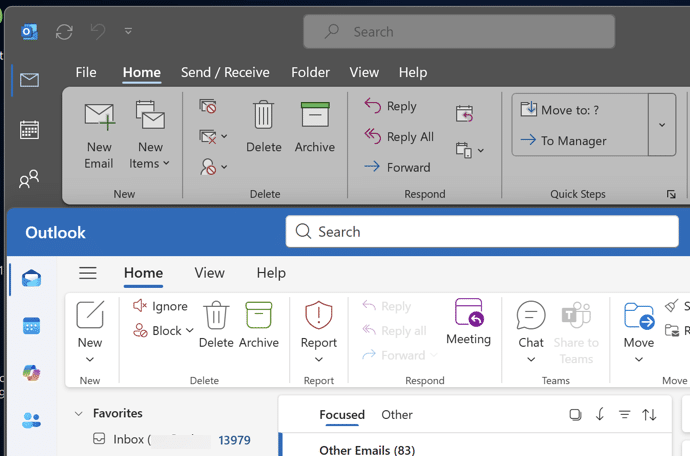
The latest Microsoft Office 365 for Windows has a new and, to date, undocumented, toolbar or “personalized Office experience”. This ‘toolbar just for you’ is both more and less than it appears. The toolbar is an effort to declutter the top or title bar of the Office apps. Microsoft has
How can you change the Author name in an Office document? How can you know that the name in a Microsoft Word document is the actual person not an imposter? It’s easy enough to go to File | Info to see and change the document Author name. We did that
Last week Microsoft made a series of announcements of new and changed features in Microsoft Office and Microsoft 365. Here’s a brief roundup of what the main ten promises and what they mean for you (if anything). The important word is ‘announcement’. Almost all the statements are about future arrivals,
If you thought the modern world could not get any stranger, we’ve got bad news. Microsoft Office and Oreos (the chocolate cookie) have combined for a marketing stunt with online events (sorry “snack breaks”), special packs, tchotchke and emoji. Poor old Clippy has been dragged in as well. On the
Combine or divide adjacent Microsoft Word or PowerPoint table cells into a merged single cell or split a cell in two. Welcome to ‘Merge Cells’ where you can combine adjacent cells into a single cell. It’s very handy for table formatting tricks and other unusual situations like a longer than
The simple and easiest way to convert text dates to Excel dates is using Text to Columns on the Data tab. It’s a simple ‘one off’ method that works well and takes you through the steps. If you need something more automated, for new text dates entered from time-to-time use
Footnote marks aren’t limited to numbers. Microsoft Word has many choices for listing footnotes or endnotes including the standard symbol order for notes or even your choice of custom symbols or emoji. Just one possibility for a footnote mark is a right-pointing hand like this: In-built Footnote/Endnote number choices Go
Today, 17 October, is Spreadsheet Day and Microsoft has joined the event with a fun example of what Excel is capable of. #spreadsheetday #spreadsheets #excel Microsoft Excel at Office-Watch.com The hidden trap in Excel’s DateDif()Better Excel formula converts days into Years, Months, DaysFour ways to make text fit in an
Microsoft has announced that “Microsoft Office” is now “Microsoft 365” – big deal. That already happened back in 2019 and the Office name will still be used. Is it really a name change or a bit of hype? What’s really changed? There’s a new logo – that’s all. As I
Type the Yen ¥ currency symbol into Microsoft Word, Excel, PowerPoint or Outlook. Both in Office for Windows and Office for Mac. Yen is used for Japanese currency and the Chinese Renminbi / Yuan. Microsoft Excel also offers the Yen symbol for Mongolia even though the tögrög currency uses another
More ideas and a wish list for ending a PowerPoint presentation with a different slide. After our article on the ending slide options for PowerPoint, Vivian from the UK writes: “… it’s really very easy to do what I always do at the end of PPT presentations. Just add a
The blank black slide which appears usually at the end of a slideshow is a default setting in PowerPoint. But it can be changed. The blank black slide which appears usually at the end of a slideshow is a default setting in PowerPoint. But it can be changed. Open PowerPoint
Recreate the Murphy Brown TV show’s look as a design inspiration for Word and PowerPoint – the fonts, colors and lines. You may not want to use the exact look of the Murphy Brown title card, but it’s a starting point for design variations of your own. We’ll show how
How to change the PowerPoint slide numbering to a different start number. In PowerPoint, slides are numbered by default from 1 but that’s not always what you need. For example, you’re working on some slides which are just part of a set of slides eg. working on slides from number
One of the eye-catching features since PowerPoint 2010 right up to PowerPoint 365 is turning your mouse into a virtual laser pointer. A ‘laser pointer’ transforms the boring mouse pointer to something striking and easier to see on the screen. This is especially useful while delivering presentations as it eliminates
Excel Array formulas are useful for getting the result from a filtered list quickly with a single, simple formula. Continuing our series on Excel array formulas. Here’s a list of stocks with industries aka Table3. How many stocks are in the ‘Shop’ industry? The array formula in G5 has the
Array formulas are an important part of Excel and they are a lot more important now that dynamic array formulas are around. Don’t ignore arrays because they’re an unavoidable part of Excel for everyone. This is the start of a series to help you understand arrays in Excel. At the
Word can generate a list of all the tables in a document. Like a Table of Contents, this list of tables or Table of tables can include page references or links to each table. A Table of tables can be useful for creating a proper appendix or reference within more
What is ‘link unfurling’, an upcoming feature in Microsoft Outlook An unfurled link appears in an email as an interactive preview card – not just a preview but something the receiver can update. Link unfurling is already in Teams, now it’s coming to Outlook 365 for Windows. Here’s Microsoft’s example