All about Microsoft Office for Apple Mac. Word, Excel, PowerPoint, Outlook on macOS, Microsoft 365 for Mac, Office 2021 for Mac and earlier versions.

Making QR Codes for Word and Office
QR Codes are those funny little boxes you see in apps and signs. They were once a bit unusual but COVID have made them part of our lives. You can add them to your Word, Excel or PowerPoint documents. Scan that code with your smartphone camera and it’ll read information, most commonly a web link. […]
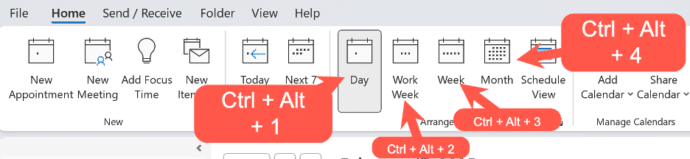
Fast change Outlook calendar views
The Outlook Calendar views can change quickly with some shortcuts that work for both Outlook for Windows (classic and new) plus Outlook for Mac. The shortcuts follow the order of the Home | Arrange buttons in Outlook for Windows. Day – Ctrl + Alt + 1 Work Week – Ctrl + Alt + 2 Week […]
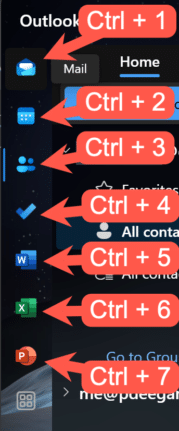
Quick View shortcuts for Outlook
Quickly change between Outlook views using these keyboard shortcuts that work for three different Outlook’s, Windows classic and new plus Outlook for Mac. With all the changes in Outlook for Windows or Mac, it’s nice to see that some keyboard shortcuts have survived all the upheavals. This works with both Outlook for Windows classic and […]
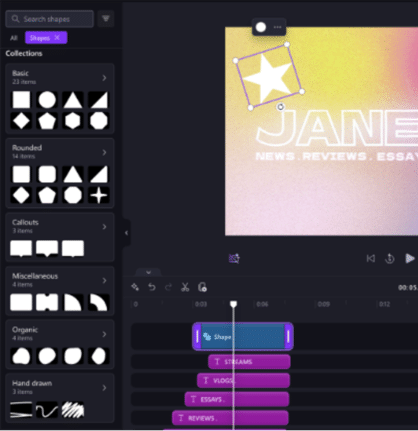
Clipchamp goodies, shapes, gradients and more
Clipchamp is getting a decent color selector (hooray!), resizable shapes, gradient background, text styles plus more stock images and videos. As usual with a Microsoft announcement, the devil is in the detail and there’s precious little detail in the announcement. All these Clipchamp improvements have conditions that the company drops at the end, we’ll put […]

How to recall an email message in Outlook
Outlook for Windows and now Mac have a ‘Recall Message’ option for messages already sent but is now not needed, been replaced or you’ve realized was a mistake. But Recall isn’t all that Microsoft says it is. A ‘recall’ request message either to delete the message or sometimes replace it. How the recall request is […]

Microsoft’s Defender VPN ending
Microsoft is ending their VPN part of Microsoft 365 Defender for no good reason. At the end of February 2025, the VPN (Virtual Private Network) service in Microsoft Defender for individuals will be stopped. Microsoft reason is a typically contradictory word salad that means nothing: “Our goal is to ensure you, and your family remain […]
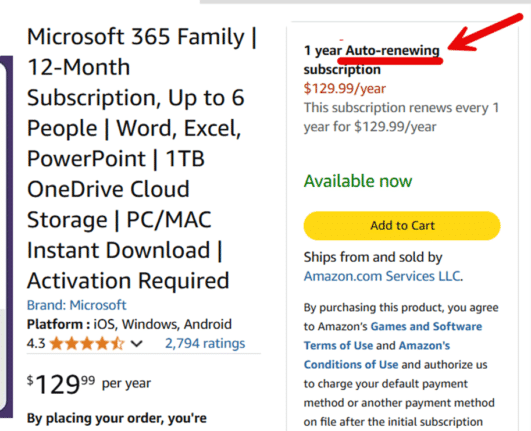
Another trap when buying Microsoft 365 and how to escape
There’s another expensive trap when buying Microsoft 365 Family or Personal with automatic renewal from a Microsoft “partner” like Amazon, Best Buy or computer retailer. An Office Watch reader fell into this trap but found a way out. For years we’ve warned against buying Microsoft 365 from companies like Amazon or Best Buy which include […]
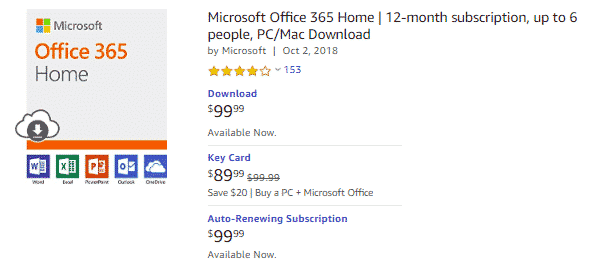
Beware Microsoft 365 buying traps from Amazon, Best Buy and more
With help from major retailers, Microsoft has another way to make people pay more for Microsoft 365 Family or Personal. Amazon and Best Buy and other offer Microsoft 365 renewals charging full price for the first and later years. Ever since Microsoft 365 plans started, Microsoft has enticed people with low prices in the first […]
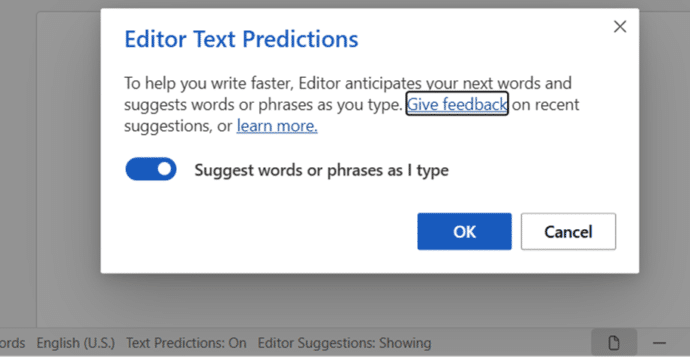
Stop predictive text adding suggestions in Word
Stopping predictive text in Word 365 for Windows, Mac or Web is quite simple, once you know where the switch is hiding. We’ll go beyond that to explain all you need to know because the basic tip doesn’t tell the whole story. Predictive Text adds some suggested text ahead of what you’re typing. It appears […]
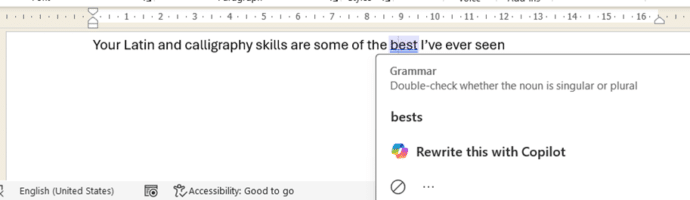
Microsoft Word isn’t always right, example 3,141,592
Word’s grammar checker is good, very good but it’s not perfect. Here’s the latest example of wrong advice under that blue underline. Office Watch reader, Simone J from Berlin sent us this English language anomaly in Word. “Your Latin and calligraphy skills are some of the best I’ve even seen” It’s the same error in […]
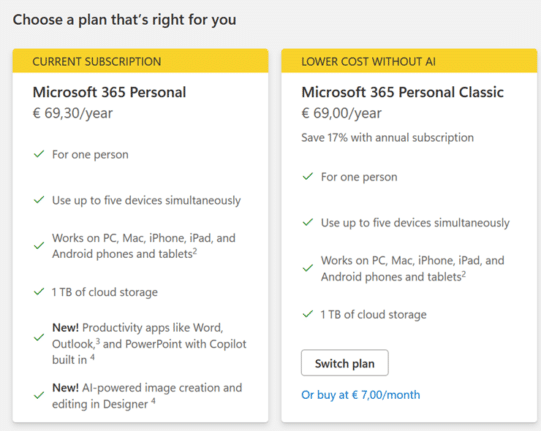
2025 changes to Workplace Discount/Home Use Program for Microsoft 365
The popular employee discount program for Microsoft 365 (Workplace Discount Program or Home Use Program) has some changes in 2025 at the same time as the price rise and Copilot addition to the Family and Personal plans. Office Watch compares the two options with a suggestion about what to do. From January 2025, the cost […]
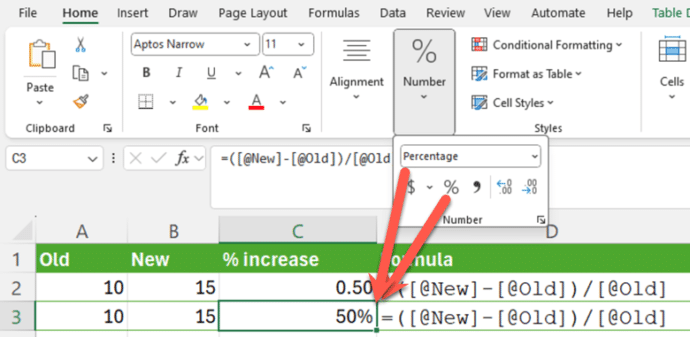
Smart Percentage Change in Excel
Calculating a simple percentage increase in Excel seems simple but, as usual, there’s a traps for the unwary. Here’s a smarter and more consistent way to figure out % change. First we’ll go over some basics which you’re welcome to skip … The formula for calculating a percentage change is simple: In other words, find […]
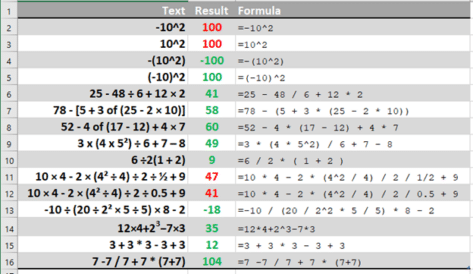
Excel’s order of calculation is not BODMAS
Excel has a slightly different order of calculation to the BODMAS rule taught to us at school. Those variations are important and can give a result you didn’t expect. Ray E from Iowa asked about one of those tricky algebra questions that appear on social media and generate heated arguments -10^2 . Ray wondered how […]
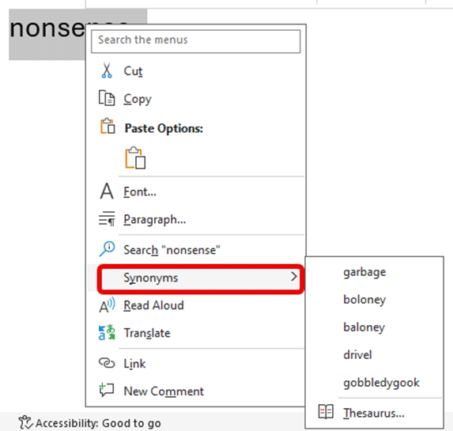
Forget what you’ve heard, Word still has a Thesaurus
Ignore the clickbait headlines and social media experts, Microsoft Word still has a Thesaurus feature. A slightly related feature has gone but Synonyms is still alive and kicking. Here’s Word’s Thesaurus or “Synonyms” still in Word 365 using Microsoft’s example word. And here’s Synonyms in Word 2024, using a more appropriate example word for this […]
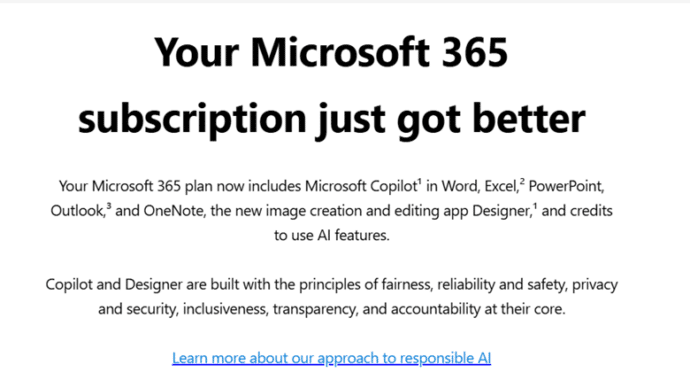
What Microsoft ‘forgot’ say in an email to Microsoft 365 customers
Microsoft sent a promo email headed “Your Microsoft 365 subscription just got better”, be aware of the details that Microsoft either missed. ‘forgot’ or buried in the fine print. That email explains about Copilot arriving in Microsoft 365 but little on the severe limitations and nothing on the price rise. As the old song goes […]
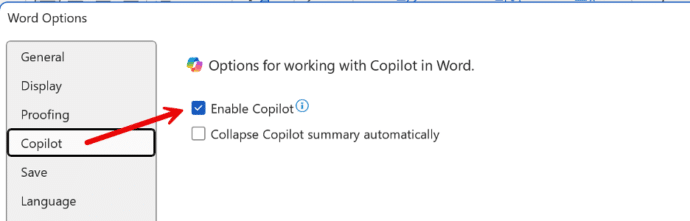
How to Disable Copilot in Microsoft 365
Microsoft is slowly adding an option to disable Copilot AI from their Microsoft 365 apps, Word, Excel and PowerPoint. Here’s what you’re supposed to see on your computer, but won’t necessarily. An option to disable Copilot is being rolled out to Microsoft 365 for Windows and Mac. First in Word 365 for Windows and later […]









