All about Microsoft Office Word, Excel, PowerPoint and Outlook, Microsoft 365, Office 2021 and earlier versions.

America has two feet … does Excel?
Did you know that the U.S has two feet? Meaning two different measurements for the term ‘foot’? That got us wondering how Excel’s Convert() handled the standard ‘foot’ and the US Survey ‘foot’. Excel Convert() supports the International Standard Foot and, indirectly, the US Survey Foot. America Has Two Feet. It’s About to Lose One […]
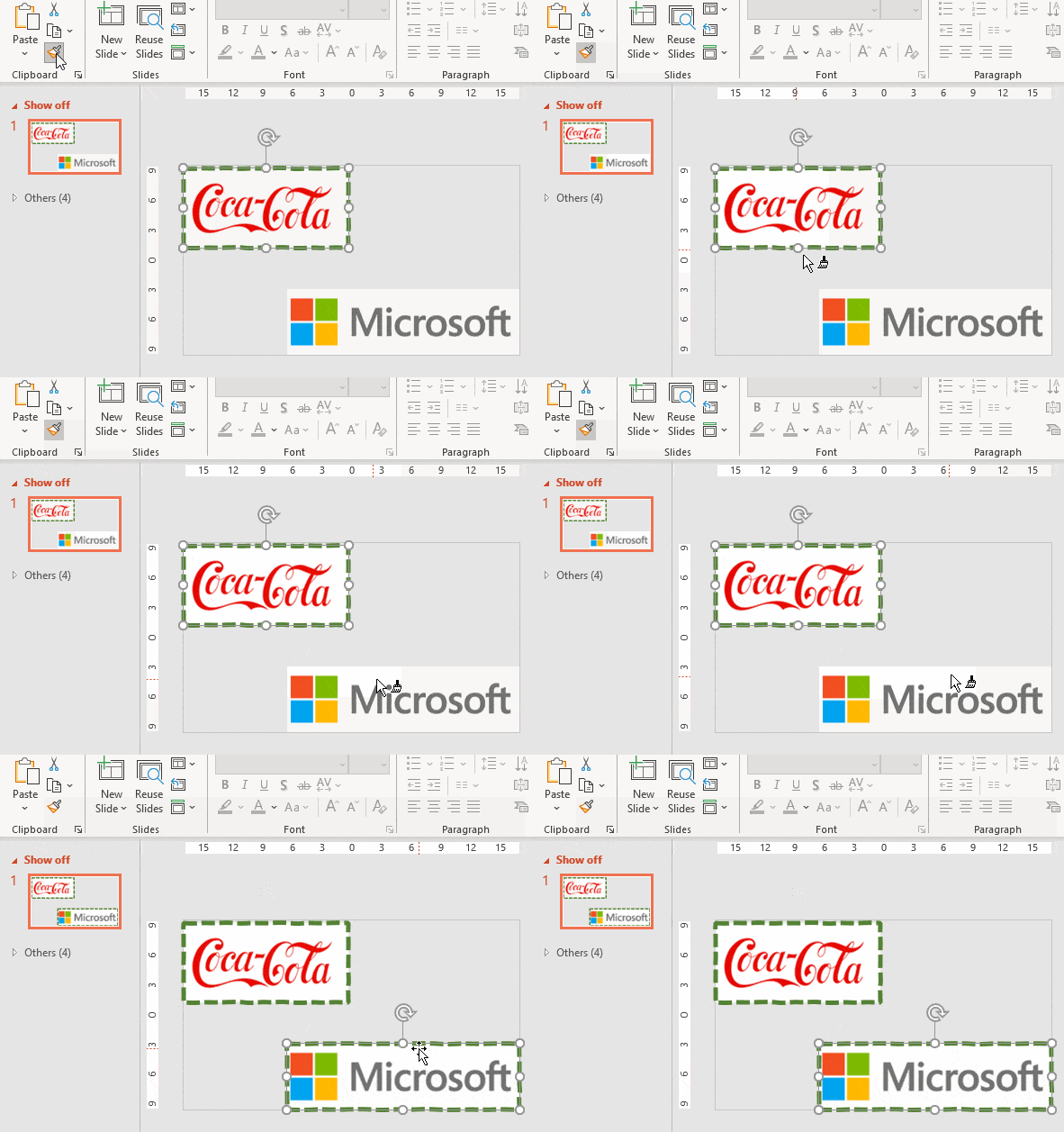
Easily apply the same picture format to many images in Word or PowerPoint
Here’s how to apply the same formatting, borders and picture styles to more than one picture or graphic in Word, PowerPoint or Excel. There’s an unexpected and easy way to do it. Picture Format tools don’t have custom styles (Microsoft please note) only the in-built pre-sets. If you want to apply the same formatting to […]

Reference Mark ※ in Word, Excel, PowerPoint and Outlook
Put the Reference Mark ※ into Microsoft Word, Excel, PowerPoint or Outlook. Both in Office for Windows and Office for Mac. Reference Mark ※ or reference symbol is used in Asian writing (Chinese, Japanese, Korean) like the Asterix * in western languages. It marks some additional notes to text. It’s called komejirushi (Japan) , chamgopyo (Korea) or […]
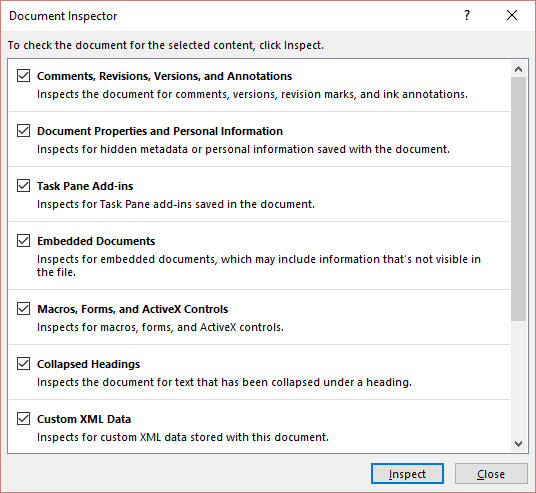
Why you must use the Microsoft Office Document Inspector
Why you must use the Microsoft Office Document Inspector … and why you can’t completely trust it. The Office Document Inspector is an important tool for anyone who shares or sends out Office documents. It helps prevent legal troubles and personal embarrassment. Inspect Document is only in Office for Windows (not Mac). Microsoft Office 365, […]
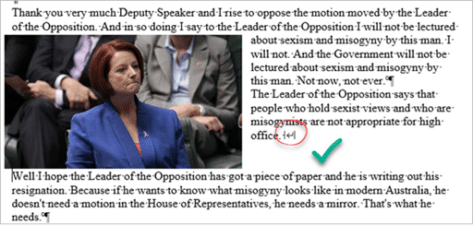
How to use Text Wrapping Breaks in Microsoft Word
When including images or other objects in a Microsoft Word document, it can sometimes be a bit fiddly getting the text to flow around them in the way you want. The text wrapping break lets you specify the point where the text should drop down below the picture. When you have text wrapping around a […]

Quickly type Euro € sign in Word, Excel, PowerPoint and Outlook
Quickly type the Euro € currency sign into Microsoft Word, Excel, PowerPoint or Outlook. Both in Office for Windows and Office for Mac. Euro € symbol is easy on some keyboards but for other keyboards there’s no specific key for Euro. You can [copy content=”€” text=”click here to copy Euro € to clipboard 📋” copied-text=”Euro […]

Two new PowerToys useful for Office users
Two new Windows PowerToys are especially useful for many Microsoft Office users. One is a better way to type accented characters, the other grabs text from images. Quick Accent, Text Extractor and, to a lesser extent, Screen Ruler are all additions to the PowerToys collection that can be useful for Office users. PowerToys are available […]
Faster updates for Microsoft Office with Update under Lock
Microsoft has improved the updating of Office 365 for Windows to make it more seamless and hidden from view. ‘Update under lock’ means Office will be kept up-to-date in ways not previously possible. Until now, Microsoft Office was updated to the latest version when all the Office apps were shut down, for example when the […]

Discover more in Microsoft Word’s Page Border feature
The in-built page border option in Microsoft Word has a lot more available than first appears. A little digging will discover a lot more possibilities for interesting edges to pages. We’ve already explained how to make a more flexible page border in Word that you can change to exactly fit your needs. In this article […]

Questioned Equal To ≟ in Word, Excel, PowerPoint and Outlook
What is the Questioned Equal To ≟ symbol and how to type in Microsoft Word, Excel, PowerPoint or Outlook. Both in Office for Windows and Office for Mac. ≟ is a question mark above an equals sign. It isn’t properly used in equations but can be useful to show an equation to be solved or […]
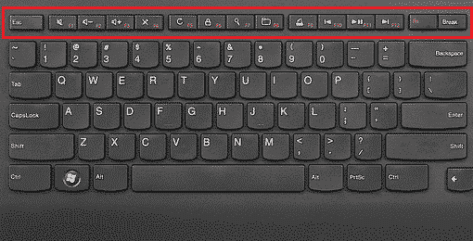
Three Microsoft Office function key alternatives
Function keys can be a hassle, specially on smaller laptop keyboards without a dedicated F key row. Happily there are two alternatives for Microsoft Office user plus another for both Windows or Mac generally. Many laptop users avoid the Function keys because they aren’t directly available on the keyboard. Instead you need to press the Fn […]
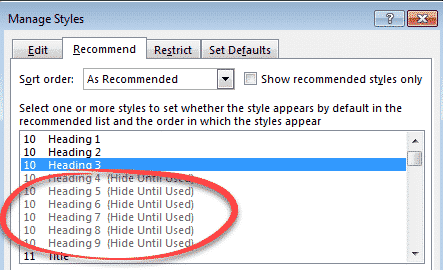
Show a Word style marked ‘Hide until used’.
Many inbuilt Word styles are hidden until they are used but there’s a way to force hidden styles to appear right away. The most obvious example of ‘Hide until used’ styles are the Heading styles. Word initially shows only the first three headings ‘Heading 1’, ‘Heading 2’ and (drumroll) ‘Heading 3’. Hidden away are Heading […]
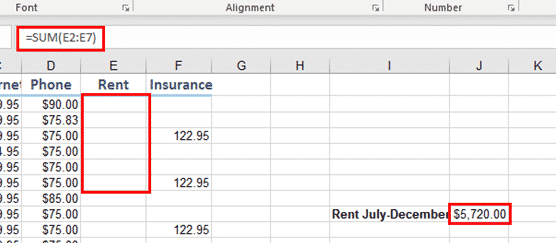
Hiding Cell Contents or Formulas in Excel
There are two ways to hide Excel cell contents that you don’t want visible, but still available able to use in calculations. It’s another case of Office having an official and unofficial hiding option. Here we’re talking about hiding individual cells or ranges. There are separate options for hiding row, columns or entire worksheets (aka […]
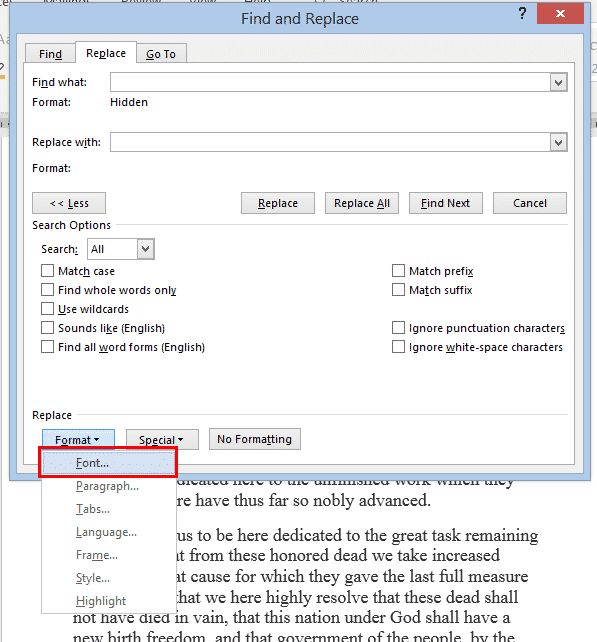
Two ways to Find & Remove Hidden Text in Word
If you want to find then change or remove hidden text from your Word document, there are two ways to do it. Either reveal or find the hidden text OR use Word’s in-built Document Inspector. For a shorter document, you can use the Show/Hide button to see what’s hidden and delete it manually, but that […]
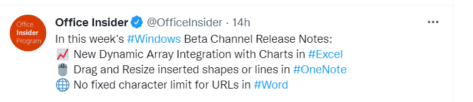
What’s really new in the latest Office Insiders
Microsoft has released the latest Office 365 for Windows software for Insiders. There’s only one truly new feature. Two other ‘features’ are really bug fixes! The Office Insider twitter feed promotes the latest Insiders release like this: It’s overstating things more than a bit as Microsoft’s own listing of changes confirms. ‘New’ Office toolbar There’s […]
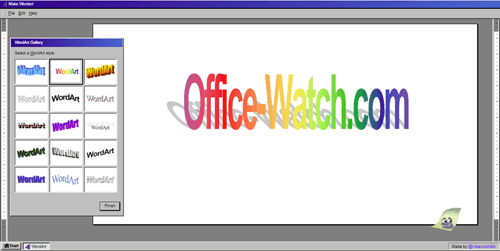
Bring back the 90’s with online WordArt
Make an image using the original Microsoft Office WordArt designs, courtesy of some clever web work by Mike McMillan. Or use the better WordArt that’s still available in modern Microsoft Word. Does anyone miss the original WordArt from the 1990’s? Now you can get it back https://makewordart.com/ recreates, with scary detail, the look of early […]