All about Microsoft Office Word, Excel, PowerPoint and Outlook, Microsoft 365, Office 2021 and earlier versions.
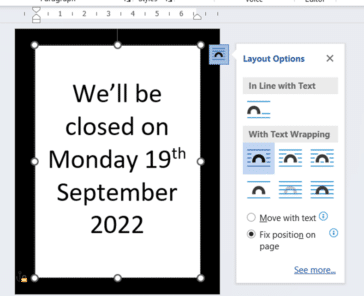
The best way to make a Word page with black border
Microsoft Word has some simple but frankly inadequate options to make a sign or page with a thick black border. Office Watch shows you the best, most flexible option which is better than the official, direct features. Following the death of Her Majesty Queen Elizabeth II, I was asked to make an appropriate sign for […]

What are email Plus addresses and how to use them
‘Plus’ email addressing (aka sub-address or disposable email) is a really useful option for managing your incoming messages, if your mail host allow them. The + trick lets you change the email address given out while still letting the messages to a single mailbox. A ‘plus’ email address looks like this fred+sheep@fredagg.com – the real […]

Division ÷ symbol in Word, Excel, PowerPoint and Outlook
Type the Division ÷ symbol into Microsoft Word, Excel, PowerPoint or Outlook. Both in Office for Windows and Office for Mac. Division ÷ symbol is an alternative to the / character. Made up of a dash and two dots. ÷ symbol isn’t recommended these days. It’s not universally known and mostly used to mark division […]

All about Diaeresis or Umlaut in Microsoft Word
How to typing words with a diaeresis or umlaut in Word for Windows, Mac, Apple or Android plus the shortcuts on Mac computers. They aren’t normally needed in English except some organizations that require diaeresis for words like: naïve coöperate reëlect Brontë Noël Noël Coward Or you might be typing in another language where the […]

What the new iPhones mean for Microsoft Office
Not a lot, to be honest. Everyone seems to have an opinion about the new iPhones so I’m joining in from the side-lines with some comments and a little reality check on some especially silly remarks from Apple. iPhone 14’s have two different but faster chips which means Word docs, PowerPoint decks and especially Excel […]
Hiding stuff in Word, Excel and PowerPoint
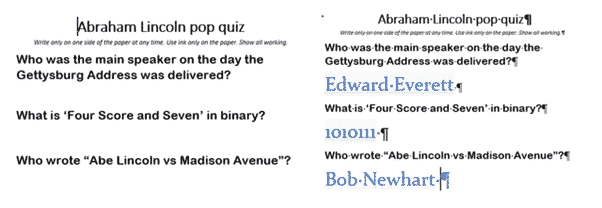
We’ve completed our series on ‘Hidden’ options in Word, Excel and PowerPoint. How to hide text, images, cells, slides etc within documents. Hiding is a useful option and avoids deleting content that might be needed later. It lets you make a different version of a document/sheet/deck without the hassle of maintaining two very similar documents. […]
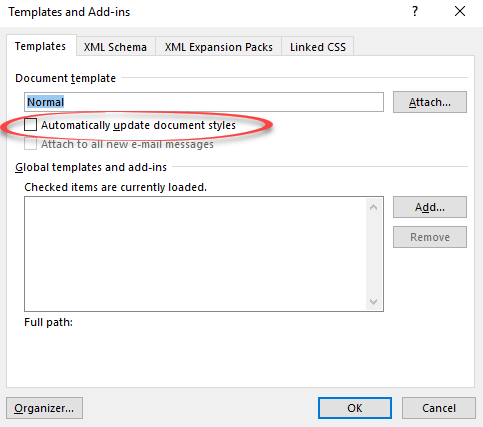
Automatically Update Document Styles in Microsoft Word
Deep in Microsoft Word is the choice “Automatically Update Document Styles“. What does that do and which documents are affected? There are several similarly worded options to do with ‘Style’ and ‘Automatic’ so let’s be clear … we’re talking about File | Options | Add-ins | Manage | Templates | Go | Templates and Add-ins […]

Apple command ⌘ symbol in Word, Excel, PowerPoint and Outlook
The Apple command ⌘ symbol can be typed into Microsoft Word, Excel, PowerPoint or Outlook. Both in Office for Windows and Office for Mac. Apple command ⌘ symbol appears on Mac and iPad keyboards but only as a command option, not as a symbol to type. The ⌘ symbol predates Apple computers. It’s a ‘PLACE […]
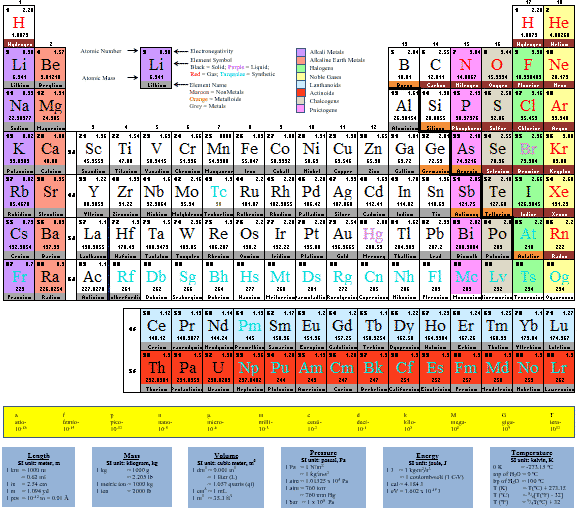
Great Periodic Table documents for Microsoft Office
There are some great and editable Periodic Table of Elements options available in Microsoft Office – Word documents, Excel spreadsheets and PowerPoint slides There are many Periodic Table ‘documents’ on the net but most are PDF’s or images that can’t be changed. We’re looking for editable Word documents and Excel worksheets that you can adapt, […]
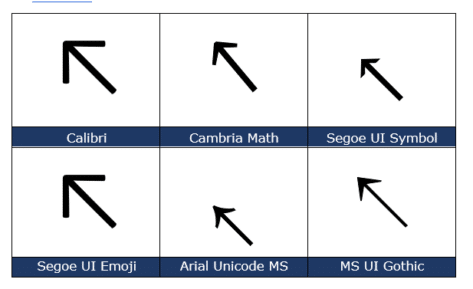
North West/Top Left Arrow ↖ in Word, Excel, PowerPoint and Outlook
Insert the North West or Top Left Arrow ↖ into Microsoft Word, Excel, PowerPoint or Outlook. Both in Office for Windows and Office for Mac. North West Arrow ↖ or “Top Left Arrow” can be used for directions on a map (naturally) or pointing to ‘top left’ in a Word / PowerPoint table or Excel […]

Excel merge arrays into a single array with VBA
Until late 2022 an annoying omission from Excel and VBA was a simple way to combine or merge arrays into a single array. Here’s how to do it with VBA for older Excel releases. Excel 365 for Windows and Mac now have HStack() and VStack() which will combine dynamic arrays or ranges. The VBA method […]
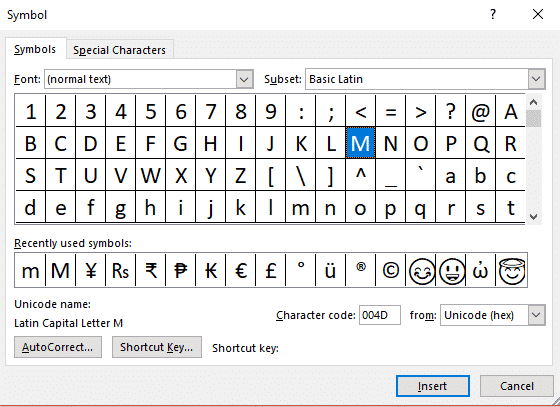
Six workarounds when your keyboard breaks
Your deadline is in four hours, you’ve got pages to write and BAM! a letter key breaks on your keyboard …. What do you do? There are at least six different workarounds available in Word, Windows and Mac. A broken key happened to Colin Chambers, a University of Buffalo student when a drink spilled on […]

Why Word’s Alphabetical order is different from a dictionary
Which version of alphabetical order does Microsoft Word use? I thought that alphabetical order was, well, alphabetical order. That’s what I was taught at school and apparently I was taught wrong. There are at least three ways, two used by dictionaries, another by Microsoft and that’s for English alone! Reading Sue Butler’s delightful book ‘The Aitch […]

Lambda – strange name for a really good extra in Excel
Excel users are rightly interested in Lambda() a very powerful addition to Excel. Lambda lets you create user-defined functions without VBA. No need for .xlsm files with all the security concerns they entail. A long formula can be written once then referenced anywhere in the workbook by a short name of your choosing. User-Defined Functions – […]

Opening Office documents from removable storage
Can or should you open Office documents directly from removable storage like portable hard drives, USB ‘memory sticks’ or even floppy disks? Since we wrote about removable drives and drive letters we’ve had long time Office users asking about opening documents directly – should it be done at all. Many years ago, it wasn’t a […]

Make a consistent drive letter or path to a removable drive
Make the same drive letter or patch appear for the same removable drive, plugged into Windows computers. Keep Microsoft Office Open menus working for external drives. Jenny N writes: “I have a problem with Word when working with documents on my flash drive. If I insert the drive days later and try to use the […]